How to Parse Bills of Lading Automatically
Learn how to parse bills of lading automatically, extract key shipment fields, and send structured logistics data to Sheets, CSV, or downstream systems.

Bills of lading are critical logistics documents, but they are also one of the easiest documents to slow a shipment workflow down.
Teams often receive bills of lading as PDFs, scanned copies, emailed attachments, or mixed-format files from different carriers and partners. Someone then has to read the document, copy the relevant fields, and enter them into a spreadsheet, TMS, ERP, or internal workflow.
That process is slow, repetitive, and error-prone.
In this guide, we will look at how to parse bills of lading automatically, which fields matter most, why these documents are hard to automate, and how to set up an Airparser workflow that turns BoLs into structured data.
What is a bill of lading?
A bill of lading, often shortened to BoL or B/L, is a shipping document used to record the movement of goods.
Depending on the transport workflow, it can serve as:
- a receipt for the shipped goods
- a document describing what is being transported
- a reference point for carrier, shipper, and consignee details
- a record used in downstream logistics and compliance workflows
Even though the exact layout varies, bills of lading usually include important fields such as:
- shipper name
- consignee name
- carrier name
- bill of lading number
- shipment date
- origin and destination
- container or reference numbers
- item descriptions
- weight, quantity, or package counts
These are the fields logistics teams often need to extract for tracking, reporting, and system updates.
Why bills of lading are difficult to parse
Bills of lading look structured at first, but they become difficult quickly when you try to automate extraction across real-world documents.
1. Layouts vary a lot
One carrier may use a clean tabular layout. Another may place shipment details in boxed sections. Another may combine line descriptions, references, and routing information in ways that are hard to separate with fixed rules.
2. Many copies are scanned or low quality
In logistics operations, scanned PDFs and photographed documents are common. OCR may make the text readable, but it can still struggle with noisy scans, stamps, skewed pages, and crowded layouts.
3. Important data is spread across the page
A BoL usually contains both top-level shipment fields and repeated cargo details. Some values may sit in headers, some in tables, and some in notes or side sections.
4. You need structured output, not just text
Getting raw text out of a document is not enough. Most teams need clean fields they can send to a spreadsheet, database, webhook, or logistics system.
What data should you extract from a bill of lading?
The exact schema depends on your workflow, but a practical BoL parser often starts with fields like these:
bill_of_lading_numbershipper_nameconsignee_namecarrier_nameshipment_dateorigindestinationreference_numbertotal_weightpackage_countitems[]orcargo_lines[]
If you need line-level detail, each cargo row can also include:
descriptionquantityunitweightclassif relevant
The key is to design the schema around the data your downstream system actually needs, not around every possible field visible on the document.
Which parsing approach works best?
Manual data entry
This works at very low volume, but it becomes expensive and inconsistent very quickly.
OCR only
OCR is useful when the bill of lading is scanned or image-based. But OCR alone only gives you text. It does not reliably turn that text into a clean shipment record.
Template-based parsing
If every BoL comes from one fixed format, template rules may work. But many logistics teams receive documents from different partners, carriers, and brokers. In that case, template maintenance becomes painful.
LLM-based document parsing
This is often the most flexible option when you have mixed layouts, scanned files, and multiple document versions. Instead of relying only on fixed coordinates, the model can interpret the structure of the document and extract the fields you define.
That is one reason Airparser is a good fit for logistics workflows. Airparser already positions itself around extracting data from logistics documents such as bills of lading, shipping manifests, packing lists, and freight paperwork on its logistics parser page.
How to parse bills of lading with Airparser
Step 1: Create a dedicated logistics inbox
Create an inbox specifically for bills of lading or a narrow logistics document family. This gives you cleaner training data and makes your schema easier to manage.
If your documents are digital PDFs with selectable text, the Text engine may work well. If they are scanned, photographed, stamped, or visually complex, start with the Vision engine.
Step 2: Upload representative BoL samples
Do not rely on one clean sample. Upload several real documents from different carriers or partners if possible. This is especially important in logistics, where formats often drift.
Step 3: Define the extraction schema
Once the sample is uploaded, define the fields you actually want to extract. Keep it practical. Start with the identifiers and shipment fields your team uses every day.
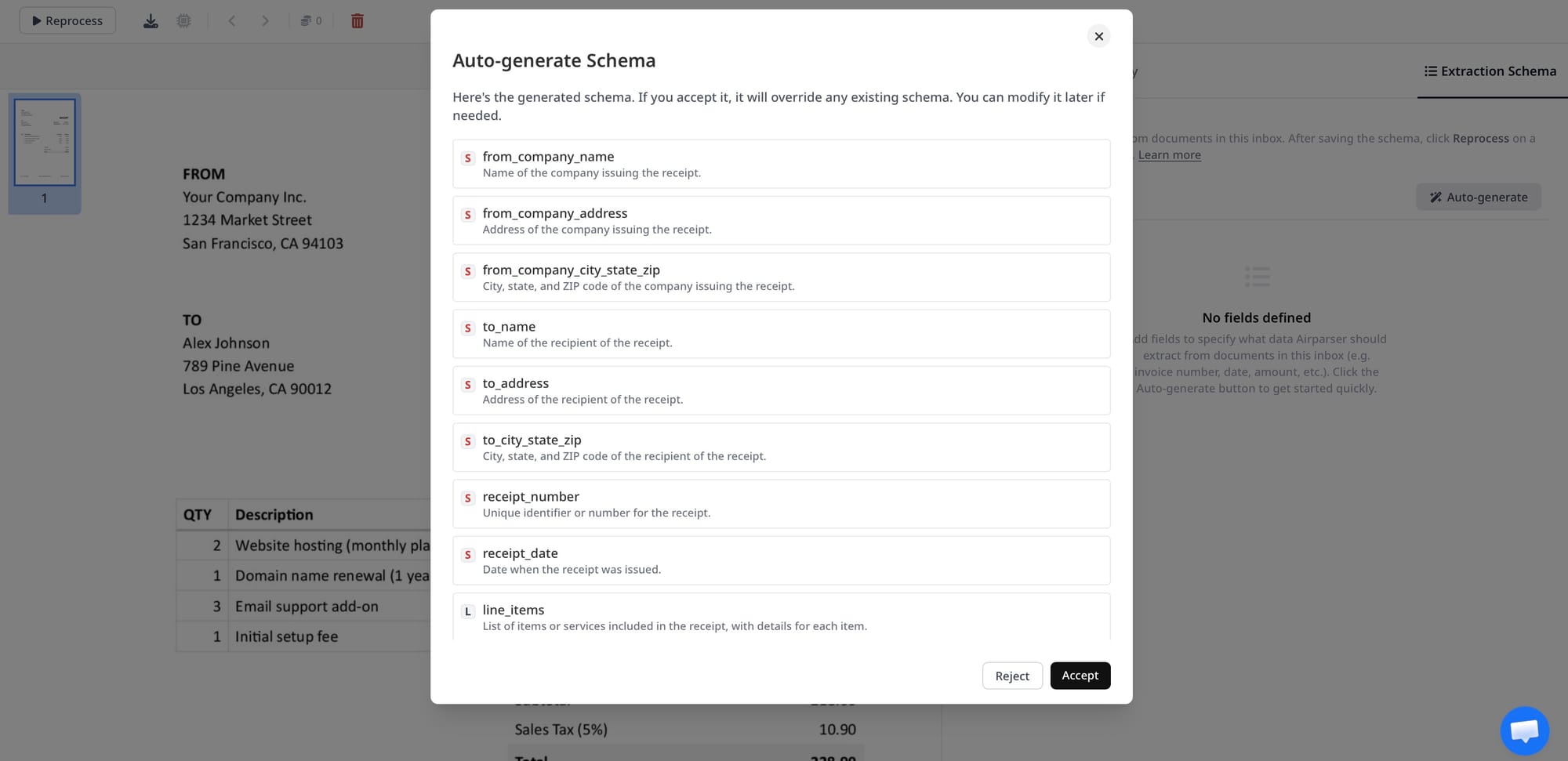
If you want a broader guide to schema design, Airparser has a useful article on creating extraction schemas without prompt engineering.
Step 4: Validate the output carefully
This is where the real work happens. Check whether:
- the bill of lading number is captured correctly
- shipper and consignee values are not swapped
- origin and destination are cleanly separated
- weights and quantities remain tied to the right cargo lines
- reference numbers are not merged into descriptions
BoL parsing usually improves quickly once you test across multiple samples instead of one document.
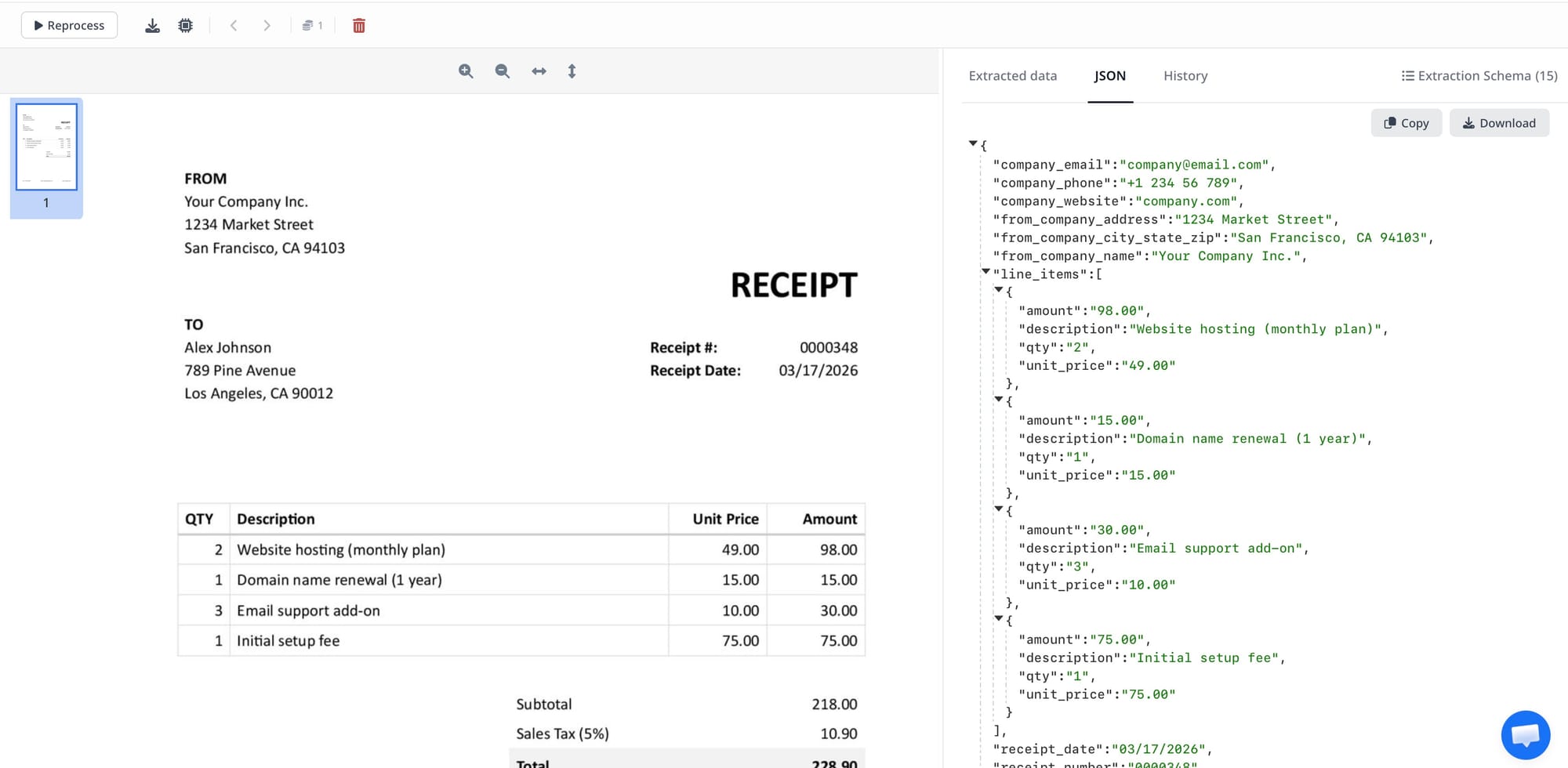
Step 5: Export the data where your team needs it
Once the data is extracted correctly, you can route it into the tools your logistics team already uses.
Common destinations include:
- Google Sheets or Excel for shared operations tracking
- CSV exports for batch processing
- webhooks or APIs for internal logistics systems
- automation platforms for notifications and workflow routing
For related logistics and procurement workflows, Airparser already has useful adjacent articles such as AI-powered data extraction for supply chain and procurement documents and how to extract data from purchase orders.
Best practices for bill of lading parsing
Separate document types when needed
If your inbox receives bills of lading, packing lists, shipping manifests, and delivery notes together, classification becomes important. If needed, split them into separate flows or separate inboxes.
Start with the fields that matter most
It is better to extract 8 critical fields reliably than to define 30 fields that create noise and inconsistency.
Be careful with repeated cargo rows
Like invoice line items, repeated shipment rows are harder than top-level header fields. Validate row-level output separately.
Expect scanned-document issues
Low-quality scans, stamps, handwritten notes, and skewed images can all affect results. This is where Vision-based parsing often becomes more useful than text-only extraction.
Design for downstream use
If your operations team needs one row per shipment, one schema may be enough. If your system needs line-level cargo details, build for nested or repeating structures from the start.
When OCR is not enough
OCR is useful for turning image-based BoLs into readable text, but the logistics workflow usually needs more than readability.
You often need to identify exact fields, keep parties and routing details separate, and preserve line-level shipment structure. That is why OCR-only tools often fall short when the real goal is workflow automation rather than simple text conversion.
Final thoughts
If your team handles bills of lading manually, the problem usually is not just document volume. It is the time lost turning the same shipment details into structured records again and again.
A practical BoL automation workflow usually looks like this:
- collect representative bills of lading
- create a dedicated parsing inbox
- define the exact fields your logistics workflow needs
- test against multiple document layouts
- export the results into the systems your team already uses
That gives you something much more useful than searchable text. It gives you structured logistics data that can actually move through an automated process.
If you want to automate this workflow, Airparser’s logistics parser is a good place to start.