How to connect Airparser and n8n to streamline data extraction
Connect Airparser and n8n to automate document parsing end to end. Learn how to import files from Google Drive, extract structured data automatically, and route results to your tools using flexible, no-code workflows.

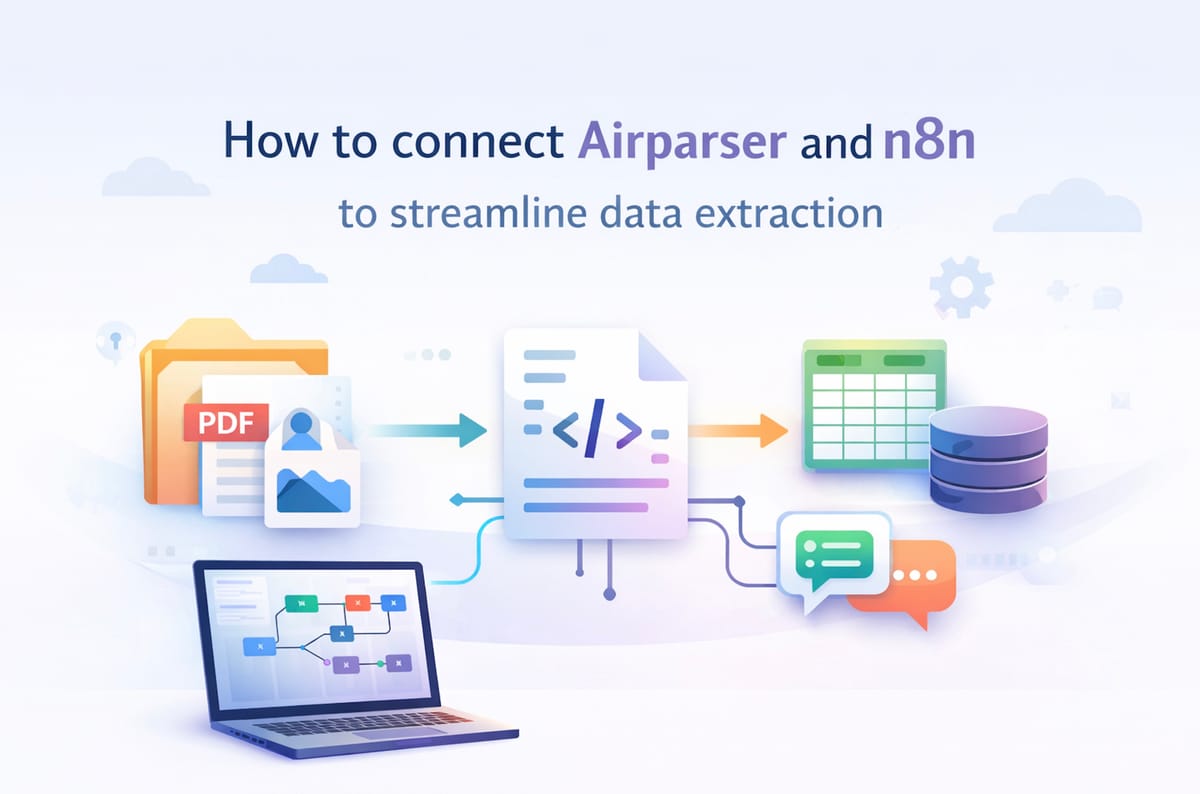
Automating document processing is one of the fastest ways to save time and reduce manual work. Instead of uploading files one by one, copying data into spreadsheets, or forwarding documents between tools, you can build a workflow that does everything automatically.
This is exactly what you can achieve by connecting Airparser with n8n.
Official integration page: https://n8n.io/integrations/airparser/
In this article, you’ll learn:
- What the Airparser n8n integration is
- Common use cases for automating document parsing
- A real-world step-by-step example using Google Drive
- How to extend the workflow after data extraction
By the end, you’ll have a clear understanding of how to build scalable document automation workflows without writing complex code.
What is the Airparser n8n integration?
Airparser is an LLM-powered document parsing platform that extracts structured data from unstructured documents such as PDFs, images, emails, and scanned files. You define what fields you want to extract, and Airparser takes care of the rest.
n8n is a workflow automation tool that lets you connect different apps and services using a visual editor. It supports triggers, actions, branching logic, and error handling. You can self-host it or use the cloud version.
The Airparser n8n integration brings these two tools together. It allows you to:
- Automatically send documents to Airparser for parsing
- Trigger workflows when a document has been processed
- Forward extracted data to other tools or systems
Using the official Airparser node in n8n, you can upload documents as binary files (PDFs, images, email attachments) or as text/HTML content. You authenticate using your Airparser API key, which makes setup simple and secure.
In short, n8n becomes the automation layer, while Airparser handles the intelligent data extraction.
Why use n8n with Airparser?
Connecting Airparser with n8n unlocks much more than just automated uploads. It enables complete, end-to-end document workflows.
No more manual uploads
Instead of uploading files manually, documents can be picked up automatically from sources like cloud storage, email inboxes, or other apps. As soon as a file appears, it is sent to Airparser for parsing.
Flexible workflows, not rigid integrations
Unlike simple one-click integrations, n8n lets you design workflows visually. You can add conditions, delays, branching paths, and error handling. This is especially useful when dealing with different document types or multiple clients.
Connect extracted data to anything
Once Airparser extracts structured data, n8n can route it anywhere:
- Spreadsheets
- Databases
- CRMs
- Internal APIs
- Notification tools
You are not limited to a single export destination.
Event-based automation
The Airparser n8n node supports triggers, such as “document parsed”. This means your workflow can react as soon as data is ready, without polling or manual checks.
Typical use cases
Here are some common scenarios where the Airparser n8n integration shines:
- Invoice automation: Monitor a folder for new invoices, extract totals and vendor details, and send them to accounting software.
- Resume parsing: Automatically parse CVs uploaded by candidates and push structured data into an ATS or database.
- Lead processing: Extract contact details from uploaded documents and send them to a CRM.
- Operations workflows: Parse reports or forms and notify teams when key values meet certain conditions.
All of these workflows can run 24/7 without human intervention.
Real-world example: importing Google Drive files into Airparser
Let’s walk through a practical example that shows how this integration works in real life.
In this scenario, we will build a workflow that:
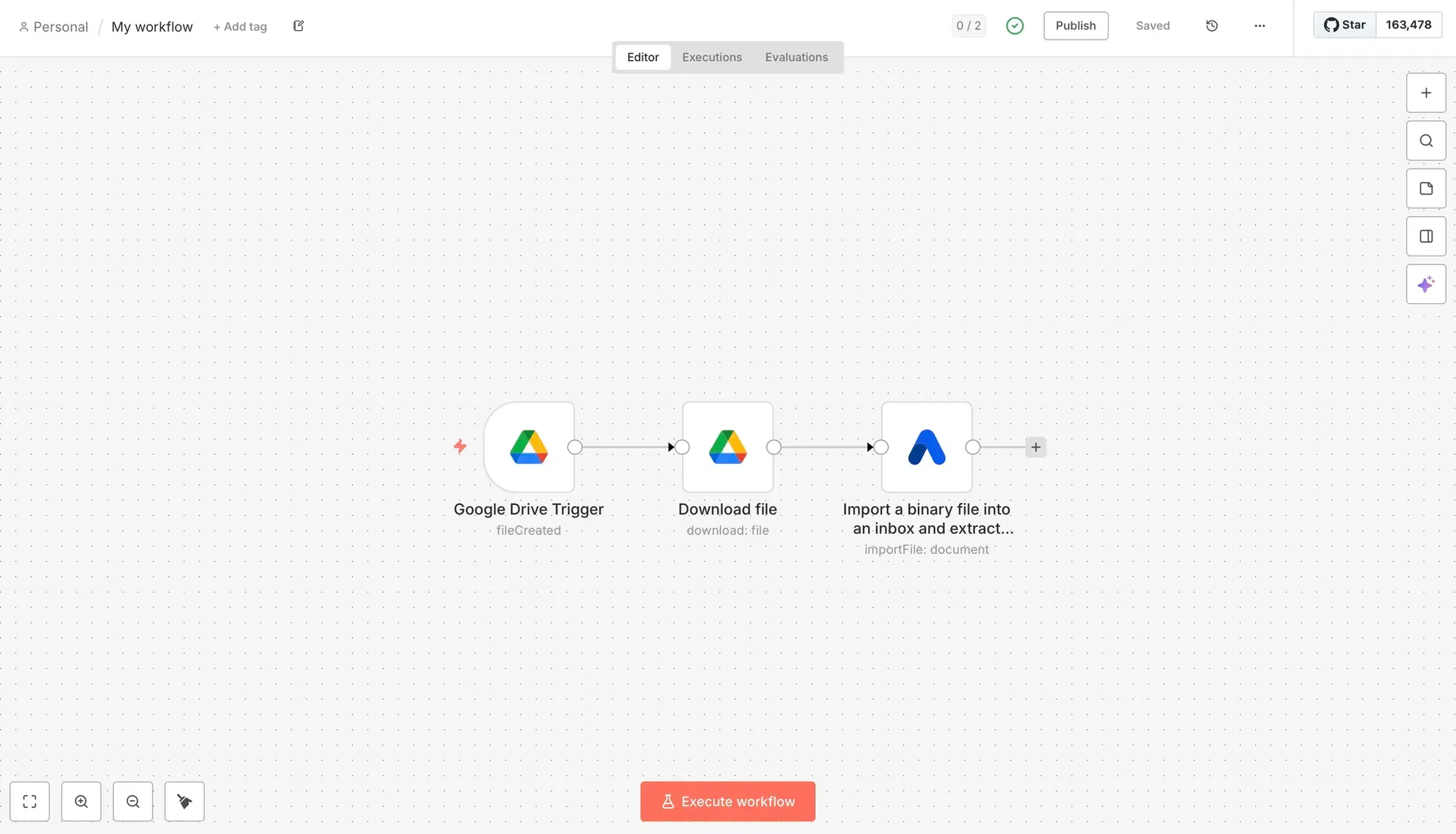
- Monitors a Google Drive folder
- Detects new files
- Downloads those files
- Sends them to Airparser for parsing
You can reuse this pattern for many other sources, not just Google Drive.
What you’re building
Once the workflow is active, any file added to a specific Google Drive folder will be automatically imported into Airparser and processed using your extraction schema.
Step 1: Create a Google Drive folder
Start by creating a folder in Google Drive. This folder will act as the entry point for your automation.
Any document you place here will be picked up by n8n. This could be invoices, resumes, contracts, or any other files you want to parse.
Step 2: Create a new workflow in n8n
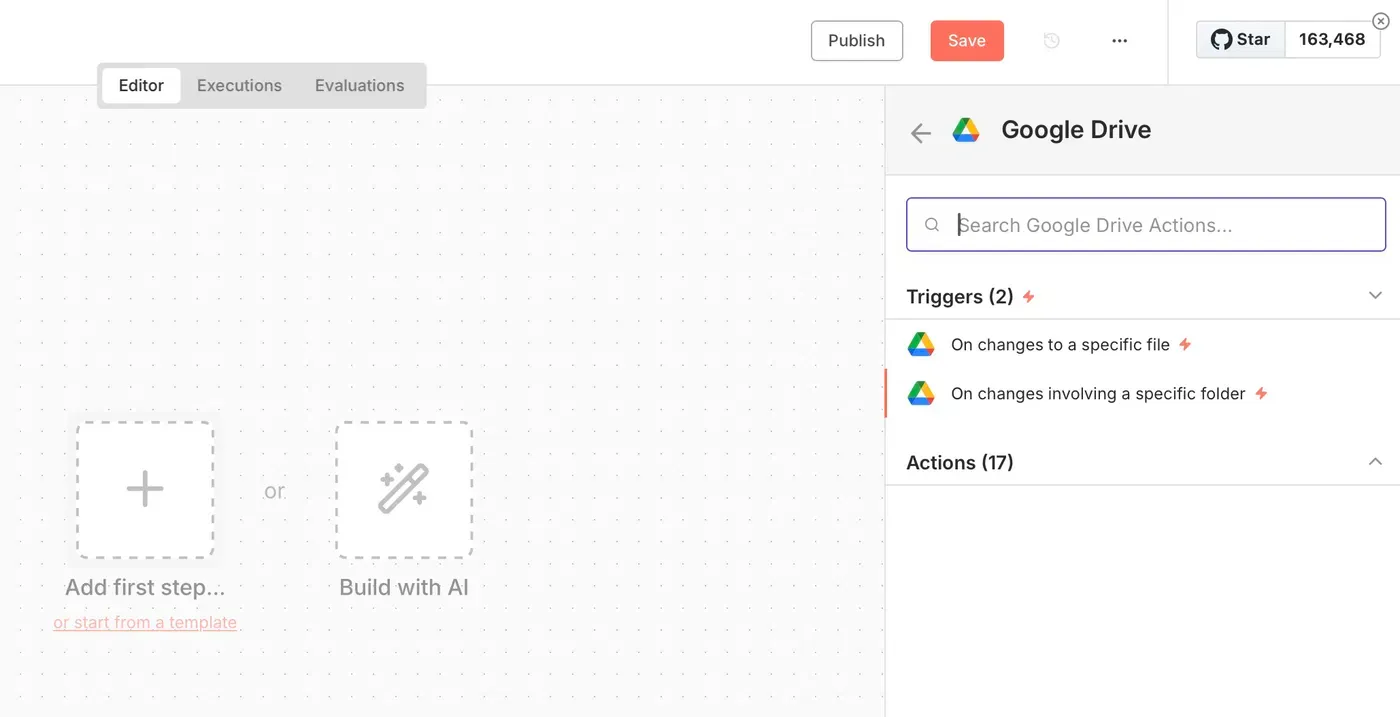
Open n8n and create a new workflow. You’ll see a blank canvas where you can add nodes.
The first node will be a Google Drive trigger. This node watches a specific folder and fires whenever a new file appears.
Step 3: Connect Google Drive credentials
To allow n8n to access your Google Drive, you need to connect your Google account using OAuth credentials. This is a standard step when working with Google services. Documentation: https://docs.n8n.io/integrations/builtin/credentials/google/oauth-single-service/
Once connected, select the folder you created earlier.
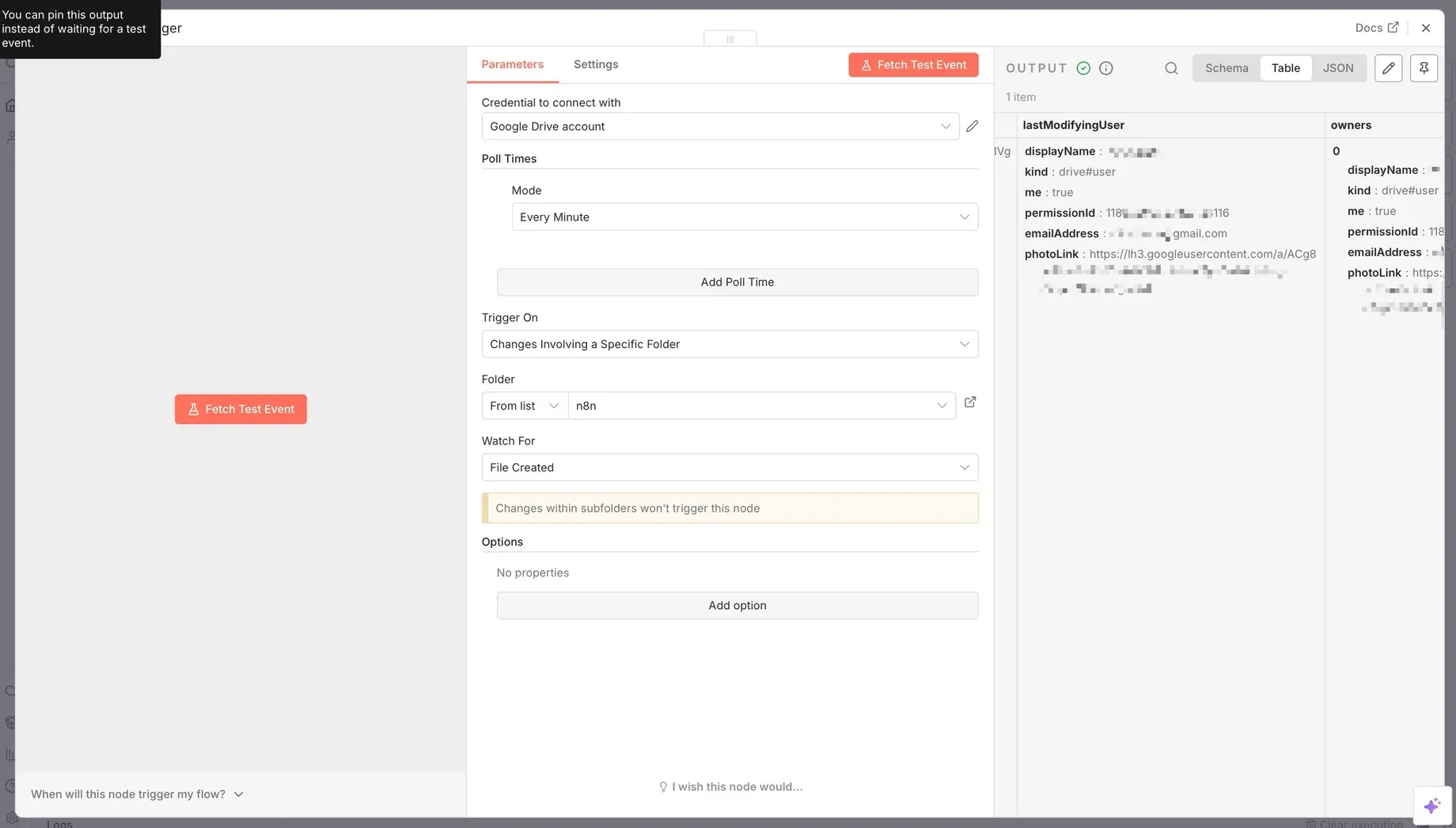
Step 4: Test the trigger
Upload a sample file into your Google Drive folder and run the workflow in test mode.
If everything is set up correctly, n8n will detect the file and output basic metadata such as the file name and ID.
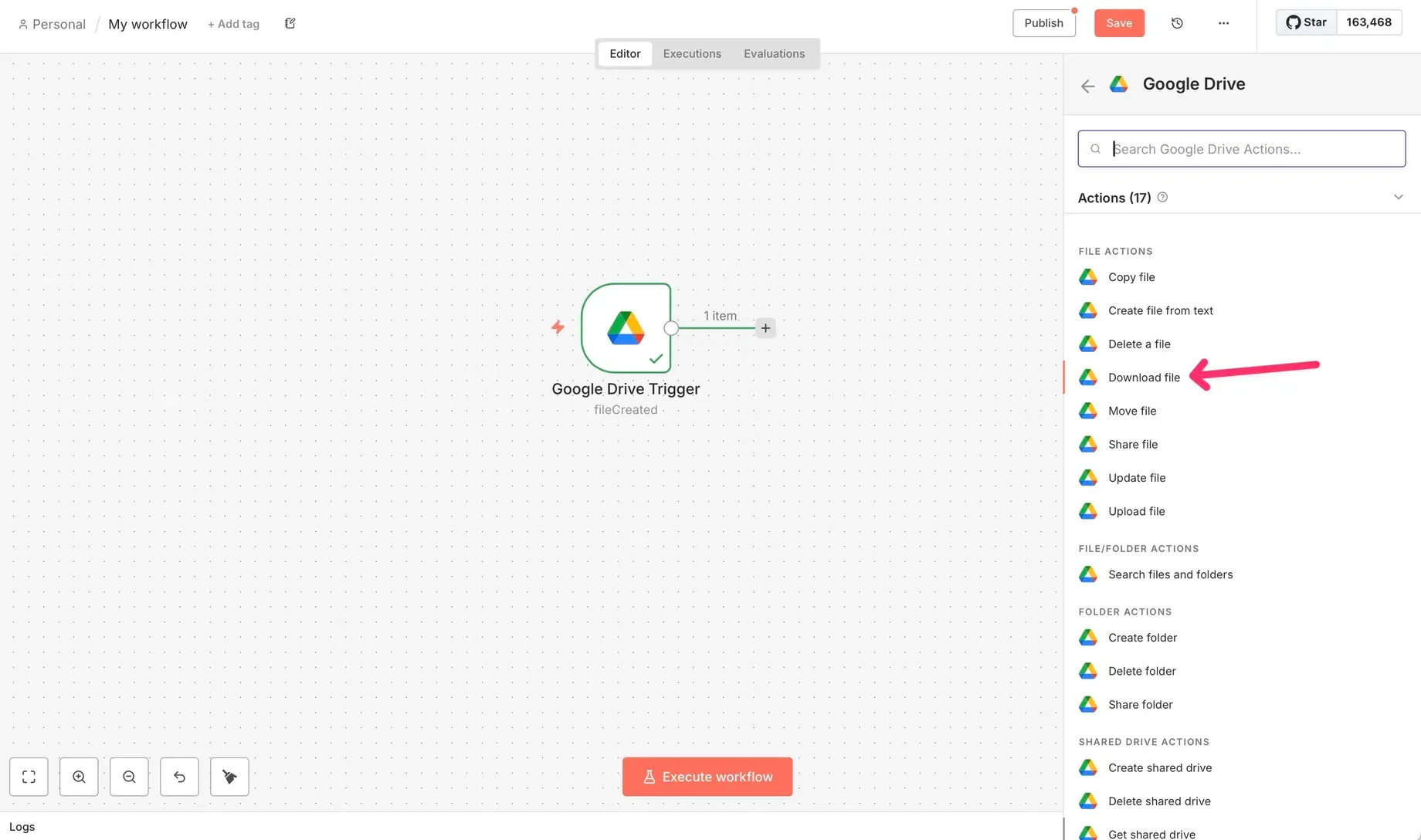
Step 5: Download the file from Google Drive
The trigger only detects the file. To send it to Airparser, you need the actual file content.
Add a Google Drive – Download file node. This node fetches the file as binary data, which is required for the Airparser import step.
Step 6: Add the Airparser node
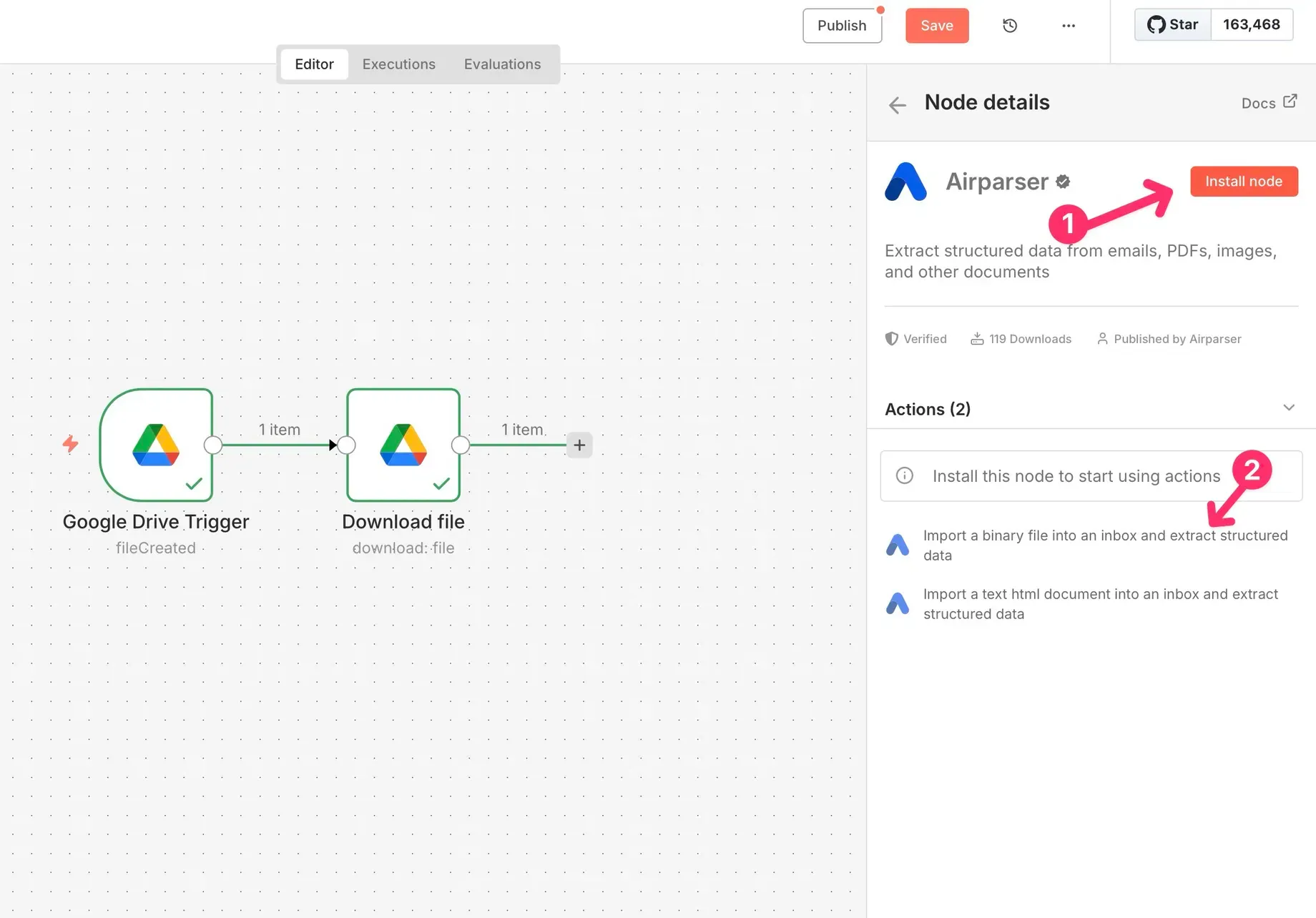
Next, add the Airparser node to your workflow.
Choose the action to import a binary file. This tells n8n to send the downloaded document directly to Airparser for parsing.
Step 7: Connect Airparser using an API key
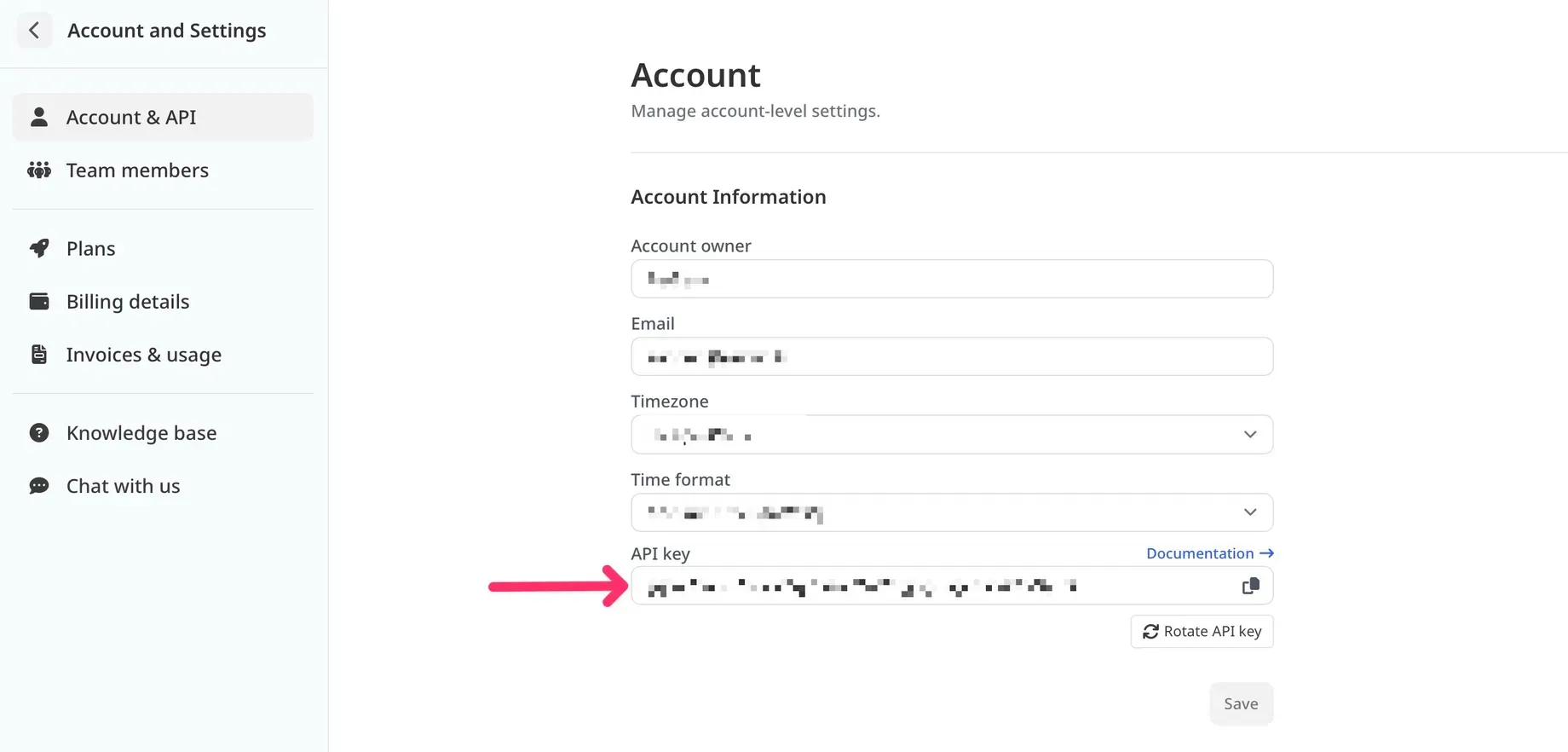
In your Airparser account, copy your API key.
Back in n8n, create new credentials for Airparser and paste the API key there. Once saved, the Airparser node can securely communicate with your account.
Step 8: Configure import settings
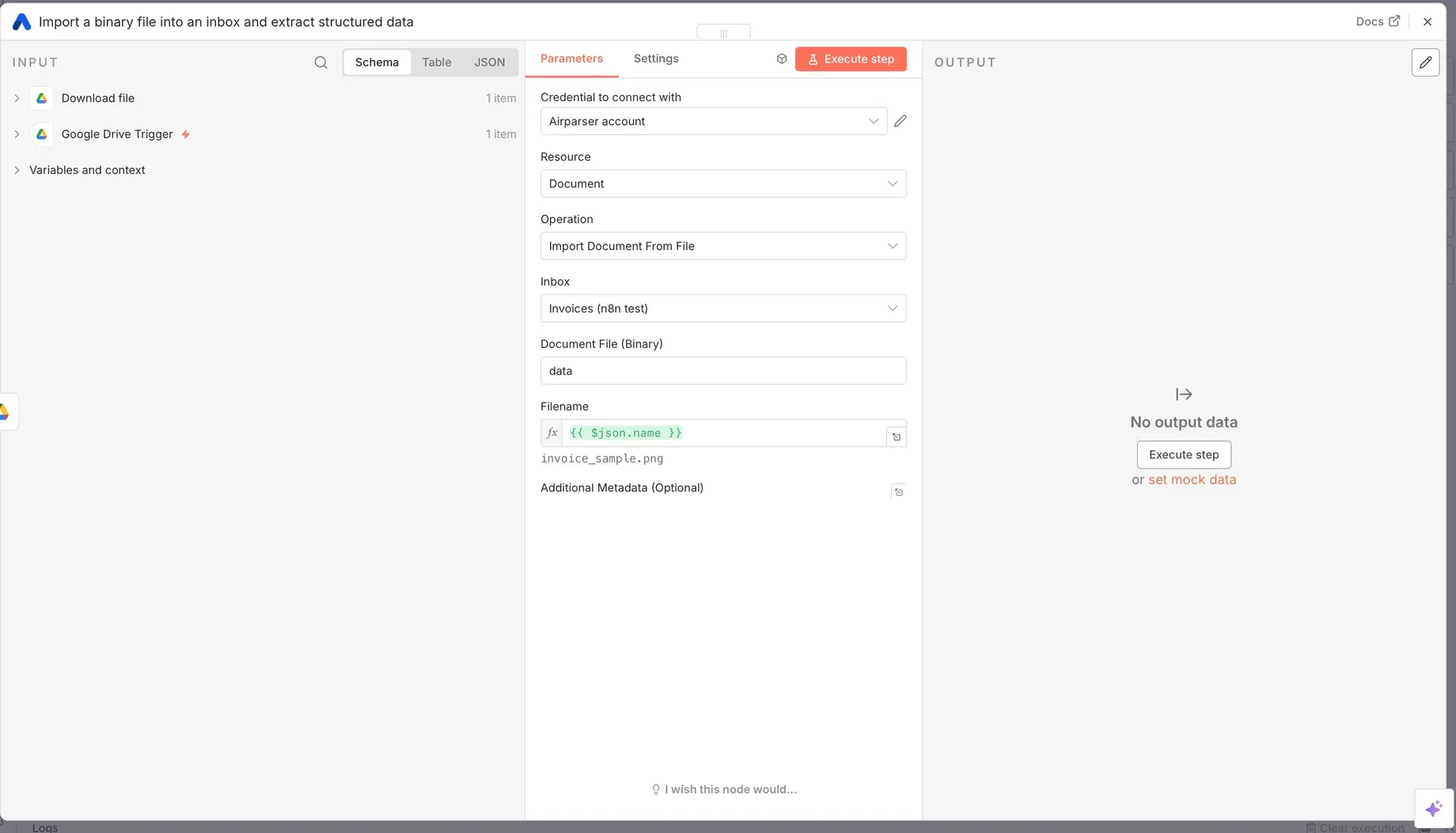
Select the Airparser inbox where the document should be uploaded. This inbox determines which extraction schema will be used.
Map the binary file field from the Google Drive node to the Airparser node. You can also pass the original file name for easier identification.
Step 9: Run and activate the workflow
Run the workflow once to test it end-to-end.
If the document appears in Airparser and is parsed successfully, activate the workflow. From now on, every new file added to the Google Drive folder will be processed automatically.
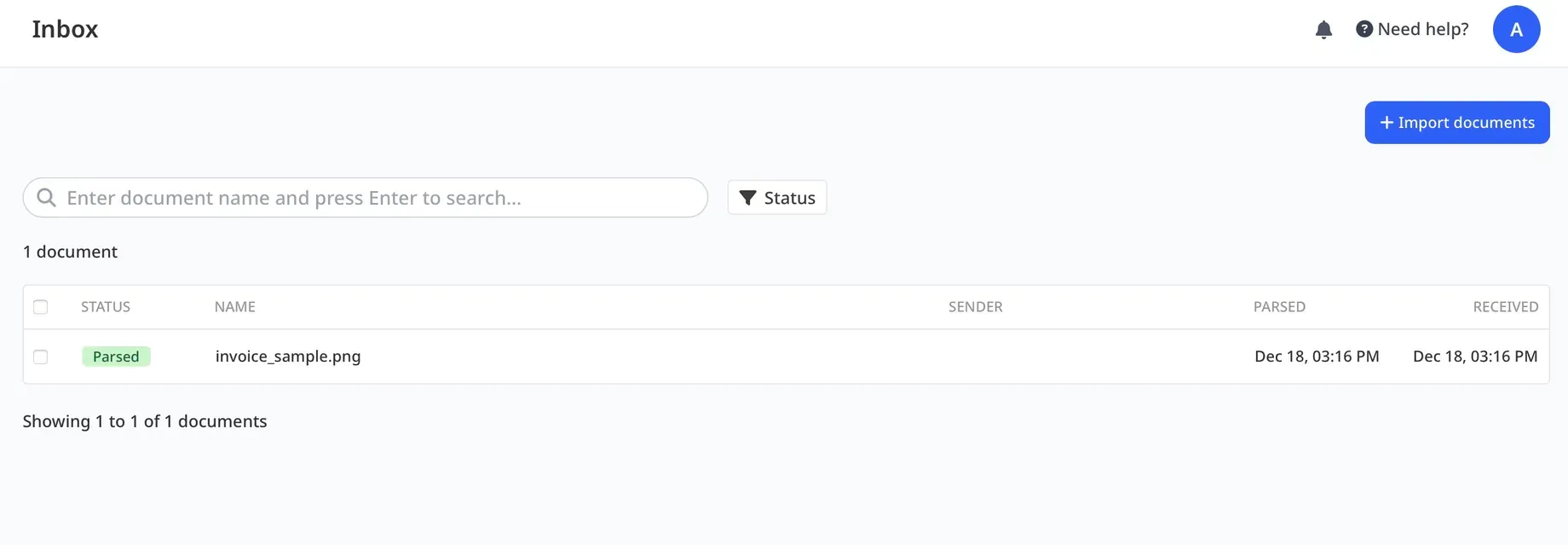
What happens after parsing?
Once Airparser finishes parsing a document, the structured data becomes available immediately.
At this point, you can extend your n8n workflow in many ways:
- Send extracted data to Google Sheets
- Insert records into a database
- Push data to a CRM
- Trigger internal APIs
- Send notifications to Slack or email
Because n8n supports conditional logic, you can also create different paths based on extracted values. For example, you could flag high-value invoices or route certain documents to a review queue.
This makes the integration suitable not only for simple automations, but also for more advanced business workflows.
Best practices for Airparser + n8n workflows
To get the most out of this integration, keep these tips in mind:
- Use clear inbox names in Airparser so it’s obvious which schema is applied.
- Test workflows with multiple sample documents before enabling them in production.
- Add basic error handling in n8n to catch failed uploads or parsing issues.
- Use metadata fields to track document sources or client IDs.
- Start simple, then add branching and logic as your workflow evolves.
Well-designed workflows are easier to maintain and scale over time.
Summary
Connecting Airparser and n8n allows you to automate document parsing from start to finish. Instead of manually uploading files and copying data, you can build workflows that react instantly when new documents arrive.
n8n handles the orchestration, while Airparser extracts structured data using LLMs. Together, they form a powerful foundation for document automation across many use cases.
If you’re already using Airparser, n8n is a natural next step to unlock more value from your extracted data. And if you’re exploring automation tools, this integration is a great example of how flexible, no-code workflows can replace repetitive manual tasks.