Best Email Parser in 2026: Extract Data from Emails with AI
The best email parser in 2026 depends on your email variety. Airparser leads for AI-native parsing and attachments; Mailparser.io for fixed-format rule-based extraction; plus newer entrants Parsli and Lido compared.

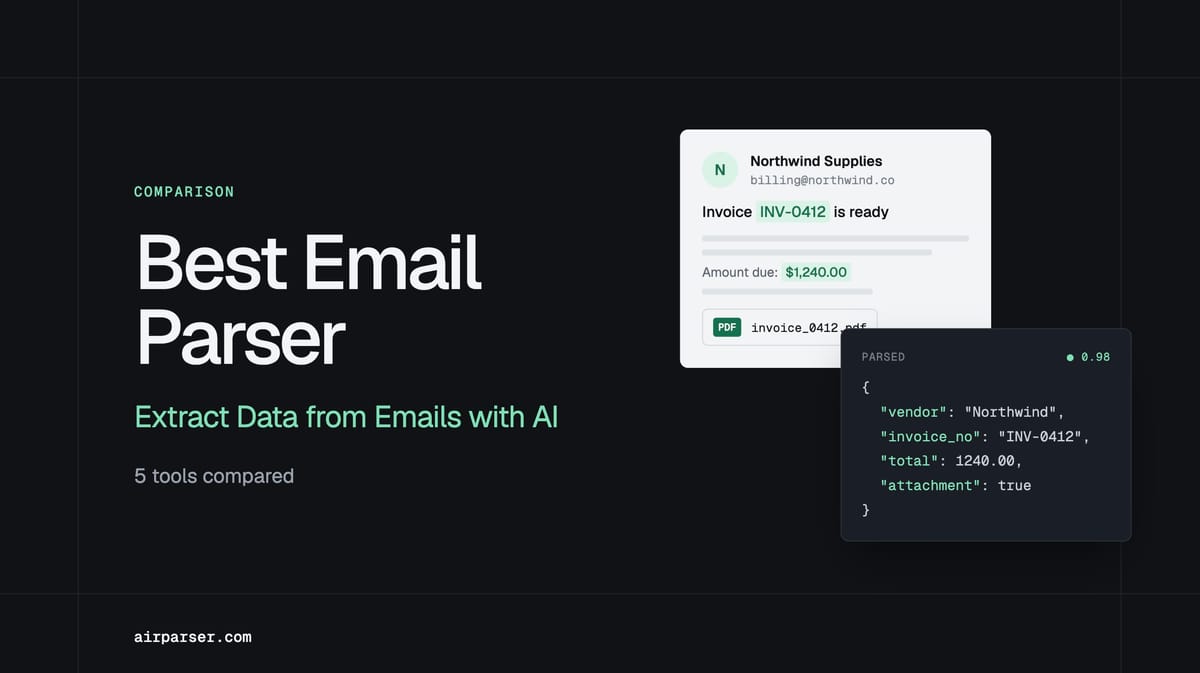
TL;DR: The best email parser in 2026 depends on how varied your incoming emails are. Airparser is the top choice for mixed formats, attachments, and AI agent workflows — its vision engine handles PDFs, images, and variable email layouts without templates. Mailparser.io is reliable for fixed-format emails at scale. Zapier Email Parser is free for basic body-text extraction. Parsli is a strong new AI-native alternative. Lido is best if your destination is a spreadsheet.
Email is where most business data arrives first — invoices from suppliers, order confirmations, leads from web forms, shipping notifications, and client documents attached as PDFs. The question for 2026 is no longer whether to automate email parsing, but which approach handles your specific email mix reliably.
The market has split clearly into two camps: AI-native parsers that need no templates and adapt to format changes automatically, and rule-based parsers that require per-sender configuration but deliver high predictability on fixed formats. The right tool depends on your email variety, volume, and whether you're building a simple automation or a more complex agentic workflow.
AI vs. Rule-Based: The Decision That Matters Most
Before comparing specific tools, this is the decision that determines everything else.
Rule-based parsers (Mailparser.io, Zapier Email Parser) work by defining extraction rules for each sender: you highlight a field in an example email, name it, and the tool extracts that position in every future email from that sender. This is fast to set up for a small number of senders with consistent formats and delivers very reliable results — until a sender changes their template, switches email platforms, or you add a new source. Then you rebuild the rule.
AI-native parsers (Airparser, Parsli) skip the template step entirely. You define a schema — the fields you want extracted — and the AI identifies those fields by meaning, not position. The same schema extracts vendor name, invoice date, and total from invoices that arrive in dozens of different layouts, without per-vendor configuration. The tradeoff is that AI extraction has different failure modes than rule-based systems: it can misread ambiguous fields or struggle with very unusual formatting, so confidence scoring and validation matter.
If you receive emails from fewer than 10 senders who never change their format, rule-based works fine. If you receive emails from dozens of sources, handle attachments, or are building an agentic workflow that needs to process any incoming document reliably, AI-native is the right architecture.
The 5 Best Email Parsers in 2026
1. Airparser — Best for AI-Native Parsing and Attachments
Airparser is an AI-powered parser that uses a vision engine — meaning it processes documents the way a human would, by looking at the full visual layout rather than relying on text position or sender-specific templates. This makes it the strongest choice for teams dealing with format variety: emails from multiple suppliers, PDF attachments, image attachments, and scanned documents all go through the same pipeline without additional configuration.
What sets it apart: Most email parsers are text-layer parsers — they extract from the text content of an HTML or plain-text email, but struggle with attachments. Airparser's vision engine handles attachments natively. A supplier invoice attached as a scanned PDF, a delivery confirmation attached as an image, a contract attached as a Word document — all are parsed with the same schema, the same workflow, and the same output structure. This makes Airparser the right choice for any workflow where the email body is just the carrier and the real data is in the attachment.
Key features:
- Vision engine: parses email bodies, PDF attachments, image attachments, and Word documents
- No templates — schema-based extraction adapts to any sender layout
- Supports 60+ languages for international email and document processing
- Integrates with Zapier, Make, n8n, Google Sheets, webhooks, and REST API
- Confidence scores on every extracted field — route low-confidence results to human review
- MCP integration for AI agent workflows
Pricing: Free trial (30 credits). Starter from $29/month. Growth, Business, and Premium tiers above that based on monthly document volume.
Best for: Teams receiving emails from multiple senders in varying formats, workflows that process PDF or image attachments, AI agent pipelines that need structured output from any incoming email. Related: Email parsing for AI agents: why inbox data is the hardest input layer.
2. Mailparser.io — Best for Rule-Based Parsing at Scale
Mailparser.io is a well-established rule-based email parser that has been a reliable workhorse for structured email automation for years. You set up parsing rules by highlighting fields in sample emails — order number here, customer name there — and Mailparser applies those rules to every future email from that sender.
This approach works very well for specific use cases: if you receive order confirmations from a marketplace platform that never changes its email template, or shipping notifications from a logistics partner with a fixed format, Mailparser delivers consistent results with minimal ongoing maintenance. The setup investment is front-loaded (you build rules per sender), but once done, it runs reliably.
Where it struggles is the same place all rule-based systems struggle: sender variety and format changes. If you receive invoices from 50 different suppliers, you need 50 sets of rules. If any supplier changes their email design, the rule breaks silently.
Pricing: Free tier available. Professional plan ~$34/month (6,000 emails, 30 inboxes). Business and Enterprise tiers above that.
Best for: Teams with a small number of senders who use consistent email formats and high volume. Order management, fulfillment, and logistics workflows with predictable email structure.
3. Zapier Email Parser — Best for Free, Simple Automations
Zapier Email Parser is a free tool available to any Zapier user. It extracts text from incoming emails using keyword-based rules and feeds that data into Zapier Zaps — no additional subscription required.
The limitation is that it only extracts from email body text, not attachments, and only using simple pattern matching. It's not AI-powered, won't adapt to format changes, and has no confidence scoring or review layer. But for simple, high-frequency use cases — extracting a lead name and email from a fixed notification template, or pulling an order number from a consistent confirmation format — it costs nothing and integrates directly with the rest of your Zapier workflows.
Best for: Teams already on Zapier who need basic text extraction from a single, predictable email format and don't want to pay for a dedicated parser. Not suitable for attachments, format variety, or high-accuracy requirements.
4. Parsli — Best New AI-Native Alternative
Parsli is a newer AI-native email parser built on Google Gemini 2.5 Pro. Like Airparser, it uses a schema-based approach — you define the fields you want extracted, and the AI identifies them across different email formats without per-sender templates. It handles email bodies, PDF attachments, and image attachments in a single pipeline.
Parsli routes extracted data to Google Sheets, Zapier, Make, webhooks, or a REST API. It's a credible alternative in the AI-native segment, particularly for teams already in the Google ecosystem or evaluating options before committing to a platform.
Best for: Teams evaluating AI-native parsers who want to compare options before committing, or teams with strong Google Workspace integration needs.
5. Lido — Best for Direct-to-Spreadsheet Workflows
Lido is a newer tool positioned as an Mailparser alternative with AI-powered extraction from email attachments directly into spreadsheets. It connects to Outlook and Gmail, reads PDF and image attachments, and outputs structured data into a spreadsheet without templates or coding.
Its scope is narrower than full-featured parsers — the output destination is a spreadsheet, not a webhook or API endpoint. This is actually a feature for teams whose entire workflow lives in spreadsheets: invoice data into an AP tracking sheet, order data into a fulfillment sheet, no integration layer required.
Best for: Finance, operations, and small teams whose primary destination for parsed data is a spreadsheet, and who don't need API or webhook output.
How to Choose the Right Email Parser
Four questions narrow down the right tool quickly:
How many different email senders do you process? Under 10 senders with consistent formats → rule-based (Mailparser.io) is fast and reliable. More than 10, variable formats, or new senders added regularly → AI-native (Airparser, Parsli) is the only approach that scales.
Do you need to parse attachments? If your real data is in a PDF or image attachment rather than the email body itself, you need a vision engine parser. Zapier Email Parser doesn't handle attachments at all. Mailparser.io has limited PDF support. Airparser's vision engine is purpose-built for attachment-heavy workflows.
What does your downstream system look like? Spreadsheet → Lido is purpose-built for this. CRM or database → Airparser, Mailparser.io, or Parsli with webhooks or Zapier. AI agent pipeline → Airparser with webhook or MCP integration. Related: Zapier vs Make vs n8n for document automation.
What's your budget? Zero budget → Zapier Email Parser (limited). Small volume → Airparser free trial or Parsli. Growing volume → compare per-document pricing at your actual scale before committing.
Step-by-Step: How to Parse Emails with Airparser
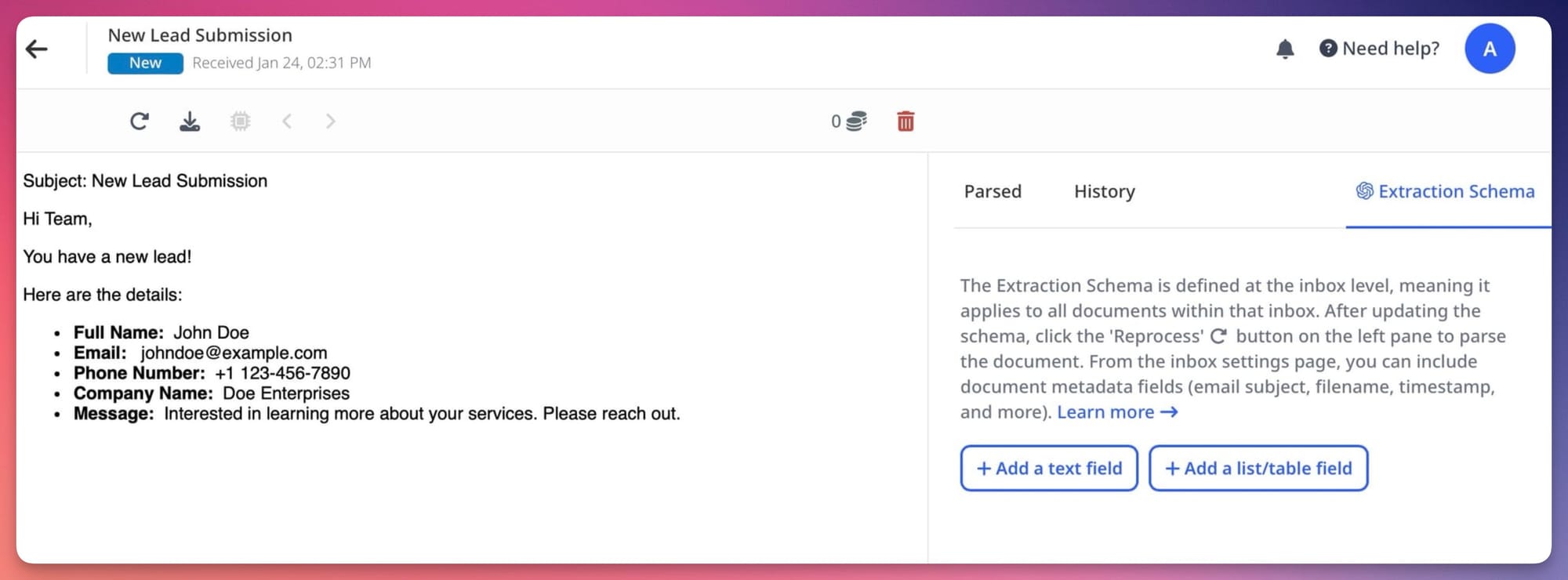
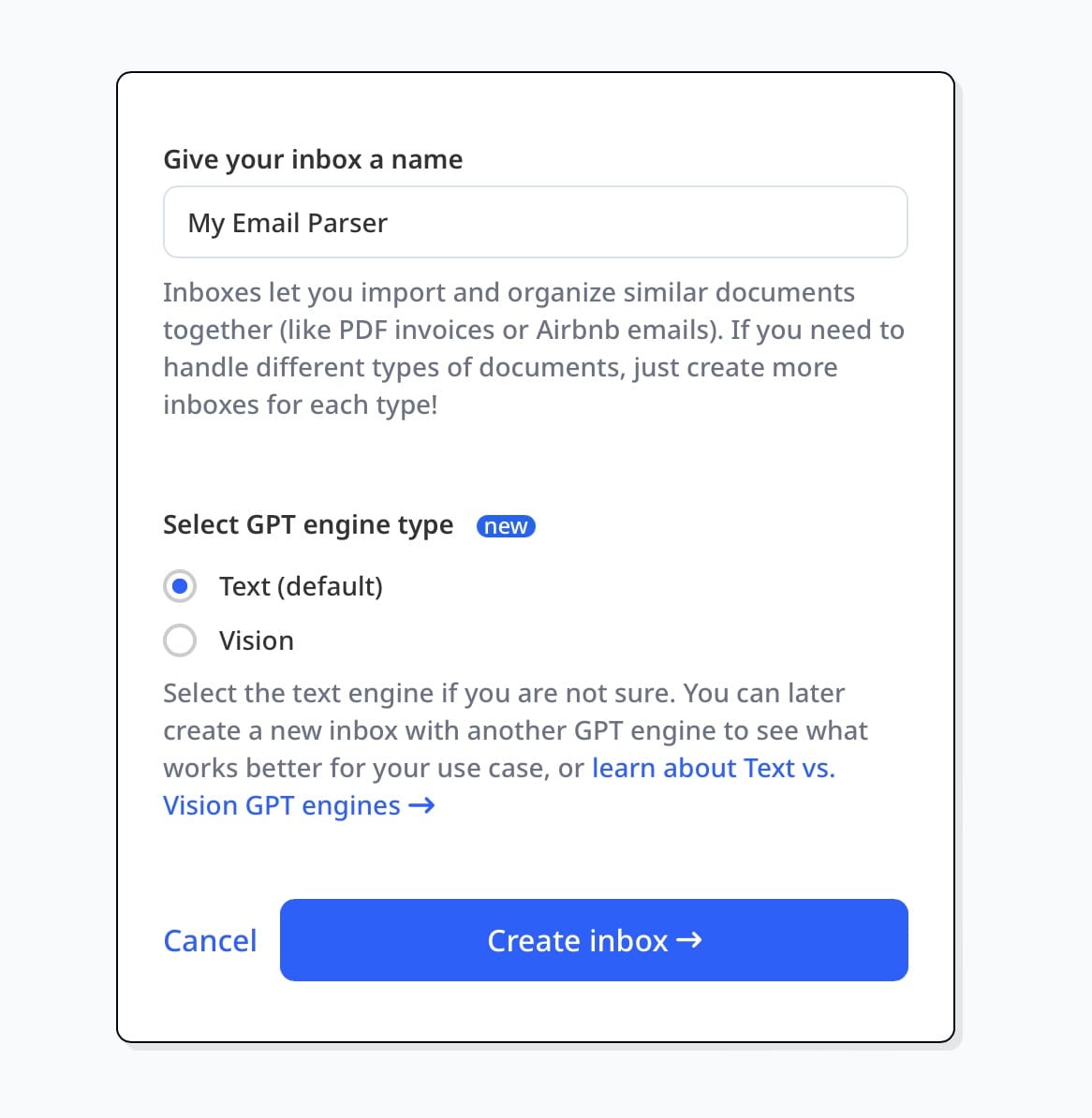
Step 1: Create a Parsing Inbox
Sign up at Airparser and create a new inbox. Each inbox gets a dedicated email address — forward incoming emails here, or connect your Gmail or Outlook account to route emails automatically.
Step 2: Define Your Extraction Schema
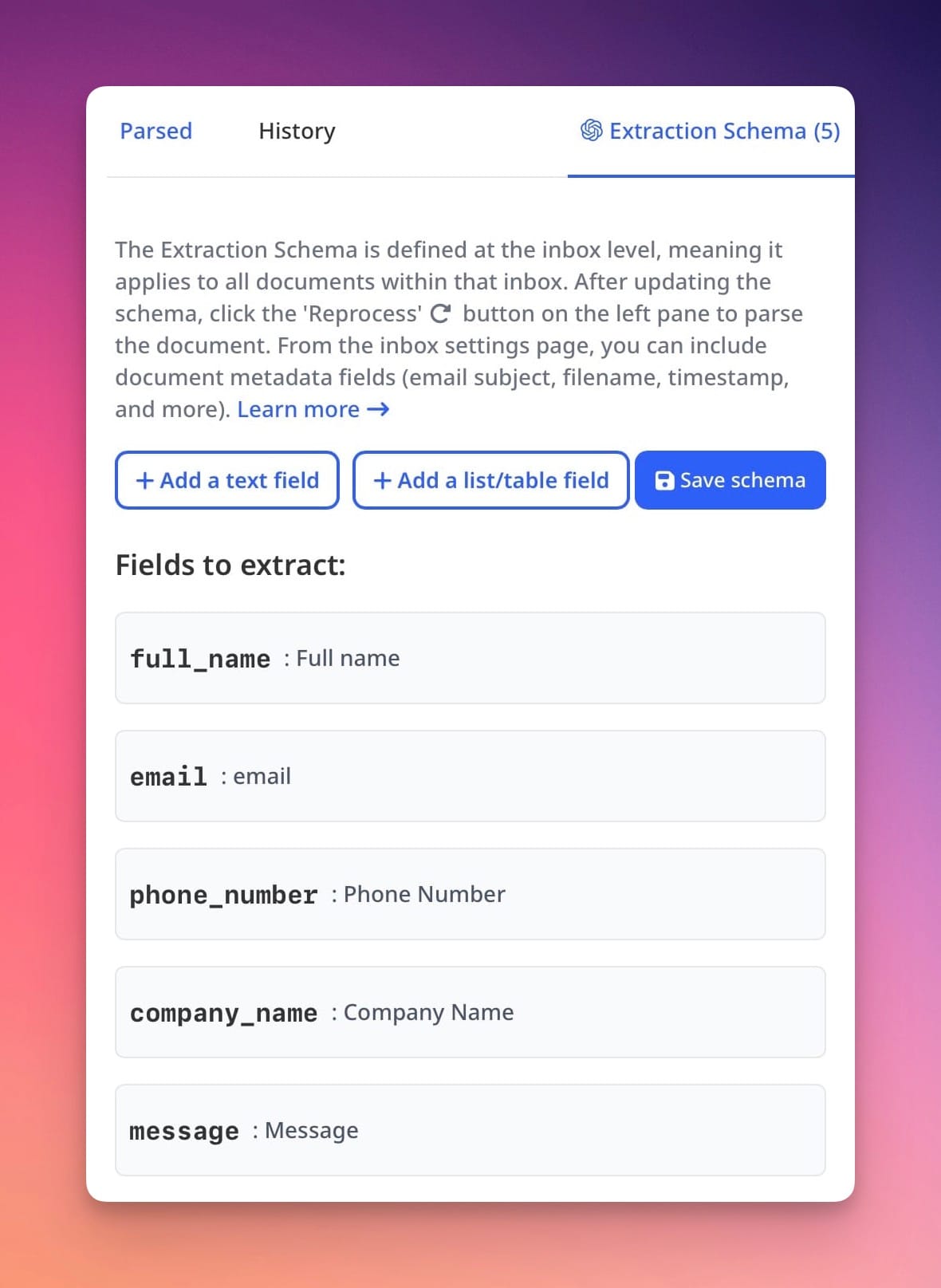
Send a sample email to the inbox. Airparser will display it and let you define a schema — the list of fields you want extracted (vendor name, invoice number, amount, date, etc.). You describe each field in plain language; the AI uses that description to identify the right value across all future emails, regardless of layout.
Step 3: Review and Validate
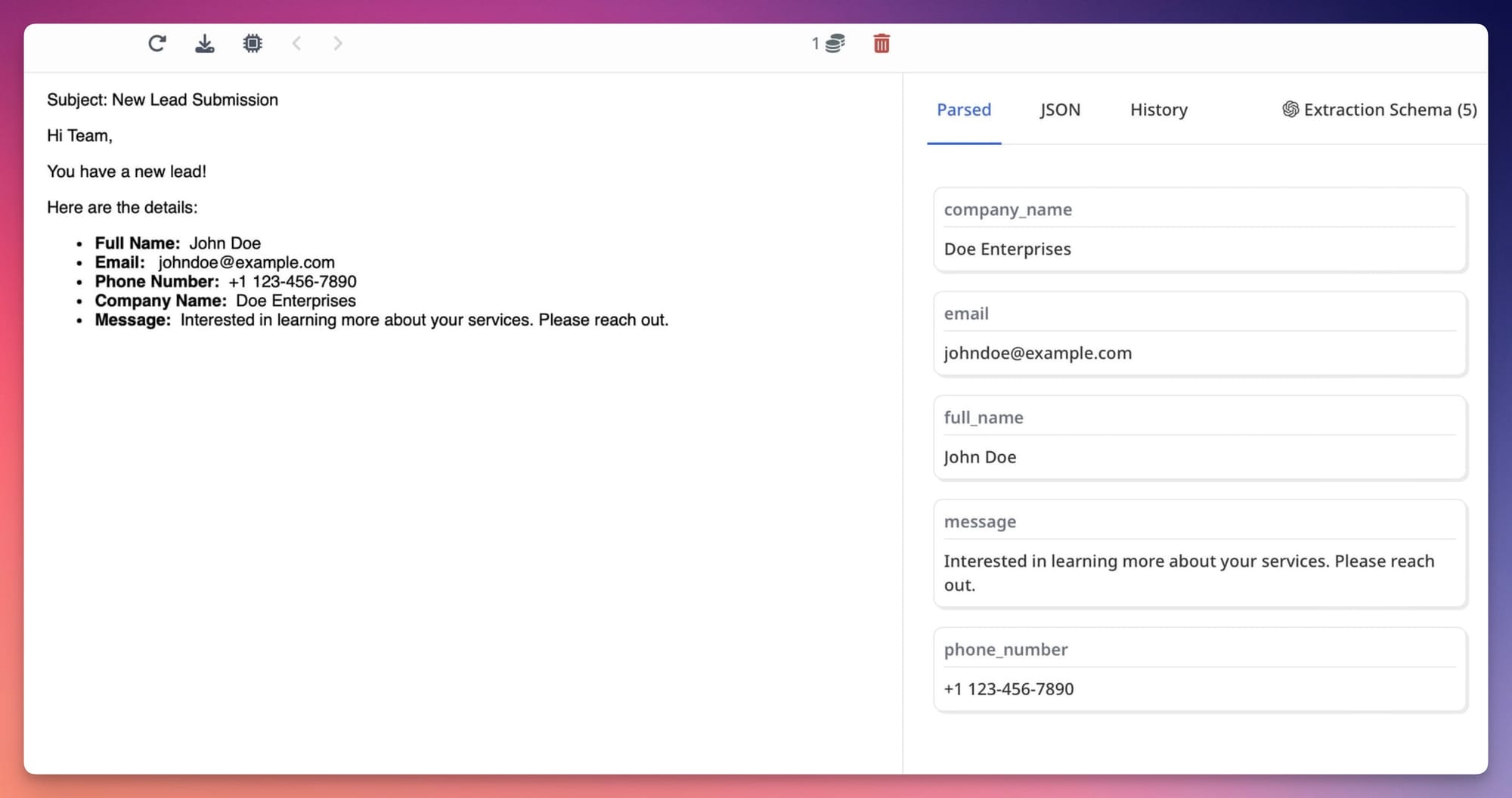
Test the schema against a few sample emails. Airparser shows each extracted value with a confidence score. Low-confidence fields are flagged for review. Adjust field descriptions if any value is wrong — specificity in descriptions is the main lever for accuracy.
Step 4: Connect to Your Destination
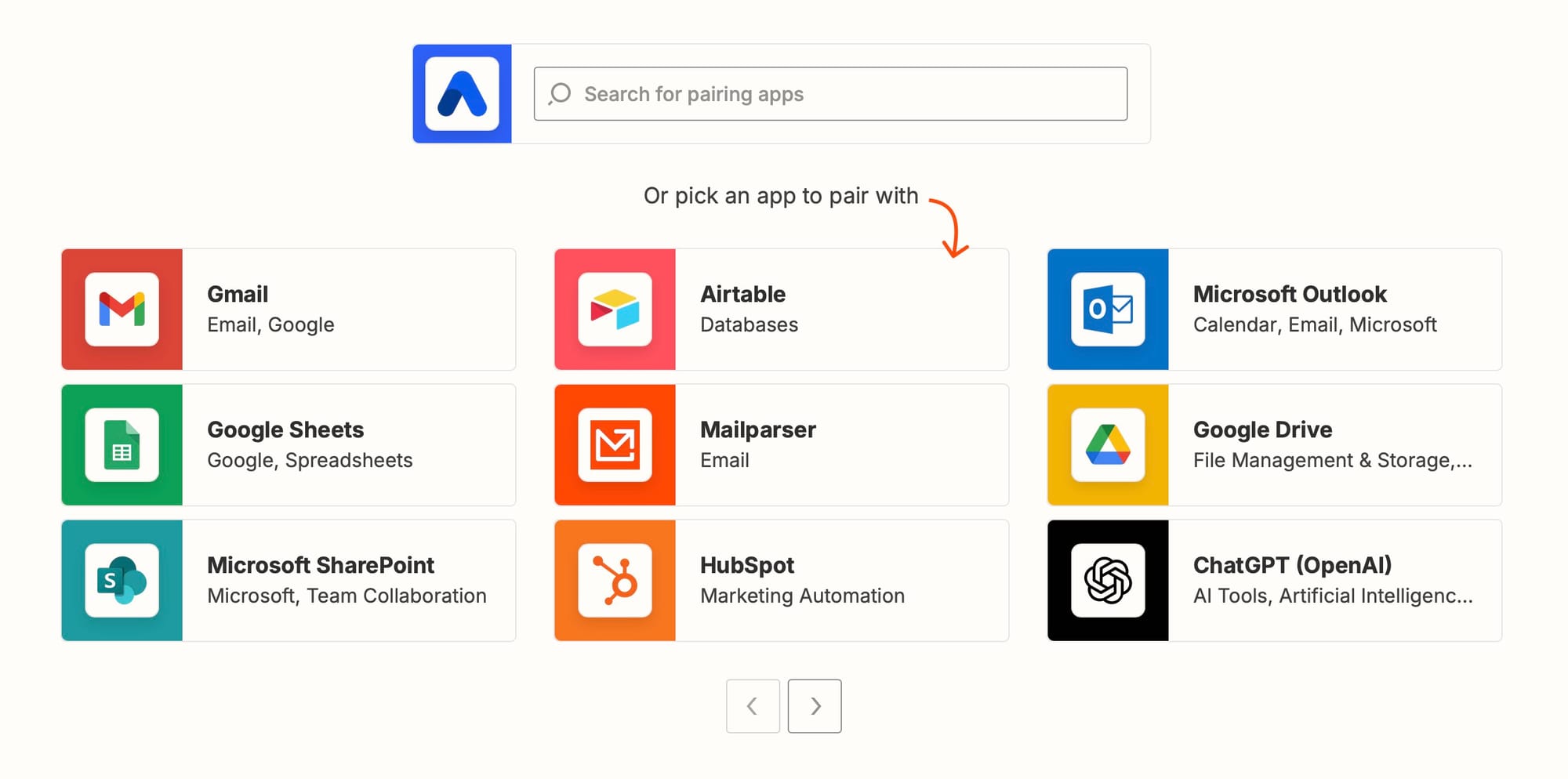
Route extracted data to your destination: Google Sheets via native integration, a CRM or database via Zapier or Make, or any system via webhook or REST API. For AI agent workflows, Airparser's MCP integration lets agents read parsed results directly. Related: Agentic document extraction: what it means and how to build it.
Frequently Asked Questions
What is an email parser and how does it work?
An email parser automatically extracts structured data from incoming emails — fields like sender name, subject, order number, invoice amount, or any custom field your workflow needs. Rule-based parsers do this by matching text patterns or positions defined per sender. AI-native parsers use language models to identify fields by their meaning, which means the same parser works across different email formats without per-sender configuration. The extracted data is then sent to a downstream system: a CRM, a spreadsheet, a database, or an API endpoint. The core value is replacing manual copy-paste with an automated, repeatable extraction step that runs on every incoming email without human intervention.
Can email parsers handle PDF attachments?
It depends on the tool. Simple email parsers (Zapier Email Parser, basic Mailparser.io plans) extract from the email body only — attachments are ignored. AI-native parsers with a vision engine, like Airparser, parse attachments natively: PDF invoices, image attachments, scanned documents, and Word files all go through the same extraction schema as the email body. For most business document workflows, the critical data is in the attachment, not the email body itself — so attachment support is often the deciding factor between tools. Test any tool you're evaluating with your actual attachments, not just body-text emails.
How accurate are AI email parsers?
Accuracy on well-structured digital emails and clean PDF attachments is high — typically 95%+ on standard fields like amounts, dates, and names when field descriptions are written specifically. Accuracy drops on scanned or low-quality attachments, very unusual document structures, and ambiguously named fields. The most important accuracy lever is field description quality: "the total invoice amount the buyer must pay, after all taxes and discounts, labeled Total or Amount Due" outperforms "amount" by a significant margin on ambiguous documents. Confidence scores help identify where the parser is uncertain, which is more useful than an overall accuracy number — route low-confidence results to human review rather than treating all extractions as equally reliable.
What is the best free email parser?
For genuinely zero-cost email parsing, Zapier Email Parser is the most widely used option — it's included with any Zapier account and handles simple body-text extraction from consistent email formats. Its limitations are significant: no AI, no attachments, no format flexibility. Airparser offers a free trial with 30 credits, which is enough to test your actual emails and attachments before committing to a paid plan. For teams evaluating AI-native parsing, the free trial is the practical way to assess accuracy on your specific email types. Most free plans are useful for assessing fit, not for production use at meaningful volume.
How do AI agents use email parsers?
In agentic workflows, an AI agent treats an email inbox as an input source: emails arrive, get parsed into structured JSON, and the agent acts on that structured data — updating a CRM record, creating a ticket, drafting a reply, triggering an approval flow. The email parser is the input layer that converts unstructured inbox data into the structured format the agent can reason about. This requires a parser that outputs reliable structured JSON and handles the full range of incoming email types, including attachments, without manual intervention per sender. Airparser's MCP integration allows agents to query parsed documents directly, which is useful in Claude-based and other tool-calling agent architectures. Related: Email parsing for AI agents: why inbox data is the hardest input layer.
Does email parsing work for non-English emails?
AI-native parsers with multilingual model support work across languages without additional configuration. Airparser supports 60+ languages — the same extraction schema works on invoices in French, Spanish, German, Japanese, or any other supported language without separate configuration per language. Field labels and document structure vary across languages, but the AI identifies fields by their meaning rather than by matching specific label text, so a schema defined for English invoices will extract the same fields from equivalent documents in other languages. Date and number format normalization (European decimal comma convention, regional date ordering) can be handled in post-processing to standardize output format before it reaches your destination system.