Email Parsing for AI Agents: Why Inbox Data Is the Hardest Input Layer
Email is how most business documents arrive — and the hardest input source for AI agents to parse reliably. HTML artifacts, reply chains, mixed attachments, and variable formats break naive LLM extraction. Here's how a purpose-built parser solves this.


TL;DR: Email is the most common document delivery channel in business, but it's the hardest input source for AI agents to parse reliably. HTML formatting artifacts, reply chains, mixed attachments, and variable sender formats break naive LLM extraction. A purpose-built email parser handles these consistently, returning clean structured JSON that an agent can use directly.
Email is how most business documents actually arrive. Invoices, purchase orders, receipts, contracts, insurance documents, job applications — in practice, these come attached to emails or embedded in email bodies, not via clean API payloads or structured file uploads. For any AI agent that needs to work with real business documents, email is the primary input channel.
It's also the most technically difficult input to parse reliably. Email is not a structured data format. It was designed for human communication, not machine processing. The result is a series of specific, well-documented failure modes that naive LLM extraction stumbles on consistently — and that purpose-built email parsers are specifically designed to handle.
Why Email Is Harder Than It Looks
The difficulty isn't reading the email text — modern LLMs handle that well. The difficulty is the surrounding infrastructure: the container formats, the encoding conventions, the ways email clients modify content, and the structural properties of threaded conversations.
HTML email versus plain text
Most business emails are sent in HTML format. What looks like a clean formatted email in an inbox is actually a block of HTML markup — tables used for layout, inline CSS for styling, images referenced by URL, tracked links that wrap every URL in a redirect. When an AI agent reads the raw email content, it doesn't see the clean human-readable version. It sees HTML tags mixed with the text content.
A raw LLM processing this HTML needs to strip markup, decode HTML entities, resolve tracked links, and deal with emails that were generated by marketing platforms and contain extensive structural HTML with minimal actual content. Inconsistent handling of HTML encoding produces garbled output — characters rendered incorrectly, table layouts interpreted as prose, tracking pixels adding noise.
Reply chains and forwarded messages
Real business email arrives in threads. An invoice attached to a reply to a forwarded email contains the target document alongside multiple layers of quoted prior conversation. An agent processing this email needs to identify which part of the content is the relevant message, which is quoted history, and which is an automated footer. This distinction isn't trivially expressed as a regex or a prompt instruction — it requires understanding the structural conventions of email threading, which vary by email client and sender.
A purpose-built email parser applies specific logic to identify the primary message, strip quoted history, and extract attachments regardless of where in the thread they were attached.
Mixed and multi-part attachments
A single email might arrive with: a PDF invoice, an Excel breakdown, a scanned delivery note, and an inline image of a signature. Each of these is a different file type requiring different processing. The agent needs to know which attachments are the target document, which are supporting materials, and which are irrelevant (email client auto-attached calendar files, legal footers converted to PDF attachments by some corporate email systems).
For a human this distinction is obvious. For an automated system processing thousands of emails, reliable attachment classification requires specific logic around file types, attachment names, and content patterns.
Variable sender format
Invoices from 50 different suppliers arrive with 50 different email structures. One supplier puts all invoice data in the email body. Another sends a PDF attachment with a blank email body. A third sends an HTML email where the invoice table is embedded directly in the HTML. A fourth sends a ZIP archive containing the invoice PDF and a remittance advice.
Handling all of these consistently requires extraction logic that adapts to each format rather than assuming a specific structure.
How a Purpose-Built Parser Solves This for Agents
The right architecture for an AI agent that processes emailed documents is not to send raw email content to an LLM and ask it to extract fields. It's to route incoming emails through a purpose-built parser — one that handles the infrastructure problems described above — and give the agent clean structured JSON to reason with.
This is a separation of concerns: the parser handles the messy input format problem; the agent handles the reasoning and action problem. Each does what it's built for.
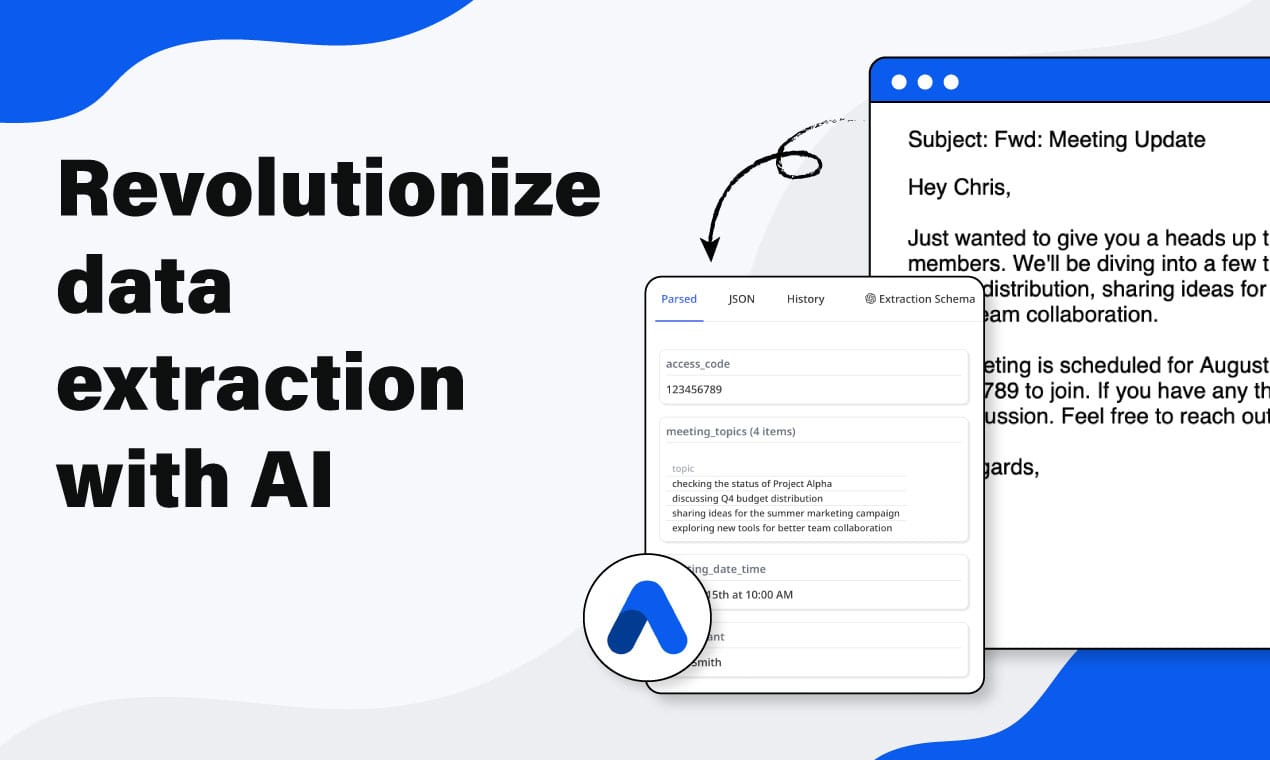
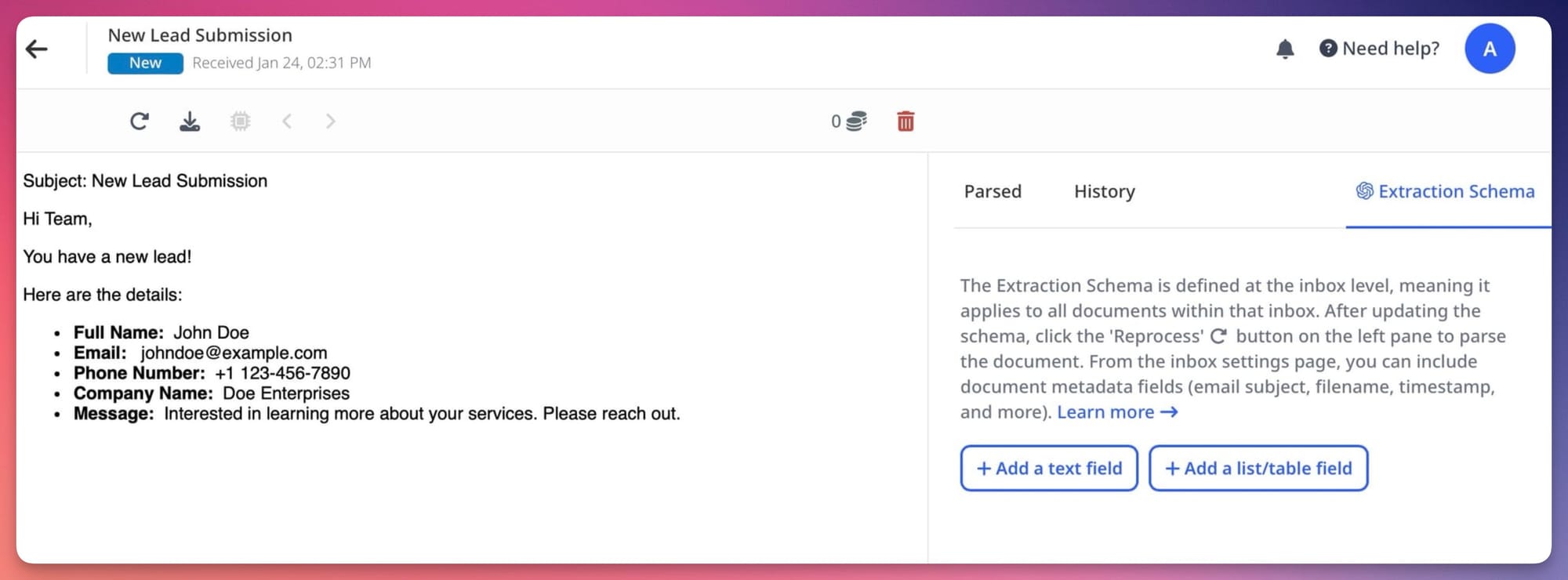
Airparser provides a dedicated email inbox for each parser. The workflow is:
- Configure an Airparser inbox with an extraction schema (the fields you want).
- Forward or route incoming emails to the inbox address.
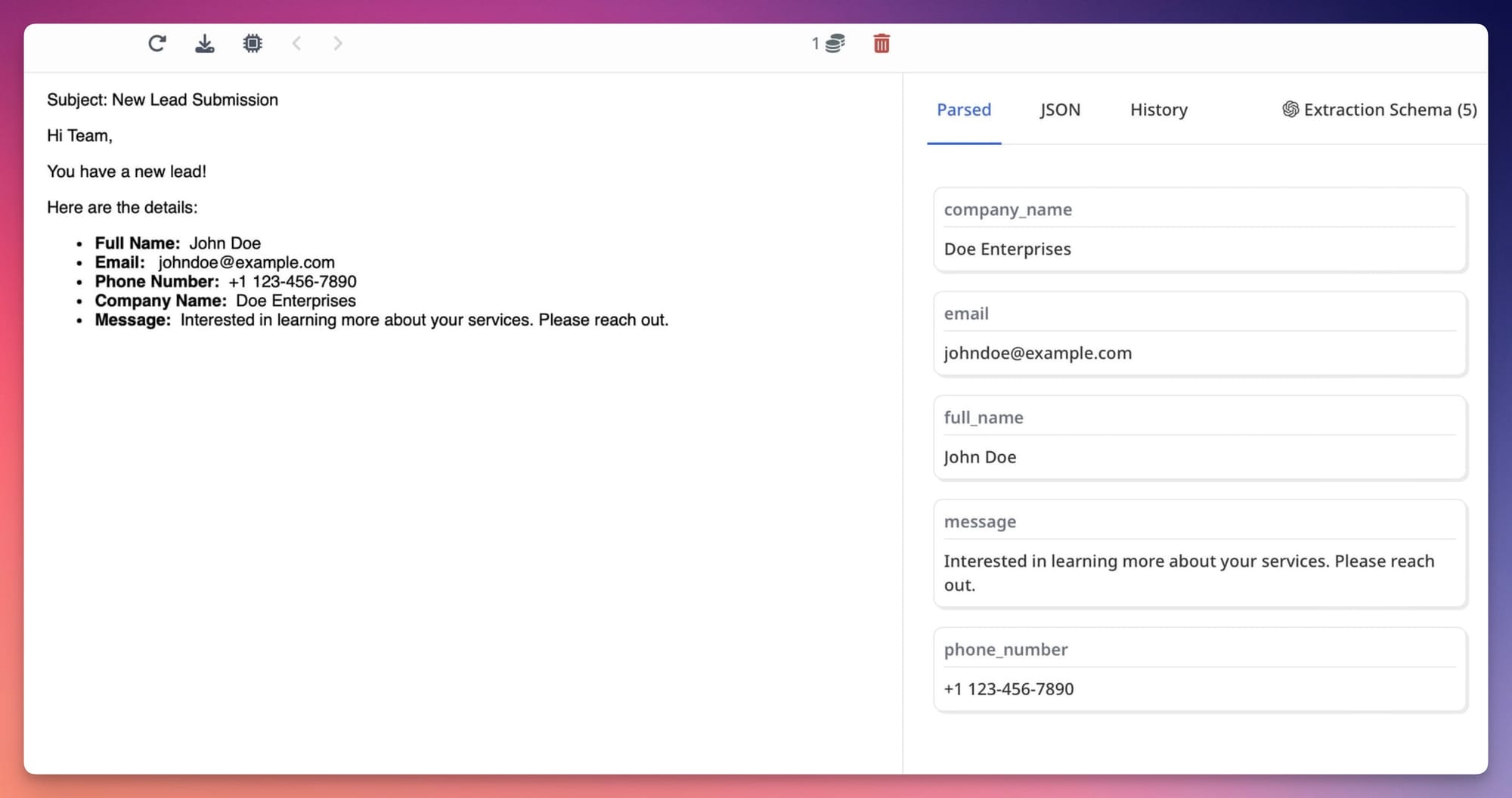
- Airparser handles HTML stripping, attachment detection, multi-part email parsing, and vision engine extraction for PDF and image attachments.
- Extracted fields are delivered as structured JSON via webhook to your agent's receiving endpoint — or retrieved via the API.
- The agent works with clean field values: vendor name, invoice number, total, line items — not raw email HTML or PDF binary data.
The agent never sees the messy input. It sees the data the input contained.
Email Parsing Patterns for Common Agent Workflows
Invoice processing agent
The agent monitors a finance inbox. When an invoice email arrives, Airparser processes the attachment (PDF or image invoice) and delivers vendor name, invoice number, total, due date, and line items as JSON. The agent looks up the vendor in the ERP, checks whether a matching purchase order exists, and creates a draft payable entry — without a human touching the routine cases. Related: Vision engine invoice parsing: how Airparser handles any supplier format.
Job application screening agent
Candidates email applications with resumes attached. Airparser processes each resume (PDF, Word, or image) and returns candidate name, email, current title, years of experience, skills, and education as structured JSON. The agent evaluates each candidate against role requirements and routes qualified candidates to the ATS shortlist. Related: Resume parsing in the age of LLMs.
Lead capture agent
Enquiry emails arrive from potential customers. Airparser extracts contact name, company, email, phone, and enquiry details from the email body or attached forms. The agent creates a CRM contact, assigns a sales owner based on company size or region, and triggers a follow-up sequence.
Contract review agent
Contracts arrive by email for review and countersignature. Airparser extracts key terms, parties, effective dates, obligations, and penalty clauses. The agent reviews the extracted terms against approved templates, flags non-standard clauses, and routes to the appropriate legal or commercial approver.
MCP Integration: Email Parsing as a Native Agent Tool
For AI agents built on Claude, GPT-4o, or other MCP-compatible frameworks, Airparser's MCP server exposes email parsing as a native tool. The agent can call the parser directly — submit an email for processing, retrieve extracted fields — as a tool call in its reasoning loop, without custom API integration code.
This makes email parsing a first-class capability for any AI agent that supports MCP, the same way web search or code execution are first-class tools. The agent decides when email parsing is needed as part of completing a task, calls Airparser, and acts on the result — without a human directing each extraction step. Related: Agentic document extraction: what it means and how to build it.
Frequently Asked Questions
Why can't an AI agent just read the email directly and extract the fields it needs?
For simple plain-text emails with clear structure, a capable LLM can extract fields directly with reasonable accuracy. The problems arise at scale and with real-world email variety. HTML emails contain extensive markup that is not semantically meaningful for extraction — an LLM processing HTML has to first understand it's looking at layout markup, not content, before it can extract anything useful. Reply chains bury the relevant content in layers of quoted history that need to be identified and stripped. PDF attachments require a separate vision or OCR step that the LLM doesn't handle natively in most architectures. And handling all of this consistently across thousands of emails from hundreds of different senders is an infrastructure problem, not a reasoning problem. A purpose-built email parser handles the infrastructure; the LLM handles the reasoning with clean input.
What email formats does Airparser support?
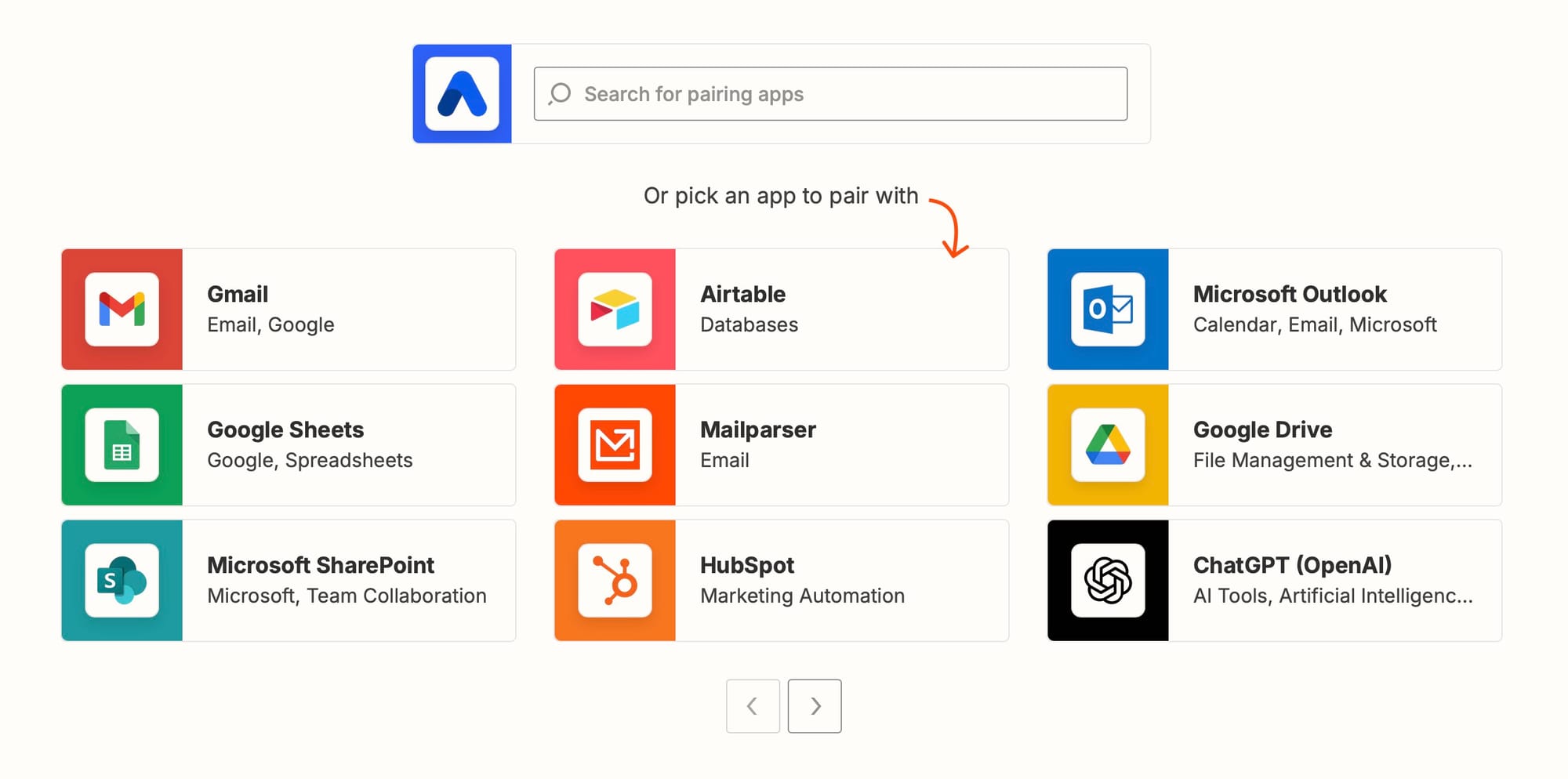
Airparser handles all standard email formats: plain text, HTML, multipart MIME (emails with both HTML and plain text versions), and emails with attachments of any common document type — PDF, Word (.docx), Excel (.xlsx), images (JPG, PNG, TIFF), and more. For email ingestion, documents can arrive via Airparser's dedicated parsing inbox (forward any email to the inbox address), via the API (submit email content directly), via Zapier or Make using email trigger integrations, or via direct IMAP connection to an existing mailbox. The parser automatically identifies and processes relevant attachments, strips quoted reply history, and handles HTML encoding issues before extraction.
How does Airparser handle emails where the document is in the email body rather than an attachment?
Airparser can extract data from email body content as well as from attachments. For emails where an invoice, order, or form is presented as formatted HTML in the body — a common pattern for e-commerce order confirmations, automated billing notifications, and structured business communications — Airparser processes the body content and applies the extraction schema. The field definitions in your schema work the same way regardless of whether the data is in an attachment or the body: the parser finds the vendor name, order number, total, and line items wherever they appear in the email. For emails with both a body table and an attached PDF containing the same information, you can configure which source to prioritise.
Can Airparser process emails in real time for agent workflows that need immediate responses?
Yes. Airparser's webhook delivery sends extracted JSON to your endpoint within seconds of an email arriving at the parsing inbox. For agent workflows where low latency matters — an agent that needs to respond to a customer enquiry, process a time-sensitive document, or trigger a real-time action — the end-to-end time from email arrival to structured JSON at your webhook endpoint is typically under 10 seconds for standard documents. For high-volume pipelines, Airparser processes emails asynchronously and delivers results via webhook as each extraction completes, avoiding queue delays. The API also supports synchronous submission and result retrieval for workflows where the agent submits a document and waits for the result inline. Related: How to parse documents via API and get structured JSON back.
What's the difference between using Airparser for email parsing versus building email parsing directly into the agent's prompt?
Prompt-based email extraction works adequately for simple cases: a single clean email with plain text content, extracting a handful of clearly labeled fields. It becomes unreliable as complexity increases: HTML emails, PDF attachments requiring vision processing, reply chains, multiple attachments of different types, non-English content, and high-volume processing across variable formats. A purpose-built parser handles this complexity as infrastructure, not as prompt engineering. The agent receives clean JSON regardless of how messy the source email was. This also separates concerns clearly: the parser is responsible for reliable extraction; the agent is responsible for reasoning about what to do with the extracted data. Mixing both into the agent's reasoning loop makes the agent harder to debug and test — extraction failures and reasoning failures become indistinguishable.