Vision Engine Invoice Parsing: How Airparser Handles Any Supplier Format
Invoice layouts vary by supplier, change over time, and arrive as scanned images or native PDFs. Airparser's vision engine parses any invoice on first submission — no templates, no training, no configuration changes when layouts change.

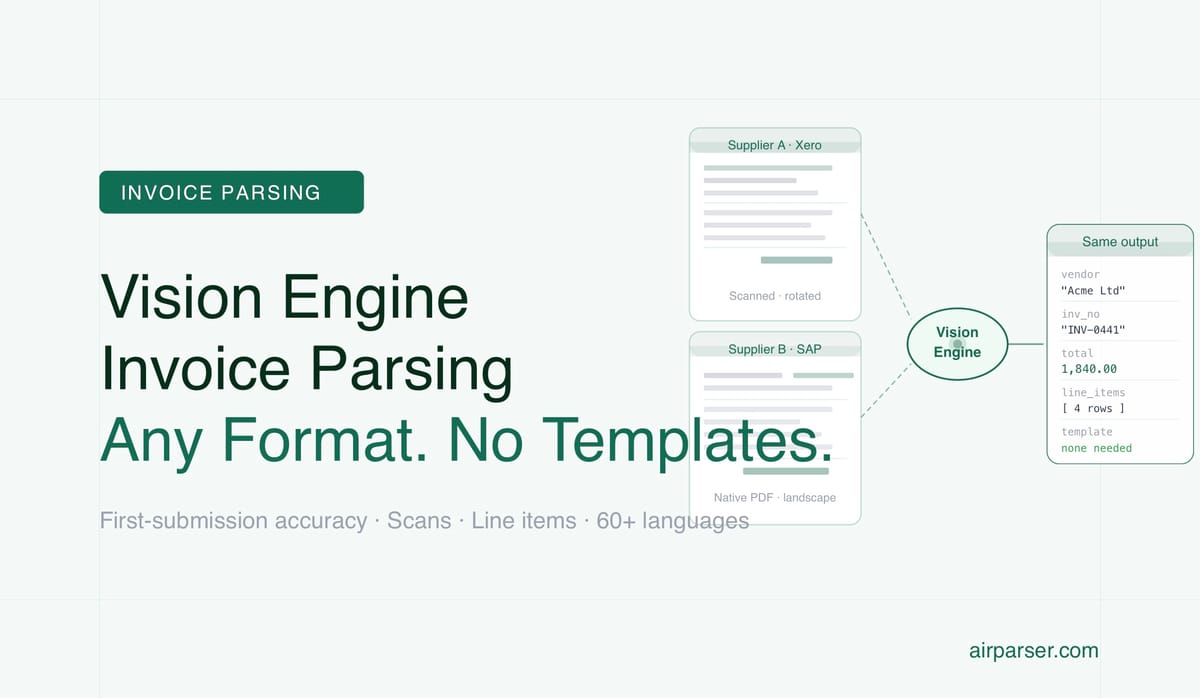
TL;DR: Invoice parsing is hard because every supplier uses a different layout — and layouts change. A vision engine solves this by reading invoices visually, the way a human does, finding fields by context rather than position. Airparser's vision engine handles any invoice format on first submission, with no templates, no training data, and no configuration changes when suppliers update their designs.
Invoice processing is one of the highest-volume document automation use cases in business operations — and one of the hardest to get right with traditional parsing tools. The reason is simple: every supplier designs their invoices differently, and those designs change over time. A tool that works perfectly on invoices from Supplier A may fail entirely on invoices from Supplier B, and break again when Supplier A updates their invoice template next quarter.
Vision engine-based extraction solves this specifically. It reads invoices the way a human accounts payable team member does: by looking at the document and finding the information based on what it means and where it is in context — not based on fixed coordinates that break when layouts change.
Why Invoice Layouts Vary So Much
Invoice layout is not standardised. Every accounting software product generates invoices differently. QuickBooks invoices look different from Xero invoices, which look different from SAP invoices, which look different from custom-built billing systems. Companies using the same software still customise their invoices with their own branding, their own field arrangements, their own additional information like payment terms, bank details, and purchase order references.
International invoices add language and formatting variation. European invoices often use decimal commas and point thousands separators (1.234,56 instead of 1,234.56). Date formats vary by region. VAT and GST structures differ by country. Some invoices are legally required to include specific fields that others don't.
For a business that processes invoices from dozens or hundreds of suppliers, this means no two invoice formats are the same — and the set of formats changes as suppliers join, leave, update their systems, and expand internationally.
What the Vision Engine Sees on an Invoice
When Airparser's vision engine processes an invoice, it analyses the entire document image and builds a semantic understanding of its structure — not just a list of text elements at coordinates.
It identifies the header area at the top of the document as the place where company names, invoice numbers, and dates typically appear. It recognises that a structured table in the body of the document is the line-items section, with rows representing products or services and columns representing quantities, unit prices, and line totals. It locates a summary section near the bottom where subtotals, taxes, discounts, and the final total are typically presented. It understands that text in a larger size or bold weight at the top is likely a company name or document title.
This structural understanding is what allows the vision engine to find "invoice number" on any invoice — whether it appears as "Invoice #", "INV No.", "Facture N°", "Invoice Number:", or unlabeled next to a recognisable alphanumeric pattern — in any position on the page.
Extracting Line Items: The Hardest Part of Invoice Parsing
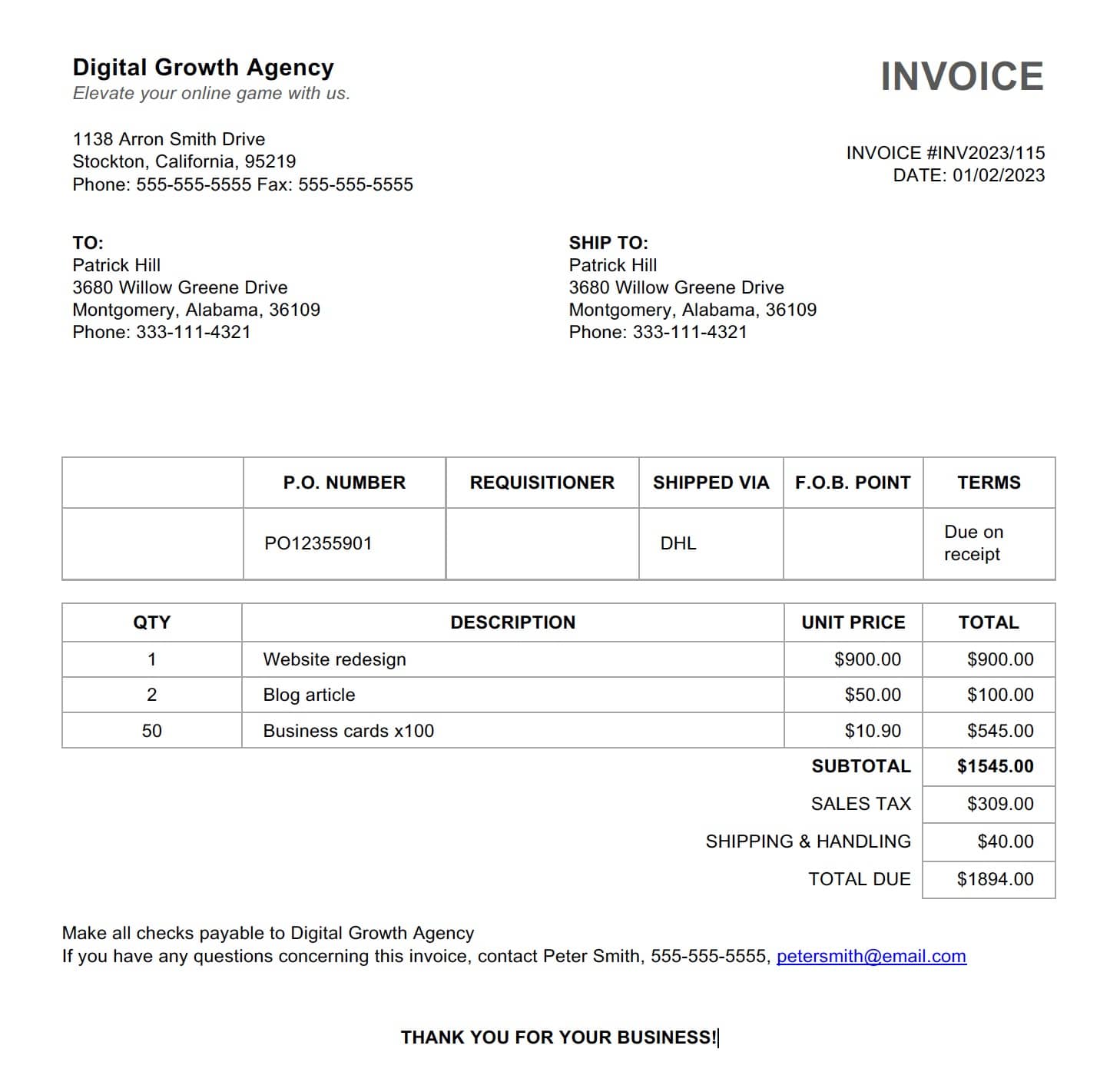
Header fields — vendor name, invoice number, date, total — are the straightforward part of invoice extraction. The genuinely hard part is line items: the table of products or services, quantities, unit prices, and row totals that make up the body of the invoice.
Line-item tables are hard for several reasons:
- Variable column structure. Some invoices have 3 columns; others have 8. Column headers vary: "Description", "Item", "Product", "Service", "SKU". Not every invoice has a quantity column. Some have discount columns. Unit price may be labeled "Rate", "Price", "Unit Cost", or "Each".
- Multi-line rows. A product description that doesn't fit on one line wraps to the next line within the same row. OCR-based tools reading line by line can't distinguish between a new row and a continuation of the previous one.
- Tables that span pages. Long invoices continue the line-items table on page 2 or 3. A single logical table is split across page breaks, with a partial header sometimes repeated and sometimes not.
- Merged cells and nested structures. Some invoices group line items by category with a category header row. Some have sub-items indented under a parent item. Some have summary rows mixed into the item list.
A vision engine handles all of these. It sees the table as a visual structure — it identifies row boundaries visually, recognises when a line is a continuation of the previous row versus a new row, follows the table across page breaks, and interprets merged cells from the visual spanning rather than text-position inference.
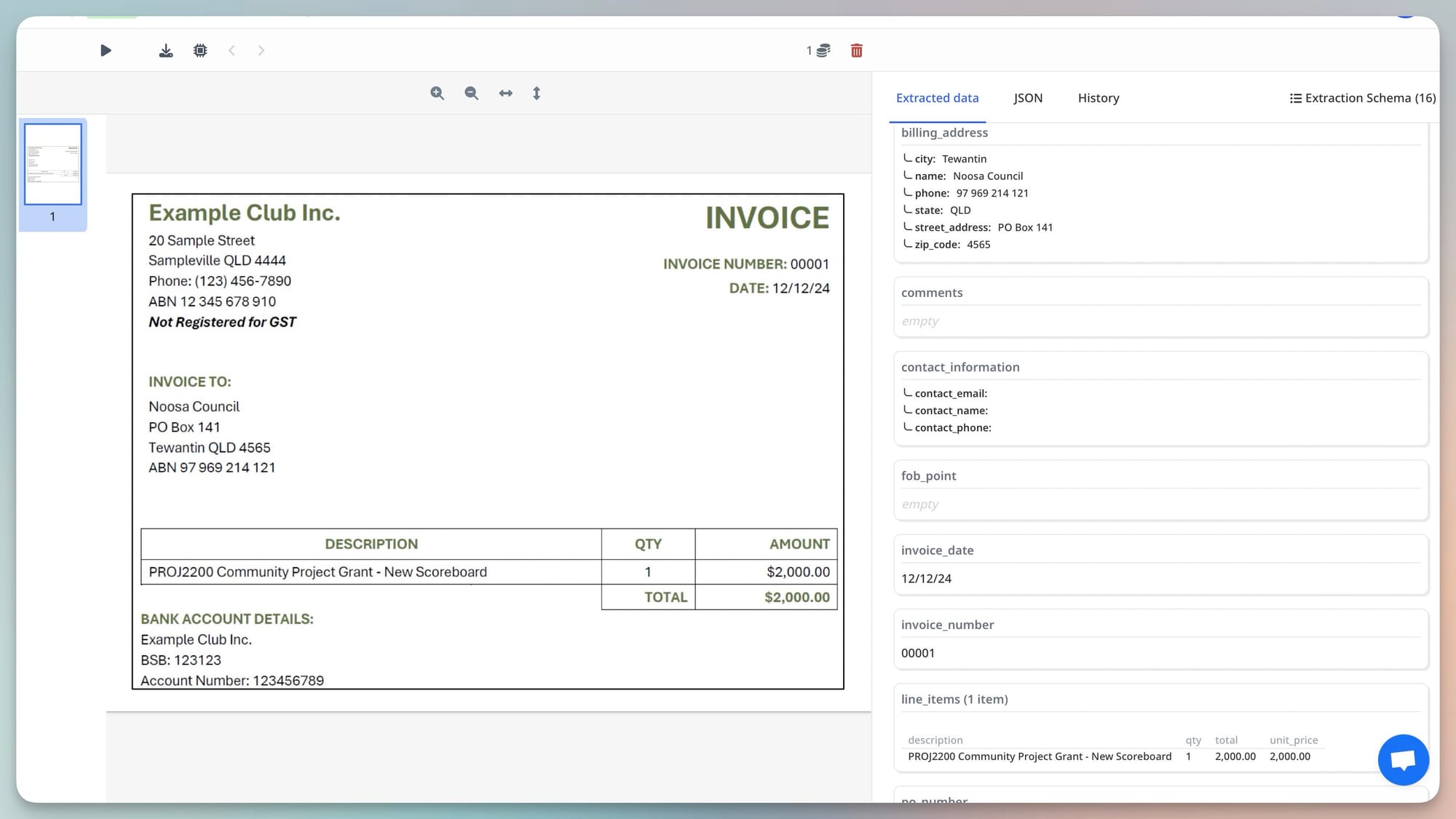
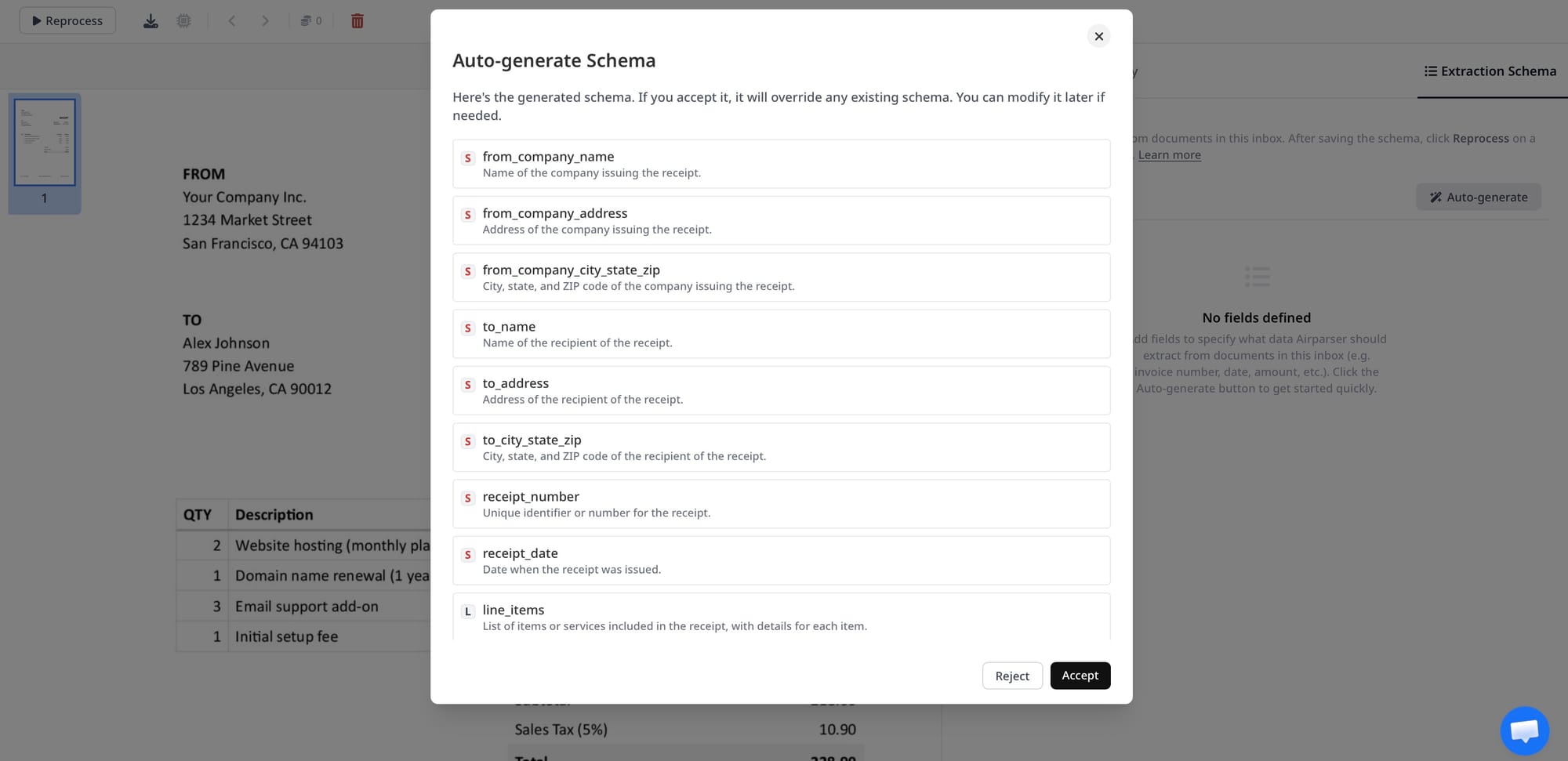
In Airparser, line items are defined as an array field in the extraction schema, with sub-fields for description, quantity, unit price, and line total. The vision engine populates this array from whatever table structure the invoice uses, returning a clean JSON array where each element is one line item regardless of how many columns the original invoice had or how the rows were formatted.
Scanned Invoices: The Additional Challenge
Many invoices arrive as scanned documents rather than native digital PDFs — physically printed and scanned, or received as photocopies, or photographed with a smartphone. Scanned invoices have no embedded text layer; they're images of documents.
Traditional OCR-based tools process scanned invoices by running character recognition on the image to produce a text layer, then applying extraction rules to that text. OCR accuracy varies with scan quality, and errors in the text layer propagate directly into the extraction output: a misread character in the invoice number produces a wrong invoice number; OCR confusion between similar characters (0 and O, 1 and l, 8 and B) corrupts numeric values.
Airparser's vision engine processes scanned invoices directly from the image, without producing an intermediate text layer. The same visual reasoning that finds the vendor name on a clean digital invoice finds it on a slightly skewed scan at 200 DPI. Scan quality that would defeat OCR-based extraction is handled through visual contextual reasoning — the engine interprets ambiguous characters in context, the way a human reading a low-quality scan would infer an ambiguous word from surrounding context. Related: Why vision engine AI parses documents that break traditional OCR.
First-Submission Accuracy: No Templates, No Training
The practical consequence of vision engine-based invoice parsing is that Airparser achieves reliable extraction on the first invoice from any new supplier, without any template configuration or training.
The workflow is: create one invoice parser with a schema defining the fields you need. Submit any invoice — from any supplier, in any format, as a native PDF or a scan. Receive structured JSON with all defined fields populated. When a supplier updates their invoice design next quarter, nothing changes on your end — the same parser, the same schema, the same output structure.
For accounts payable teams processing invoices from 50 or 100 suppliers, the operational difference is significant. No onboarding time for new suppliers. No maintenance work when invoice designs change. No separate parser configurations per supplier to manage and keep current. One parser, any invoice. Related: What is a vision engine in document parsing.
Building an Invoice Processing Workflow With Airparser
A complete invoice processing workflow with Airparser involves four components: document ingestion, extraction, validation, and downstream delivery.
Ingestion. Invoices arrive via email (Airparser's parsing inbox forwards email attachments automatically), direct API upload, or integrations with cloud storage like Google Drive or Dropbox. For high-volume AP operations, the API is the most efficient path: your existing email processing or document management system submits invoices to Airparser programmatically.
Extraction. Airparser's vision engine processes each invoice, applies the defined schema, and returns structured JSON: vendor name, invoice number, invoice date, due date, currency, subtotal, tax, total, and the full line-items array.
Validation. Cross-check extracted values before using them: confirm that subtotal + tax ≈ total, verify that required fields are present, check that dates are in a valid range, flag results with low confidence scores for human review. This is best implemented in post-processing code or a validation step in your automation platform.
Downstream delivery. Route validated invoices to your accounting system, ERP, payment platform, or approval workflow via webhook, Zapier, Make, n8n, or direct API integration. Airparser delivers results to any HTTP endpoint or connects natively to 7,000+ platforms. Related: Zapier vs Make vs n8n for document automation.
Frequently Asked Questions
How does Airparser handle invoices in languages other than English?
Airparser's vision engine supports 60+ languages for invoice extraction. Field labels appear in the document's language ("Montant HT" instead of "Subtotal", "Datum" instead of "Date", "Gesamt" instead of "Total"), but the vision engine understands document structure across languages — it identifies the subtotal field on a French invoice from its position and context in the summary section, not from a French keyword list. For mixed-language environments where invoices arrive from international suppliers, no language-specific configuration is needed: the same invoice parser schema works across all languages. Date and number formatting conventions (European vs. US decimal separators, different date orders) are handled in normalisation — either via Airparser's post-processing rules or in downstream data cleaning.
Can Airparser extract invoices that are emailed as attachments?
Yes. Airparser provides a dedicated email inbox for each parser. Forward any invoice email to the inbox address and Airparser automatically processes the PDF or image attachment, ignoring the email body unless configured otherwise. For businesses that receive invoices by email — which is the majority — this is the zero-code integration path: configure the inbox once, forward invoices, receive structured data via webhook to your downstream system. The parsing inbox handles PDF attachments, image attachments (JPG, PNG, TIFF), and multi-page documents automatically. Related: Best email parser tools.
What invoice fields can Airparser extract?
The extraction schema is fully customisable — you define exactly which fields you need. Common invoice schemas include: vendor name, vendor address, vendor tax ID / VAT number, invoice number, invoice date, due date, purchase order number, currency, subtotal (before tax), tax amount, total amount due, payment terms, bank details (IBAN, SWIFT), and line items as an array (description, quantity, unit price, line total). Optional fields like project codes, cost centres, delivery addresses, or custom reference numbers can be added if they appear in your invoices. Airparser extracts whatever your schema defines — there's no fixed field list.
How accurate is Airparser's invoice extraction?
On clean native PDF invoices, field-level accuracy is very high — typically above 95% for clearly labeled fields like vendor name, invoice number, and total amount. On scanned invoices, accuracy varies with scan quality: good-quality scans (300 DPI, properly oriented, clear print) achieve results comparable to native PDFs; low-quality scans (below 150 DPI, significantly skewed, faded text) produce lower accuracy and lower confidence scores. Line-item extraction accuracy depends on table complexity — standard three-to-five column tables with clear rows extract reliably; tables with merged cells, many wrapped lines, or unusual structures are more challenging. Confidence scores per field let you identify which results need verification before they reach your accounting system.
Does Airparser support multi-page invoices?
Yes. Airparser processes multi-page documents as a single extraction job. For invoices where the line-items table continues across multiple pages, the vision engine follows the table across page breaks and returns all line items in a single array. Header fields (vendor name, invoice number, total) are identified from the context of the full document, not just the first page. There's no page limit that prevents processing long invoices — PDFs of any length are supported, and the extraction schema applies to the document as a whole.