Structured, Semi-Structured, and Unstructured Documents: A Practical Guide to Data Extraction
Learn what structured, semi-structured, and unstructured documents are, how each type affects your extraction approach, and how to choose the right AI parsing method.


TL;DR
- Structured documents have fixed, predictable layouts — think CSV exports, machine-generated reports, or database printouts. Rule-based parsers work well here.
- Semi-structured documents have defined fields but variable formatting — invoices, order confirmations, and email receipts all fall here. AI extraction handles the variation.
- Unstructured documents have no standard layout — scanned PDFs, handwritten forms, contracts, and clinical notes. Vision-based AI is required.
- Using the wrong extraction method for your document type is the most common cause of missing fields, bad data, and broken automations.
- Airparser's text and vision engines cover all three types from one platform — no template building needed.
If you are trying to extract data from documents automatically, the single most important question is not which tool to use — it is what type of document you are dealing with. Structured, semi-structured, and unstructured documents each require a fundamentally different extraction approach, and choosing the wrong method causes inconsistent results no matter how good the underlying technology is. Understanding these three categories takes about five minutes and will save hours of debugging later.
The terms come up constantly in data engineering and AI discussions, but the practical implications for document automation are rarely explained clearly. This guide walks through each type, why it matters for extraction, and how modern AI parsers — including Airparser — handle each one differently.
Most business documents fall somewhere in the middle: semi-structured. Invoices, purchase orders, shipping notifications, and email receipts all have recognizable fields but arrive in dozens of formats depending on the supplier, platform, or sender. This is exactly where template-based parsers fail and AI extraction tools earn their value.
What Are Structured Documents?
A structured document has a completely defined, fixed schema. Every value occupies a known position, field names are explicit, and no human interpretation is needed to find any piece of data. The canonical examples are spreadsheets, CSV files, database exports, and EDI transaction sets.
If you are exporting a sales report from your CRM, the result is a structured document. Column A is always "Customer Name," column B is always "Order ID," and every row follows the same pattern. A simple parser — or even a VLOOKUP — can extract what you need reliably.
Machine-generated PDFs from internal systems also sometimes count as structured: when the layout is always identical, the text layer is complete, and field positions never shift. Payroll software output, bank account statements in a fixed format, and internal ERP exports often behave this way.
Extraction approach for structured documents: Rule-based parsing, regex patterns, or direct database queries. Template parsers work well here because the structure never changes. Speed and cost are the main selection criteria — you do not need AI to handle predictable structure.
Where structured breaks down: As soon as the system changes its output format — a software upgrade, a new field, a regional date format — a rule-based parser fails silently or throws errors. Structured documents are brittle when they cross organizational boundaries.
What Are Semi-Structured Documents?
Semi-structured documents have recognizable fields and a broadly consistent layout, but the exact position, formatting, and label of each field can vary from one sender to the next. This is the most common category in business operations, and it is where most document parsing problems live.
Invoices are the clearest example. Every invoice has a vendor name, invoice number, date, line items, and a total. But a German supplier's PDF looks completely different from a US software vendor's emailed invoice, which looks different again from a scanned paper invoice from a local contractor. The fields are the same; the layout, font, language, and structure are all different.
Other common semi-structured documents include:
- Purchase orders from different buyers
- Order confirmation emails from e-commerce platforms
- Supplier quotes and RFQ responses
- Remittance advice notices
- Shipping notifications and bills of lading
- Insurance certificates (COIs)
- Bank statements from different institutions
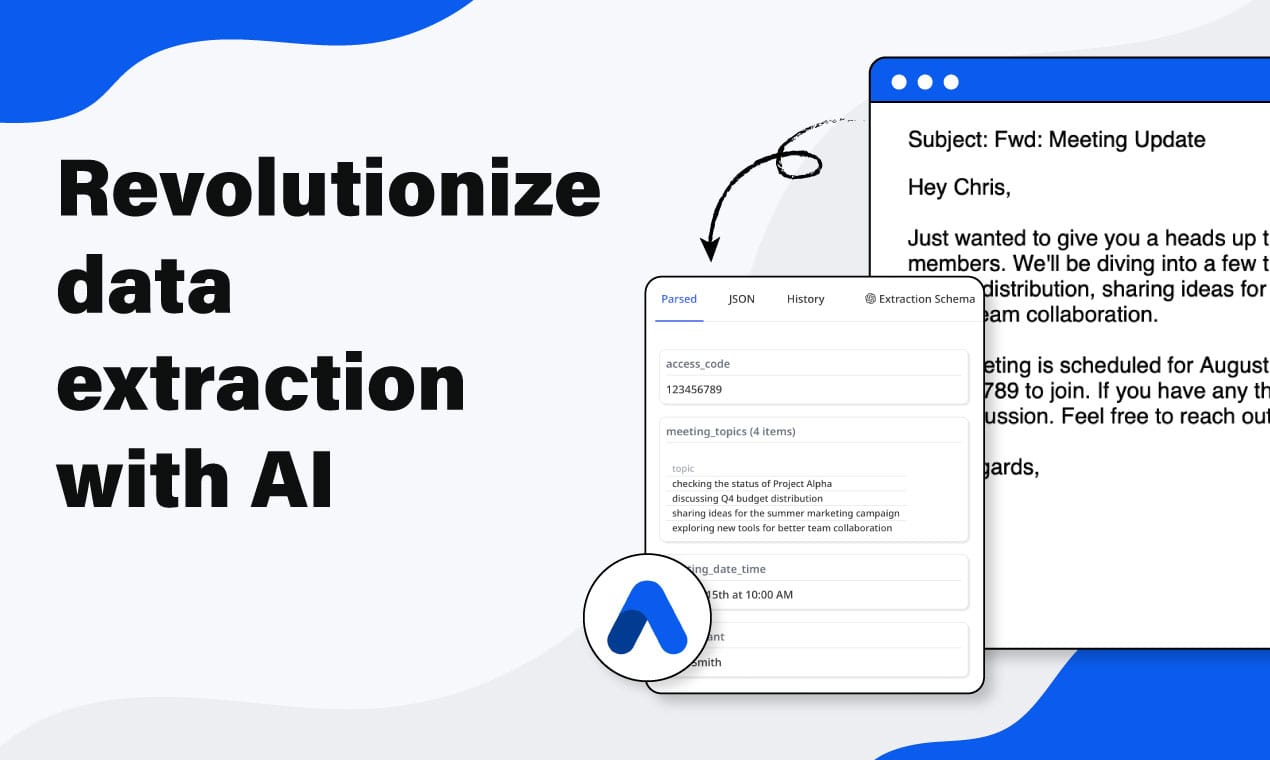
Extraction approach for semi-structured documents: AI-based extraction with a defined schema. You tell the parser what fields to find (invoice number, vendor name, line items, total), and the model uses context to locate each value regardless of where it sits on the page. This is where tools like Airparser replace template parsers — instead of mapping field positions manually for every new supplier format, you define the schema once and the AI handles the layout variation.
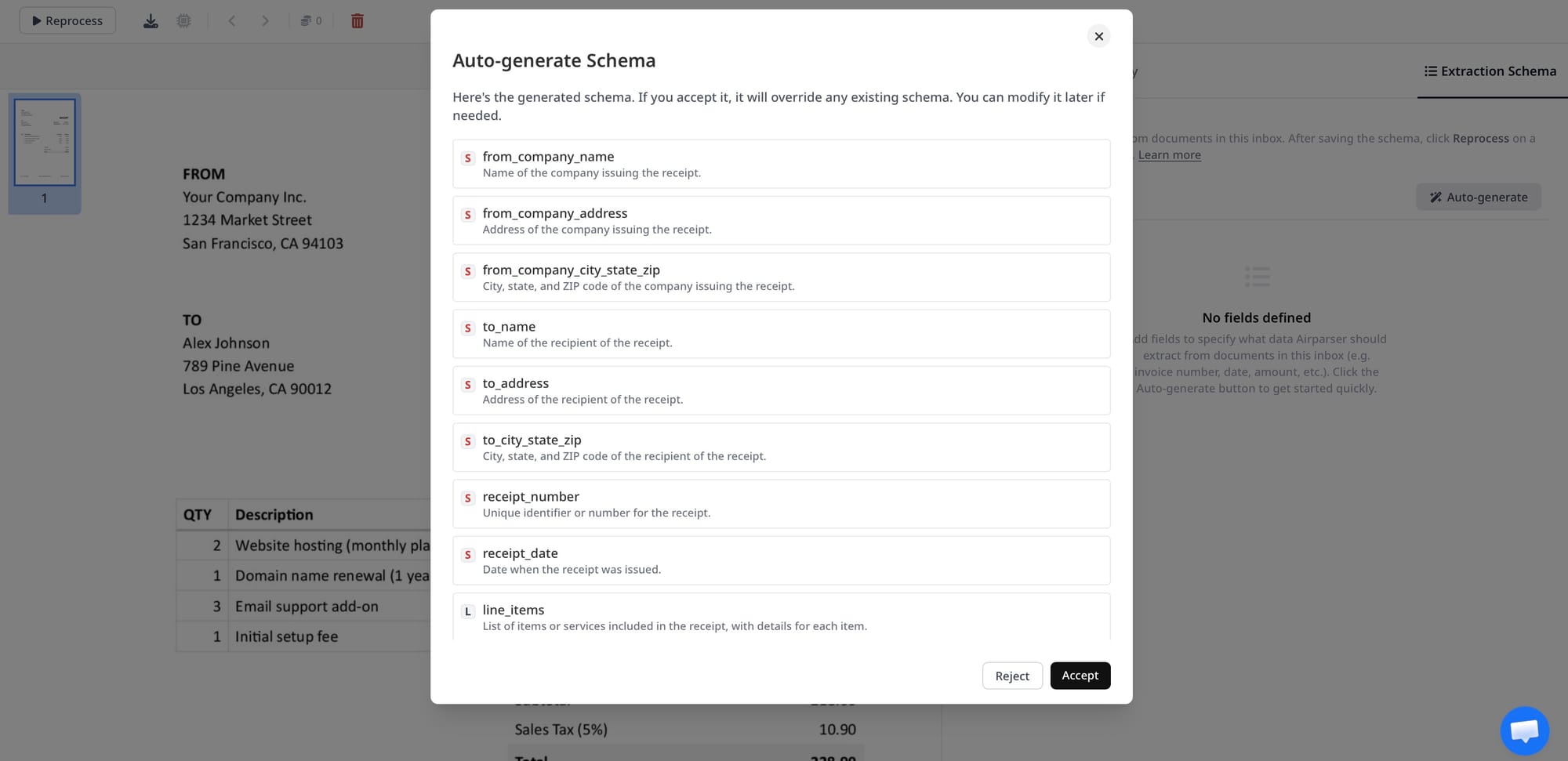
In Airparser, you define the fields you want — vendor name, invoice number, date, line items, total — and the model extracts them from any incoming invoice regardless of format. Adding a new supplier means sending the first invoice; no new template needed.
Where semi-structured parsing fails: Complex nested tables, documents with multiple embedded tables sharing similar labels, and heavily damaged or low-quality scans. These edge cases require a vision engine rather than text-layer extraction.
What Are Unstructured Documents?
An unstructured document has no guaranteed layout, no consistent field labels, and no predictable structure. The information is present, but finding it requires reading comprehension, not pattern matching. Roughly 80–90% of new enterprise data is unstructured — and it grows three times faster than structured content.
Examples include:
- Scanned handwritten forms (inspection reports, intake forms, field notes)
- Clinical notes and discharge summaries
- Legal contracts and agreements
- Insurance claim narratives
- Research reports and technical documents
- Email bodies with free-form content
- Scanned PDFs with no embedded text layer
- Mixed-format documents (part table, part narrative, part handwritten)
A property inspection report filled out by hand is unstructured. A contractor might write findings in paragraph form, list items in a handwritten table, sketch a diagram, and circle numbers — all on the same form. A rule-based parser cannot touch this. Even a text-extraction parser will fail if the document is a scan with no OCR layer.
Extraction approach for unstructured documents: Vision AI. A vision model processes the document as an image — reading layout, handwriting, tables, checkboxes, and spatial relationships the same way a human would. It does not need a text layer because it interprets visual content directly.
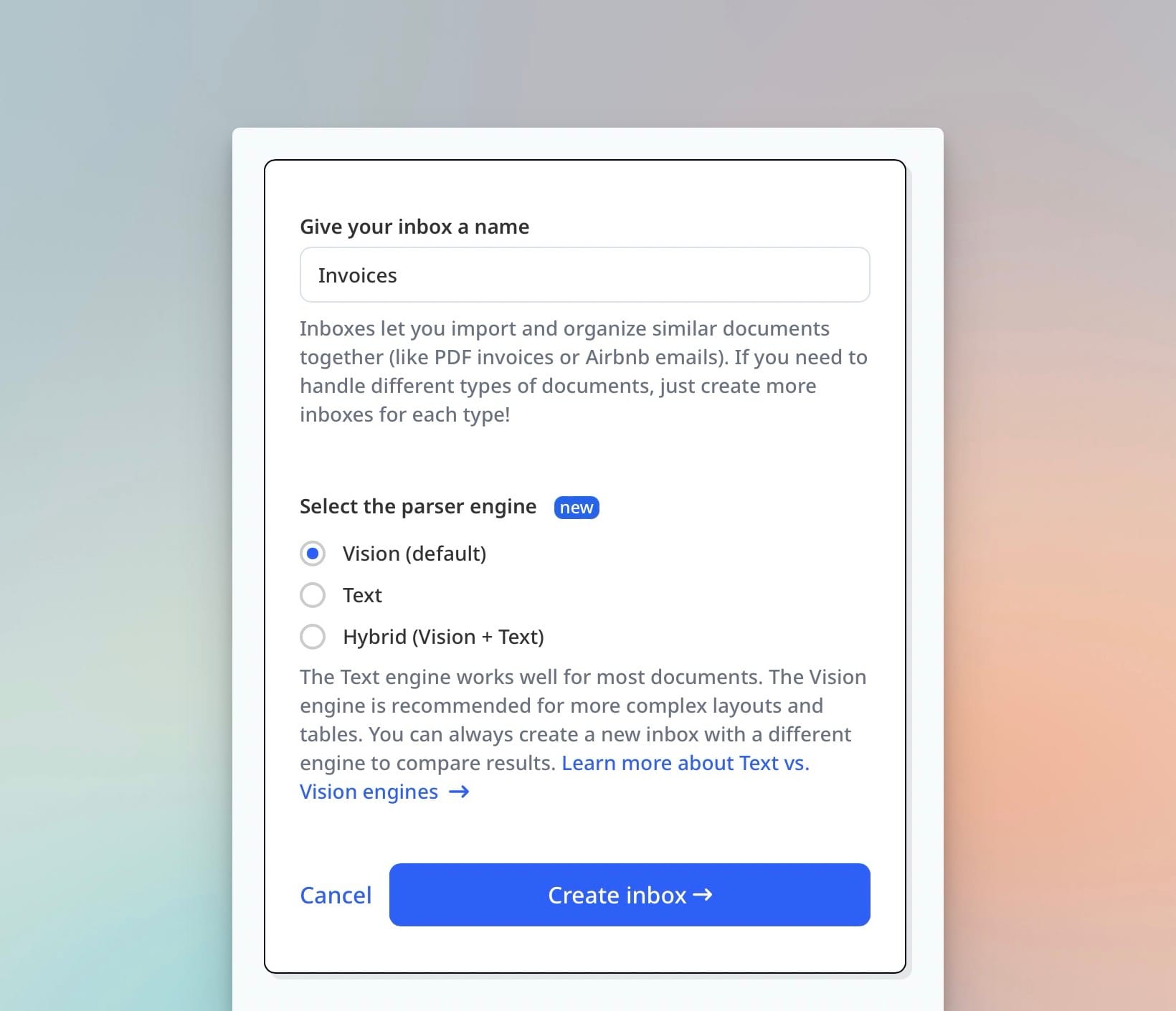
This is the core difference between Airparser's text engine and its vision engine. For a digital invoice with a clean text layer, the text engine extracts fields accurately and quickly. For a scanned handwritten form or an image-only PDF, the vision engine is required — it reads the pixel-level content and applies reasoning to identify and extract the requested fields.
Where unstructured parsing is hard: Multi-page documents with inconsistent structure across pages, heavily damaged scans, faded ink, and documents mixing multiple languages within a single form. Even vision models have accuracy limits on very poor-quality input — pre-processing the document (contrast enhancement, deskewing) improves results significantly before parsing.
Why Document Type Determines Your Extraction Approach
The mismatch between document type and extraction method is the most common reason document automation fails in practice. Here is how each mismatch plays out:
Using a template parser on semi-structured documents
Template parsers map field positions by coordinates or fixed patterns. When a supplier sends an invoice in a slightly different format — a new column order, a different date format, or a logo that shifts everything down by 20 pixels — the parser extracts the wrong fields or skips them entirely. Teams waste hours maintaining templates every time a supplier changes their format, which happens constantly.
Using text extraction on unstructured or image-only documents
A text extraction parser reads the embedded text layer of a PDF. If the document is a scan — common with older supplier invoices, handwritten forms, physical contracts, or any document that was printed and scanned — there is no text layer to read. The parser returns empty results. This catches many teams off guard when they onboard legacy document archives.
Applying AI where rule-based is sufficient
Over-engineering is a real cost. If you are pulling data from a database export that always has the same column structure, a rule-based approach is faster, cheaper, and more reliable than an AI model. Use AI when the variation requires it — not as a default for every document.
The right mental model: match extraction complexity to document variability. Low variability → rule-based. Medium variability → AI with schema. High variability or no text layer → vision AI.
How AI Parsers Handle Each Document Type Differently
Modern AI document parsers do not treat all documents the same. Under the hood, the processing pipeline differs significantly by document type.
For structured documents with a text layer, a text-based LLM extractor reads the content directly. The model uses the schema (fields the user defined) as a lookup guide, locates each value in context, and returns structured JSON. This is fast and accurate when the document has clean, embedded text.
For semi-structured documents, the model does the same thing but applies more reasoning — understanding that "Invoice No." and "Inv #" and "Ref:" might all refer to the same field depending on the sender. Context-aware field matching handles the label variation that breaks rule-based systems.
For unstructured documents or scans, a vision model processes the page as an image. It sees checkboxes, handwriting, diagrams, stamps, and tables as visual elements — not just text strings. The model applies spatial reasoning: recognizing that a value to the right of a label belongs to that label, or that numbers inside a table cell are line items, not standalone figures.
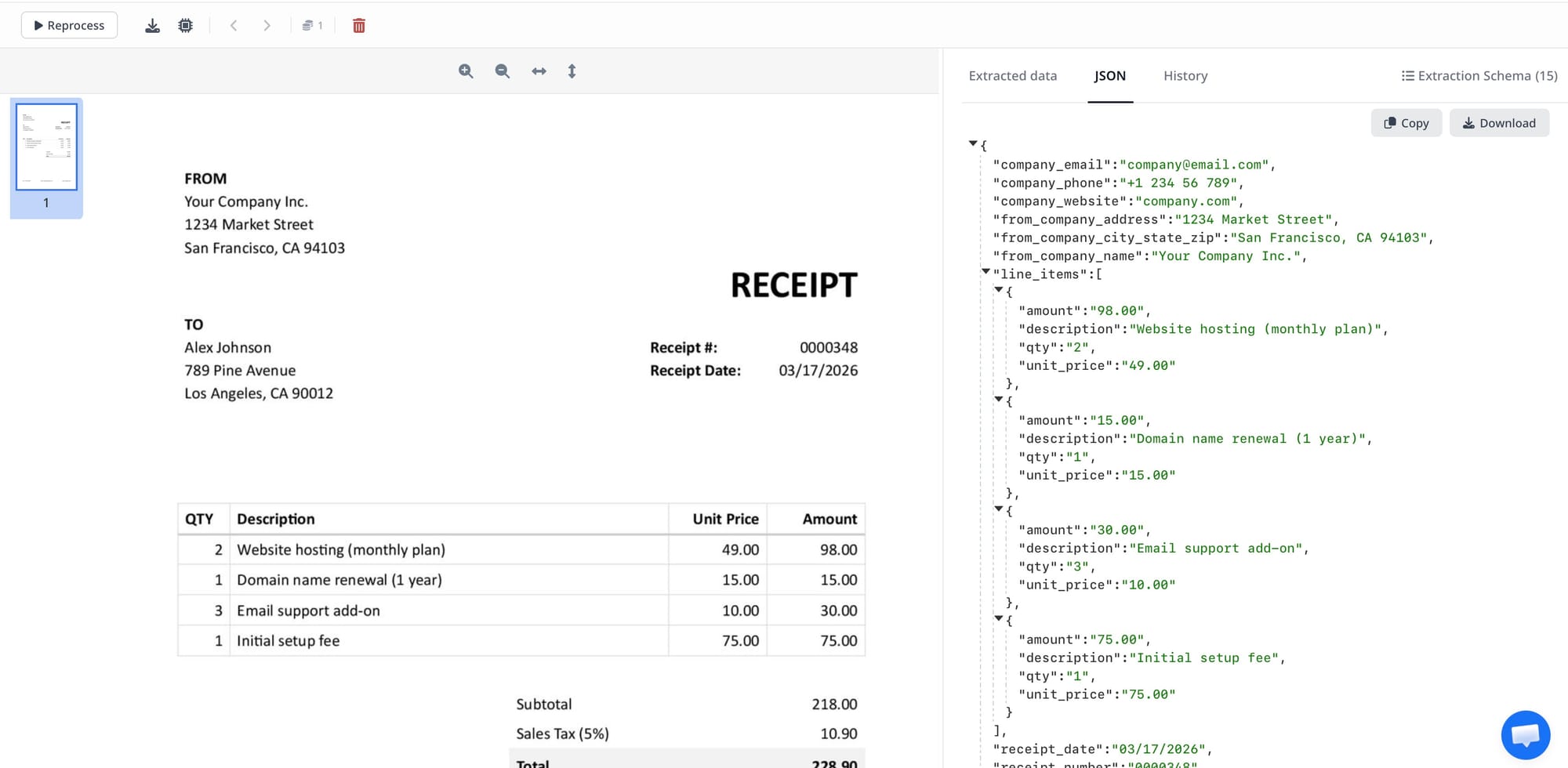
Airparser exposes this choice directly when you create an inbox: text engine for digital documents with embedded text, vision engine for scans, images, and documents where layout interpretation matters. For most business document workflows — invoices, receipts, order confirmations, HR forms — the right engine choice takes ten seconds and makes a significant accuracy difference.
For a deeper look at the engine selection decision, see Vision vs Text in LLM Document Parsing: How to Choose the Right Engine.
Choosing the Right Extraction Method: A Decision Framework
Before setting up any extraction workflow, answer three questions about your documents:
- Is the layout fixed or variable? If every document from every source looks identical, rule-based extraction works. If formats differ by sender, platform, or time period, use AI.
- Does the document have an embedded text layer? Open the PDF and try to select text. If you can select and copy it, a text engine works. If the text is in an image (you are clicking on pixels), you need a vision engine.
- Is there handwriting, stamps, checkboxes, or visual structure? Any of these require vision-based extraction. Text engines cannot interpret visual elements that are not in the text layer.
If you answer "variable" to question 1 and "yes" to questions 2 or 3, a vision AI parser like Airparser is the right starting point. If the layout is fixed and the text layer is clean, a simpler rule-based approach may be sufficient — and you should not over-engineer it.
Quick reference table
| Document Type | Examples | Extraction Method |
|---|---|---|
| Structured | CSV exports, ERP reports, fixed-format PDFs | Rule-based or text AI |
| Semi-structured | Invoices, purchase orders, order confirmation emails | AI with schema (text engine) |
| Unstructured (digital) | Contracts, email narratives, free-form reports | AI with schema (text or vision) |
| Unstructured (scanned / handwritten) | Scanned forms, handwritten notes, image-only PDFs | Vision AI |
How Airparser Handles All Three Document Types
Airparser is designed around the reality that most businesses deal with all three document types at once. An accounts payable team might receive machine-generated EDI files from large suppliers, emailed PDF invoices from mid-size vendors, and scanned paper invoices from local contractors — all for the same workflow.
The Airparser workflow is the same regardless of document type:
- Create an inbox and choose your engine (text or vision)
- Send a sample document — by email, manual upload, Zapier, Make, or API
- Define or auto-generate the extraction schema
- All future documents are parsed automatically against that schema
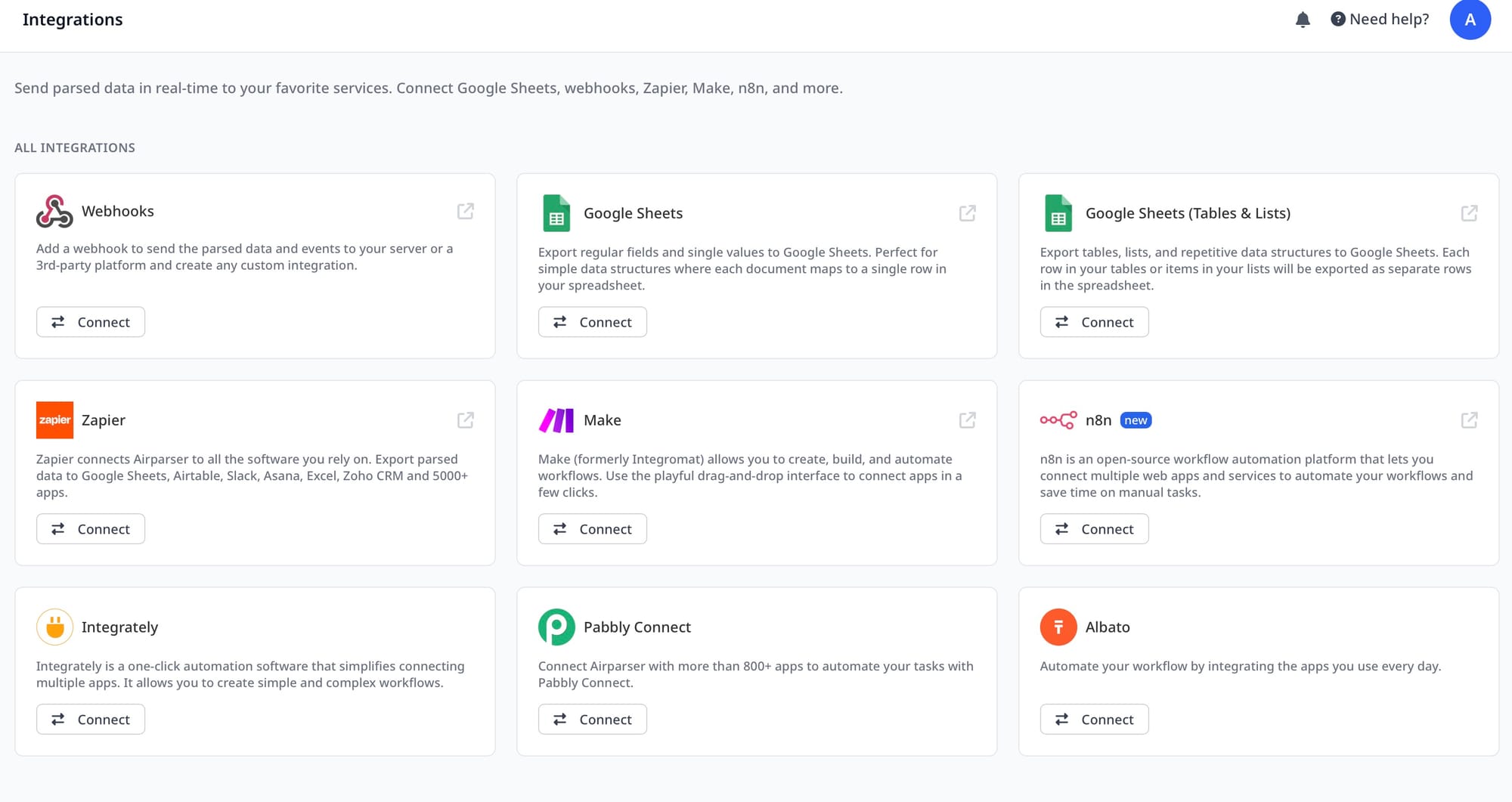
- Export structured data to Google Sheets, Excel, webhooks, or downstream systems
For scanned or image-heavy documents, selecting the vision engine at inbox creation is the only additional step. The schema definition, extraction, and export workflow are identical. This means teams can consolidate all their document types into a single parsing platform rather than running separate tools for OCR, template-based extraction, and AI parsing.
To understand how Airparser's vision engine specifically handles documents that break traditional OCR — including scans, mixed layouts, and image-only files — see Vision Engine Document Parsing: How AI Reads Documents the Way Humans Do. For a broader overview of where AI document parsing fits in a modern data stack, What is Intelligent Document Processing (IDP)? covers the full category.
Frequently Asked Questions
What is the difference between structured and unstructured data in document parsing?
Structured data in documents has a predefined schema — every field appears in a fixed, known location. A CSV file with consistent column headers is structured: you always know where the date is, where the amount is, and where the customer name is. Unstructured data has no fixed schema — a contract, a clinical note, or a handwritten inspection report contains the same types of information (dates, names, amounts, findings) but in variable positions and formats depending on the author, template, or circumstance. For extraction purposes, the key difference is that structured data can be extracted by rules, while unstructured data requires a model that reads and reasons about content in context. In practice, most business documents sit in between — semi-structured — where the fields are consistent but the layout varies across senders or versions. Invoices are the most common example of semi-structured documents.
Do I need a vision engine for all scanned PDFs?
Yes, if the scan contains no embedded text layer. A scanned PDF is essentially an image file stored inside a PDF container. When you open it and try to select text, you are clicking on pixels, not characters. Standard text-based parsers — including most LLM document parsers — read the text layer, not the image. Without OCR or a vision model, they return empty or near-empty results. A vision engine processes the page as an image, reading layout, fonts, spacing, handwriting, and visual structure directly. This is why Airparser offers a dedicated vision engine as an option at inbox creation: for any document that arrives as an image or scan, the vision engine is the correct choice. For digital PDFs where you can select and copy text normally, the text engine is faster and equally accurate for most document types.
What kinds of documents are semi-structured?
Semi-structured documents have recognizable, repeating fields but no guaranteed layout. The most common examples in business operations are invoices, purchase orders, order confirmation emails, delivery notes, packing slips, bank statements, supplier quotes, remittance advice notices, and insurance certificates (COIs). These documents always contain the same types of information — amounts, dates, reference numbers, addresses — but the format, label wording, column arrangement, and overall layout differ by sender, platform, or document version. This variability is exactly what makes template-based parsers fail on semi-structured documents at scale. AI-based extraction with a defined schema handles this variability by finding field values through context rather than fixed position.
Can a single tool handle structured, semi-structured, and unstructured documents?
Yes, with the right architecture. Airparser handles all three types by letting users choose the appropriate engine — text for digital documents with embedded content, vision for scanned or image-based documents — and by using AI schema matching instead of fixed templates. In practice, a single Airparser account can have multiple inboxes handling different document types: one inbox configured for digital invoices using the text engine, another for scanned field inspection forms using the vision engine, and another for order confirmation emails. The extraction schema definition and downstream export workflow are identical across all three. This unified approach is important for operations teams that deal with document variety across suppliers, partners, and legacy archives without wanting to manage multiple specialized tools.
What is a schema in document extraction, and why does it matter?
An extraction schema is the list of fields you want the parser to find in each document — for example, invoice number, vendor name, invoice date, line items, subtotal, tax, and total. The schema is what tells the AI what to look for; without it, the model would have to guess what information matters. A well-defined schema makes extraction consistent across all documents of a given type: no matter how the vendor formats the invoice, the model returns the same set of fields in the same structure. Airparser auto-generates a schema when you upload a sample document — the AI infers what fields are likely useful based on document content — and you can edit or add to the suggested schema before processing begins. The schema also determines your output structure: the fields you define become the columns in your Google Sheet, the keys in your JSON export, or the fields pushed to your webhook.
How does document type affect extraction accuracy?
Document type affects accuracy in two main ways: engine choice and schema design. Applying a text-based engine to a scan always produces poor accuracy because there is no text layer to read — the model either returns nothing or hallucinates based on incomplete input. Using a vision engine on a clean digital PDF works but is slightly slower and more expensive than necessary. The second factor is schema specificity: vague field names like "amount" on an invoice that has subtotal, tax, and total will confuse the model into picking one inconsistently. More precise schema definitions ("total_due_excl_tax," "vat_amount," "total_including_vat") produce more consistent output. For unstructured documents where field positions vary widely — contracts, clinical notes, narrative reports — accuracy depends heavily on how precisely the schema fields are described. Adding a short description to each field ("The vendor's name as printed in the header, not the contact name") significantly improves extraction accuracy on ambiguous documents.
When should I use AI extraction versus a rule-based parser?
Use AI extraction when documents come from multiple sources, senders, or generations — any situation where format variability is real and persistent. If your extraction problem involves suppliers, customers, or partners who all format documents differently, AI is the right tool. Use rule-based extraction when every document follows a known, stable format that you control — database exports, internal system reports, or fixed-format EDI files from a single trading partner. Rule-based parsers are faster, cheaper, and more predictable for stable inputs. They become a maintenance burden the moment format assumptions break, which happens frequently at organizational boundaries. The practical test: if adding a new supplier, customer, or document version requires manual reconfiguration, you are working with a rule-based system on a semi-structured or unstructured problem, and switching to AI extraction will reduce that ongoing maintenance cost significantly.
If your workflow involves mixed document types — some structured, some semi-structured, some scanned — Airparser's text and vision engines handle all three from a single platform. Start with a sample document and a schema, and the extraction pipeline handles the rest automatically.