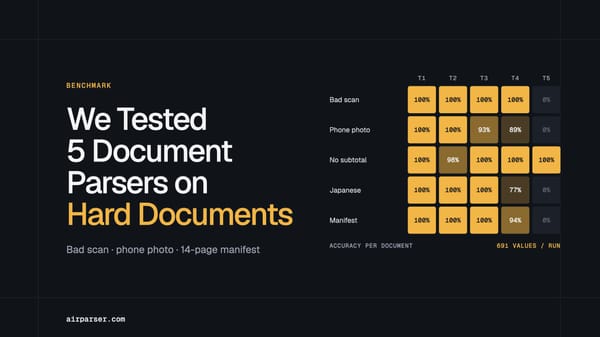
Best Document Parsing Tools for Accounts Payable Teams in 2026
AP teams process more than invoices — remittance advice, vendor statements, and delivery notes all need structured extraction. Here are the best document parsing tools for AP teams in 2026, compared by accuracy, flexibility, and AP fit.

TL;DR
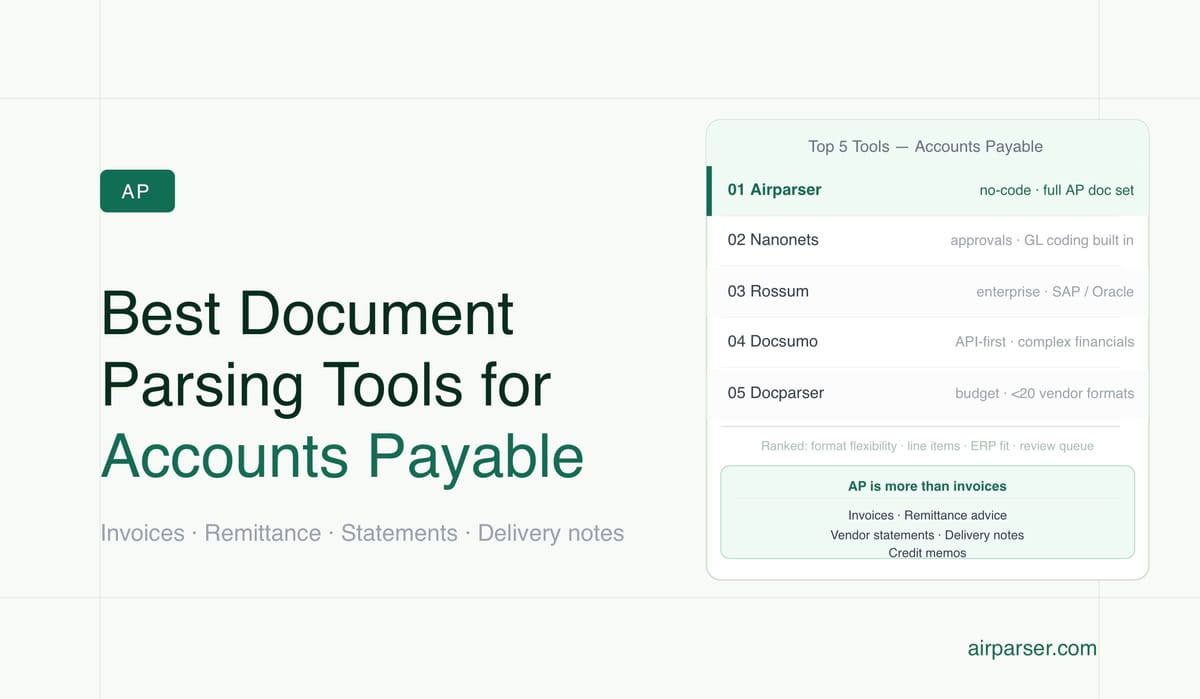
- AP teams process far more than invoices — remittance advice, vendor statements, delivery notes, and credit memos all flow through the same department and need structured data extraction.
- The right parsing tool depends on whether you need a flexible extraction layer that plugs into your existing ERP or a full AP automation platform that handles approvals and coding too.
- Airparser is the strongest no-code extraction layer for AP teams that want AI-powered invoice and document parsing without building or maintaining templates.
- Enterprise teams with high volume and approval routing requirements should evaluate Nanonets or Rossum alongside Airparser.
- Budget teams with predictable document formats can get by with Docparser's rule-based approach.
The best document parsing tool for accounts payable teams in 2026 is one that handles your full document mix — not just invoices — with enough accuracy to reduce manual keying and enough flexibility to connect to the tools your AP team already uses. For most mid-size AP departments, that means an AI-powered extraction layer like Airparser, which parses invoices, remittance advice, vendor statements, and credit memos without templates, and routes structured data to your ERP, Google Sheets, or webhook endpoint with no code required.
AP automation has matured significantly in the last two years. The tooling that made sense for early adopters — zonal OCR platforms that required defining bounding boxes for each vendor's invoice layout — no longer holds up when supplier formats change quarterly and document volumes scale. AI-powered document parsers now handle layout variation by design, extracting fields from meaning rather than position. The practical question for AP teams is not whether to automate, but which extraction tool fits best into the stack they already have.
This guide compares the leading document parsing tools for AP teams based on how well each one handles the actual document types that flow through accounts payable, how they integrate with downstream systems, and what trade-offs each approach involves. This is not a review of full AP automation suites — those are evaluated separately. This focuses specifically on the data extraction layer, where the decision most often sits.
What Documents Does an AP Team Actually Need to Parse?
Most tool comparison articles focus only on invoice parsing, which understates the breadth of what AP teams actually process. A realistic AP document intake includes at minimum:
- Vendor invoices — the core AP document, arriving via email, supplier portals, EDI, and sometimes paper. Formats vary by supplier, and larger vendor relationships may involve thousands of unique layout variants over time. A useful parser needs to handle multi-page invoices, line-item tables, and variable header positions without retraining.
- Remittance advice — payment notifications from customers, often containing invoice reference numbers, payment amounts, and discount deductions. Teams use these to reconcile outstanding receivables. They arrive as email attachments or inline email text, in formats that vary by payer bank and ERP.
- Vendor statements — periodic account summaries from suppliers showing outstanding invoices, credits, and payments. AP teams use these to catch discrepancies between their records and the supplier's before month close.
- Purchase orders — required for three-way match workflows where the parsed PO, goods receipt, and invoice must agree before payment is released. POs may arrive from internal systems or from customer portals if the AP team is a supplier themselves.
- Delivery notes and goods receipts — confirming that goods or services were received before the invoice is approved for payment. Often arrives as scanned paper or PDF from a warehouse or logistics partner.
- Credit memos and debit memos — adjustments to existing invoices. These need to be parsed and matched against the original invoice record in the AP system.
The right tool for AP is one that handles this full document set rather than only vendor invoices. Most AP teams discover this requirement after they automate invoice parsing and then realize remittance advice and vendor statements are still being keyed manually.
What to Look for in a Document Parser for AP Work
Not every document parsing tool is designed for the requirements that AP workflows create. Before evaluating specific tools, it helps to clarify the criteria that matter for AP specifically:
- Multi-layout support without templates — AP teams deal with hundreds of supplier invoice formats. A tool that requires defining a template per vendor does not scale. AI-powered parsers that extract by understanding document meaning rather than page coordinates handle new formats without reconfiguration.
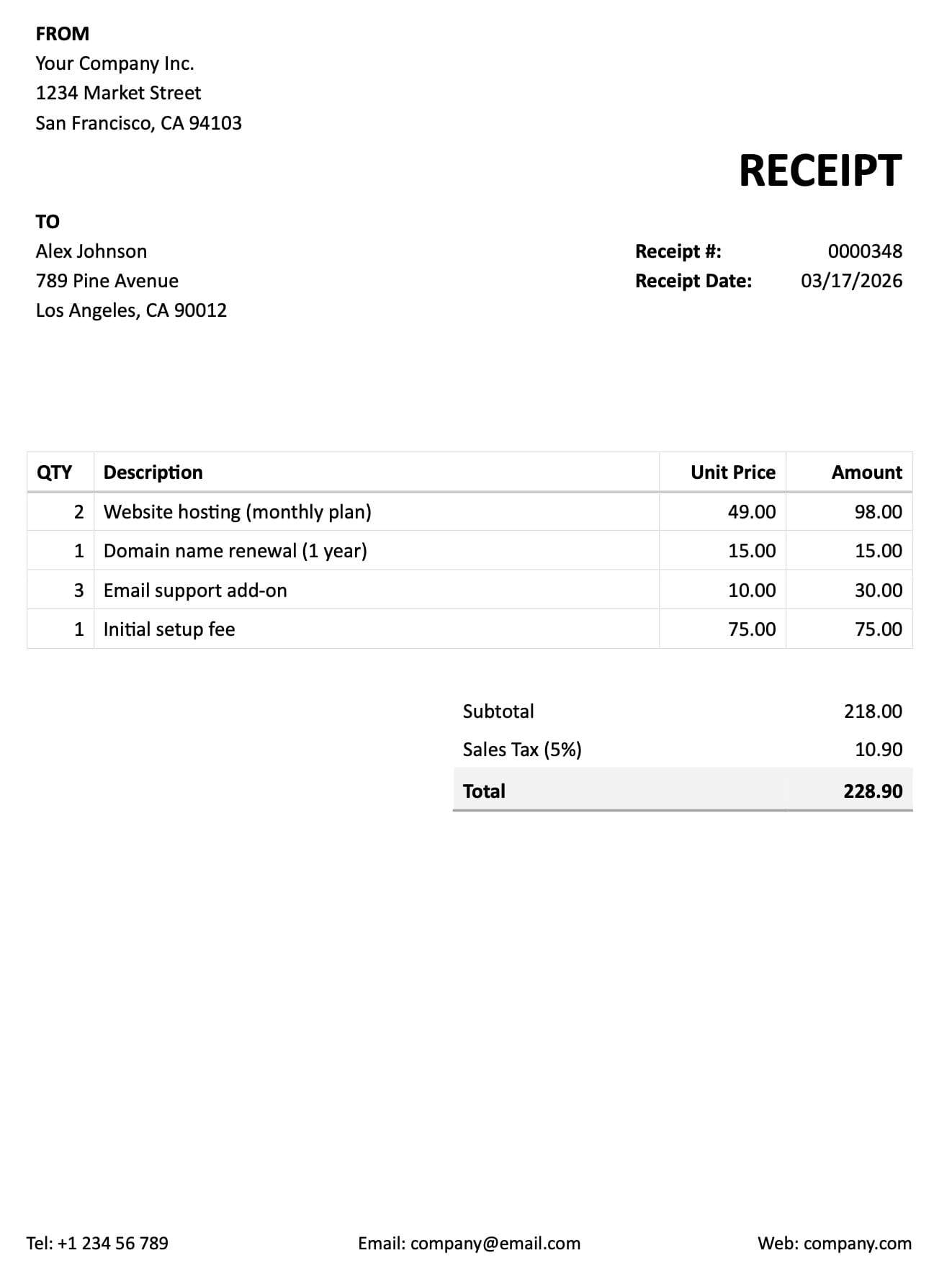
- Line-item table accuracy — invoices contain line-item tables with product codes, descriptions, quantities, unit prices, and totals. Parsing line items accurately is harder than parsing header fields (vendor name, invoice number, date). Confirm the tool's accuracy on multi-line invoices before committing.
- ERP and accounting system integration — parsed AP data is only useful when it reaches the right system. Look for native integrations with your ERP (SAP, Oracle NetSuite, Sage, QuickBooks, Xero) or at minimum, webhook output that your team can route into the system without custom development.
- Human review queue — AP parsing is not binary. Some documents will have low-confidence extractions or fields that need a second check before payment. A built-in review queue for flagged extractions reduces the risk of processing errors without requiring manual review of every document.
- Email ingestion for attachments — many vendor invoices arrive as email attachments. A parser that creates a dedicated email address for each inbox handles attachment ingestion without a separate workflow step. Documents forwarded to that address are parsed automatically.
- Support for scanned documents — delivery notes, goods receipts, and some vendor invoices arrive as scanned PDFs or images. A vision-based AI parser handles these without requiring a clean text layer, which is critical if any part of your AP document mix includes paper originals.
The Best Document Parsing Tools for Accounts Payable Teams in 2026
1. Airparser — Best for No-Code AI Extraction Across the Full AP Document Set
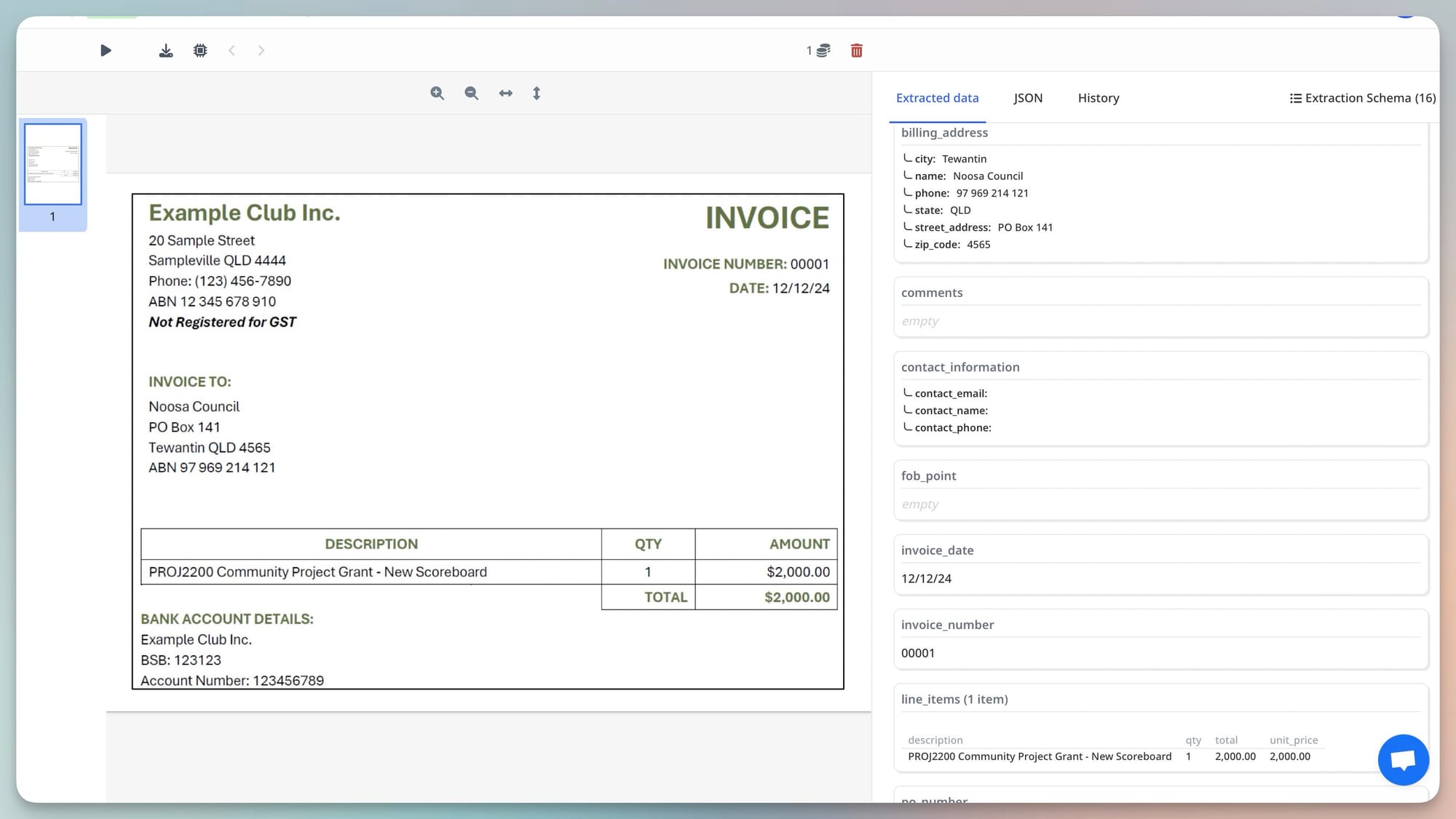
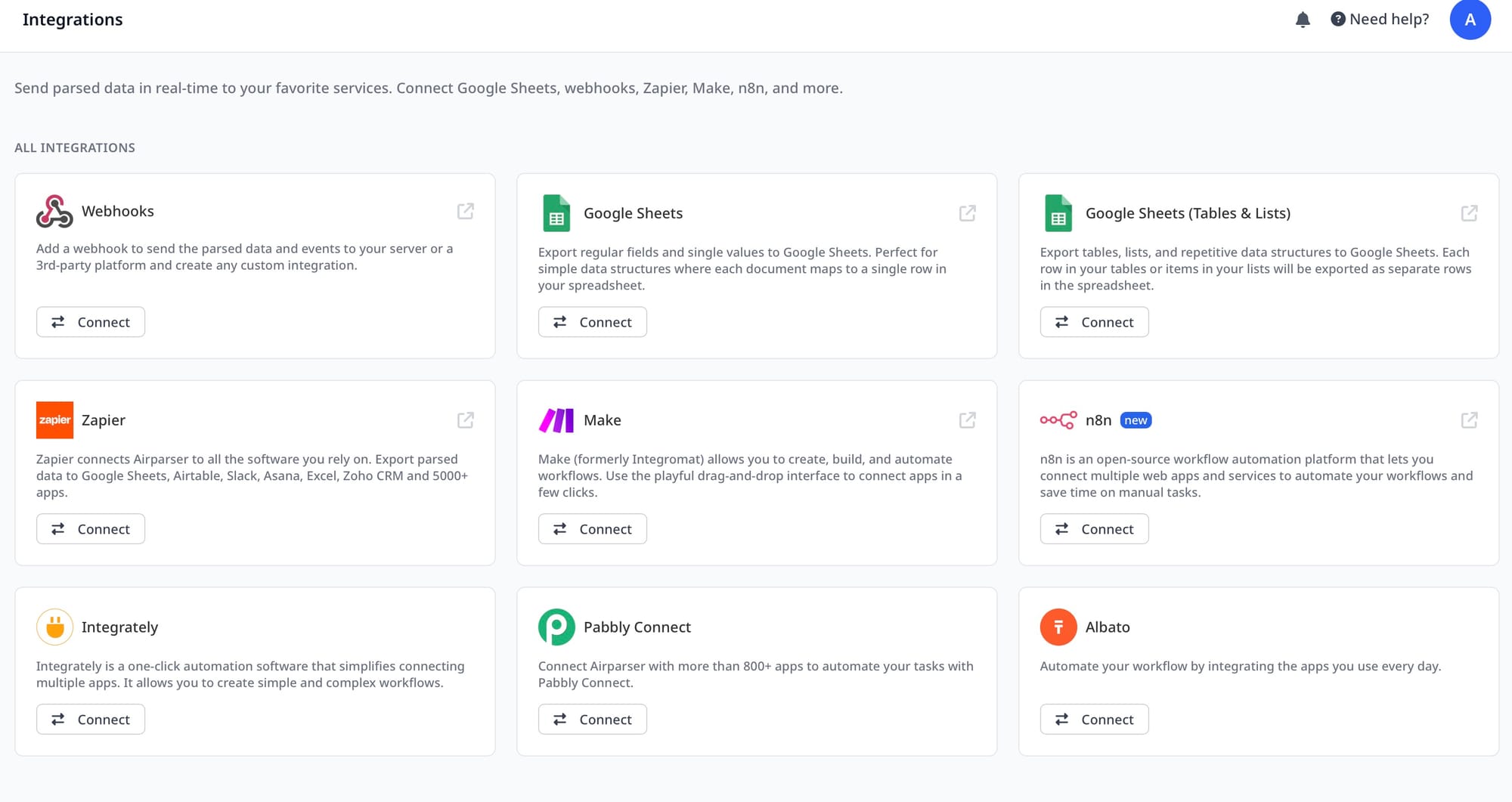
Airparser is an AI document parser built for teams that need to extract structured data from variable-format documents without writing code or maintaining templates. For AP teams, the strongest advantage is breadth: the same platform handles vendor invoices, remittance advice, vendor statements, and delivery notes, each with its own extraction schema and its own dedicated inbox. Documents arrive by email, manual upload, or API, and parsed data routes to Google Sheets, a webhook endpoint, or downstream automation via Zapier or Make.
The core parsing engine is AI-powered, which means it reads documents the way a human would — by understanding field labels, document structure, and context — rather than by position on the page. When a supplier changes their invoice template, or a new vendor sends a format you have never seen, Airparser does not require reconfiguration. The same inbox handles new layouts automatically. This makes Airparser particularly well-suited for AP teams that manage a long vendor tail where each supplier has a distinct invoice format.
For scanned documents such as paper delivery notes or older vendor statements, Airparser's vision engine processes the document as an image, handling rotation, variable scan quality, and mixed digital-plus-scanned pages without requiring preprocessing. A separate text engine is available for native digital PDFs where layout is structured and consistent, offering faster processing for high-volume clean document streams. See how Airparser's vision engine handles variable supplier formats for a deeper look at the accuracy implications.
AP teams that need approval routing, GL coding, or ERP posting logic beyond the extraction step will typically pair Airparser with a no-code automation tool (Zapier, Make, or n8n) or a webhook-connected ERP middleware layer. Airparser focuses on the extraction layer and routes clean structured JSON; the downstream routing is configured separately. This is a deliberate separation that works well for teams with existing AP workflow tools and keeps Airparser pricing contained to what the extraction step actually costs.
Best for: Mid-size AP teams processing 50–5,000 documents per month who need AI extraction across multiple document types without custom code or template maintenance. Strong fit for teams that receive invoices and remittance advice from many different senders.
2. Nanonets — Best for AP Teams That Need Approval Workflows Built In
Nanonets is an AI document processing platform that combines data extraction with approval routing, GL coding suggestions, and ERP integration in a single interface. Unlike extraction-only tools, Nanonets is designed to take an invoice from raw document to approved-for-payment status inside the same platform, which makes it a stronger fit for AP teams that want to reduce the number of separate tools in their stack.
Extraction accuracy on invoices is strong, with the platform trained on large volumes of AP documents. Nanonets supports multi-page invoices, line-item tables, and variable vendor formats. The approval workflow layer allows teams to set up rules-based routing — for example, routing invoices above a certain threshold to a manager, or flagging invoices with missing PO numbers for review before processing.
The trade-off is that Nanonets is positioned as a full AP automation platform rather than a flexible extraction layer, which means it is more opinionated about workflow structure. Teams that have existing AP workflows and only need better document extraction may find the platform over-engineered for what they need. Pricing reflects the platform scope and is typically higher than extraction-only tools. For teams that want a single platform to replace a patchwork of extraction tools, email rules, and manual review spreadsheets, the consolidated approach is often worth it.
Best for: Mid-to-large AP teams that process significant monthly invoice volume and want extraction, approval routing, and ERP posting in one platform rather than assembling separate tools.
3. Rossum — Best for Enterprise AP Teams Integrating with SAP or Oracle
Rossum is an enterprise-grade document understanding platform built specifically for accounts payable and transactional document processing at scale. The platform's core strength is deep ERP integration — Rossum has pre-built connectors for SAP, Oracle, Microsoft Dynamics, and several other major ERP systems, which reduces the integration work for enterprise AP teams migrating from manual data entry or legacy OCR solutions.
Rossum uses a neural network-trained extraction model that achieves high accuracy on invoice header fields and line items, and includes a human-in-the-loop review queue where low-confidence extractions are surfaced for manual correction before being pushed to the ERP. The platform also supports document classification, which is useful when incoming AP packages contain mixed document types (an invoice and a remittance advice in the same email) that need to be separated and routed to different workflows.
The platform is designed for volume — enterprise customers processing tens of thousands of invoices per month see strong unit economics — but the onboarding process and pricing reflect that enterprise positioning. Smaller AP teams evaluating Rossum often find the implementation timeline and contract terms are better suited to a procurement-led evaluation than a self-serve trial.
Best for: Enterprise AP teams in large organizations with SAP or Oracle as the ERP, processing high invoice volumes, and with IT resources available for ERP integration work.
4. Docsumo — Best for Finance Operations Teams Handling Complex Multi-Page Financial Documents
Docsumo is an AI-powered document processing platform built around financial document types, with particular strength on bank statements, financial statements, and complex multi-page invoices. For AP teams that process a document mix heavily weighted toward financial documents with dense table structures — supplier invoices with many line items, vendor credit statements, bank transaction exports — Docsumo's training on financial document formats produces strong accuracy.
The platform includes pre-built models for common financial document types, which reduces setup time compared to tools that require defining schemas from scratch. Docsumo also includes validation rules that flag extracted values against expected ranges or cross-field logic (for example, checking that line-item totals sum to the invoice total) before data is exported, which catches common extraction errors before they reach the AP system.
Docsumo's API-first architecture makes it a stronger fit for technical teams that want to build extraction into a custom AP workflow rather than use a point-and-click interface. Teams that do not have developer resources for integration work may find the platform less approachable than Airparser or Nanonets out of the box.
Best for: Finance operations teams with technical integration resources who need high accuracy on complex multi-page financial documents and want to build document parsing into a custom workflow.
5. Docparser — Best for Small AP Teams with Predictable, Structured Invoice Formats
Docparser is a rule-based document parser that uses defined parsing rules — regular expressions, keyword anchors, and table filters — to extract data from PDFs and documents. For AP teams with a small, stable set of supplier invoice formats where layouts do not change frequently, Docparser's rule-based approach can achieve reliable results at a lower price point than AI-powered alternatives.
The trade-off is that every new vendor format requires a new parsing template. When a supplier updates their invoice layout, the existing template may need to be rebuilt. This is manageable for teams with 10–20 core suppliers, but becomes increasingly difficult to maintain when the vendor list grows or when invoice formats change frequently. The platform also has more limited capability on scanned documents or handwritten fields compared to AI-powered alternatives.
For AP teams at very small companies with a predictable, structured document mix and limited budget, Docparser's simplicity and affordability make it a reasonable starting point. Teams that outgrow the template-based approach can migrate extraction to an AI-powered tool as document volume and format diversity increase.
Best for: Small AP teams with fewer than 20 core supplier formats, predictable invoice layouts, and tight budget constraints who are willing to maintain extraction templates manually.
How Document Parsing Fits Into an AP Automation Stack
Understanding where document parsing sits in the broader AP automation stack helps clarify what the right tool actually needs to do. Most AP workflows break into three layers:
Document intake. Vendor invoices arrive via email attachment, supplier portal download, EDI, or occasionally paper. This layer handles receiving, deduplicating, and routing documents to the extraction step. Airparser handles email ingestion natively — each inbox has a dedicated email address, and invoices forwarded to it are parsed automatically. For portals and EDI feeds, a Zapier or Make trigger can route documents to the parser automatically.
Data extraction. This is where document parsing tools operate. The parser reads the document and outputs structured JSON — invoice number, vendor name, line items, totals, payment terms, bank details. The quality of the extraction at this layer determines how much manual correction work sits downstream. AI-powered parsers like Airparser handle format variation by design, which is why they are the right choice for AP teams with many vendors.
AP processing. Extracted data feeds into the AP system — whether that is a full ERP (SAP, Oracle, NetSuite), an accounting platform (QuickBooks, Xero, Sage), or a spreadsheet-based process. This layer handles three-way matching, approval routing, GL coding, and payment execution. Most document parsing tools route to this layer via webhook, native integration, or a no-code automation platform. For teams automating the full AP cycle, see how to automate AP data entry from supplier invoices and how to automate three-way invoice matching for implementation details on the downstream workflow.
A useful way to think about tool selection: if your primary problem is that documents arrive in too many formats for manual keying to keep up, the extraction layer is the bottleneck and a tool like Airparser solves it directly. If you have already solved extraction and the bottleneck is approval routing or ERP posting, you need a tool with workflow capabilities. If both are unsolved, platforms like Nanonets or Rossum address the full stack but require a larger implementation investment.
Common Failure Modes in AP Document Parsing and How to Fix Them
Even with a well-configured document parser, AP extraction workflows have known failure points. Here are the most common and how to handle each:
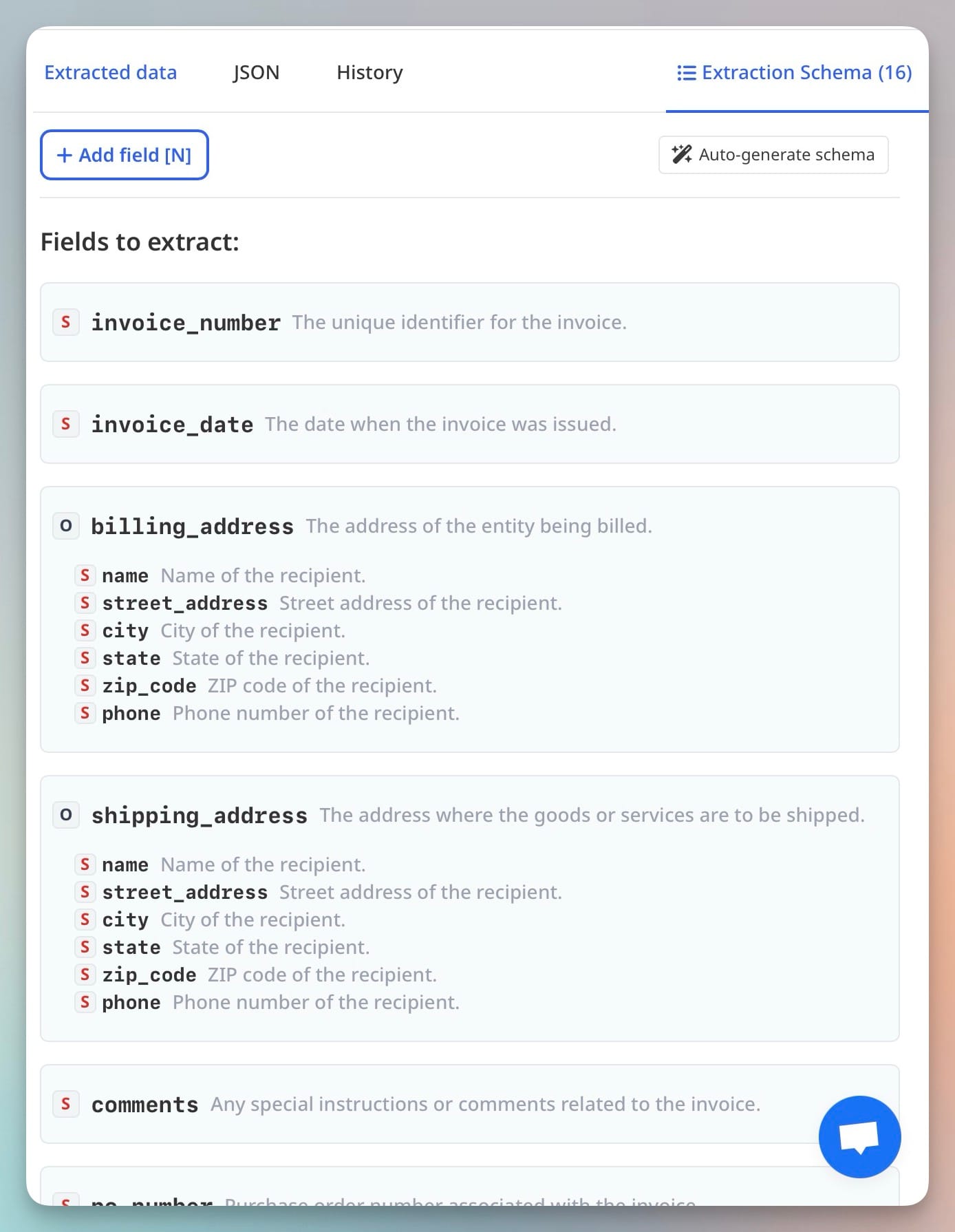
- Line-item table extraction errors — invoices with complex line-item tables (split cells, multi-line descriptions, wrapped text, or merged header rows) produce the highest error rates in any parser. The fix is to add explicit field descriptions in your extraction schema — for example, specifying that the "unit price" field should come from the per-item price column rather than any total. Airparser's schema description fields allow you to give the extraction model additional context per field. See why document parsers break on invoice formats for a deeper explanation of the structural causes.
- Duplicate invoice detection failures — some vendors send the same invoice multiple times via different channels. Without deduplication logic, the AP system may pay the same invoice twice. Add a validation step in your automation that checks extracted invoice numbers against previously processed records before creating a new AP entry. This is typically done in the Zapier/Make layer or inside the ERP, not inside the parser itself.
- Scanned delivery notes at low resolution — goods receipt and delivery note scans arriving at 72–96 DPI produce numeric field errors, particularly in quantity and weight fields. Request that warehouse and logistics partners scan at 150 DPI minimum. If the scan quality is outside your control (scans come from a supplier or carrier), add a manual review step for delivery note fields in the first validation pass.
- Currency and locale format mismatches — international supplier invoices use different decimal separators (comma vs. period) and currency symbols. A German supplier invoice showing "1.234,56 EUR" requires different numeric parsing than a US invoice showing "$1,234.56". Configure your extraction schema with a currency field and use post-processing rules to normalize extracted amounts to a consistent format before they reach the AP system. Airparser's Python post-processing feature supports this kind of normalization without external code.
- Missing PO references on invoices — three-way match workflows require a purchase order number on the invoice, but some vendors omit it or put it in a non-standard field position. Build a validation flag in your extraction schema that alerts the team when a PO number field returns null, so those invoices can be routed for manual check before processing rather than failing silently downstream.
Frequently Asked Questions
What is the difference between a document parser and full AP automation software?
A document parser extracts structured data from documents — it reads an invoice and outputs fields like vendor name, invoice number, line items, and total amount as structured JSON or a spreadsheet row. Full AP automation software does that plus more: it handles approval routing (sending the invoice to the right approver based on amount, department, or vendor), GL coding (suggesting which general ledger account to post to), three-way matching (comparing the invoice to the purchase order and goods receipt), and ERP posting (creating the AP entry in SAP, Oracle, or NetSuite). For teams whose primary problem is the data entry burden — manually typing invoice fields — a document parser solves the core problem at a lower cost and with less implementation overhead. For teams who also struggle with approval queues, coding errors, or reconciliation, a full AP automation platform addresses more of the workflow but requires a larger investment. Many AP teams start with document parsing for the extraction layer and handle approvals and ERP posting in existing tools, adding workflow automation later as volume justifies it.
Can Airparser handle invoices from hundreds of different vendor formats without template setup?
Yes. Airparser uses an AI extraction model rather than template-based rules, which means it reads each invoice by understanding the document's structure — field labels, table headers, value positions — rather than by looking at fixed page coordinates. A vendor who changes their invoice layout, or a new vendor whose format you have never seen before, does not require any reconfiguration in Airparser. The same inbox processes all incoming formats automatically. The practical implication for AP teams is that the cost of adding a new vendor to your automated workflow is essentially zero — you forward their first invoice to the same inbox and it parses it against the same schema. Template-based tools, by contrast, require building a new template for each vendor format, which creates a backlog of unautomated vendors and ongoing maintenance as supplier layouts change. The vision engine inside Airparser is particularly important here — it sees the document the way a human would, rather than relying on a PDF text layer that may be absent or incorrectly structured in vendor-generated documents.
How do I get parsed AP data into QuickBooks, Xero, or NetSuite?
The most common integration path from an extraction-only parser like Airparser into accounting platforms is a webhook plus a no-code automation layer. When Airparser finishes parsing a document, it sends the structured JSON to a webhook URL you configure. A Zapier or Make automation receives the webhook, maps the parsed fields to the accounting platform's API fields (vendor name, invoice amount, due date, line items), and creates the bill or invoice entry in QuickBooks, Xero, or NetSuite automatically. Zapier has native connections to both QuickBooks Online and Xero. NetSuite integration typically uses the NetSuite API via a custom Make module or a specialist integration. The specific mapping step — telling the automation which parsed field corresponds to which accounting platform field — takes a few minutes to configure and does not require code. For teams with an IT function, Airparser's API also allows building a direct integration without Zapier or Make, which can be more efficient at high volume. Airparser also has a native Google Sheets export, which can work as a staging layer for AP teams whose process includes a spreadsheet-based review before import into the accounting system.
Is AI document parsing accurate enough to use for automated payment processing without human review?
AI parsing accuracy is high enough on standard vendor invoices for many AP teams to run straight-through processing on a large percentage of their document volume — typically 70 to 90 percent of clean, well-formatted invoices from established vendors. However, fully removing human review from the payment approval step is a business risk decision, not purely a technology decision. Most AP teams configure a hybrid workflow: AI extraction runs automatically on all incoming documents, and a human review queue surfaces only the extractions flagged as low confidence, missing required fields, or failing validation rules (such as a line-item sum that does not match the invoice total). This approach eliminates manual data entry for the majority of invoices while still having a human approve flagged cases before payment is released. Airparser includes a review queue feature for this purpose, allowing teams to define which extraction results trigger a manual check without reviewing every document. The thresholds for what gets flagged should be calibrated based on the risk tolerance of the AP team and the typical accuracy profile of their incoming document mix. High-stakes invoices above a certain value can also be always-flagged for review regardless of extraction confidence.
What happens when a vendor invoice arrives as a scanned PDF rather than a digital PDF?
Scanned PDFs do not contain a machine-readable text layer — they are images of documents. Tools that rely on the PDF text layer to extract data fail on scanned documents or produce inaccurate output because the text layer, if present at all, was generated by a basic OCR pass that may contain character-level errors. Airparser's vision engine processes both digital and scanned PDFs without distinction — it reads the document as an image and extracts fields from the visual layout, which is what a human would do. This matters for AP teams because a meaningful portion of delivery notes, older vendor invoices, and manual goods receipts arrive as scans. The main quality constraint with scanned documents is resolution: Airparser achieves strong accuracy on scans at 150 DPI or above. Documents scanned below 100 DPI or from poor-quality originals (fax-sourced documents, crumpled paper scans) have higher error rates on numeric fields. Where scan quality is outside your control, adding a review step specifically for scanned documents — identified by the absence of an embedded text layer — is the practical mitigation. For more on how the vision engine differs from OCR-based parsing, see how Airparser's vision engine handles variable invoice formats.
How do I handle remittance advice that arrives as inline email text rather than a PDF attachment?
Remittance advice from some payers arrives in the body of an email rather than as a file attachment — a table of invoice numbers, amounts, and payment dates pasted inline in the message. Airparser handles this case because the email parser inbox processes the full email content, not just attachments. When you create an inbox in Airparser for remittance advice, you configure it to extract fields from both the email body and any attached files. For remittance advice that arrives as inline text, the extraction schema defines which fields to pull out — payer reference, invoice number, payment amount, payment date, and deductions — and the AI reads the email body's content the same way it would read a PDF. This eliminates the need for a separate email parsing tool alongside your document parser. See how to automate remittance advice data extraction for a detailed walkthrough of the inbox configuration and schema setup for this document type.