Why Your Document Parser Breaks When Invoice Formats Change
Template-based parsers use fixed positions to find fields. When a supplier changes their invoice layout, the template stops working and extractions fail silently. Here's why it happens and how meaning-based extraction solves it permanently.

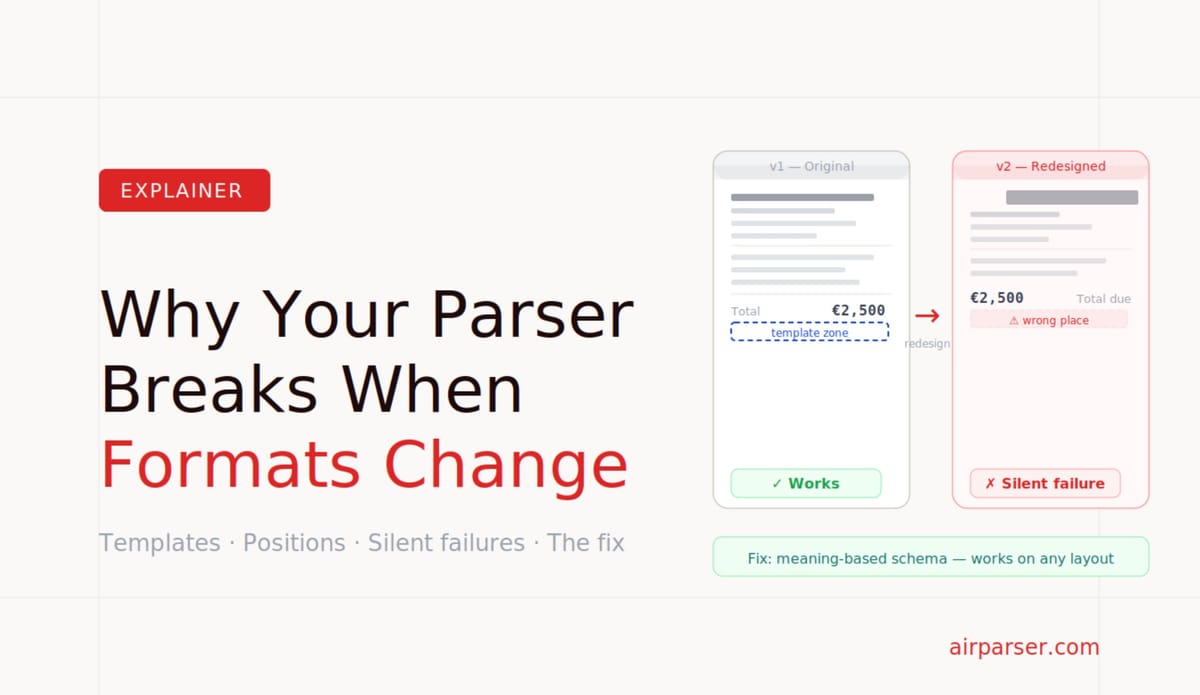
TL;DR: Template-based document parsers use fixed positions to find fields. When a supplier changes their invoice layout — or when you add a new supplier — the template stops working and extractions fail silently or return wrong data. The only real fix is to switch from position-based to meaning-based extraction. That's what LLM and vision engine parsers do.
If you've used a template-based document parser long enough, you've seen this failure. Everything works perfectly for months. Then a supplier updates their invoice design — a new logo placement, a reorganised header, a different table layout — and suddenly every invoice from that supplier comes back with missing fields, wrong values, or blank output. Your pipeline breaks without warning, and nobody notices until someone checks the data.
This isn't a bug. It's the fundamental limitation of how template-based parsing works. And it's worth understanding precisely, because the solution isn't to build better templates — it's to use a different approach entirely.
Why Template Parsers Use Position to Find Fields
Template-based parsing was designed for a world where documents from a given source were completely consistent. A utility bill from one provider always has the account number in the same place. A payslip from one payroll system always has the gross pay in the same field. For that specific use case — high volume, single source, fixed format — templates are fast, cheap, and reliable.
The template approach works by recording where each field appears on a sample document: "the invoice number is in the rectangle from coordinates (x1,y1) to (x2,y2) on page 1." When a new document arrives, the parser crops that region, runs OCR on it, and returns whatever text it finds there. It doesn't understand what an invoice number is — it just knows where to look on this type of document.
This is efficient. It's also completely brittle.
What Happens When the Layout Changes
Invoice layouts change for ordinary business reasons. A supplier hires a new designer and refreshes their branding. They switch accounting software and the new system generates invoices in a different format. They expand internationally and add a new address block. They add a QR code for payment. They restructure their header to fit a new company name after a merger.
None of these changes are unusual. All of them move fields around on the page. And when a field moves, the template parser looks in the wrong place, finds something else — or nothing — and returns incorrect data.
The failure is usually silent. The parser doesn't know the template is wrong. It extracts whatever is in the coordinates it was given. If another piece of text happened to move into the invoice number zone, that text becomes your invoice number. If the zone is now blank, the field comes back empty. Either way, bad data enters your system without an error being raised.
The Real Cost: Template Maintenance at Scale
A single broken template is annoying. Template maintenance across a real document automation operation is a significant ongoing cost that rarely shows up in any vendor's pricing comparison.
Consider a mid-sized business that processes invoices from 80 suppliers. Each supplier has their own invoice format. That's 80 templates to build initially — already a substantial setup effort. Over a year, perhaps 15 suppliers change their invoice design. That's 15 templates to rebuild and test. Three suppliers send documents in two different formats depending on whether the invoice was generated by their accounting system or filled in manually. That's three additional template variants.
Now a new supplier joins. Someone has to find a sample invoice, build a template, test it, and deploy it before automated processing can begin. The time between "new supplier" and "invoices processed automatically" is days or weeks, not minutes.
Template maintenance is not a one-time cost. It's a recurring operational overhead that scales with the number of document sources and the rate at which those sources change their formats. For businesses that process documents from many different suppliers, clients, or partners, this overhead grows continuously.
Why This Specifically Affects Invoice Processing
Invoices are particularly hard for template parsers because invoice formats vary by supplier by design. Unlike payslips (generated by one payroll system per company) or bank statements (generated by one banking system per account), invoices come from every software system every supplier uses: QuickBooks, Xero, SAP, Sage, custom-built billing systems, manually formatted Word documents, PDFs exported from spreadsheets.
Each of these systems generates invoices in its own layout. Each supplier may also customise that layout. And invoices contain the most commercially sensitive data in business operations — amounts, dates, vendor identities, line items — where extraction errors have direct financial consequences.
The combination of high layout variability, high extraction accuracy requirements, and high volume makes invoice processing the use case where template-based parsing fails most visibly and most expensively. Related: Document parsing: build vs. buy.
The Fix: Meaning-Based Extraction
The root cause of template failure is that templates use position as a proxy for meaning. "The invoice number is at coordinates (x,y)" is a proxy for "the invoice number is the thing on this document that is the invoice number." When position changes, the proxy breaks.
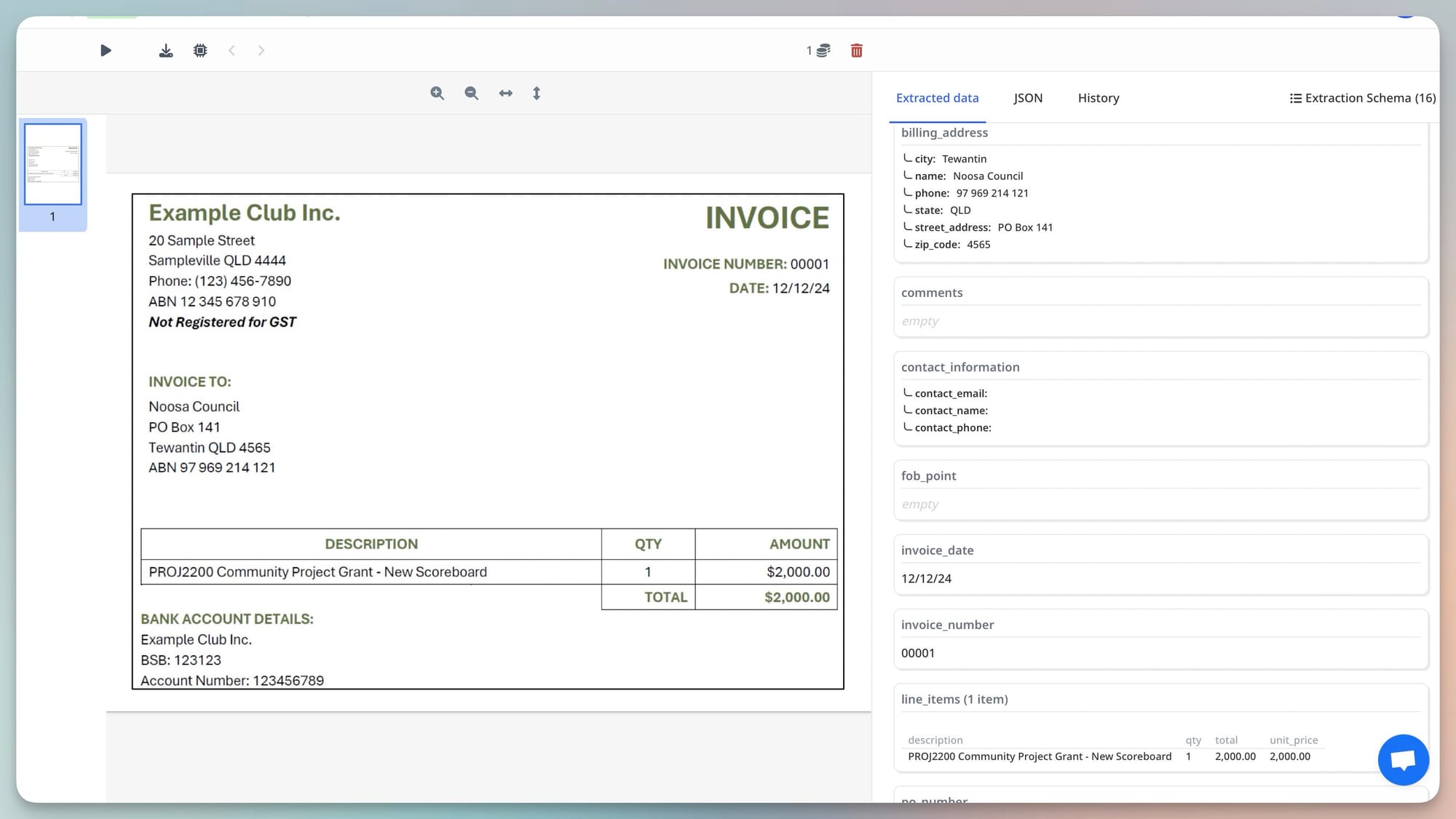
The real fix is to extract by meaning directly. LLM-based and vision engine parsers don't use position at all. They understand what fields mean — what an invoice number looks like, what context surrounds a total amount, what the structure of a line-items table implies — and find those fields wherever they appear on the document.
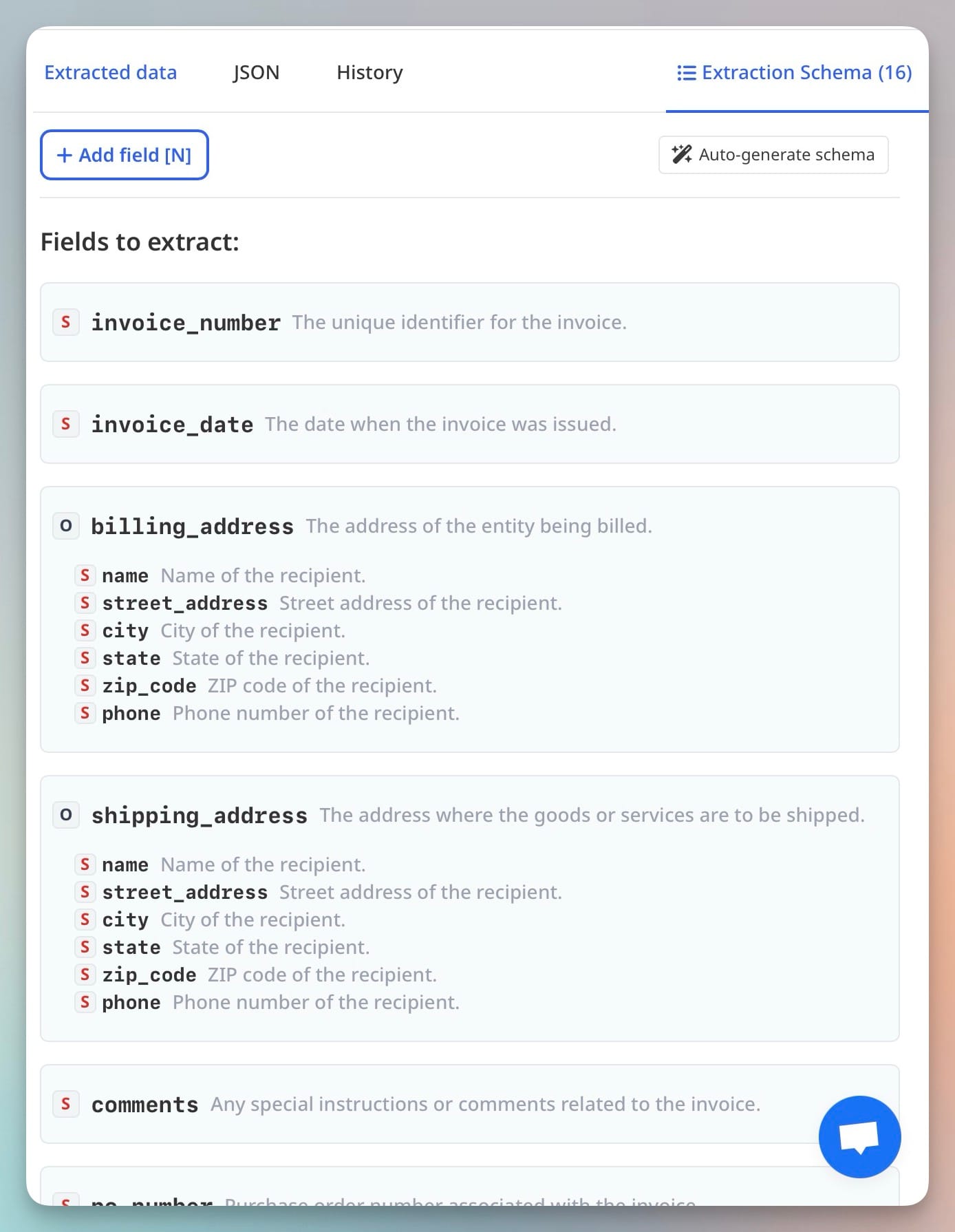
A schema-based LLM parser reads: "extract the field called invoice_number, defined as the unique identifier assigned to this invoice by the issuing vendor." It then finds a value matching that description in the document — top right, bottom left, inside a header box, next to a barcode — regardless of position. When the supplier redesigns their invoice, the field meaning hasn't changed. The extraction still works.
What This Means for Scanned Invoices
Template parsers have a second failure mode specific to scanned documents. Even if a template is correctly positioned, OCR accuracy on scanned invoices varies with document quality — and template parsers apply OCR to a fixed zone, then use whatever characters OCR returns. Scan quality variations cause character errors that corrupt field values.
A vision engine processes the document as an image rather than extracting OCR text first. It reads scanned invoices, photographed invoices, and low-quality images using the same visual reasoning it applies to any document — finding fields by their visual context rather than their coordinates. Scanned invoices from new suppliers, in any quality, are handled with the same configuration as native PDF invoices. Related: Why vision engine AI parses documents that break traditional OCR.
Migrating From Templates to Schema-Based Extraction
If you're currently running a template-based parser for invoice processing and experiencing maintenance overhead, the migration path is straightforward: replace per-supplier templates with a single extraction schema that defines the fields you need by name and description.
In Airparser, this means creating one invoice parser with a schema that includes fields like vendor_name, invoice_number, invoice_date, due_date, line_items (as an array), subtotal, tax, and total. That single configuration handles invoices from any supplier, in any format, without modification when layouts change.
The practical transition: run both systems in parallel on a sample batch, compare outputs, then cut over when confidence is established. For most invoice processing operations, the LLM-based approach handles the full supplier mix more consistently than the accumulated set of templates it replaces. Related: What is a vision engine in document parsing.
Frequently Asked Questions
Why don't template-based parsers detect when a layout has changed?
Template parsers have no way to know that a layout change has occurred because they don't understand document content — they just extract from coordinates. When a field moves, the parser extracts whatever is now at the old coordinates. If that returns a plausible-looking value (text in the right format), the parser has no signal that it's wrong. Detection would require the parser to understand what valid field values look like for each field — which requires semantic understanding, not coordinate matching. Some systems add validation rules on top of templates (flagging values outside an expected range) which catches some errors, but this is post-extraction validation, not extraction intelligence. The fundamental issue — that the template no longer matches the document — remains unaddressed.
How often do real invoice layouts actually change?
More often than most teams expect. A study of accounts payable operations found that the average company receives invoices from 40–200 active suppliers, and roughly 15–20% of those suppliers change their invoice format in any given year — due to software changes, rebranding, mergers, or adding new billing capabilities like QR codes or electronic payment instructions. For a company with 100 suppliers, that's 15–20 broken templates to rebuild annually as a baseline. The rate increases for companies in industries with frequent supplier turnover or for businesses growing quickly and adding new vendor relationships regularly.
Can template parsers be made more robust with smarter zone definitions?
To a degree. Some template systems support fuzzy zone matching — looking for a field within a larger area rather than at exact coordinates — and anchor-relative positioning — defining a field position relative to a nearby label rather than absolute page coordinates. These techniques improve robustness against minor layout variations like small shifts in element position. They don't solve the fundamental problem of major layout changes (header reorganisation, table restructuring, new page layouts) where field positions move significantly or field context changes. They also add configuration complexity: each robustness improvement requires additional template configuration and testing. For businesses receiving invoices from many variable-format sources, the configuration overhead of robust templates often exceeds the configuration overhead of switching to a schema-based approach.
Does schema-based LLM extraction ever fail where a template would succeed?
Yes, in specific circumstances. For extremely high-volume processing of identical, machine-generated documents from a single source (thousands of invoices per hour from one billing system), a well-built template is faster, cheaper per-document, and more predictable than LLM extraction. Template extraction has effectively zero failure rate on documents that match the template exactly, whereas LLM-based extraction introduces a small probability of hallucination or field confusion on any document. For use cases where every document is identical, from a single source, processed at high volume, template-based extraction can be the more efficient choice. The comparison changes entirely when document sources are diverse, layouts vary, or the template maintenance cost is accounted for. Related: Best document parsing tools in 2026.
How does Airparser handle invoices from suppliers it has never seen before?
Airparser's extraction is schema-driven and model-based, not template-driven. When a new supplier's invoice arrives, the system applies the same extraction logic it uses for any invoice: read the document (via vision engine for scanned/image formats, text extraction for native PDFs), apply the extraction schema to find the defined fields, return structured JSON. There's no "first-time setup" for a new supplier format — the parser works on the first document from a new supplier without any configuration change. The schema you built for your existing suppliers covers new ones automatically, as long as the fields you defined (vendor name, invoice number, total, line items) are present on the document — which they are, by definition, on any valid invoice.