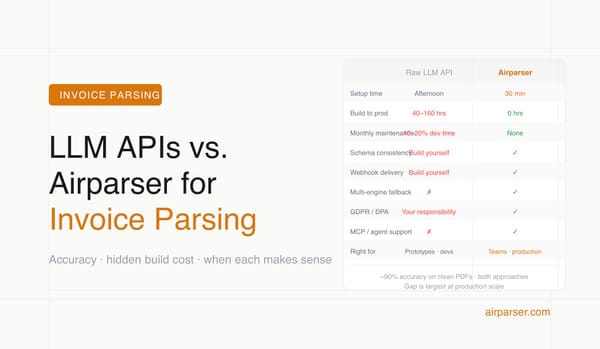
Document Parsing: Build Your Own with GPT or Claude vs. Using Airparser
A developer's guide to when building your own document parser with GPT or Claude makes sense — and when a dedicated tool is the right choice for production.

TL;DR
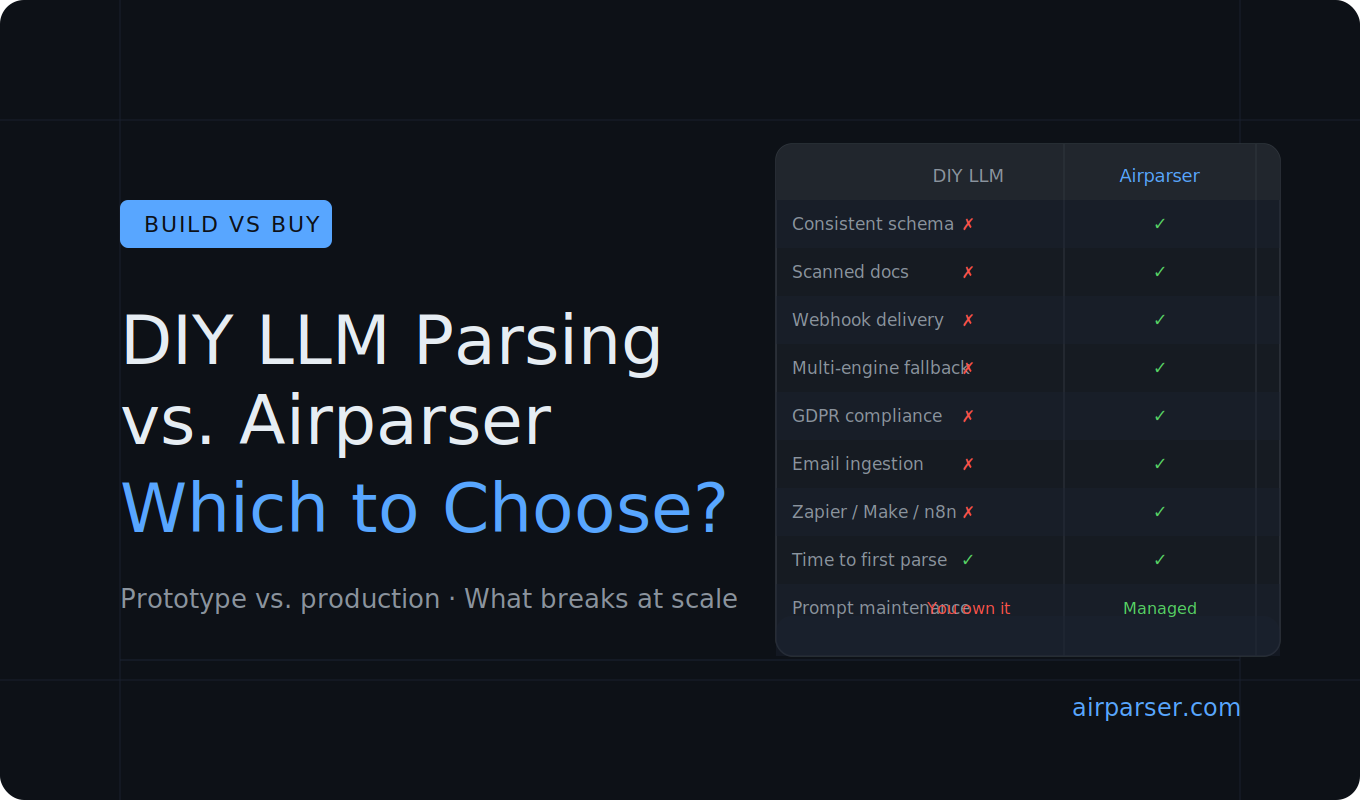
A raw LLM API can parse a document in minutes. But production document workflows need reliable output schemas, error handling, webhook delivery, multi-engine fallback, and compliance — none of which come with a single API call. Use DIY for quick scripts and prototypes. Use Airparser when the workflow needs to run reliably at scale without you maintaining the infrastructure around it.
It is 2026 and parsing a document with an LLM has never been easier. You can pass a PDF to GPT-4o or Claude, ask for structured JSON, and get back something useful in seconds. For a one-off script or a quick prototype, that is often the right approach.
But if you are building document parsing into a real application — automating invoice processing, resume screening, or any other repeating document workflow — you will hit real limits quickly. This guide walks through where DIY LLM parsing works, where it breaks down, and when a dedicated tool like Airparser is the more practical choice.
What DIY LLM parsing actually looks like
When developers say they will just use GPT or Claude for document parsing, the basic flow looks like this:
- read the document — extract text from a PDF, or pass an image to a vision model
- send the content to an LLM with a prompt describing the fields you want
- parse the response and extract the JSON
For a prototype, this is the right starting point. The code is short, the cost is low, and the output is often good enough to validate an idea.
The issue is not that it is wrong. The issue is everything that needs to be built around it before it works reliably in production.
Where DIY parsing works well
There are legitimate cases where a raw LLM API is the right tool:
- One-off batch jobs — you need to process a set of documents once and never again
- Early prototypes — you want to validate whether extraction is feasible before investing further
- Already inside an LLM pipeline — document parsing is one small step in a larger AI workflow you already own and maintain
- Very simple documents — plain-text emails with a handful of fields, no scans, no complex layout
- Very low volume — a few documents a week where failures can be handled manually
If any of these match your situation, a raw API call may genuinely be the right choice. You do not always need more infrastructure than your problem requires.
Where DIY parsing breaks down
The problems usually surface a few weeks after the first working demo.
Inconsistent output schema
LLMs do not give you the same JSON structure every time. Field names drift — invoice_number becomes invoiceNumber becomes number. Optional fields appear and disappear. Nested structures change shape between responses. Downstream code that reads the JSON starts breaking in subtle ways.
Fixing this requires increasingly complex prompt engineering, output validation logic, and retry handling. The maintenance cost grows with the variety of documents you process.
Scanned and image-based documents
Many real-world documents are not clean PDFs with extractable text. They are scans, photos, fax outputs, or files where the text layer is absent or unreliable. A text LLM cannot read these. You need a vision model, which has different cost and latency characteristics. Deciding when to use which engine, and falling back automatically when one fails, is non-trivial to implement correctly.
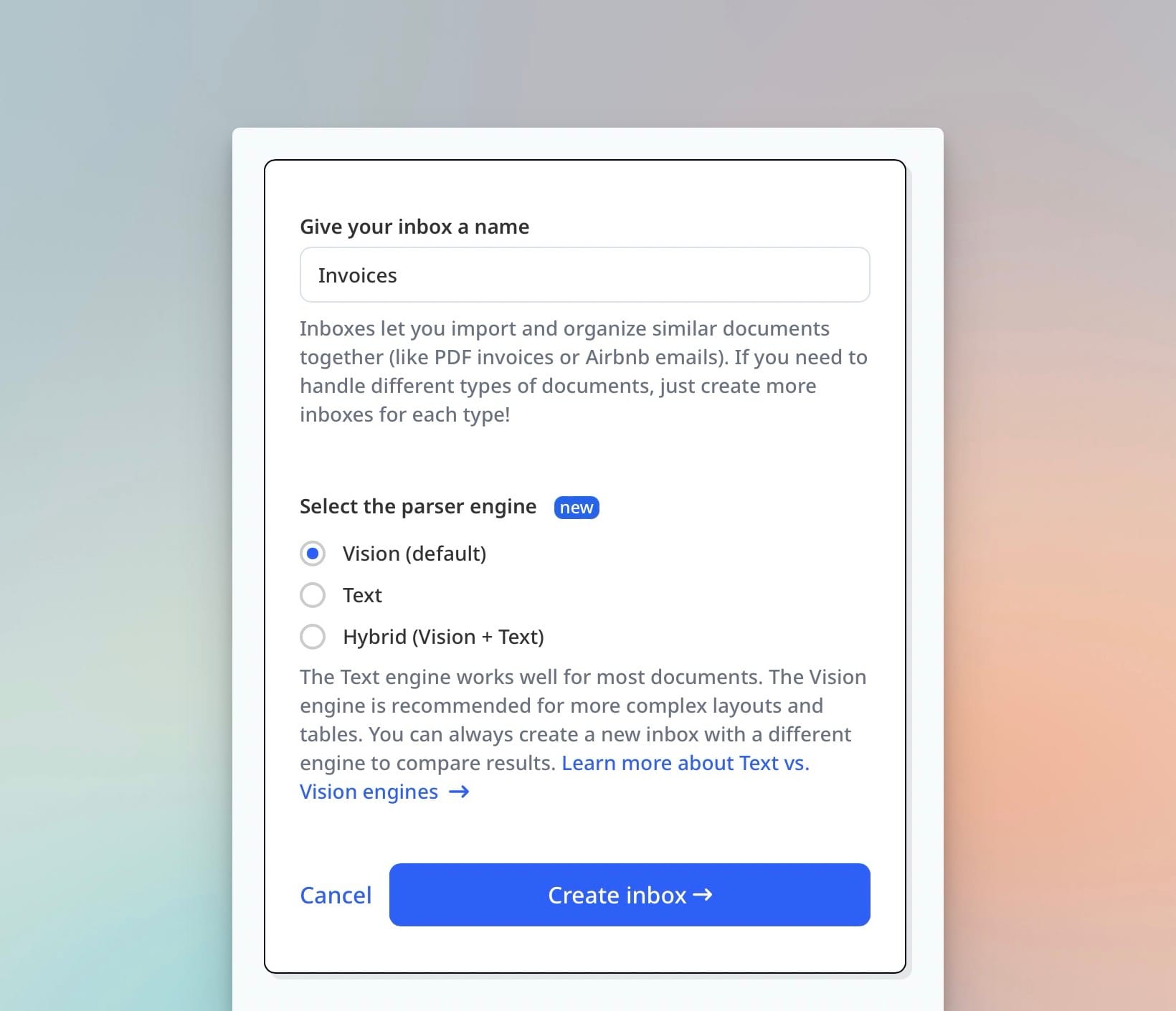
For a deeper look at the tradeoffs between text and vision engines, see Vision vs Text in LLM Document Parsing.
No integration pipeline
Parsing a document is step one. Getting the structured output into a database, CRM, spreadsheet, or downstream webhook is the rest of the workflow. With a raw API, you build all of that yourself: HTTP clients, retry logic, error queues, dead-letter handling, and whatever transformation logic the destination system requires. This is often more engineering work than the parsing itself.
Reliability and error handling
LLM APIs have rate limits, occasional downtime, and variable latency. A robust production workflow needs retry logic, exponential backoff, queue management, and a way to surface failures without data loss. None of that is included in an API call.
GDPR and data compliance
If you send customer documents to an LLM API, you are responsible for understanding the data processing terms, ensuring usage complies with data residency requirements, and being able to respond to deletion requests. For enterprise or regulated use cases, this needs to be handled explicitly — not left as an assumption buried in a terms-of-service document.
Prompt maintenance
Document layouts change over time. Suppliers update their invoice format. A bank changes their statement template. When they do, your extraction prompt may silently start returning wrong data. With a DIY setup, you own the prompt maintenance, the regression testing, and the monitoring needed to catch these regressions before they affect downstream systems.
What Airparser adds beyond a raw LLM call
Airparser is not a wrapper around a single LLM call. It is the infrastructure layer that makes document parsing production-ready without requiring you to build it from scratch:
- Schema-driven consistent output — define the JSON structure once, and every document returns data in that exact shape regardless of layout variation. See how to create extraction schemas without prompt engineering.
- Multi-engine extraction — text LLM, vision LLM, and OCR run as fallback layers; Airparser selects the right engine based on document type and falls back automatically on failure
- Built-in webhook delivery — parsed results are delivered to your endpoint with retry logic included; no queue management required
- Python post-processing — write custom transformation code to clean, normalize, or augment extracted data before it leaves Airparser
- Email ingestion — forward emails directly to an inbox; attachments are extracted automatically without any upload code on your side
- GDPR compliance — AES-256 encryption, configurable data retention, no training on your data, data deletion on request
- 60+ language support — documents in non-English languages parse without any changes to your schema or configuration
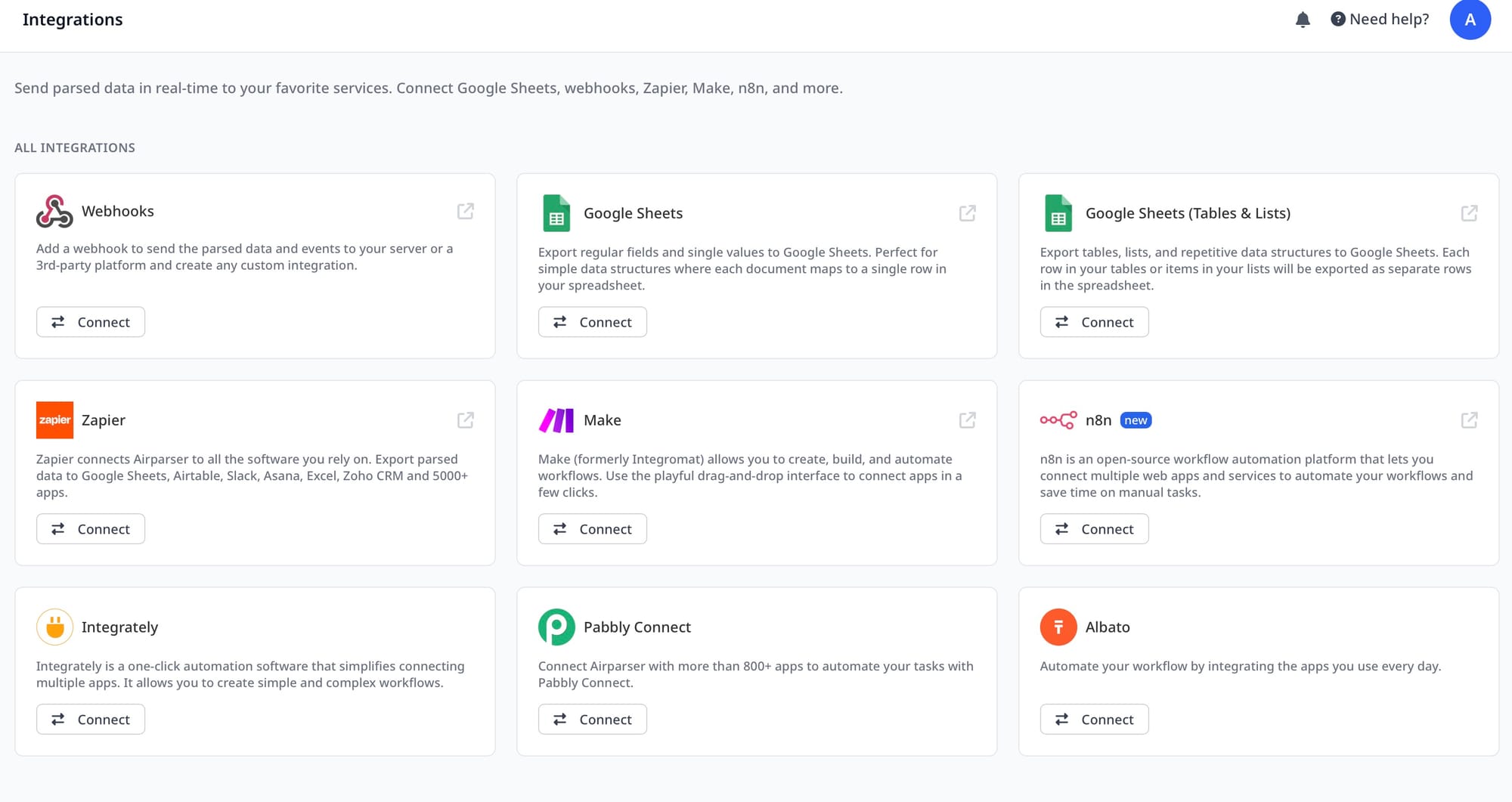
- API, Zapier, Make, n8n, and MCP — connect to your existing stack without building custom integration code. The sync API guide covers the fastest path to structured JSON in a single request.
- Team access and audit trail — multiple users, role management, and a full log of every parsed document
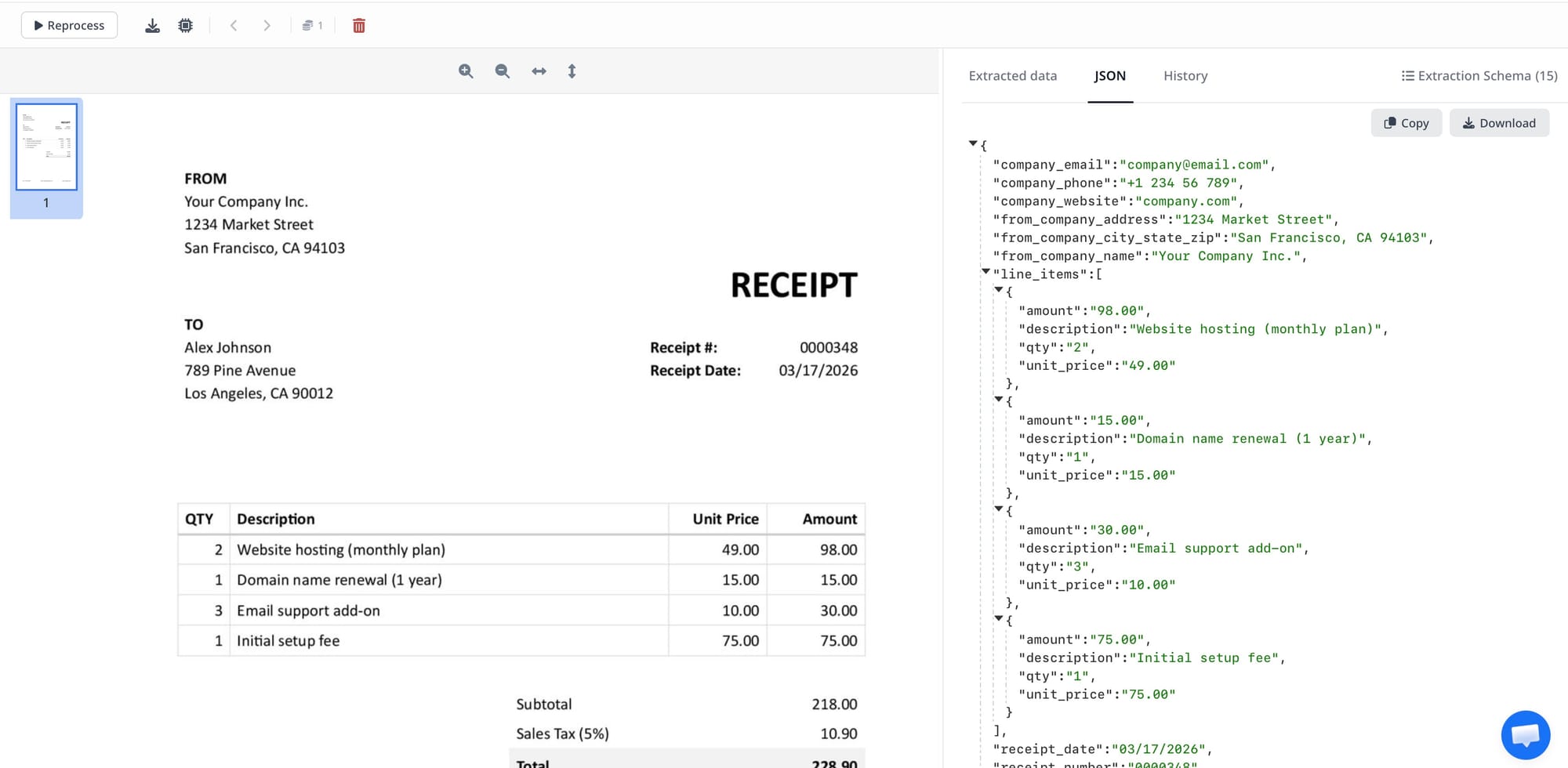
Each of these is something a DIY implementation would need to build and maintain separately. None is particularly hard in isolation. Together they represent weeks of engineering work and ongoing maintenance.
Side-by-side comparison
| Capability | DIY LLM API | Airparser |
|---|---|---|
| Time to first parse | Minutes | Minutes |
| Consistent JSON schema | Requires prompt engineering | Built-in |
| Scanned / image documents | Requires vision model setup | Handled automatically |
| Multi-engine fallback | Build yourself | Built-in |
| Webhook delivery with retries | Build yourself | Built-in |
| Post-processing logic | Custom code | Python post-processing built-in |
| Email ingestion | Build yourself | Built-in (forward to inbox) |
| GDPR compliance | Your responsibility | Handled |
| Zapier / Make / n8n connectors | Build yourself | Native |
| MCP for AI agent workflows | Build yourself | Built-in |
| Maintenance when layouts change | You maintain prompts | Managed |
| Team access and audit trail | Build yourself | Built-in |
How to decide
The choice usually comes down to one question: is this a one-time script or a production workflow?
Use a raw LLM API when:
- you are running a one-off batch job
- you are testing whether extraction is feasible before committing to a solution
- document parsing is a minor step inside a larger AI pipeline you already manage
- volume is very low and failures can be handled manually
Use Airparser when:
- documents arrive continuously and need to be processed without manual intervention
- your application depends on a consistent, predictable JSON schema
- documents include scanned or image-based content
- you need to deliver results to webhooks, spreadsheets, or business tools without building the integration yourself
- compliance or data retention requirements apply
- multiple people work with the parsed output
- you want the parsing infrastructure maintained for you, not by you
In most real-world workflows the answer is Airparser — not because a raw LLM cannot technically do it, but because the surrounding infrastructure required to make it production-ready takes far longer to build than the parsing itself.
If you want to see how quickly the setup goes, create a free Airparser account — you can have an inbox configured and a first document parsed in a few minutes.
Frequently asked questions
Can I just use GPT-4o or Claude to parse my documents?
Yes, and for a prototype or one-off task it is a perfectly reasonable starting point. A simple prompt asking for structured JSON from a document will often produce useful output quickly. The limitations appear in production: output schemas are inconsistent across runs, there is no built-in retry logic or webhook delivery, scanned documents require separate vision model handling, and GDPR compliance is entirely your responsibility. For a workflow that needs to run reliably without manual oversight, a raw LLM API requires significant additional infrastructure around it.
How does Airparser's extraction accuracy compare to using a raw LLM API directly?
For clean, text-based documents, a well-prompted LLM can achieve comparable accuracy on individual fields. Airparser's advantage shows up at scale and with diverse document types — consistent output across layout variations, automatic fallback when the primary engine fails, and correct processing of scanned or image-based content that a text LLM cannot handle at all. The consistency of the output schema also matters: a field extracted correctly but returned under the wrong key name is effectively an extraction failure for downstream systems.
What is schema-driven extraction and why does it matter for production?
Schema-driven extraction means you define the exact JSON structure you want — field names, data types, nesting — and every document returns data in that shape. This matters because downstream systems (databases, CRMs, spreadsheets, APIs) expect a consistent format. If field names or structures vary between documents or between LLM calls, the code consuming the output has to handle every possible variation defensively. With schema-driven extraction, that problem disappears. Airparser enforces the schema at extraction time, so the output is always exactly the shape your application expects.
Is Airparser GDPR compliant?
Yes. Airparser encrypts documents at rest using AES-256, offers configurable data retention settings so you control how long documents and parsed data are stored, does not use your documents for model training, and supports data deletion requests. For use cases where customer documents contain personal data — invoices, contracts, resumes, medical forms — this is a significant operational requirement that a DIY LLM integration does not provide automatically.
What is Python post-processing in Airparser and when would I use it?
Airparser lets you write Python code that runs on every parsed document before the output is delivered. This is useful for transforming or normalizing extracted values — standardizing date formats, converting currencies, combining multiple extracted fields into a derived value, filtering out unwanted data, or applying business rules to the JSON. It means you can handle complex output requirements without modifying your downstream system or building a separate transformation service. The code runs on Airparser's infrastructure, not yours.
Does Airparser work with documents in languages other than English?
Yes. Airparser supports over 60 languages. Documents in German, Spanish, French, Japanese, Chinese, Arabic, and many others parse without any changes to your extraction schema or configuration. For organizations processing documents from multiple countries or regions, this removes a significant implementation burden compared to a DIY approach, where you would need to handle language detection and potentially maintain separate prompts per language.