Best Document Parsing Tools in 2026: An Honest Comparison
An honest comparison of 9 document parsing tools in 2026 — Airparser, Parseur, Reducto, LandingAI, Nanonets, Docparser, AWS Textract, Google Document AI, and Azure Document Intelligence. Strengths, weaknesses, pricing, and which tool fits which use case.

Last updated: 2026-09-24
TL;DR: There is no single best document parsing tool. The right choice depends on whether you're a business user who needs no-code setup, a developer building an LLM pipeline, or an enterprise team already embedded in AWS, Azure, or GCP. This article covers 9 tools honestly — strengths, weaknesses, pricing, and which type of team each one actually suits.
The document parsing market in 2026 looks very different from three years ago. LLMs displaced template-based OCR as the default extraction approach for variable-layout documents. Agentic workflows turned parsers into callable tools inside AI pipelines. And a new generation of developer-first APIs — Reducto, LandingAI — raised serious money and challenged the incumbents on accuracy.
Choosing the wrong tool is expensive: either in setup time (templates that break when layouts change), in cost (cloud provider per-page pricing that scales poorly for mid-volume), or in capability (OCR-only tools that can't handle handwriting, tables, or semantic field matching).
This comparison covers nine tools across three buyer segments. We've checked current pricing pages, read independent reviews, and used several of these tools directly. Where a competitor is genuinely better than Airparser for a specific use case, we say so. The goal is to help you pick the right tool — not to win a comparison by omitting inconvenient facts.
How to Choose: Three Questions That Determine the Right Tool
Before comparing specific tools, answer these three questions. They narrow the field significantly.
1. Do you need a no-code UI or an API you control programmatically?
If your team is operations, finance, or HR — people who set up workflows without writing code — you need a tool with a UI that lets you define fields, configure sources, and connect to destinations like Google Sheets or Zapier. The cloud providers (AWS Textract, Google Document AI, Azure Document Intelligence) and developer-first APIs (Reducto, LandingAI) require engineering resources to be useful. Airparser, Parseur, Docparser, and Nanonets are the no-code-friendly options.
2. How consistent are your document layouts?
If you receive the same invoice format from the same supplier every time, template-based extraction (Docparser, Parseur's template engine) is fast, cheap, and reliable — the LLM isn't needed. If layouts vary — invoices from 50 different suppliers, resumes from diverse candidates, contracts from different counterparties — LLM-based extraction is the right approach. Using a template-based tool for variable layouts means constant template maintenance as formats drift.
3. Are you processing documents inside a larger AI/LLM pipeline?
If you're building an agentic workflow where an AI agent calls a parser as one step in a multi-step task, you need a parser with a clean API, structured JSON output, and ideally an MCP server for native tool integration. LandingAI, Reducto, and Airparser are the strongest fits here. Email-first tools and no-webhook tools can't participate in these workflows effectively.
Best for No-Code Business Teams: Airparser and Parseur
For operations, finance, legal, and HR teams who need to automate document workflows without engineering involvement, the realistic shortlist is Airparser and Parseur. Both work without writing code. Both handle email attachments as a first-class input source. Both connect to Zapier, Make, Google Sheets, and webhooks without custom integration work.
Airparser
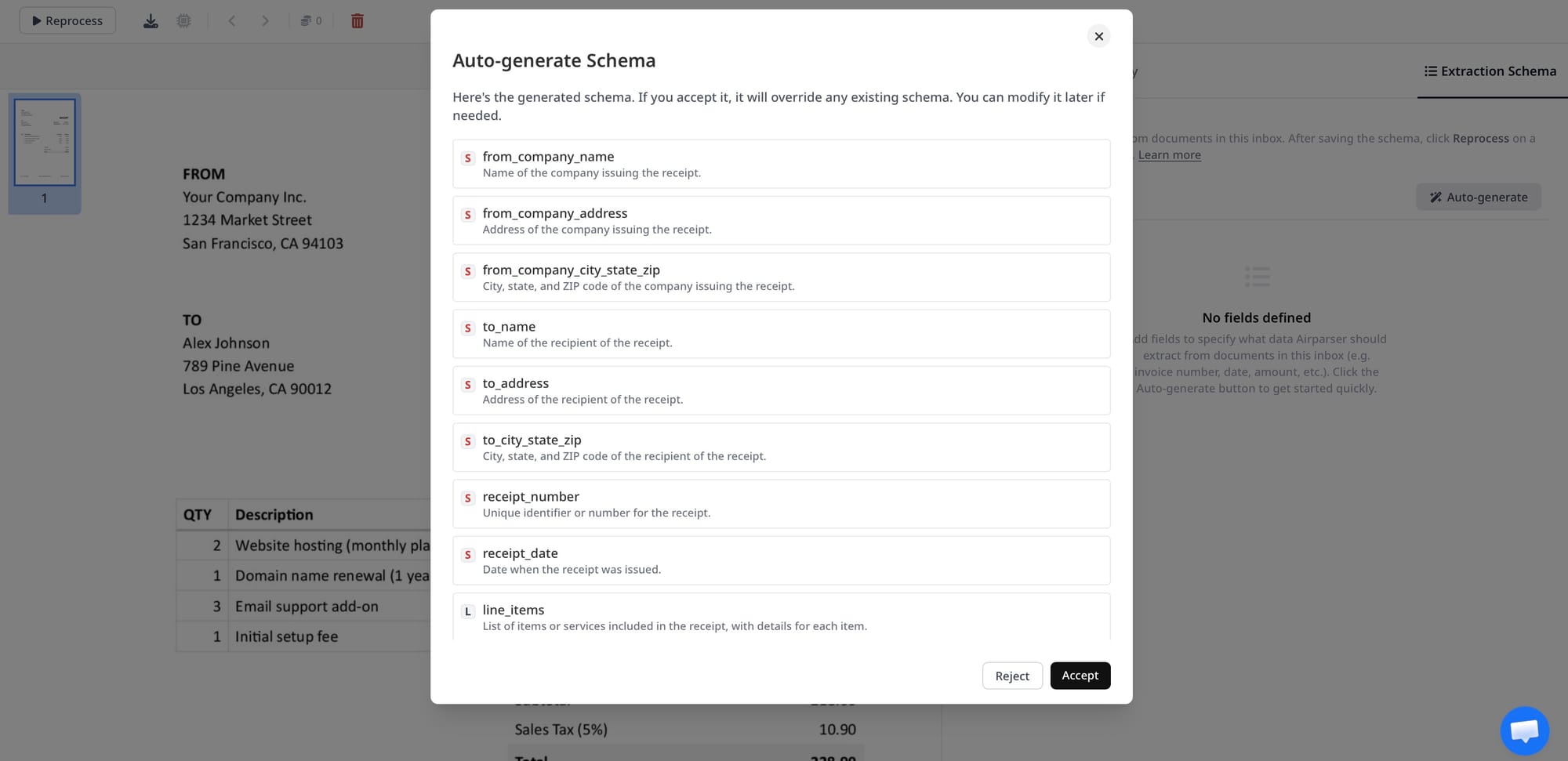
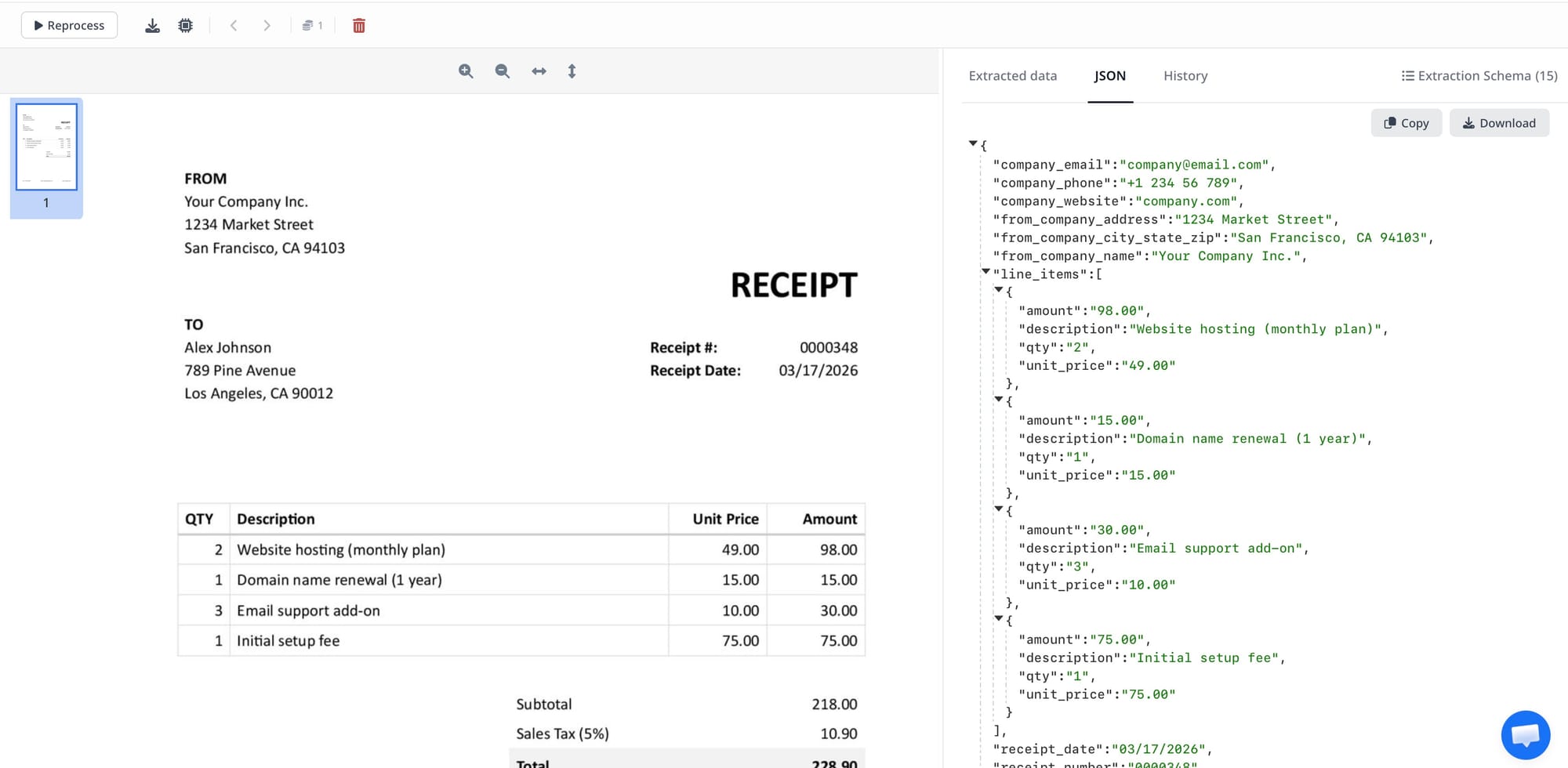
Airparser uses LLM-based and vision-model extraction with no template setup. You define a JSON schema — the fields you want extracted — and the model finds them in any document layout. No zone mapping, no sample training, no rule building.
The practical upside: it handles variable layouts from the first document. An invoice parser configured for "vendor name, invoice number, total, line items" works on invoices from any supplier, in any format, without modification. For handwritten documents, scanned PDFs, and documents with complex table structures, Airparser switches to a vision model automatically.
The practical downside: the free plan includes 20 credits per month, which may be insufficient for evaluating multi-page or high-volume workflows quickly. The Starter plan (100 credits/$33 per month) runs out quickly for teams processing more than a few dozen documents monthly. At higher volumes, the Business plan ($149/month for 2,000 documents) is competitive, but the per-credit cost is higher than cloud infrastructure options at the same volume.
Airparser is also the only no-code tool in this comparison with an MCP server — which means AI agents (Claude, ChatGPT, n8n AI nodes) can call it directly as a native tool without custom API code. For teams exploring agentic workflows, that's a meaningful differentiator.
Pricing: $33/month (100 credits), $49/month (500 credits), $149/month (2,000 credits). 1 credit = 1 page / 1 email / 1 image.
Free plan: 20 credits per month, no credit card required.
Best for: Non-technical teams processing variable-layout documents (invoices from multiple suppliers, resumes, contracts), teams who want email-inbox + API + MCP in one tool.
Parseur
Parseur offers two extraction modes: a template-based engine (deterministic, zonal OCR) and an AI engine (LLM-based, variable layouts). You choose per mailbox. This dual-mode approach is genuinely useful for teams that have some consistent-format documents (where template accuracy is preferable) alongside variable-format ones.
Parseur's free tier includes 20 pages per month, no credit card required, with API and webhook access included. The integration coverage is excellent — Zapier, Make, Power Automate, n8n, Google Sheets, webhooks all work on all plans including free.
The template engine is Parseur's strongest differentiator. For documents with fixed layouts processed in high volume, it produces deterministic, auditable results that don't depend on LLM inference — which matters in regulated industries or workflows where explainability is required.
Where Parseur is weaker: no MCP server (as of 2026), so connecting it to AI agents requires custom API integration code. The AI engine loses accuracy as the number of fields grows beyond 20–30. And multi-user access (multiple accounts) requires the Scale tier.
Pricing: Free (20 pages/month), paid plans start at $39/month for 100 pages when billed annually, or $49/month for 100 pages when billed monthly. The 3,000-page plan is $269/month when billed monthly. Enterprise custom pricing at 1M+ pages/month.
Free tier: 20 pages/month permanently, full API access included.
Best for: Teams with a mix of consistent and variable-format documents; teams in regulated industries who need deterministic results for some document types; teams that want a recurring free tier for evaluation.
Best for Developers Building LLM Pipelines: Reducto and LandingAI
If you're an engineering team building a RAG pipeline, an agentic document workflow, or a custom extraction service, the no-code tools above are the wrong layer. You need an API that returns clean, structured output with citations, handles complex document layouts (nested tables, multi-column layouts, mixed content), and integrates with your existing LLM stack.
Reducto
Reducto is an API-first document extraction service that has processed over 1 billion pages. It combines Parse, Extract, Split, and Edit endpoints — the only tool in this comparison that includes an unstructured document editing API for agentic applications.
The accuracy on complex real-world documents is strong: nested tables, multi-column layouts, charts, equations, and mixed content are all handled. Every extracted field includes a citation to its source location in the document — important for RAG applications where you need to trace which passage generated a given answer. Multilingual OCR covers 100+ languages, including mixed-language documents.
The $108M in total funding (Series B, led by a16z) signals significant engineering investment and roadmap confidence — Reducto was named to Redpoint's 2026 InfraRed 100 in May. Its newer "r-1" parser emphasizes human-like reading of complex layouts and tables, with bounding-box citations similar to LandingAI's grounding approach. For teams building production-scale LLM pipelines, the infrastructure backing matters.
The limitations are consistent with its developer-first positioning: no no-code UI for business users, no native Zapier/Make connectors, and the Standard plan ($350/month for 15,000 credits) is expensive for teams that are still evaluating fit. Reducto is not the right tool for an operations team that needs to set up invoice processing without writing code.
Pricing: $350/month (15,000 credits included; $0.015/credit after). Growth and Enterprise on custom pricing.
Free tier: No free tier listed; trial credits available on request.
Best for: Engineering teams building production LLM pipelines, RAG applications, or agentic document workflows that require complex document type handling and source citations.
LandingAI (Agentic Document Extraction)
LandingAI takes a vision-first approach: their models process document images directly, without relying on an intermediate OCR text layer. Every extracted field is linked to its bounding box in the source document — visual grounding that makes results auditable and traceable. In September 2026, LandingAI shipped Agentic Document Extraction Gen2, introducing two new models — DPT-3 Pro and DPT-3 Verity — alongside a new credit-based pricing structure tied to service tier and output characteristics. Teams migrating from Gen1 report 25–80% lower per-page costs.
The three-stage architecture (Parse → Split → Extract) handles complex documents that defeat template-based and standard OCR approaches: multi-column research papers, financial tables with merged cells, documents with charts and figures, and mixed text-image layouts. New in 2026: agentic table captioning, figure captioning, and barcode/QR code detection.
HIPAA compliance with BAA is available on all plans including the pay-as-you-go tier — a meaningful differentiator for healthcare and regulated industries. Zero data retention is also available on all plans.
The significant limitation is the developer requirement: there's no workflow UI for business users. Building a recurring extraction pipeline requires Python code. There's also no webhook support confirmed for early 2026, which limits real-time integration patterns. And the interface distinction between Parse, Split, and Extract endpoints isn't immediately intuitive — expect a setup learning curve.
Pricing: Pay-as-you-go at $1 = 100 credits (1,000 free credits to start). Team plan at $250/month (27,500 credits). Enterprise custom.
Free tier: 1,000 credits with free account.
Best for: Data engineering teams processing visually complex documents (research papers, technical specs, financial reports) for LLM pipelines. Healthcare teams who need HIPAA compliance on the pay-as-you-go tier.
Best for Enterprise AP Automation at Scale: Nanonets
Nanonets is not a document parser — it's a full accounts payable automation platform that happens to include document extraction. If you need extraction only, it's overkill. If you need end-to-end AP automation with human review, approval routing, ERP integration, and audit trails, it's purpose-built for that.
The platform covers: email and cloud storage import, multi-page document splitting, field extraction, checkbox and barcode detection, human-in-the-loop review interface, rule-based approval routing, and native ERP export (SAP, NetSuite, QuickBooks on Growth plans). 34% of Fortune 500 companies use it for invoice processing — the enterprise deployment experience is real.
The pricing is harder to evaluate than the competitors. Nanonets uses block-based pricing ($0.30/block for complex AI extraction, $0.10 for standard AI, $0.02 for simple operations), which means the per-invoice cost varies significantly by workflow complexity. A typical invoice processing workflow costs $0.50–$2.00 per document end-to-end. For high-volume AP (thousands of invoices monthly), Growth plan pricing negotiated directly is typically more cost-effective.
The weaknesses are real: slow processing speed at scale (10+ minutes reported for batches under 50 documents), OCR struggles on degraded scans, and the initial setup requires significant trial and error to configure correctly. It's not a fast evaluation.
Pricing: Free tier ($200 in credits, no expiration). Growth and Enterprise on custom/contact-sales pricing. Per-block billing varies by operation type.
Best for: Finance and AP teams automating invoice, receipt, and PO processing at scale who need the full workflow — not just extraction — including human review, approval routing, and ERP export.
Best for Consistent High-Volume Documents: Docparser
Docparser is the oldest tool in this comparison and shows it in some areas — user reviews describe the roadmap as slow-moving since 2022. But for a specific use case, it's still worth considering: high-volume processing of documents with fixed, consistent layouts.
The visual rule builder is genuinely user-friendly: you upload a sample document, draw zones around the fields you want extracted, and Docparser extracts those exact zones from every subsequent document. The SmartAI Parser can auto-generate rules from a single example. For invoices from one supplier, payslips from one payroll system, or forms from one government system — this approach is fast, cheap, and reliable.
Where Docparser fails is layout variation. Each new document format requires building a new parser rule set. If your supplier changes their invoice template, you rebuild. If you receive invoices from 50 suppliers, you build 50 parsers. This is the fundamental limitation of zonal OCR — and it's why LLM-based tools have taken market share.
Pricing is high relative to volume: $39/month for only 100 documents (1 document = up to 5 pages) is the steepest entry-level per-document cost in this comparison. Feature add-ons (extended retention, multi-layout parsers, version control) cost extra on top of plan price.
Pricing: $39/month (100 documents), $74/month (250 documents), $159/month (1,000 documents). 1 credit = 1 document up to 5 pages.
Best for: Teams with a single consistent document source who value the visual rule builder interface. Not suitable for variable-layout documents or teams receiving documents from multiple suppliers.
Cloud Provider Tools: AWS Textract, Google Document AI, Azure Document Intelligence
The three major cloud providers all offer document extraction APIs. They're powerful, scalable, and deeply integrated with their respective cloud ecosystems. They're also the wrong choice for most teams that aren't already committed to that cloud.
AWS Textract
Textract excels at structured forms, tables, and high-volume batch processing within the AWS ecosystem. The Analyze Expense API handles receipts; Analyze ID handles US identity documents; Analyze Lending is purpose-built for mortgage document workflows. For AWS-native teams that already process documents through S3 and Lambda, Textract integrates naturally.
The limitations are significant for anyone outside that context: no semantic understanding (it extracts "85.00" but doesn't know if it's a fee, discount, or total), poor handwriting accuracy, US-only ID document support, and no workflow UI. Pricing is complex — basic text is cheap ($1.50/1,000 pages) but forms ($50/1,000 pages) and tables ($15/1,000 pages) add up fast. Building anything useful with Textract requires engineering resources.
Best for: AWS-native engineering teams processing structured documents (forms, invoices, mortgage packets) at scale with existing Lambda/S3 infrastructure.
Google Document AI
Google Document AI's strongest feature in 2026 is the Gemini Layout Parser — a vision model that produces layout-aware Markdown optimized for feeding into LLM pipelines. Google folded Gemini more deeply into the Layout Parser through 2026, improving table and reading-order accuracy specifically on multi-column financial documents. For teams building RAG applications on top of complex documents (research papers, technical specifications), the layout quality is excellent.
Pre-built processors handle invoices, receipts, and identity documents with good accuracy. Custom Extractor lets you fine-tune on as few as 10 sample documents for specialized document types. The tight GCP ecosystem integration (BigQuery, Vertex AI, Pub/Sub) is a genuine advantage for GCP-native teams.
Significant limitations: documents cannot be batch-processed in bulk (each is a separate transaction), the HITL review workflow was deprecated in January 2025, some legacy processors are being discontinued June 2026, and pricing varies significantly by processor type ($0.65/1,000 pages for basic OCR, $65/1,000 pages for Form Parser). The rate limits (120 pages/minute on provisioned tier) can be a bottleneck for high-volume workflows.
Best for: GCP-native teams building LLM or RAG pipelines who need complex layout handling. Not suited for bulk batch processing or teams needing a human review interface.
Azure AI Document Intelligence
Azure's offering has the best prebuilt model coverage of the three cloud providers: invoices, receipts, ID documents (international, unlike AWS), W-2 and 1099 tax forms, health insurance cards, and contracts — all out of the box without custom training. For Microsoft-stack enterprises already on Azure with existing Power Automate workflows, this is often the natural choice.
Custom Generative Extraction handles highly variable document layouts without needing many training samples — a newer capability that closes the gap with LLM-first tools. SOC 1/2, HIPAA, ISO 27001, and FedRAMP compliance make it a fit for regulated industries on Azure.
The limitations: custom extraction is expensive ($30/1,000 pages), processing speed is slower than Reducto or LandingAI (relevant for real-time applications), and the benefits compound only within the Azure ecosystem. For teams not already on Azure, the lock-in isn't justified. The permanent free tier (500 pages/month on the Read model) is barely enough for meaningful evaluation.
Best for: Microsoft-ecosystem enterprises on Azure who need production extraction for standard document types with compliance requirements.
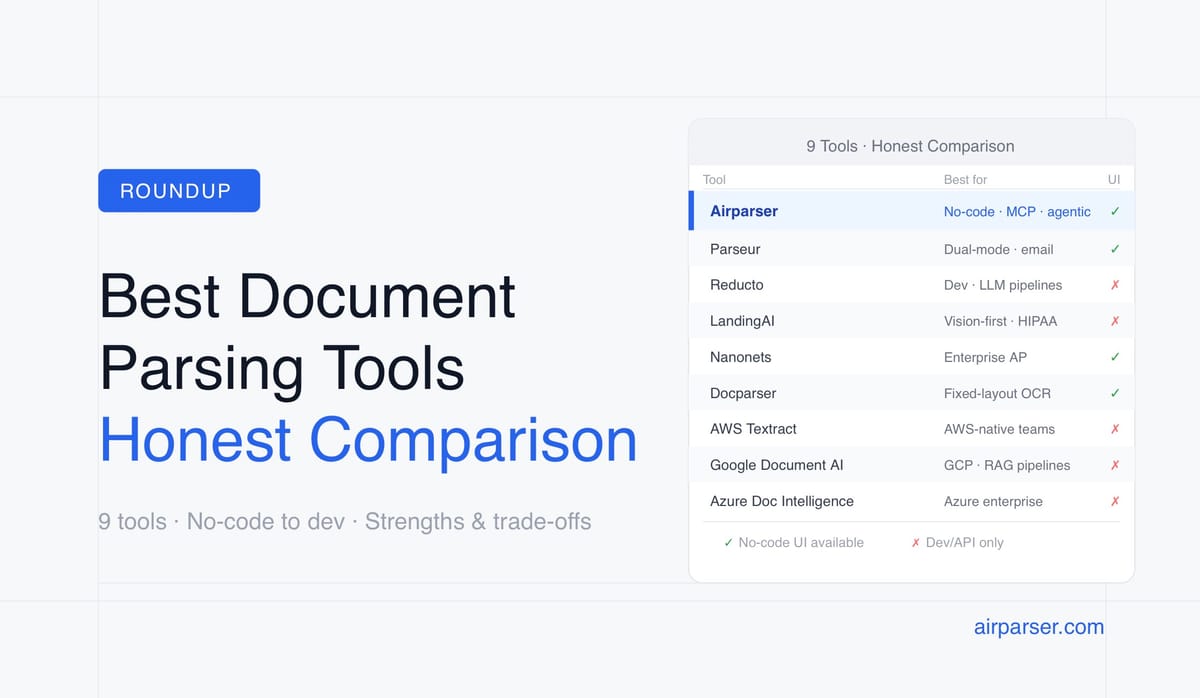
Comparison Table
| Tool | Extraction approach | No-code UI | Free tier | Entry paid tier | MCP / API | Best for |
|---|---|---|---|---|---|---|
| Airparser | LLM + Vision (multi-engine) | ✅ | 20 credits/month | $33/mo (100 credits; billed annually) | MCP + REST API | No-code teams, variable layouts, agentic workflows |
| Parseur | Template OCR + LLM (dual mode) | ✅ | 20 pages | $49/mo (100 pages; billed monthly) | REST API | Email workflows, dual-mode reliability |
| Reducto | Vision-first API | ❌ | No | Custom (contact sales) | REST API + webhooks | Developers: LLM pipelines, agentic workflows |
| LandingAI ADE | VLM (DPT-3 Pro / Verity), vision-first | Partial | 1,000 free credits | Pay-as-you-go; Team from $250/mo | REST API + Python SDK | Developers: complex layouts, LLM pipelines, HIPAA |
| Nanonets | Deep learning + OCR + workflows | ✅ | Trial credits | Custom (contact sales) | REST API + webhooks | Enterprise AP automation end-to-end |
| Docparser | Zonal OCR + rules | ✅ | 14-day trial only | $39/mo (100 documents) | REST API + webhooks | Fixed-layout high-volume documents |
| AWS Textract | OCR + ML models | ❌ | 1,000 pages/3 months | Pay-as-you-go | AWS SDK | AWS-native teams, forms/tables at scale |
| Google Document AI | Gemini + specialized OCR models | ❌ | $300 trial credit | Pay-as-you-go | REST API + GCP SDKs | GCP-native teams, LLM/RAG pipelines |
| Azure Document Intelligence | ML + Custom Generative Extraction | ❌ | 500 pages | Pay-as-you-go | REST API + Azure SDKs | Azure-native enterprises, compliance-heavy workflows |
Emerging Alternatives Worth Watching
A few newer entrants gained visibility through 2026 and are worth a mention even though they haven't displaced the tools above for most teams. Contextual AI launched a document parser with confidence scoring and RAG-focused tooling in January 2026, aimed at enterprise retrieval pipelines. Databricks Document Intelligence went GA in 2026 with SQL-native functions (ai_parse_document, ai_extract, ai_classify) for teams already running Databricks — it claims 3–5x lower cost than frontier-LLM-based extraction at scale. Extend offers document processing infrastructure purpose-built for AI agents, including a low-cost "Light Parse" tier. None of these have the track record or integration breadth of the tools profiled above, but teams already committed to Databricks or building agent-native pipelines from scratch should have them on the radar.
Which Tool Should You Actually Use?
The decision usually comes down to three criteria:
- If you need no-code setup and your documents have variable layouts → start with Airparser. The zero-template LLM extraction handles multiple suppliers, formats, and document types without configuration overhead. The MCP server is a bonus if you're building any agentic workflows. If Airparser's per-credit pricing gets expensive at your volume, Parseur's scale pricing is worth comparing.
- If you need no-code setup and your documents have consistent layouts → compare Parseur (template engine) and Docparser. Both have visual rule builders. Parseur's free tier makes evaluation easier. Docparser's visual zone builder is slightly more intuitive for first-time setup.
- If you're an engineering team building LLM or agentic pipelines → compare Reducto and LandingAI based on document complexity. For standard documents (invoices, contracts, forms), Reducto's pricing and API design are strong. For visually complex documents (research papers, mixed content, multi-column layouts), LandingAI's vision-first approach produces better layout quality.
- If you need full AP workflow automation (not just extraction) → Nanonets. It's more expensive and harder to evaluate but purpose-built for end-to-end AP with human review and ERP integration.
- If you're already on AWS, GCP, or Azure → use that provider's offering for the ecosystem integration advantages. But budget for engineering time: none of the cloud provider tools are no-code-friendly, and none of them offer meaningful free tiers for real workflow evaluation.
Frequently Asked Questions
What is the difference between OCR-based and LLM-based document parsing?
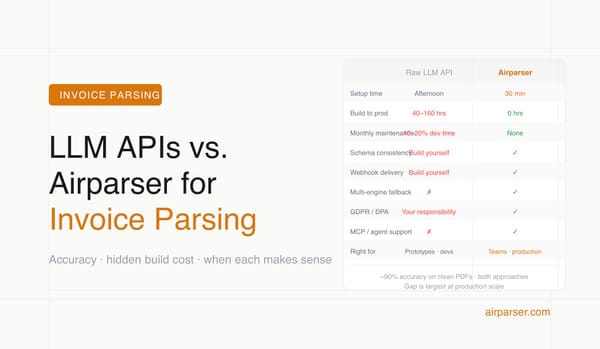
OCR-based parsing reads characters from a document image and returns raw text — it knows what characters are on the page but not what they mean. LLM-based parsing understands semantic meaning: it knows that "€1,234.00" near the word "Total" at the bottom of an invoice is the invoice total, not a line-item price. OCR-based tools (Docparser, the basic tiers of AWS Textract) require templates to map extracted text to field names. LLM-based tools (Airparser, Reducto, LandingAI) identify fields by understanding context and meaning. The practical difference: LLM-based tools handle new document layouts without template updates; OCR-based tools break when layouts change. For documents from a single consistent source at high volume, OCR-based tools are faster and cheaper. For documents from multiple variable sources, LLM-based tools reduce maintenance overhead significantly.
Which document parsing tool has the best free tier for evaluation?
Airparser offers 20 credits per month, while Parseur offers 20 pages per month; both have recurring free plans with API access. These recurring allowances let teams test a small workflow over multiple weeks without committing to a paid plan. LandingAI offers 1,000 free credits (pay-as-you-go model, no monthly expiry). Azure Document Intelligence provides 500 pages/month permanently on the Read (OCR) model. Reducto has no listed free tier, though trial credits are available on request. AWS Textract and Google Document AI offer trial credits but require a billing account setup. For no-code evaluation, test Airparser and Parseur on your own documents; for developer API evaluation, LandingAI's free credits are another option.
Can document parsing tools handle handwritten documents?
Varies significantly by tool. Airparser handles handwriting via its vision model — it switches automatically when it detects a scanned or handwritten document. Parseur supports 50 handwritten languages with its OCR engine. AWS Textract is weak on handwriting — it's one of the most commonly cited limitations in user reviews. Google Document AI and Azure Document Intelligence support handwriting to varying degrees depending on the processor used. Reducto and LandingAI use vision models that handle handwriting as part of their general visual understanding approach. If handwritten documents are a meaningful part of your use case, test with your actual documents before committing — accuracy varies significantly based on handwriting legibility and scan quality, not just the tool's claimed capabilities.
What is the cheapest document parsing tool at high volume?
At very high volume (millions of pages per month), cloud infrastructure pricing wins. AWS Textract basic text drops to $0.60 per 1,000 pages at 1M+ pages per month. Google Document AI and Azure Document Intelligence also offer commitment-based pricing at scale that's cheaper than dedicated parsing tools. For mid-volume (thousands of documents per month), Parseur's Scale tier pricing negotiated directly is competitive. Reducto's Growth tier pricing is volume-discounted. The cloud providers require significant engineering investment to use, which adds real cost even if the per-page price is low. For teams without dedicated engineering resources, the all-in cost of cloud provider tools (including development and maintenance time) often exceeds the price difference.
Do document parsing tools train on my data?
This is an important question for privacy and compliance. Airparser explicitly states it does not use customer documents to train models. LandingAI offers zero data retention on all plans (including pay-as-you-go). Parseur's privacy policy prohibits using customer data for model training. AWS Textract, Google Document AI, and Azure Document Intelligence follow their cloud provider privacy policies — none of the major providers use submitted data for model training by default, but the specific contractual terms vary, and enterprise agreements can specify stricter terms. Reducto and Nanonets have data processing terms available in their documentation. If data privacy is a concern, check the specific tool's DPA terms, especially for documents containing personal data under GDPR. Related: GDPR-compliant document parsing.
Which parsing tool is best for invoice processing specifically?
The answer depends on volume and supplier diversity. For invoices from a small number of suppliers with consistent layouts, Parseur (template engine) or Docparser give deterministic, auditable results at lower per-invoice cost. For invoices from many different suppliers with variable layouts, Airparser or Reducto handle layout variation without template maintenance. For enterprise AP workflows where you need the full stack — human review, approval routing, and ERP export — Nanonets is purpose-built for this. AWS Textract's Analyze Expense API is a reasonable choice for AWS-native teams. The key variable is how many distinct invoice layouts you receive: one supplier vs. many is the dividing line between template-based and LLM-based approaches. Related: How to automate invoice parsing for SaaS companies.
Which document parsing tools support MCP for AI agent integration?
As of mid-2026, Airparser is the only no-code document parsing tool with a native MCP server. This means AI agents built on Claude, ChatGPT, and other MCP-compatible frameworks can call Airparser as a native tool without custom integration code — the agent discovers the parser's capabilities automatically via MCP and calls them directly. Reducto and LandingAI require API integration code per agent framework (function calling definitions for OpenAI, tool definitions for Claude API, etc.) — which is manageable for engineering teams but not a no-code option. Parseur, Docparser, Nanonets, and the cloud providers have no MCP support. For teams building agentic workflows, the choice is between Airparser (no-code, MCP-native) and Reducto/LandingAI (developer-first, more complex layouts). Related: Agentic document extraction: what it means and how to build it.