How to convert PDF to JSON automatically (with AI)
Convert PDF to JSON automatically using AI. Learn how to extract structured data from PDFs, including scanned documents, without manual work or OCR templates. This step-by-step guide shows how to turn invoices, resumes, and other files into clean JSON for automation.

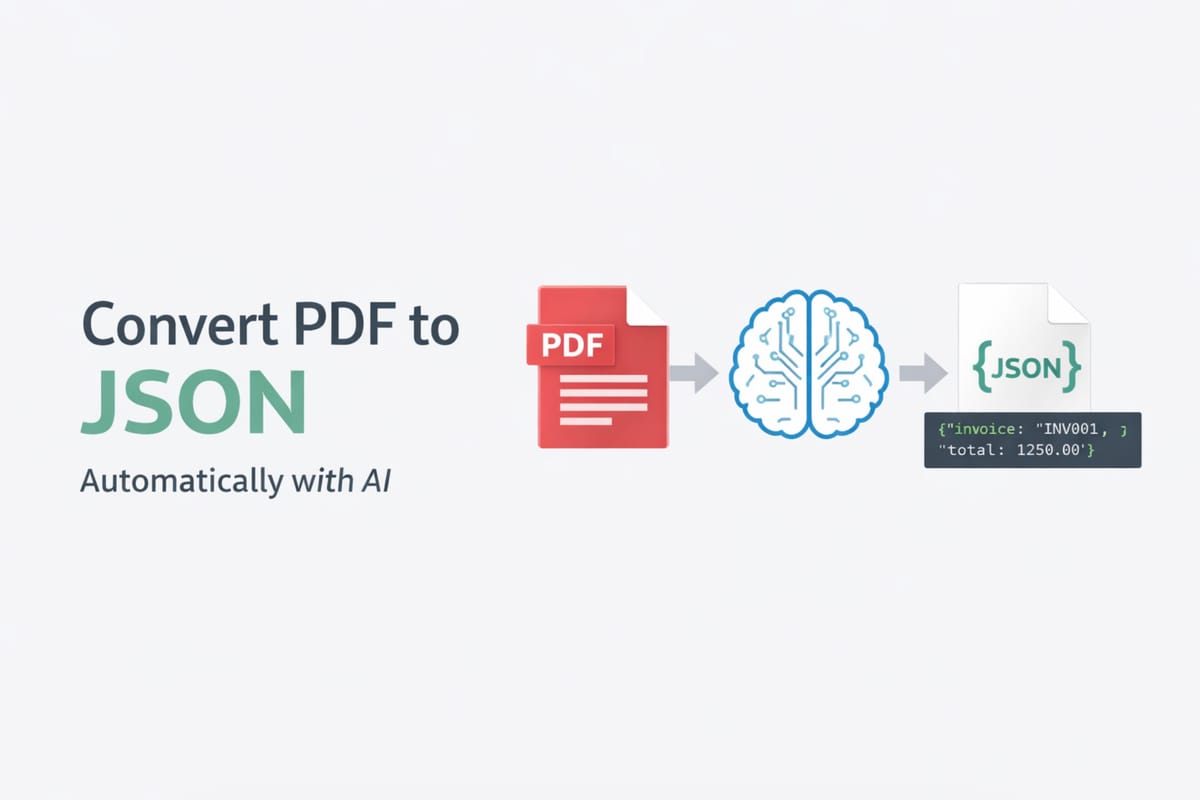
PDF files are everywhere. Invoices, resumes, purchase orders, reports — most business data lives inside PDFs.
But there is one big problem.
PDFs are not designed for automation.
If you want to send that data to your CRM, database, or API, you need a structured format. This is where JSON comes in.
In this guide, you’ll learn how to convert PDF to JSON automatically using AI. You’ll also see why traditional tools like OCR are not enough anymore.
What does it mean to convert PDF to JSON?
A PDF is a visual format. It shows text, tables, and images, but it does not store data in a structured way.
JSON (JavaScript Object Notation) is different. It organizes data into clear key-value pairs.
Here is a simple example:
{
"invoice_number": "INV-001",
"date": "2026-01-10",
"total": 1250.00
}
This structure is easy to use in:
- APIs
- databases
- automation tools
When you convert a PDF to JSON, you turn unstructured content into usable data.
If you want to learn more about structured extraction, see our guide on how to extract structured data from emails and PDFs.
When do you need to convert PDFs to JSON?
Many business workflows depend on structured data.
Here are common use cases:
Invoice processing
Extract totals, dates, and line items automatically.
Resume parsing
Capture names, skills, and experience from CVs.
(See also: how to parse CV and resumes with AI)
Lead data extraction
Pull contact details from PDFs and forms.
Logistics and operations
Extract shipment data, purchase orders, and delivery notes.
(See also: simplifying logistics operations with automated document parsing)
In all these cases, JSON is the best format for automation.
Why converting PDF to JSON is hard
At first, it may look simple. But in reality, PDF parsing is complex.
Here are the main challenges:
1. Scanned PDFs
Many PDFs are just images. There is no selectable text.
2. Inconsistent layouts
Invoices from different vendors look completely different.
3. Tables and nested data
Tables are hard to extract correctly without losing structure.
4. Multilingual documents
Documents may contain multiple languages.
Traditional tools struggle with these problems.
If you want a deeper comparison, check out comparing AI extraction methods: traditional OCR vs LLM parsing.
Methods to convert PDF to JSON
There are several approaches. Not all of them work well.
1. Manual extraction
You copy and paste data from the PDF.
This method is:
- slow
- error-prone
- not scalable
It only works for very small volumes.
2. OCR software
OCR (Optical Character Recognition) converts images into text.
It works well for:
- scanned PDFs
- simple documents
But it has limitations:
- it extracts text, not structure
- tables often break
- requires templates or rules
If you rely only on OCR, you still need extra steps to turn text into JSON.
3. AI-powered parsing (recommended)
Modern AI tools can understand document structure.
They can:
- identify fields automatically
- extract tables correctly
- work without templates
- handle messy layouts
This is the most reliable way to convert PDF to JSON today.
Step-by-step: Convert PDF to JSON using AI
Let’s see how it works in practice with Airparser.
Step 1: Upload your PDF
You can upload files in different ways:
- manual upload
- email forwarding
- API
This makes it easy to integrate into your workflow.
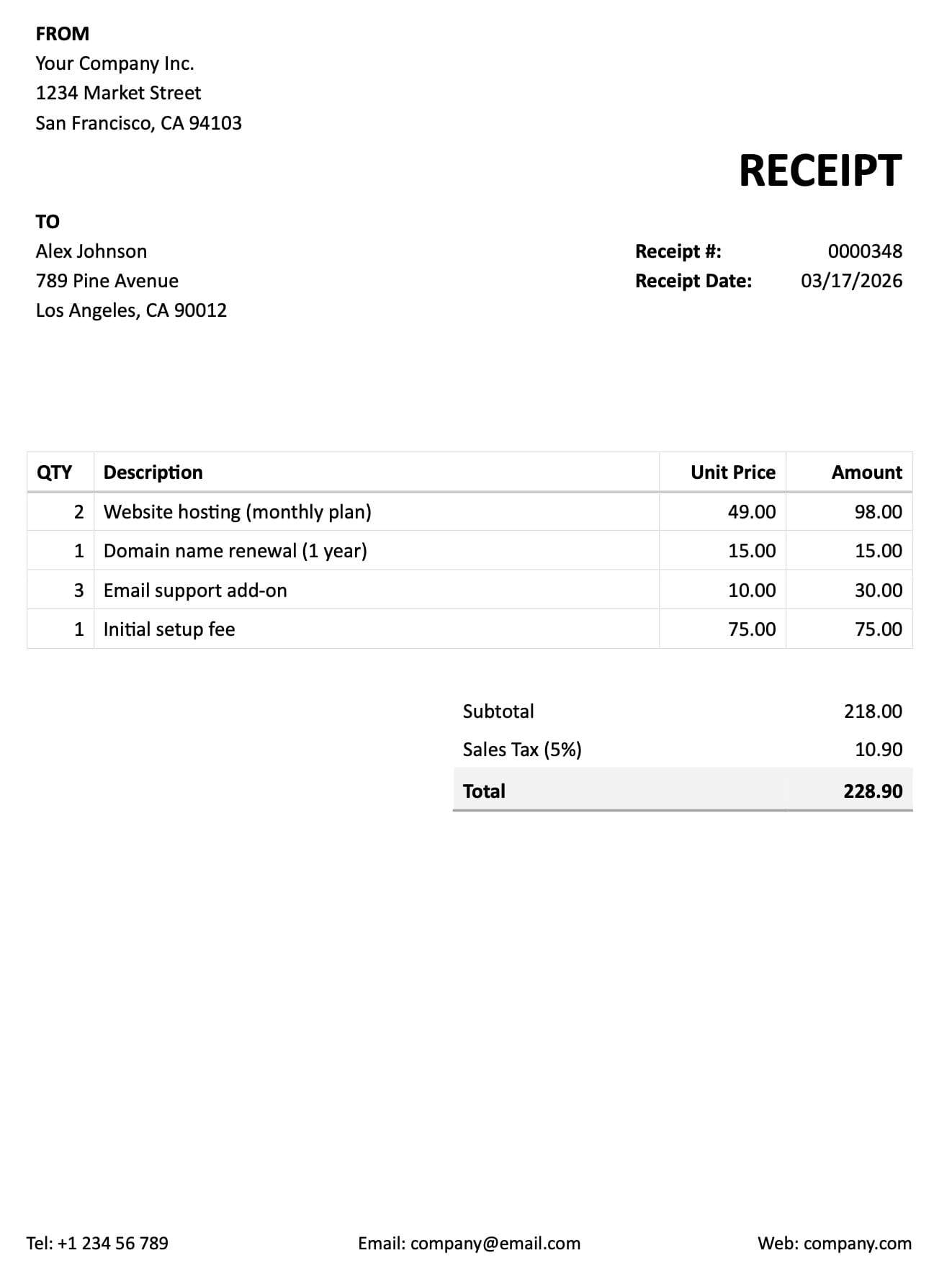
Step 2: Define your extraction schema
Instead of writing prompts, you simply list the fields you want.
For example:
- invoice_number
- date
- total
- line_items
Airparser handles the rest.
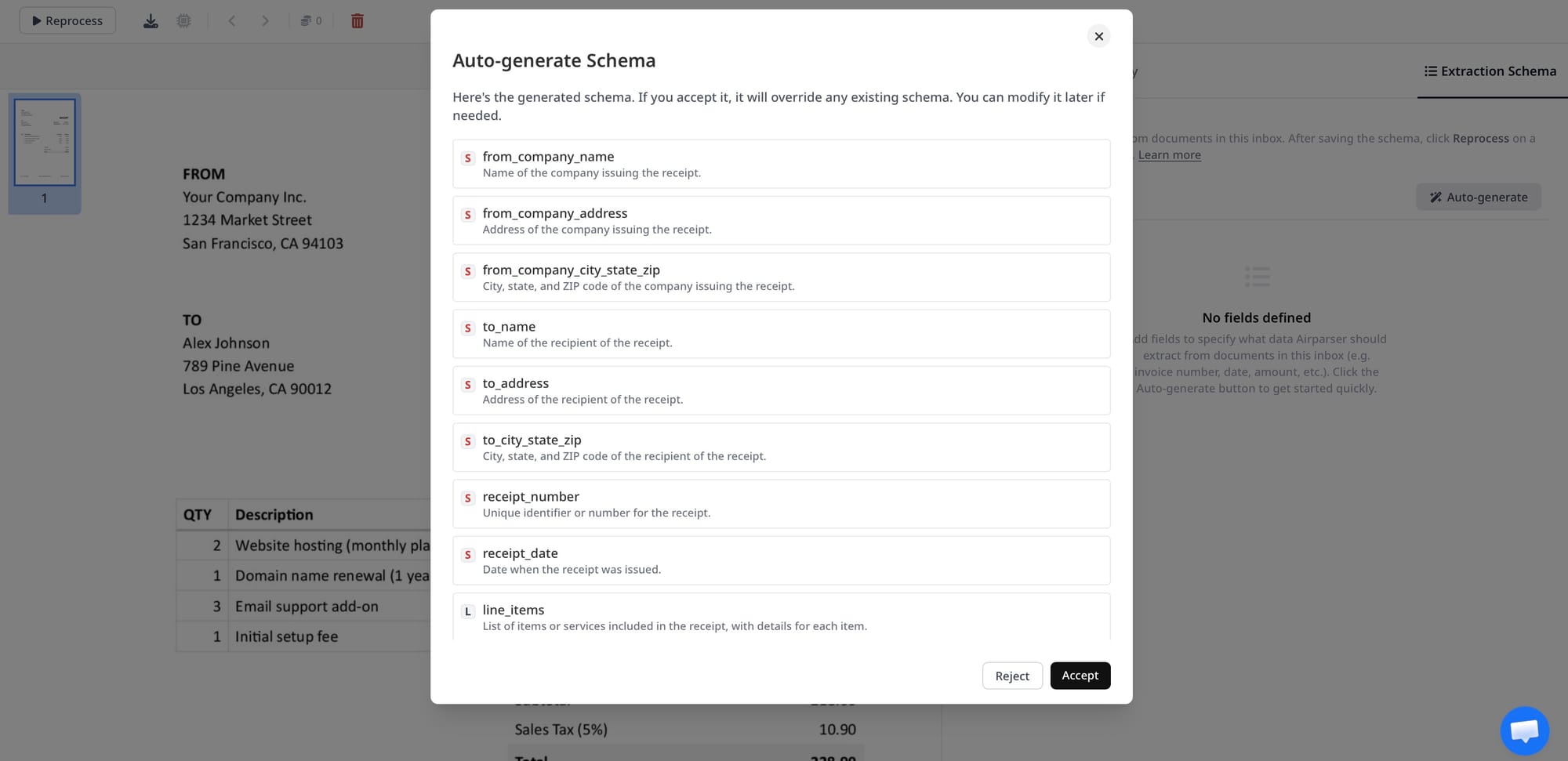
If you are new to this, see how to create custom extraction schemas without prompt engineering.
Step 3: Let AI extract the data
Airparser uses LLM-based parsing to:
- understand the document
- locate relevant data
- structure it correctly
It works with both:
- text-based PDFs
- scanned documents (using vision models)
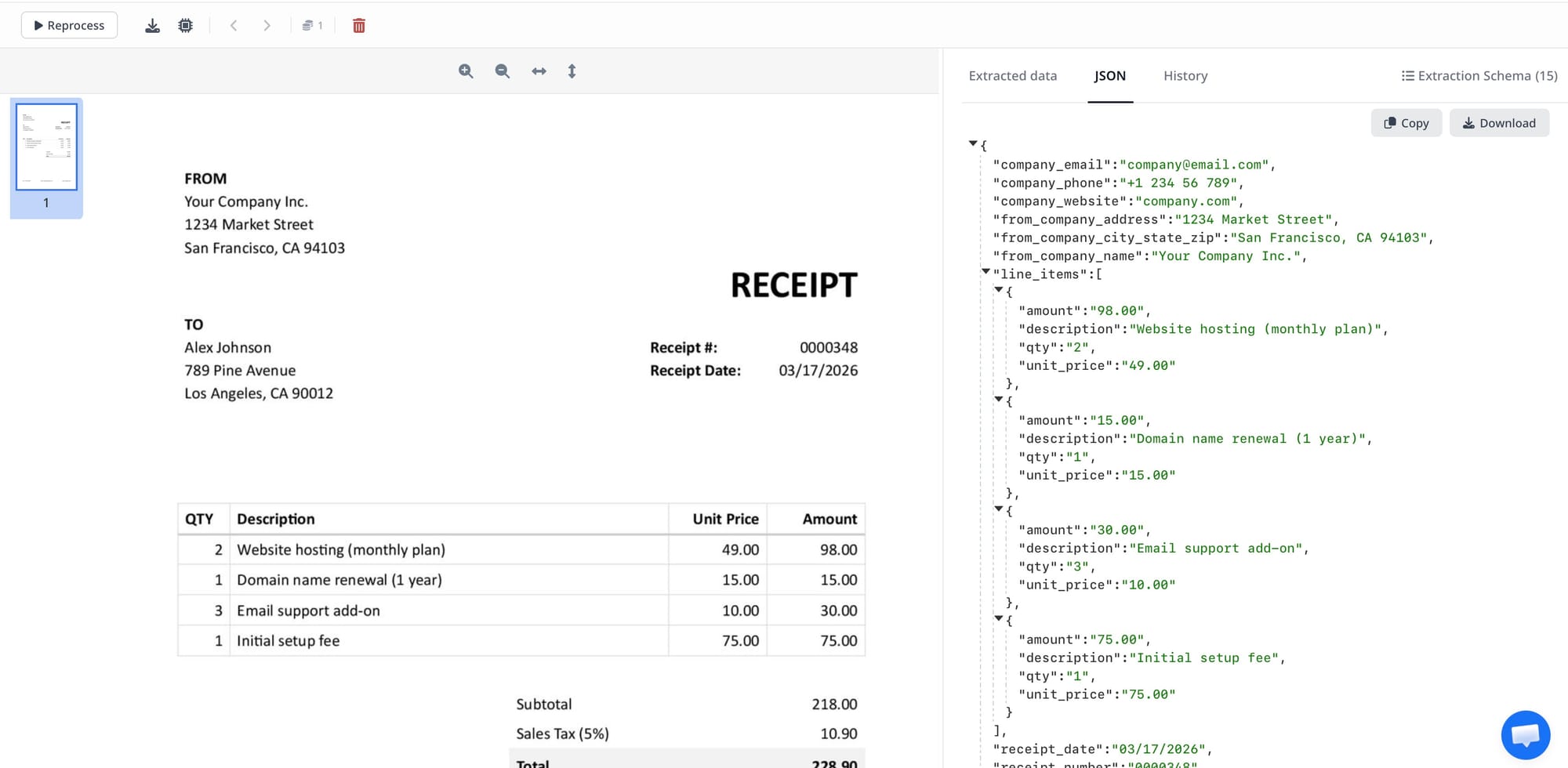
Step 4: Export as JSON
Once the data is extracted, you can export it as JSON via:
- API
- webhook
- direct download
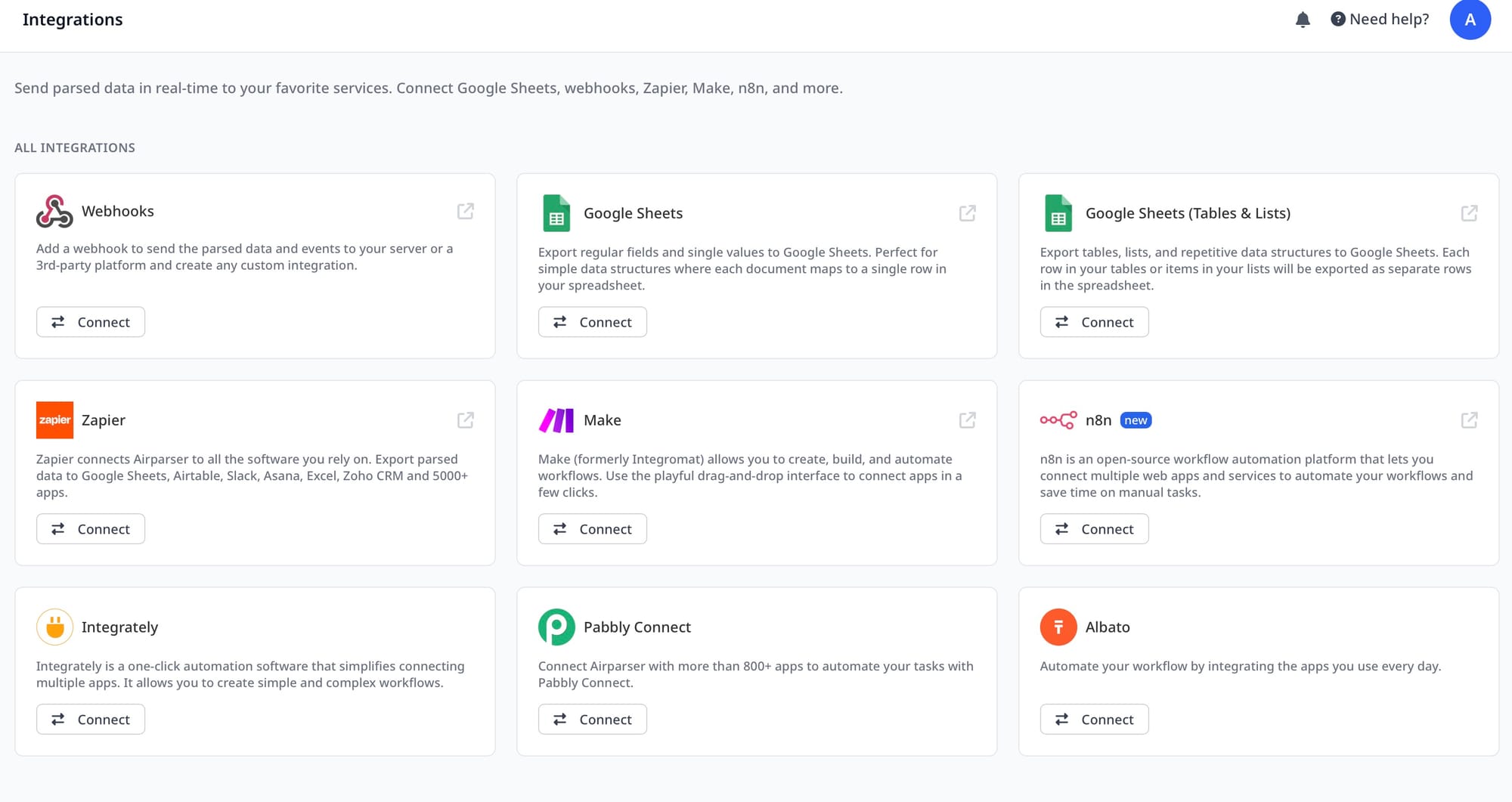
You can then send it to:
- CRMs
- databases
- automation tools
You can also connect it with workflows. For example, see how to integrate Airparser with n8n.
Example: Convert an invoice PDF to JSON
Let’s say you upload an invoice.
The AI will extract something like this:
{
"vendor": "ABC Company",
"invoice_number": "INV-2045",
"date": "2026-02-15",
"total": 980.50
}
Instead of manually entering data, everything is ready to use instantly.
How to convert scanned PDFs to JSON
Scanned PDFs are more difficult because they contain images, not text.
This is where traditional OCR often fails.
AI-powered tools solve this by combining:
- OCR for text recognition
- vision models for layout understanding
This allows accurate extraction even from:
- handwritten forms
- low-quality scans
If you work with scanned files, see how to extract data from scanned handwritten forms using AI.
PDF to JSON vs PDF to Excel vs OCR
Let’s compare the main approaches:
| Method | Output | Flexibility | Accuracy |
|---|---|---|---|
| OCR | Plain text | Low | Medium |
| PDF to Excel tools | Tables | Medium | Medium |
| AI parsing | JSON | High | High |
JSON is the most flexible format.
It works best for:
- automation
- integrations
- APIs
If you specifically need spreadsheets, see how to export PDFs to Google Sheets automatically.
Best PDF to JSON converters
There are several tools available today.
Some popular options include:
- Airparser
- Nanonets
- Docsumo
Each tool has different strengths.
In general:
- traditional tools rely on templates
- AI tools offer more flexibility
We will cover this in detail in our upcoming guide on the best PDF to JSON converters in 2026.
Automating workflows with JSON data
Once your data is in JSON, you can automate everything.
Examples:
- send leads to your CRM
- store invoices in a database
- trigger workflows in Zapier or Make
Airparser supports:
- webhooks
- API access
- integrations with automation tools
You can build full end-to-end workflows without manual work.
Conclusion
Converting PDFs to JSON is essential for modern automation.
Manual methods are too slow. OCR alone is not enough.
AI-powered parsing makes it possible to:
- extract structured data automatically
- handle complex and messy documents
- scale your workflows
If you work with PDFs regularly, switching to AI-based extraction can save hours of manual work.
Try Airparser to convert your PDFs into structured JSON automatically.