How to Automate EOB (Explanation of Benefits) Data Extraction with AI
Learn how to automate EOB data extraction with AI. Extract claim amounts, patient responsibility, denial codes, and line items from any payer PDF — no per-payer templates needed.

TL;DR
- EOBs (Explanations of Benefits) are payer-issued PDFs that most healthcare teams still process by hand.
- Each insurance company uses a different layout, so template-based OCR tools require one template per payer and break when formats change.
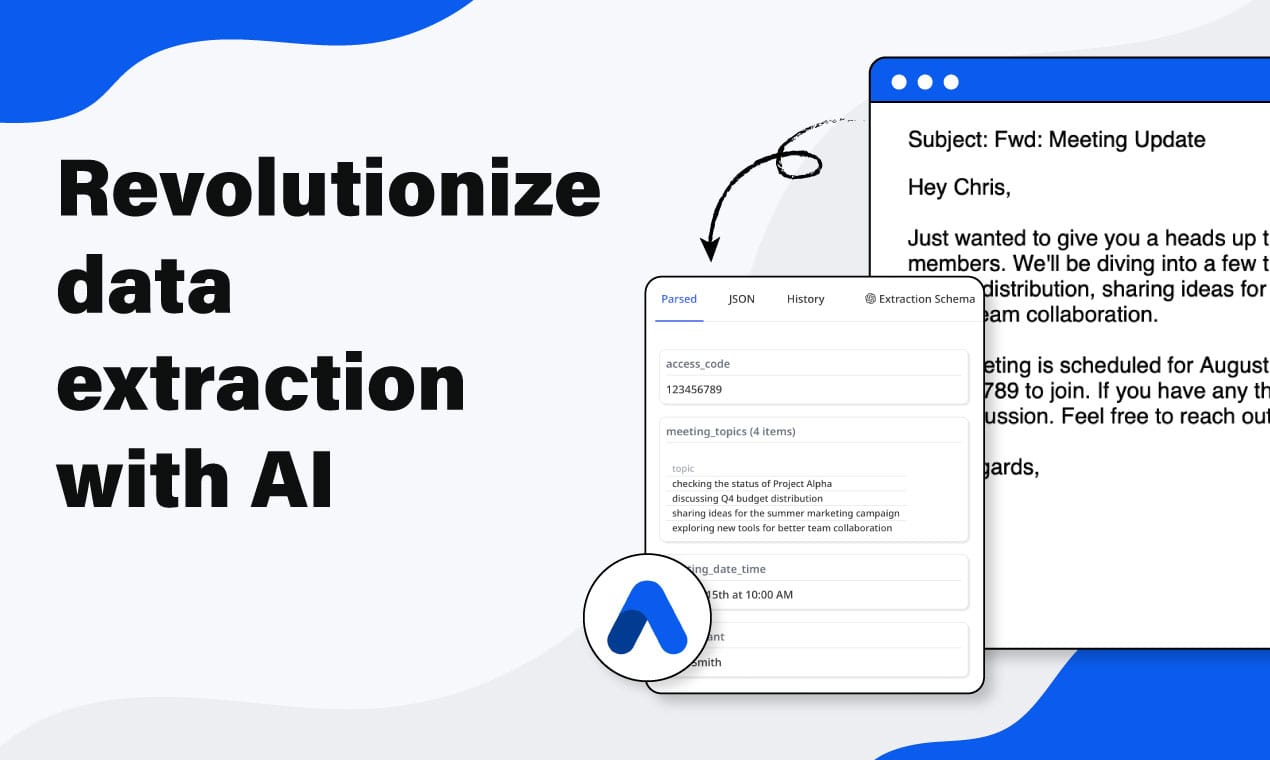
- AI-based extraction reads EOBs from any payer without pre-built templates by understanding field meaning rather than field position.
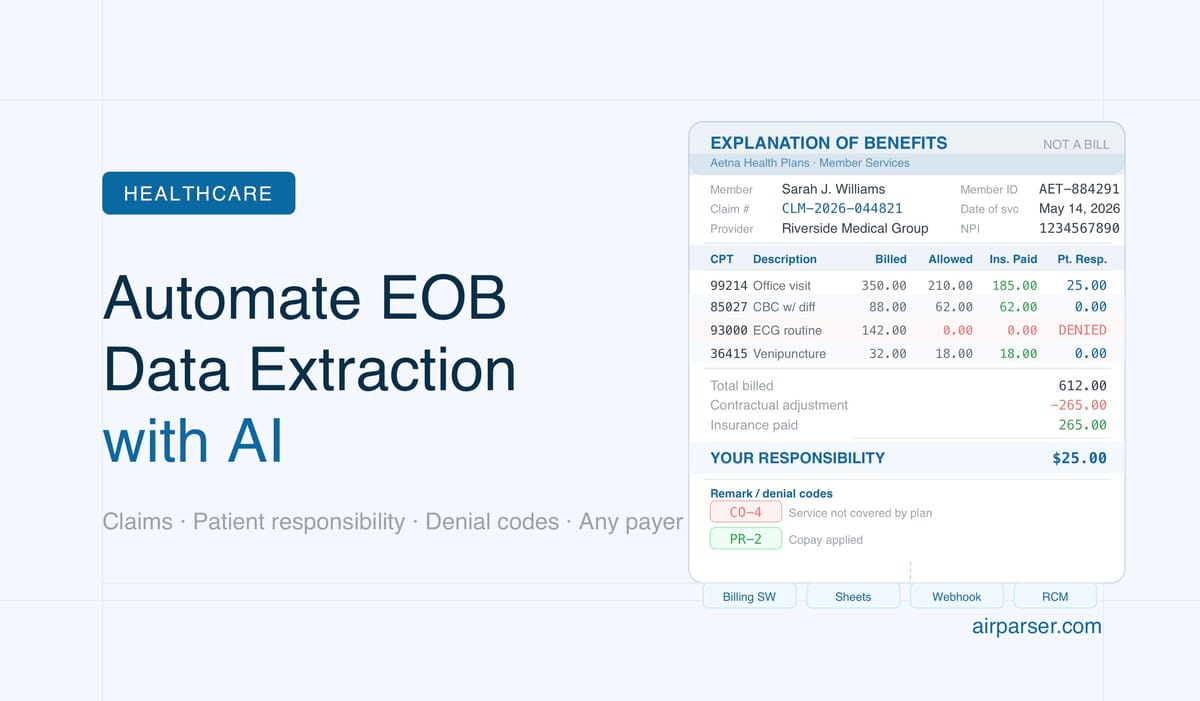
- Key fields to extract: claim number, date of service, billed amount, allowed amount, insurance paid, patient responsibility, remark codes, and CPT codes.
- Airparser handles both scanned and digital EOB PDFs, accepts documents by email or upload, and pushes extracted data to Google Sheets, webhooks, or billing systems.
You can automate EOB data extraction without building a separate template for every insurance company. AI-powered document parsers read Explanations of Benefits the way a trained billing specialist does — by understanding what each field means, not by looking for it at a fixed position on the page. This matters because United Healthcare, Aetna, Cigna, and Blue Cross Blue Shield all format their EOBs differently, and manual entry or rigid OCR templates fail the moment a payer updates their layout.
For healthcare practices, medical billing companies, and revenue cycle management (RCM) teams, EOB processing is one of the highest-volume, most error-prone document workflows. A single-provider practice may receive dozens of EOBs per week; a billing clearinghouse handles thousands. Extracting patient responsibility, denial codes, and claim amounts accurately from all of those PDFs — and routing that data into billing software or reconciliation spreadsheets — is the kind of repetitive, structured task that AI document parsing was built to solve.
This guide explains what data to extract from EOBs, why standard OCR tools fall short, and how to set up an automated EOB parsing workflow with Airparser in a few steps.
What Is an Explanation of Benefits (EOB)?
An Explanation of Benefits is a document an insurance company sends to a patient (or their provider) after a healthcare claim has been processed. It is not a bill — it is a record of how the insurer calculated the payment for services rendered. EOBs are required under the Affordable Care Act and must explain what was covered, what was denied, and why.
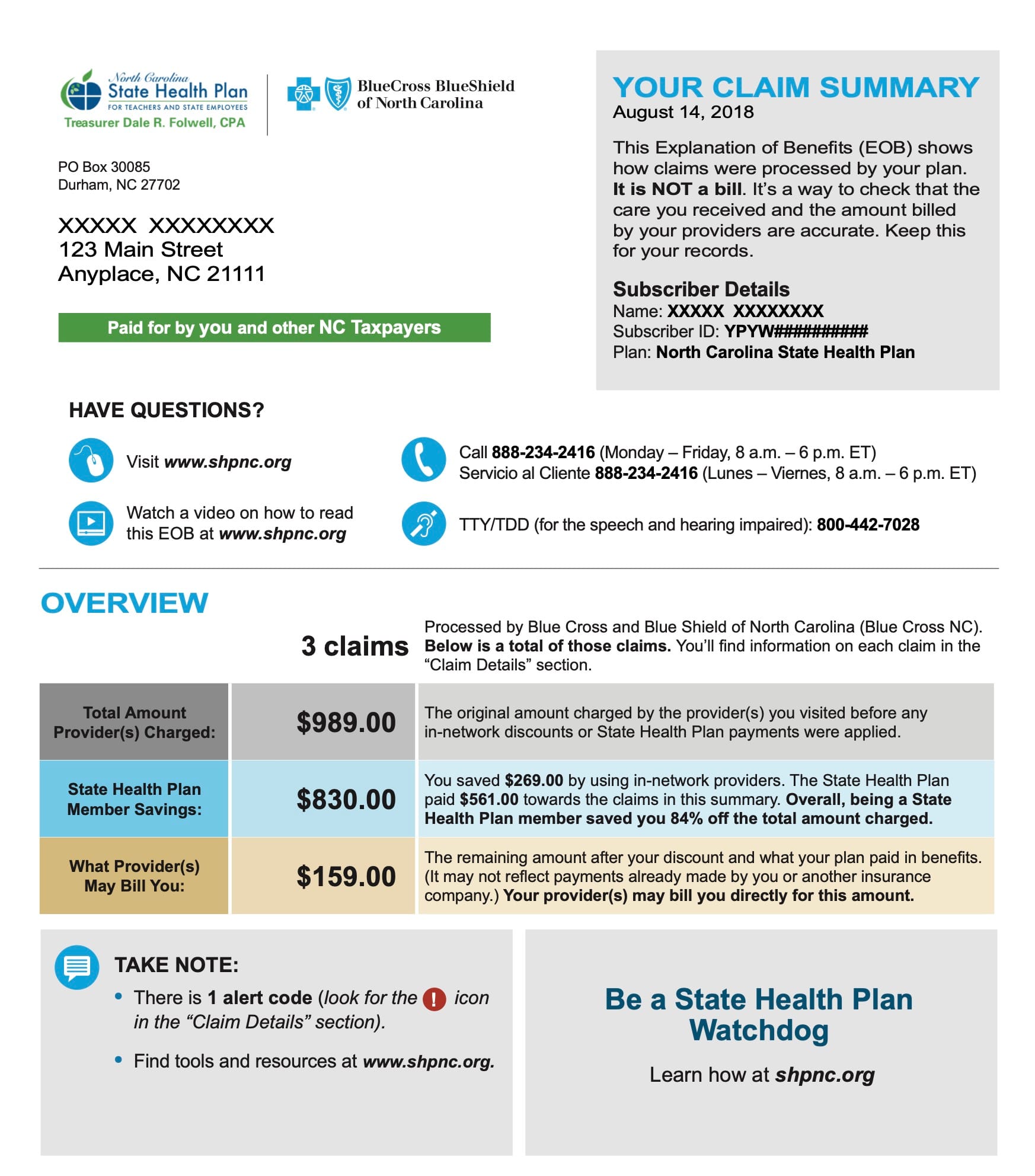
A typical EOB covers one or more claims from a single date of service or billing period. Each claim is broken into line items, one per procedure or service code (CPT code). For each line item the EOB shows the billed amount, the plan’s allowed amount, the portion the insurer paid, and the remaining balance the patient owes. It also includes remark codes and adjustment reason codes that explain any reductions or denials.
EOBs arrive in two forms. Electronic EOBs (eEOBs) or Electronic Remittance Advice (ERA) files are transmitted in ANSI X12 835 format through clearinghouses. Paper EOBs — still widespread, especially from smaller regional payers — arrive as physical mail or as scanned or printed PDFs. Automated extraction is most valuable for the PDF format, where the structured data is locked inside an unstructured document.
The challenge is that payers design their own EOB layouts. A UnitedHealth EOB looks nothing like a Cigna EOB. Column positions, field labels, and page structures all vary. When a payer issues a design update, any template-based extraction system silently breaks until someone notices the data is wrong.
What Data Teams Extract from EOBs
Before setting up any parsing workflow, it helps to define the target schema — the fields you actually need. The right schema depends on your use case: reconciliation, denial management, patient billing, or audit logging.
Common fields extracted from EOBs:
- Patient information: patient name, member ID, group number, date of birth
- Provider information: provider name, NPI (National Provider Identifier), billing address
- Claim-level fields: claim number, claim date, date of service, place of service
- Financial fields per line item: CPT/procedure code, billed amount, allowed amount, insurance paid amount, contractual adjustment, patient deductible applied, patient copay, patient coinsurance, patient responsibility total
- Denial and remark codes: CARC (Claim Adjustment Reason Code), RARC (Remittance Advice Remark Code), denial reason description
- Payment summary: check number (for paper checks), EFT trace number, payment date, total claim payment
- Plan information: plan name, plan ID, payer name
For RCM workflows focused on denial management, the denial codes and reason descriptions are the most critical fields. For patient billing workflows, patient responsibility per line item drives downstream statements. For reconciliation, matching the EOB check number to a bank deposit is the core task.
A practical tip: start with a narrow schema covering your most urgent use case rather than trying to capture every possible EOB field on the first pass. A schema with eight to twelve well-defined fields will produce more reliable extractions than one with thirty fields, many of which appear inconsistently across payers.
Why Template-Based OCR Fails on EOBs
Traditional OCR-based document parsers work by locating data at fixed coordinates or in fixed zones on the page. You define a template: “the claim number is always in a box at coordinates X,Y on page one.” When a document matches the template exactly, extraction is fast and accurate.
EOBs break this model in several ways:
- Payer diversity: The United States has thousands of insurance payers. Each uses its own EOB design. A billing company working with 30 payers needs 30 templates — and that number grows over time as new payers are added.
- Layout changes: Insurance companies update their EOB formats periodically. A template built for the 2023 Cigna layout will produce wrong or empty extractions when Cigna releases a 2025 redesign.
- Variable line-item counts: A claim with two procedure codes has a different page layout than a claim with twelve. Template parsers struggle with dynamically expanding tables.
- Scanned documents: Physical EOBs faxed or scanned to PDF introduce rotation, skew, and image quality variation. Zone-based OCR that worked on a clean PDF fails on a slightly rotated scan.
- Multipage documents: EOBs covering multiple claims span multiple pages with repeated headers, subtotals, and running balances. Mapping the right value to the right claim requires understanding document structure, not just reading coordinates.
LLM-based extraction approaches these problems differently. Instead of asking “what is at coordinate X,Y?” the model asks “what field in this document represents the patient’s copay responsibility?” It reads the document the way a person does — understanding labels, context, and surrounding values — and can adapt to unfamiliar layouts without requiring a new template to be built.
How AI Document Parsing Works for EOBs
AI-based document parsers like Airparser combine optical character recognition with large language model reasoning. The process has two stages. In the first stage, the document is converted to machine-readable text (or analyzed as an image if vision mode is selected). In the second stage, the LLM reads that text or image and extracts the specific fields you have defined in your schema, using its understanding of language and document structure rather than hardcoded positions.
For EOBs, choosing the right engine matters. Airparser offers a text engine and a vision engine:
- Text engine: Best for digital PDFs — EOBs generated directly by the payer’s billing system and sent as electronic files. The text layer is clean, accurate, and fast to process.
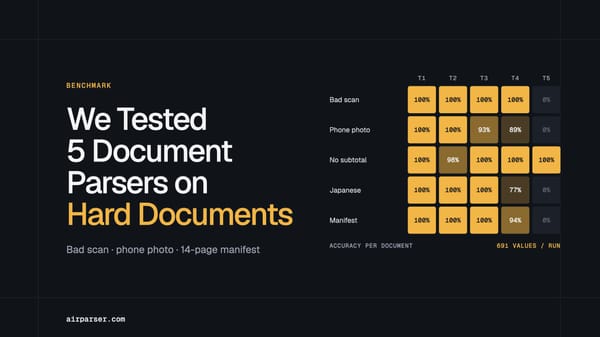
- Vision engine: Best for scanned or photographed EOBs — physical mail that has been scanned, faxed PDFs with poor quality, or documents that do not have a selectable text layer. The vision engine reads the document as an image, which handles skew, noise, and mixed layouts that confuse text-layer extraction.
You can learn more about choosing between the two approaches in this guide to vision vs. text engine selection for LLM document parsing.
The practical result is that you define your schema once — claim number, billed amount, allowed amount, patient responsibility, remark codes — and Airparser applies that schema to every EOB it receives, regardless of which payer issued it. No templates to build. No maintenance when payer formats change.
Step-by-Step: Setting Up EOB Parsing with Airparser
Here is how to configure an end-to-end EOB extraction workflow:
Step 1: Create an inbox
In Airparser, an inbox is a processing unit that receives documents and applies your extraction schema. Create a new inbox and give it a name that identifies the workflow, such as “EOB Processing” or a payer-specific name if you want separate inboxes per payer group. Each inbox gets a dedicated email address for forwarding.
Step 2: Choose the engine
Select the text engine if your EOBs arrive as digital PDFs from your payer portal or clearinghouse. Select the vision engine if they arrive as scanned documents, faxed images, or photographed paper EOBs. When in doubt and you have a mixed document stream, vision mode handles both types at the cost of slightly higher processing time.
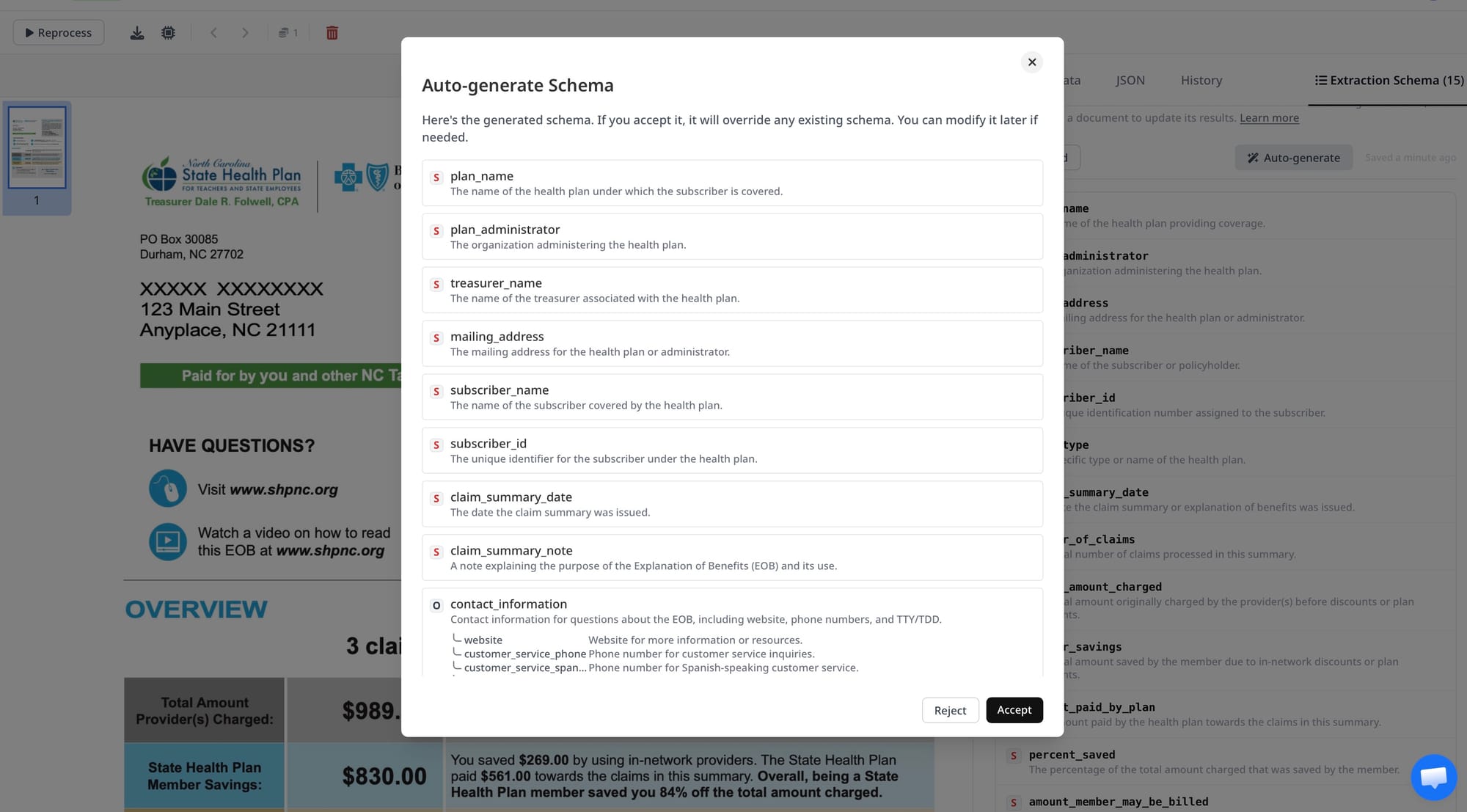
Step 3: Upload a sample EOB and generate a schema
Upload one or two representative EOBs. Airparser analyzes the sample and suggests a set of fields to extract. Review the suggested schema and adjust field names and types to match your use case. Add any fields the AI did not detect — denial codes and remark code descriptions are sometimes missed on complex layouts and may need to be explicitly defined.
For EOBs, useful field types to configure include:
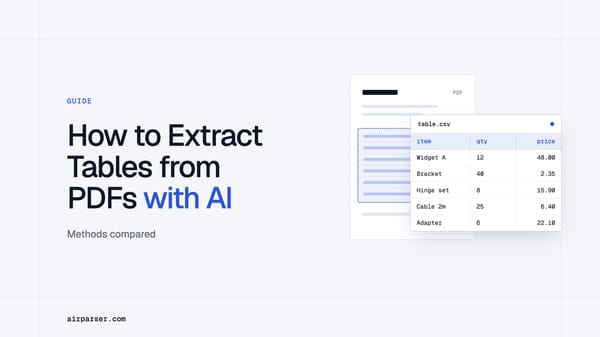
- Table fields for line items (procedure code, billed, allowed, paid, patient responsibility per line)
- String fields for claim number, member ID, remark codes
- Date fields for date of service, payment date
- Number fields for financial totals
Step 4: Test the schema on additional samples
Process two or three additional EOBs from different payers to verify the schema generalizes correctly. Pay attention to whether line-item tables are fully captured and whether the remark codes match the correct claim. Adjust field descriptions if the AI is picking up the wrong values for any field.
Step 5: Connect your ingestion method
EOBs typically arrive in one of three ways:
- Email forwarding: Set up a forwarding rule in your email client to forward EOB emails (with PDF attachments) to your Airparser inbox address. This requires no additional tooling and works immediately.
- Manual upload: For batches of EOBs downloaded from a payer portal, upload files directly through the Airparser interface or API.
- Automation platform: Use Zapier, Make, or n8n to watch a folder or email account and automatically push new EOBs into Airparser as they arrive.
Step 6: Export the extracted data
Once parsing runs, extracted EOB data can be exported to Google Sheets for manual review and reconciliation, pushed to a webhook that feeds your billing software, or downloaded as CSV or Excel for import into your practice management system. For high-volume workflows, the webhook integration is the most practical since it delivers structured data in real time as each EOB is processed.
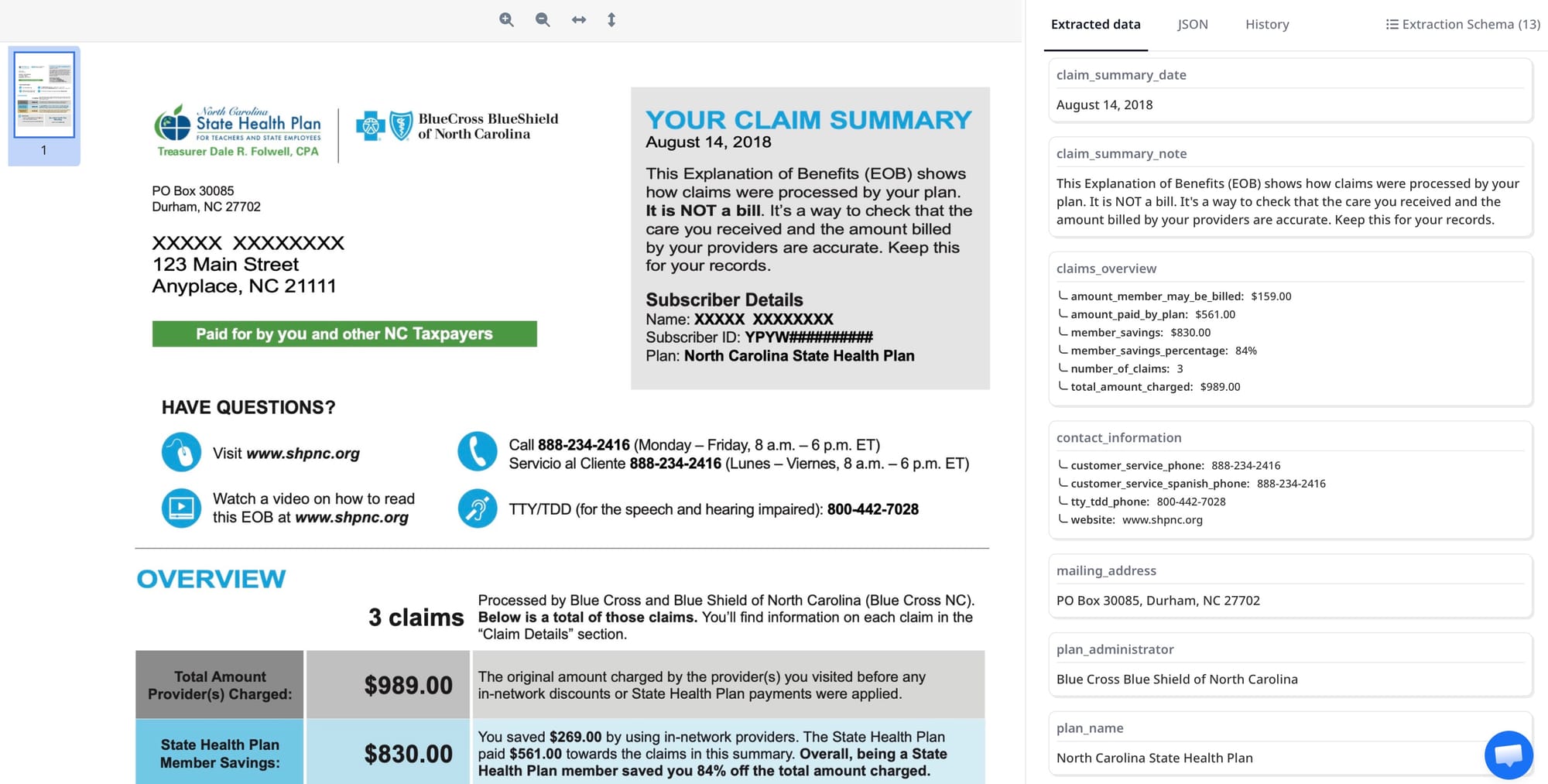
Handling Different Payer Formats
One inbox with a single schema is sufficient for most use cases. Because the AI understands field meaning rather than field position, the same schema applies to EOBs from different payers without reconfiguration. A “billed amount” field will be correctly extracted whether it appears in a column labeled “Charge,” “Amount Billed,” or “Provider Charge” depending on the payer.
There are edge cases where separate inboxes may improve accuracy:
- Highly non-standard layouts: Some regional payers use unusual formats where a general schema produces consistent mismatches. Creating a payer-specific inbox lets you tune the schema for that layout without affecting other payers.
- Different field requirements: If your Medicare EOB workflow requires different fields than your commercial-payer workflow, two inboxes with different schemas keeps the extracted data clean and consistently structured for each downstream system.
- Language or locale variation: EOBs from international payers or dual-language documents may benefit from vision mode with a locale-aware schema.
For most billing practices and RCM companies, starting with a single general-purpose inbox and refining from there is the practical approach. The AI handles payer variety well enough that splitting by payer is rarely necessary at the outset.
EOB Parsing vs ERA (835) Files: When to Use Each
Electronic EOBs transmitted as ANSI X12 835 files (ERA — Electronic Remittance Advice) are structured machine-readable formats that are easier to parse than PDFs. If your payer, clearinghouse, or practice management system supports 835 electronic transmission, that is generally the preferred path for high-volume structured data exchange.
PDF EOB parsing fills in where 835 files are not available or practical:
- Payers that do not support ERA transmission (smaller regional payers, self-funded plans)
- Paper EOBs that have been scanned and do not have machine-readable counterparts
- Workflows where EOBs are already arriving as PDFs and switching to ERA would require clearinghouse enrollment
- Audit and compliance workflows where the human-readable EOB PDF must be the source of record
- Patient-facing data extraction where the member EOB (not the provider remittance) is the input document
If you are working with remittance documents more broadly, the guide on automating remittance advice data extraction covers the related workflow for provider-facing remittances.
Exporting EOB Data to Billing Software and Spreadsheets
The value of parsed EOB data depends on where it goes next. A few common export destinations:
Google Sheets
Airparser’s native Google Sheets integration maps extracted fields to spreadsheet columns. For small-to-medium practices, a running sheet of parsed EOBs — with claim number, payer, billed amount, paid amount, and patient responsibility — provides a lightweight reconciliation ledger. New EOBs are appended automatically as they are processed.
Webhooks into billing software
Most modern practice management systems (Kareo, AdvancedMD, Athenahealth) and RCM platforms accept structured data via webhook or API. Configure Airparser to push parsed EOB JSON to your billing software’s webhook endpoint. This enables automatic posting of claim payments and adjustments without manual data entry.
CSV or Excel export
For batches of historical EOBs processed for audit or migration purposes, CSV or Excel download is the simplest option. Extracted line-item tables can be flattened to one row per procedure code to match common billing system import formats. You can read more about extracting line items from PDFs automatically to understand how tabular extraction works for financial documents.
Common Failure Modes in EOB Extraction
Understanding where AI extraction can go wrong helps you design a more robust workflow and catch errors before they reach downstream systems.
- Merged or rotated scans: If multiple EOBs are scanned into a single PDF, extraction may treat the entire file as one document. Split multi-document PDFs before processing, or use a preprocessing step to separate pages by payer.
- Remark code tables that span multiple pages: Long remark code legends often appear on the final page of an EOB as a reference table. The AI may conflate the legend entries with actual claim remark codes. Define the “remark code” field with a clear description that distinguishes extracted codes from legend text.
- Ambiguous financial totals: EOBs with multiple claims include subtotals and grand totals. If your schema asks for “total paid,” the AI needs to know whether that means per-claim total or document total. Be explicit in field names: “total insurance paid for this claim” versus “total insurance paid on this document.”
- Low-quality scans: EOBs faxed multiple times or scanned at low resolution may have illegible text. The vision engine handles noise better than the text engine, but very poor-quality scans may require image cleanup before parsing. Tools like Airparser’s free OCR can improve scan readability before extraction.
- Missing fields on some payers: Not every payer populates every field. A schema field for “EFT trace number” may be empty on EOBs from payers that pay by check. Configure field types as optional where the data is payer-dependent to avoid false extraction errors.
Frequently Asked Questions
What is the difference between an EOB and an ERA?
An EOB (Explanation of Benefits) is a human-readable document — typically a PDF or paper letter — sent by a payer to explain how a healthcare claim was processed. It shows what services were billed, what was paid, and what the patient owes. An ERA (Electronic Remittance Advice) is the machine-readable equivalent, transmitted in ANSI X12 835 format through a clearinghouse. ERA files are structured data that practice management systems can import directly, while EOBs require a parsing step to extract structured data. For payers that support ERA transmission, 835 files are generally easier to process at scale. PDF EOB parsing becomes necessary when ERA is unavailable, when the EOB is the required source document, or when working with scanned paper EOBs that have no electronic equivalent.
Can Airparser handle EOBs from multiple payers with a single inbox?
Yes. One inbox with a well-designed schema handles EOBs from different payers because the AI extracts fields by meaning rather than by position. A field defined as “patient responsibility total” will be correctly identified across Aetna, Cigna, BCBS, and UnitedHealth layouts even though each uses different column headers and page structures. The main reason to create multiple inboxes is when you need payer-specific field sets — for example, if Medicare EOBs require HCPCS codes while commercial payer EOBs use CPT codes and you want the schema to reflect that distinction. For most workflows, a single general-purpose inbox is the right starting point, and you can split by payer later if edge cases require it.
How does Airparser handle scanned EOBs vs. digital PDFs?
Airparser offers two extraction engines for this reason. The text engine works best with digital PDFs — documents generated directly by a payer’s billing system with a clean embedded text layer. It is fast and highly accurate on well-formatted digital files. The vision engine analyzes the document as an image and is better suited to scanned PDFs, faxed documents, and photographs of paper EOBs. Vision mode handles skew, noise, handwriting, and low-resolution scans that cause text-layer extraction to miss or misread fields. If your EOB stream is mixed — some digital, some scanned — vision mode handles both, though it processes slightly more slowly than the text engine on clean digital files. You can run both on representative samples to determine which works better for your specific document mix.
What fields should I include in my EOB extraction schema?
The right schema depends on your downstream use case, but a practical starting schema for most billing and reconciliation workflows includes: patient name, member ID, payer name, claim number, date of service, provider name, NPI, CPT or procedure codes, billed amount per line item, allowed amount per line item, insurance paid per line item, contractual adjustment, patient deductible applied, patient copay, patient coinsurance, and patient responsibility total. Add denial reason codes and remark codes (CARC and RARC) if you are doing denial management. For payment posting workflows, include check number or EFT trace number and payment date. Start with the fields your billing team currently transcribes manually — those are the highest-value targets for automation — and expand the schema once the initial extraction is stable and accurate across payers.
Is EOB parsing compliant with HIPAA?
EOBs contain protected health information (PHI) as defined by HIPAA: patient names, member IDs, dates of service, and diagnosis codes may all be present. When using any third-party service to process EOBs, you need a Business Associate Agreement (BAA) in place with the vendor. Review your document processing vendor’s security and compliance documentation to confirm HIPAA BAA availability, data residency, encryption at rest and in transit, and audit logging. Beyond the BAA, apply standard minimum-necessary principles to your extraction schema: only extract the fields your workflow actually requires, avoid retaining full EOB documents longer than necessary, and control access to systems that receive extracted PHI. Consult your compliance team or HIPAA officer when configuring document automation for healthcare workflows that handle patient records.
How accurate is AI-based EOB extraction?
Accuracy depends on document quality, payer format complexity, and schema design. On clean digital PDFs from major payers, LLM-based extraction routinely achieves very high accuracy for structured fields like claim numbers, dates, and financial totals. Accuracy tends to be lower on heavily scanned documents with noise or on exotic payer formats that the model has less pattern exposure to. The most reliable way to assess accuracy for your specific document mix is to test the schema on a representative batch of 20–30 EOBs from your actual payer set, compare extracted values against ground truth, and refine field definitions where mismatches appear. Common accuracy issues include: field label confusion on non-standard payer layouts, missed line items when tables span page breaks, and partial extraction of remark code descriptions. Most of these issues are fixable with clearer field descriptions in the schema or by switching to the vision engine for problematic document types.
Can I process high volumes of EOBs automatically?
Yes. The most practical high-volume ingestion path is email forwarding: set up a rule in your email client or practice management system to forward EOB emails to your Airparser inbox address as they arrive. Documents attached to those emails are processed automatically against your schema. For batched portal downloads, the Airparser API allows programmatic document submission so you can script bulk uploads from a local folder or a cloud storage location. Zapier and Make also provide no-code options for watching a Gmail folder, a Google Drive folder, or an S3 bucket and forwarding new EOBs to Airparser automatically. There is no practical cap on volume — high-throughput billing operations use webhook-based delivery to post extracted data directly into billing software as each EOB is processed, eliminating the download and re-import step entirely.
Start Automating EOB Extraction
The manual EOB processing workflow — download PDF, read through the claim table, type values into billing software, repeat — is a significant source of labor cost and data entry errors in healthcare billing. AI document parsing removes that manual step by converting each EOB into clean, structured data automatically, regardless of which payer issued it or how their format has changed.
If you work with EOBs from multiple payers and want to reduce manual data entry in your reconciliation or denial management workflow, Airparser is worth testing on your actual document mix. Set up an inbox, upload a few sample EOBs, and verify the schema works across the payers you deal with most often. The setup takes less than an hour and the schema generalizes across payers without additional configuration.