How to Automate KYC Document Verification with AI (Step-by-Step)
Automate KYC document verification with AI parsing: extract structured identity data from government IDs, passports, and proof-of-address documents. Covers schema design, validation logic, GDPR compliance, and webhook delivery.

TL;DR:
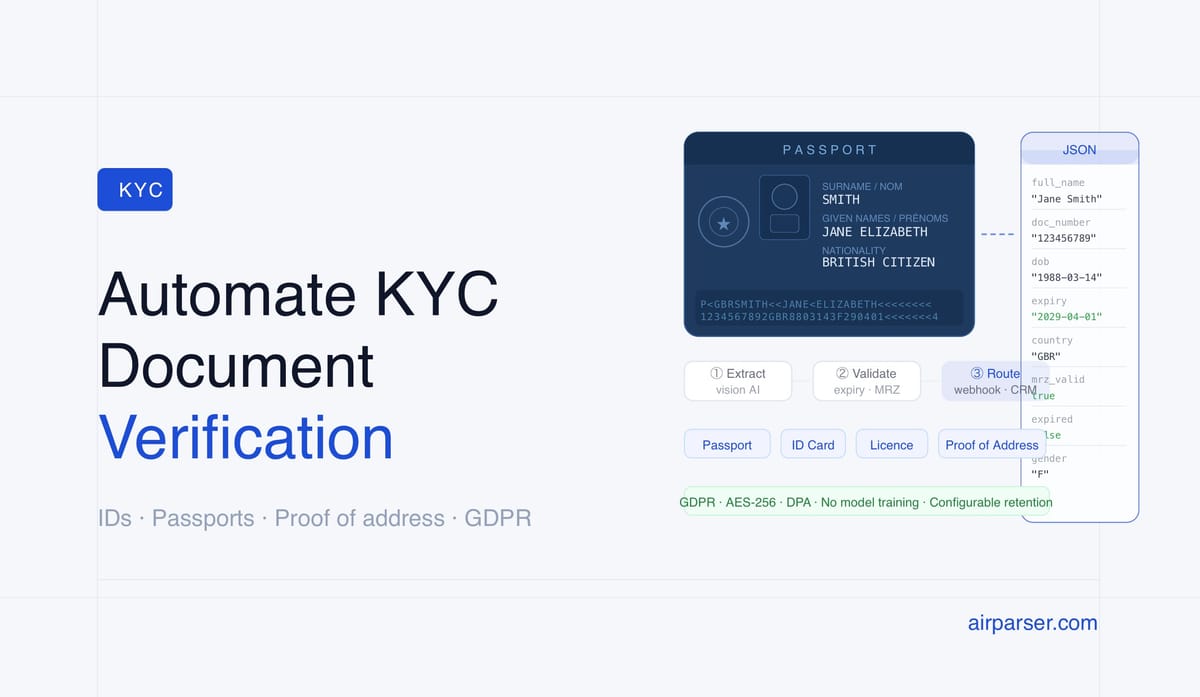
- KYC document verification can be automated by extracting structured data from government IDs, passports, and proof-of-address documents with AI parsing.
- Airparser's vision engine handles scanned and photographed identity documents — no template configuration, no OCR zone setup.
- Design a schema once per document type; Airparser applies it to every new document automatically via email, API, or upload.
- For regulated workflows, Airparser's GDPR compliance, AES-256 encryption, and configurable data retention address the data handling requirements that raw LLM calls cannot.
KYC document verification can be fully automated using AI document parsing: upload or forward an identity document, define which fields to extract, and receive structured JSON — full name, document number, date of birth, expiry date, issuing country — in seconds, ready to pipe into your onboarding database, CRM, or compliance platform. Manual data entry from IDs and passports is no longer necessary for teams processing more than a handful of documents per day.
The challenge with KYC documents specifically is that they come in many formats — driver's licences, national ID cards, passports, utility bills, bank statements — each with different layouts, languages, and encoding standards. Template-based OCR tools that require zone configuration per document type break down quickly. Vision AI models that process the full document image handle this variation naturally, adapting to each layout without manual configuration.
This guide covers how to set up a KYC document verification workflow using Airparser: which engine to use, how to design extraction schemas for identity documents, what to validate after extraction, how to handle GDPR compliance, and how to route structured data to downstream systems. The approach applies whether you're processing one document at a time via a manual upload form or thousands per day via an automated API pipeline.
What KYC Document Verification Actually Requires
Know Your Customer (KYC) verification is the process by which regulated businesses confirm the identity of new customers before providing services. It is required by financial regulators in most jurisdictions for banks, fintech companies, cryptocurrency exchanges, insurance providers, and increasingly for any platform handling significant financial transactions.
A typical KYC workflow requires verifying two categories of documents:
Identity documents — proof that the person is who they claim to be. The most common types are government-issued photo IDs: passports, national ID cards, and driver's licences. The goal is to extract: full legal name, date of birth, document number, document type, issuing country, expiry date, and nationality.
Proof of address documents — evidence that the person lives where they say they do. Common types are utility bills, bank statements, and council tax letters. The goal is to extract: full name, residential address, document date, and issuing institution.
Manual verification means someone reads each document, manually enters the data into a system, and checks for obvious discrepancies. At scale — dozens to thousands of applications per day — this creates a bottleneck. Automated extraction addresses the data-entry problem. The remaining human task is identity liveness verification (confirming the person physically matches the document), which is handled by separate biometric tools and is outside the scope of document parsing.
Why Vision AI Works Better Than OCR Templates for Identity Documents
Traditional OCR document parsing requires configuring extraction zones: you tell the system "the surname is in the top-right corner, coordinates X1,Y1 to X2,Y2." This works when documents always look the same. Government ID cards do not. A UK driving licence is landscape, a German Personalausweis is portrait, a US state ID varies by state, and a passport's data page is standardized by ICAO but differs in layout from a driver's licence.
Vision AI models process the full document image and understand it semantically, the same way a person would. They don't need to know where "Date of Birth" appears — they find it because they understand the label and its relationship to the adjacent value. This means one extraction schema handles an American passport and a Brazilian RG card without reconfiguration.
There are two AI approaches in Airparser's engine selection: text LLM and vision LLM. For KYC identity documents, the vision engine is almost always the right choice. Physical identity documents are photographs or scans — even "digital" copies are typically images of the card or document page, not electronically-generated PDFs with embedded text layers. The vision engine processes the image directly; the text engine would require OCR preprocessing and loses the spatial relationship information that helps correctly identify fields.
The exception is proof-of-address documents like PDF bank statements issued directly from a bank's system — these contain native text and process cleanly with the text engine. When in doubt for identity documents, use vision.
Step 1: Create an Airparser Inbox for Identity Documents
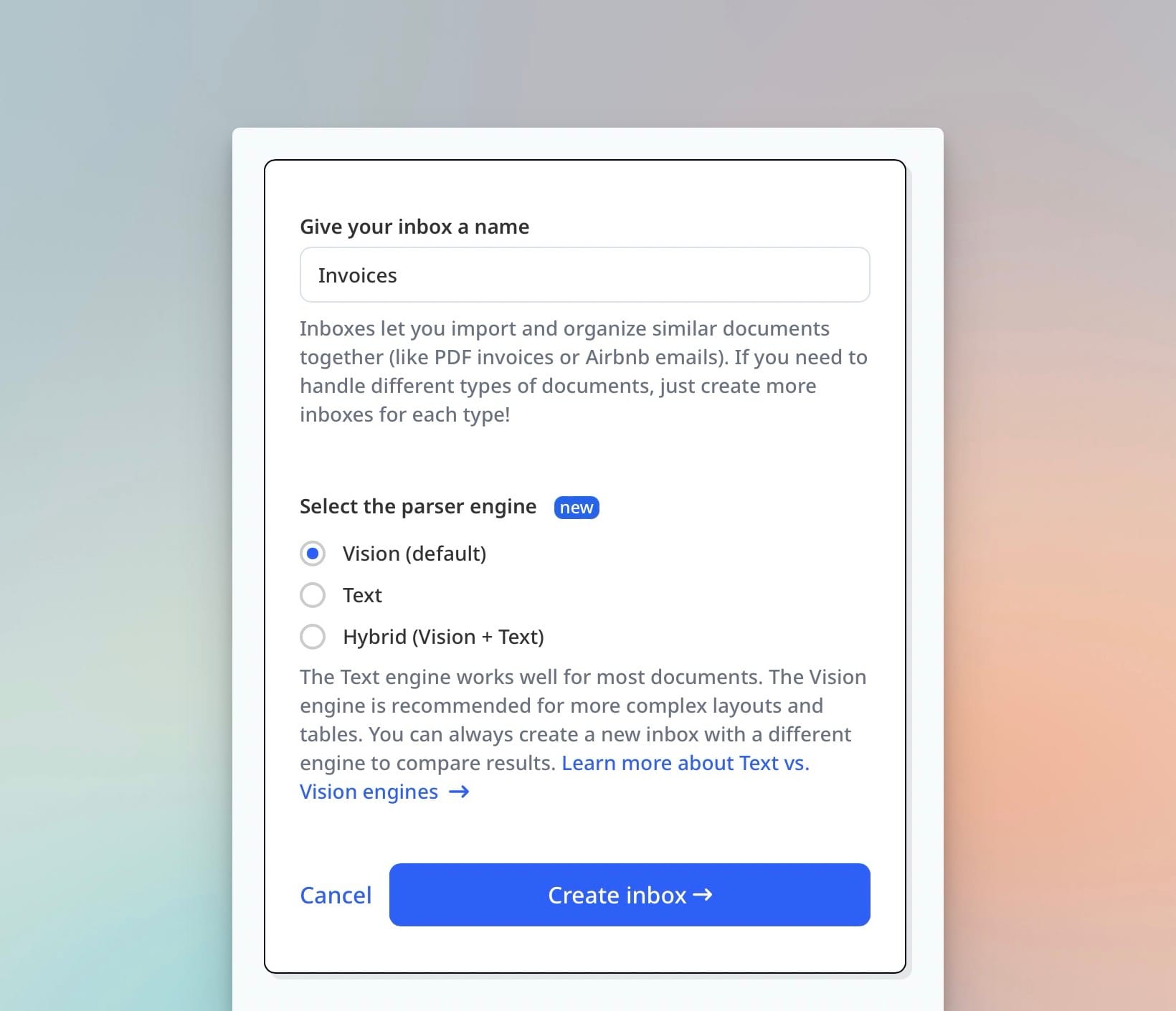
Each Airparser inbox handles one category of document — one schema, one engine, one set of extracted fields. For a KYC workflow, create separate inboxes for each document type: one for passports, one for driver's licences, one for proof-of-address. This keeps schemas clean and makes downstream routing straightforward.
To create an inbox:
- Log in to Airparser and click New Inbox.
- Name it clearly — for example, "Passport — KYC" or "Driver's Licence — KYC EU".
- Select Vision as the engine for any physical identity document.
- Choose how documents will arrive: email forwarding, manual upload, or API.
For automated KYC pipelines, the most common ingestion patterns are:
- API upload: your onboarding form or app uploads the document file directly to Airparser via the REST API the moment a user submits it.
- Email forwarding: your team or a compliance officer forwards scanned documents to the inbox email address.
- Zapier or Make trigger: a new file in a shared Google Drive folder automatically gets sent to Airparser.
For KYC workflows, API ingestion is the most common production pattern — it integrates directly into the customer-facing onboarding flow and provides the fastest time-to-result.
Step 2: Define the Extraction Schema for Identity Documents
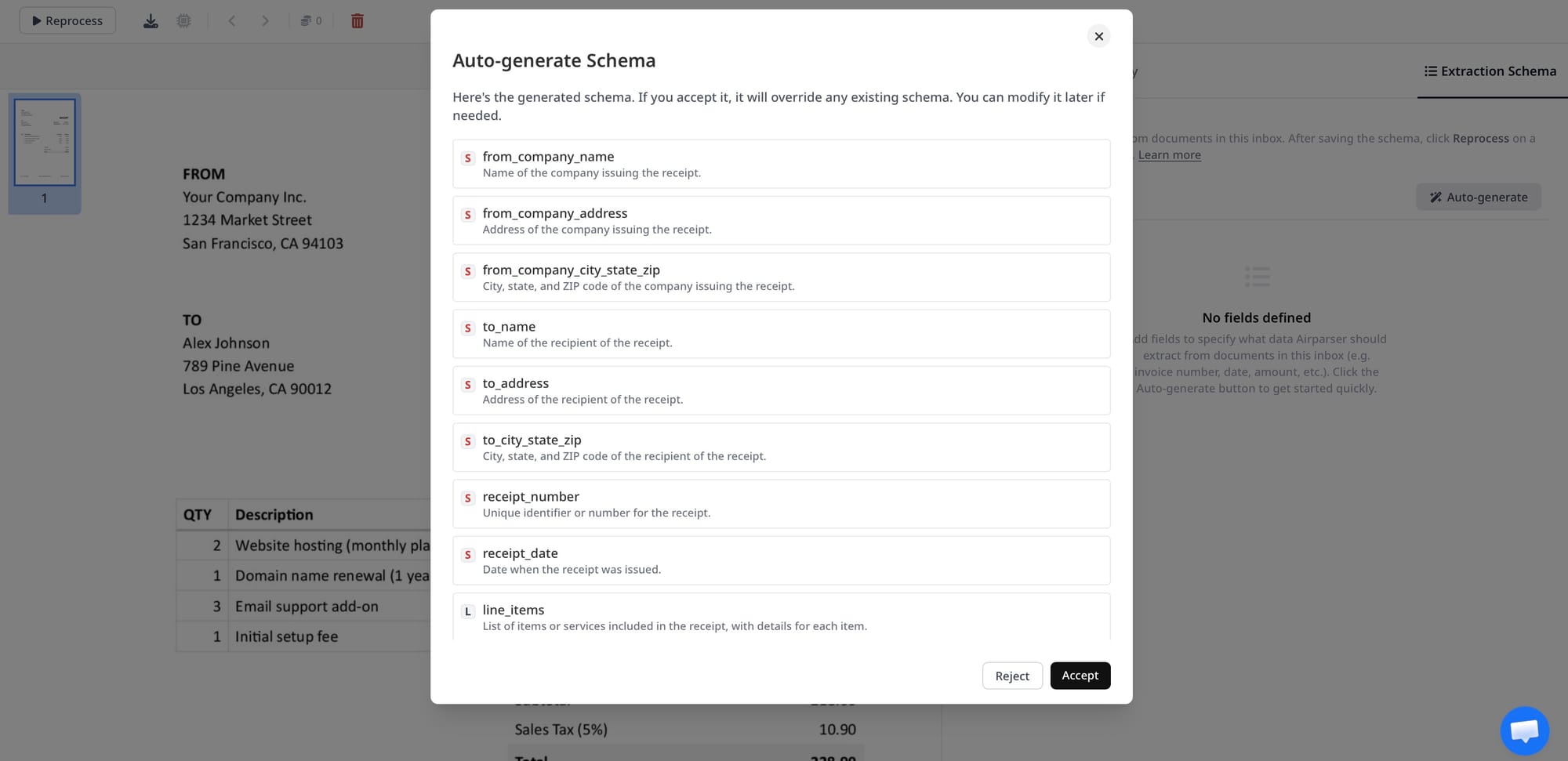
The schema tells Airparser which fields to extract and what type each field should return. For identity documents, a well-designed schema covers all the data points required by your compliance process.
A standard passport extraction schema:
- full_name (string) — the full legal name as printed on the document
- document_number (string) — passport number
- date_of_birth (string, ISO 8601: YYYY-MM-DD)
- nationality (string) — as printed, e.g. "BRITISH CITIZEN"
- issuing_country (string) — ISO country code, e.g. "GBR"
- issue_date (string, ISO 8601)
- expiry_date (string, ISO 8601)
- mrz_line1 (string) — first line of the Machine Readable Zone, if visible
- mrz_line2 (string) — second MRZ line
- gender (string) — M/F as printed
For driver's licences, add:
- address (string) — if present on the licence
- licence_category (string) — e.g. "B" for standard car licence
- issuing_authority (string)
For proof-of-address documents:
- full_name (string)
- address_line1 (string)
- address_line2 (string, nullable)
- city (string)
- postcode (string)
- country (string)
- document_date (string, ISO 8601)
- institution_name (string) — e.g. "EDF Energy", "Barclays Bank"
Use consistent date formats across all schemas — ISO 8601 (YYYY-MM-DD) prevents timezone and locale issues when the extracted data flows into databases. Tell Airparser this in the field description: "Extract as YYYY-MM-DD. If only a month and year are visible (e.g. on a bank statement), return the first day of that month."
Step 3: Upload a Sample and Review Extraction Quality
Before connecting Airparser to your production pipeline, test extraction quality with representative sample documents. Use real document types from the markets you serve — a UK passport extracts slightly differently from a Nigerian passport, and your schema may need field description adjustments to handle naming conventions, character sets, or MRZ formats.
Upload 5–10 sample documents from each document type you plan to process. Review the extracted output for:
- Name completeness: does full_name capture the full legal name as printed, including middle names?
- Date format consistency: are all dates returning as YYYY-MM-DD?
- MRZ extraction: is the Machine Readable Zone captured accurately for passports? MRZ lines are critical for cross-validation.
- Nullable fields: if a driver's licence doesn't show an address, is address returning null rather than hallucinating a value?
If fields are inconsistently extracted, add more specific descriptions to the schema. For example: "Extract the document number exactly as printed, without spaces. On EU passports this appears in the top right of the data page. Do not include the check digit." The more precise the field description, the more consistent the output across document variants.
Step 4: Validate Extracted Data Downstream
Extraction is not the same as verification. Airparser extracts what is printed on the document. Whether that document is genuine, unexpired, or consistent with the person presenting it is a separate step. For a complete KYC workflow, plan validation logic that runs on the extracted JSON:
Expiry check: Compare expiry_date to today's date. Any expired document should flag for manual review before onboarding proceeds.
from datetime import date

def is_document_expired(extracted: dict) -> bool:
    expiry_str = extracted.get("expiry_date")
    if not expiry_str:
        return True  # treat missing expiry as expired
    expiry = date.fromisoformat(expiry_str)
    return expiry < date.today()
MRZ cross-validation: Passports have a Machine Readable Zone that encodes key fields. If you extract both the visual fields and the MRZ lines, you can verify consistency — document_number in the visual field should match the document number encoded in mrz_line2. Discrepancies are a red flag.
Name consistency across documents: If your workflow collects both an ID and a proof of address, compare the full_name field across both extractions. Exact matches aren't required (Smith vs SMITH, or O'Brien vs O'BRIEN), but significant differences flag for human review.
Field completeness check: Define which fields are mandatory for your compliance process. Reject any extraction where a mandatory field returns null. This prevents downstream onboarding of customers whose documents couldn't be fully parsed.
These validation steps run in your application logic after receiving the webhook payload from Airparser. Airparser delivers the structured JSON; your system applies the business rules.
Step 5: Route Structured Identity Data to Your Systems
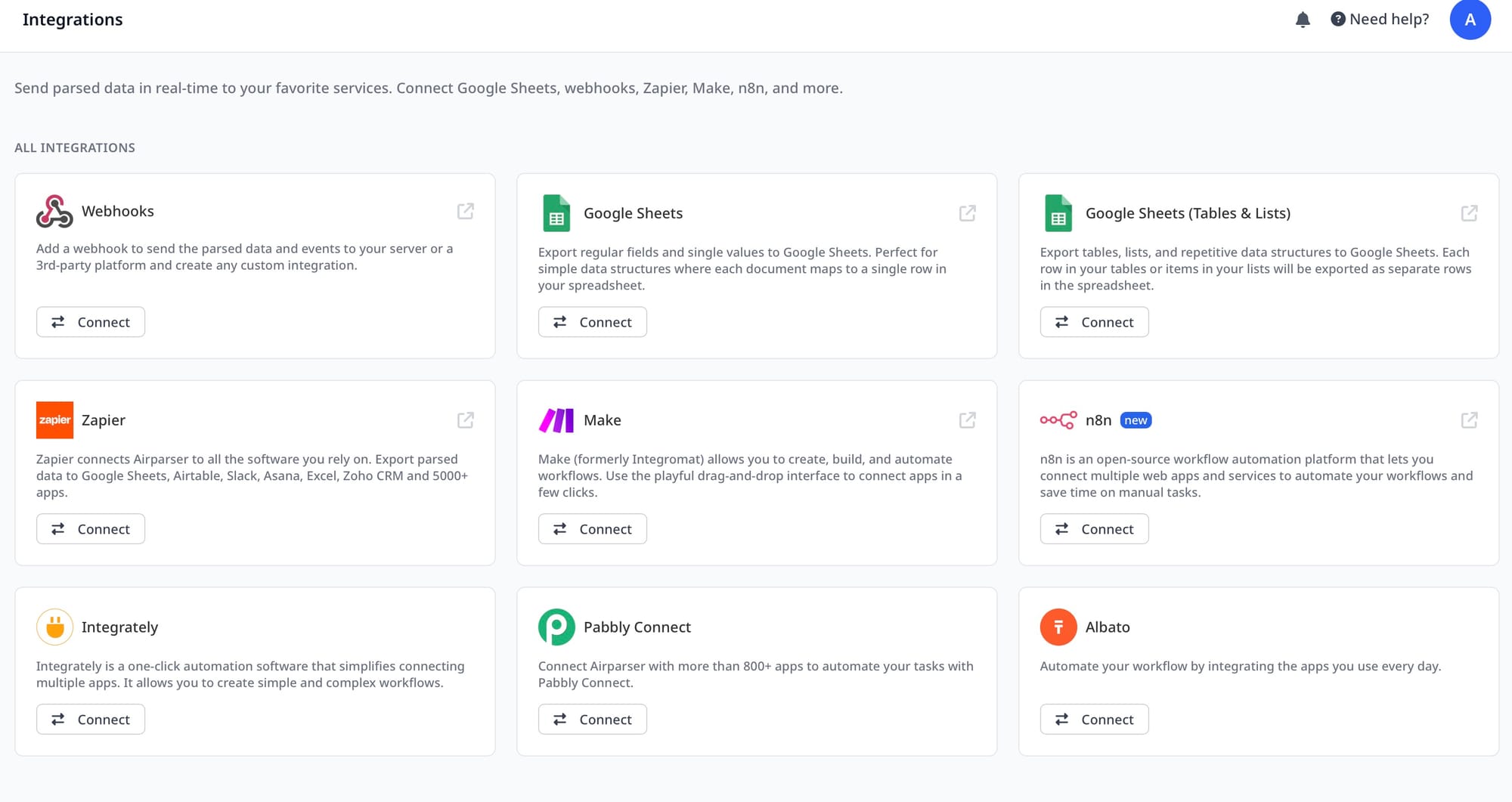
Once validated, the extracted identity data needs to flow into your compliance or onboarding system. Airparser delivers extracted data via:
- Webhook: Airparser POSTs the extracted JSON to your endpoint immediately after extraction. This is the fastest and most common pattern for production KYC pipelines.
- API polling: If you submitted the document via API, poll the document status endpoint until parsing is complete, then retrieve the result.
- Zapier or Make: For no-code pipelines, Airparser triggers a Zap or scenario with the extracted fields, which then updates your CRM, database, or compliance platform.
A typical webhook payload for a passport extraction looks like:
{
  "document_id": "doc_abc123",
  "inbox_id": "inbox_xyz789",
  "parsed_at": "2026-05-20T10:42:00Z",
  "fields": {
    "full_name": "JANE ELIZABETH SMITH",
    "document_number": "123456789",
    "date_of_birth": "1988-03-14",
    "nationality": "BRITISH CITIZEN",
    "issuing_country": "GBR",
    "issue_date": "2019-04-01",
    "expiry_date": "2029-04-01",
    "mrz_line1": "P<GBRSMITH<<JANE<ELIZABETH<<<<<<<<<<<<<<<<<",
    "mrz_line2": "1234567892GBR8803143F2904014<<<<<<<<<<<<<<4",
    "gender": "F"
  }
}
Your onboarding system receives this payload, runs validation checks, then writes the verified fields to your customer record — no manual transcription, no data entry errors.
GDPR and Compliance Considerations for KYC Document Data
Identity documents contain personal data subject to data protection regulations in most jurisdictions. GDPR in the EU and UK, CCPA in California, and equivalent frameworks elsewhere impose obligations on how you collect, store, process, and delete this data.
Key considerations for KYC document data in Airparser:
Data retention: Configure Airparser's data retention settings to match your compliance requirements. Many KYC frameworks require retaining verification records for 5 years after the business relationship ends. Set retention accordingly — Airparser won't delete data before the configured period, and will delete it automatically after.
Data encryption: Airparser stores all document data encrypted with AES-256. Extracted fields are encrypted at rest. This satisfies the technical security requirements that most data protection frameworks impose on sensitive personal data processing.
No model training on your data: Airparser does not use your documents to train its models. This is critical for sensitive identity documents — you don't want a passport uploaded by your customer used to improve a model accessible by others.
Data Processing Agreement: For GDPR compliance, Airparser acts as a data processor when it handles personal data on your behalf. A DPA is available. This is the legal mechanism that permits you to send personal data to a third-party processor.
Minimization: Define schemas that extract only the fields you actually need. Don't extract every field from a passport if your compliance process only requires name, date of birth, document number, and expiry. Less data extracted means less data to protect.
For a detailed breakdown of document parsing GDPR requirements, see Document Parsing and GDPR: What Compliance Actually Means for Your Workflow.
Handling Multi-Document KYC Workflows
Most KYC processes require at least two documents: one identity document and one proof of address. For some regulated categories, additional documents are required (certified copies, professional certifications, source-of-funds documentation). The workflow scales the same way — create one inbox per document type, each with its own schema.
To link documents from the same customer across multiple inboxes, include a customer identifier in the document submission. The cleanest approach is to add a metadata tag when submitting via API:
POST /api/v1/inboxes/{inbox_id}/documents
{
  "file": "<base64_encoded_file>",
  "metadata": {
    "customer_id": "cust_12345",
    "application_id": "app_67890",
    "document_type": "passport"
  }
}
When Airparser sends the webhook, the metadata is included in the payload. Your system uses customer_id or application_id to associate the extracted passport data and proof-of-address data with the same customer record, then runs name-consistency validation across both.
For multi-document KYC workflows via email ingestion (for example, a compliance team forwarding scanned documents), a common pattern is a dedicated inbox per document type with email subjects or tags used to route documents to the right inbox. Subject line: "KYC — PASSPORT — cust_12345" routes to the passport inbox; "KYC — POA — cust_12345" routes to the proof-of-address inbox.
What Airparser Handles and What Stays in Your System
Airparser's role in a KYC workflow is the extraction layer — turning unstructured identity documents into structured JSON. It does not perform identity verification, liveness detection, sanctions screening, PEP checking, or risk scoring. Those are separate components in a complete KYC system.
A typical production KYC stack:
- Document collection: your web or mobile app, email, or upload portal
- Document extraction: Airparser (this guide)
- Validation logic: your application (expiry checks, name matching, completeness rules)
- Identity verification: biometric/liveness tools (Onfido, Jumio, Persona, or equivalent)
- Sanctions and PEP screening: compliance data providers
- Risk scoring and case management: your compliance platform or CRM
- Audit trail: structured extraction records retained per your retention policy
Airparser handles step 2. It integrates cleanly with all steps before and after it. The structured JSON it produces is the input that identity verification and compliance tools expect — a clean name, date of birth, document number, and country, not a JPEG of a passport page.
For teams that want to process identity documents via API and integrate the extraction layer into a larger agent-driven compliance workflow, see How to Parse Documents via API and Get Structured JSON Back and Agentic Document Extraction: What It Means and How to Build It.
Frequently Asked Questions
Can Airparser read passports and government IDs from any country?
Yes. Airparser's vision engine processes identity documents from any country without country-specific configuration. Government IDs, passports, national ID cards, driver's licences, and residence permits from countries worldwide are supported. The vision model understands document structure semantically — it doesn't rely on knowing the exact layout of a specific country's passport. For documents in non-Latin scripts (Arabic, Cyrillic, Chinese, Hebrew), extraction accuracy depends on the model's multilingual capability and the specific field. Roman-alphabet fields like document numbers, dates, and MRZ lines extract reliably across all document types. Non-Latin name fields may require testing with samples from your target markets before deploying to production. If you process documents from specific markets at high volume, testing with a representative sample set is strongly recommended before go-live.
What is the MRZ and why does it matter for KYC?
The Machine Readable Zone (MRZ) is the two or three lines of machine-readable text at the bottom of a passport's data page or on the back of many ID cards. It encodes key identity fields — name, document number, nationality, date of birth, expiry date — in a standardized ICAO format, along with check digits that mathematically validate each field. Extracting the MRZ and comparing it against the visually-printed fields is one of the most reliable consistency checks available for document authenticity. If the document number in the visual field doesn't match the document number encoded in the MRZ, it is a red flag that warrants manual review. Airparser's vision engine can extract MRZ lines directly — include mrz_line1 and mrz_line2 fields in your passport schema to capture them. Your application can then implement MRZ check digit validation using any standard MRZ parsing library.
How fast is document extraction for real-time onboarding workflows?
Airparser processes most identity documents in 3–10 seconds per document. For real-time onboarding flows where customers are waiting for confirmation, API-based submission with webhook delivery is the fastest pattern: your application submits the document via the API, Airparser processes it and sends the extracted JSON to your webhook endpoint, and your onboarding system updates within seconds of the customer uploading their ID. This is fast enough for real-time onboarding UX — most customers experience a brief "verifying your document" state of 5–15 seconds, which is within normal expectation for KYC processes. If you need faster results for high-frequency scenarios, contact Airparser to discuss dedicated processing capacity. Batch verification workflows (processing many documents in sequence, not in real-time) are less sensitive to per-document latency and easily handled with the standard API.
How does Airparser handle documents that can't be read clearly?
When a document is too blurry, too dark, cut off, or otherwise unreadable, Airparser returns the extracted fields it can parse and returns null for fields it cannot reliably determine. It does not hallucinate values for fields it isn't confident about — null is the correct signal that a field couldn't be extracted. Your validation logic should treat null on mandatory fields as a rejection requiring the customer to re-upload a clearer image. For borderline cases, Airparser's multi-engine fallback capability (text engine + vision engine) can be used together — if the vision engine can't confidently extract all fields from a poor-quality scan, your workflow can re-submit to the text engine for an alternative extraction attempt. Plan your customer-facing UX for the re-upload case: provide clear guidance on what a valid, acceptable document photo looks like (flat, in good lighting, all four corners visible, no glare).
Is Airparser appropriate for regulated KYC workflows in financial services?
Airparser is appropriate as the document extraction layer in regulated KYC workflows. It handles the data extraction step: turning identity documents into structured JSON. It does not provide regulated identity verification, sanctions screening, or AML compliance functionality — those remain in your compliance stack. From a data protection perspective, Airparser provides AES-256 encryption at rest, configurable data retention, GDPR-compliant data processing agreements, and a no-training-on-your-data policy. These features address the technical and legal data processing requirements that regulated financial services firms typically face when handling personal identity data with third-party processors. Before deploying to production, confirm that Airparser fits your institution's vendor assessment process and data protection framework — requirements vary by jurisdiction and regulator. See Document Parsing and GDPR: What Compliance Actually Means for Your Workflow for a detailed breakdown.
Can I use Airparser to extract data from digital identity documents (e-IDs)?
Yes, with some nuance. "Digital identity documents" covers a range of formats. If the document is a PDF generated by a government system and contains native embedded text (not a scan), the text engine is more accurate and faster than the vision engine. If it's a photographed or scanned physical ID card uploaded as a JPEG or PNG, the vision engine is the right choice. If it's a certified digital copy — a notarized PDF that is essentially a high-resolution scan — treat it the same as a physical document and use the vision engine. The practical rule: if you can copy-paste text from the PDF in a standard PDF viewer, use the text engine. If the document is an image (or a PDF where the text layer is just OCR output), use vision. For mixed workflows where documents arrive in both formats, create two inboxes with different engine settings and route based on file type detection in your application logic.