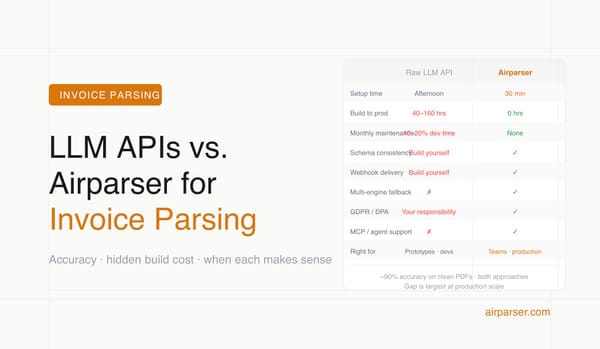
Best Invoice Parsing Tools for Small Finance Teams in 2026
Six AI invoice parsing tools compared for small finance and accounting teams — ranked by setup ease, format flexibility, line-item accuracy, and QuickBooks/Xero integration.

TL;DR
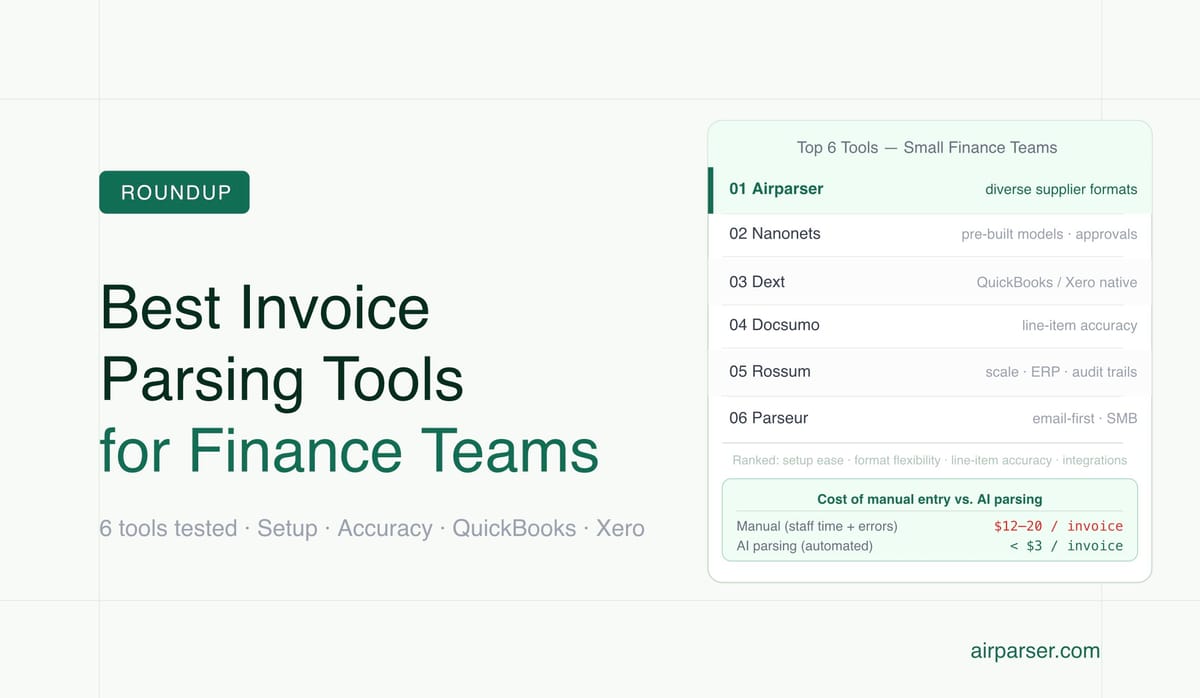
- Airparser is the best option if you receive invoices from many different suppliers in varying layouts — its vision AI engine reads any format without templates.
- Nanonets suits teams that need a pre-trained invoice model with built-in approval queues.
- Dext is the go-to for small bookkeeping or accounting practices already on QuickBooks or Xero.
- Docsumo excels at detailed line-item extraction on high-volume batches.
- Rossum is worth considering if your team expects to grow and needs ERP integrations and audit trails.
The best invoice parsing tool for a small finance team in 2026 depends on two things: how varied your supplier invoice formats are, and how much technical setup your team can handle. If your suppliers send inconsistent layouts — scanned PDFs, photos, email attachments — you need an AI tool that reads structure without templates. If your invoices are relatively uniform, a lighter rule-based or template tool may be faster to set up.
Small finance teams have a fundamentally different problem than enterprise AP departments. You're not processing 5,000 invoices a month with a dedicated AP team and an ERP budget. You're processing dozens to a few hundred invoices, juggling multiple roles, and you need something that works in an afternoon — not after a six-week implementation. The tools below are evaluated on that basis: ease of setup, accuracy on real-world supplier formats, integration with the tools small teams actually use (QuickBooks, Xero, Google Sheets, Zapier), and price at realistic SMB volumes.
Manual invoice data entry costs between $12 and $20 per document when you account for staff time, errors, and reprocessing. Automated invoice parsing cuts that to under $3 per document and reduces processing time from days to minutes. For a small finance team processing 200 invoices per month, that's a meaningful recovery of time and a significant reduction in reconciliation errors.
Why Invoice Parsing Is Harder Than It Looks for Small Teams
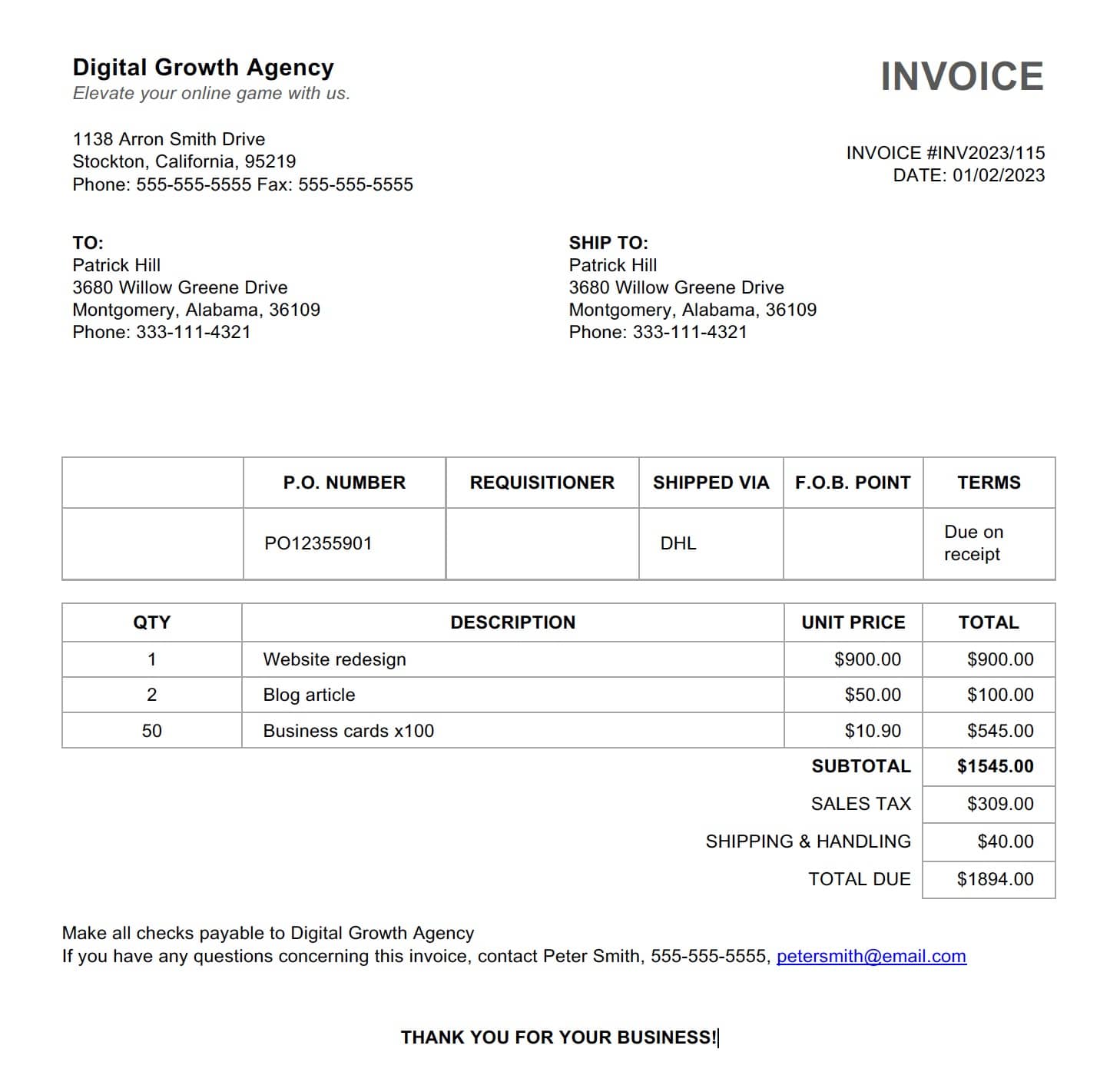
Every supplier has their own invoice design. Field positions vary: some vendors put the invoice number at the top right, others in the middle or bottom. Due dates appear in different formats — "NET 30", "Due: 2026-07-07", "Payment due within 30 days." Line items can span a structured table or be scattered across paragraphs. Tax and discount rows use dozens of different labels. Scanned copies add noise, skew, and variable resolution on top of the layout variation.
Traditional OCR tools handle this with per-vendor templates: you map field positions for each supplier once, then the tool extracts those positions every time. This works well when you have ten suppliers who never change their invoice format. It breaks down as soon as a supplier redesigns their template, sends a one-off invoice from a different system, or you add new vendors who don't match any existing template.
AI-based parsers avoid the template problem by understanding document structure semantically — they identify "this looks like a total amount" or "this block is a line-item table" without being told where to look. The tradeoff is that AI extraction has different failure modes: it may misread ambiguous fields or make confident mistakes on unusual formatting. The best tools for small teams combine AI accuracy with a way to quickly catch and correct those mistakes before they reach your accounting system.
The other small-team constraint is integration. Most small finance teams live in QuickBooks, Xero, or Google Sheets. An invoice parser that exports only to a proprietary system or requires a custom API integration isn't practical. And setup time matters: a tool that takes two weeks to configure properly isn't solving your problem if you have invoices piling up today.
What to Look for in an Invoice Parser for a Small Finance Team
Before evaluating specific tools, it helps to know which criteria actually matter at small-team scale:
- No-template setup. If you have more than 10-15 supplier invoice formats, look for AI extraction that doesn't require per-vendor template configuration. Vision AI and LLM-based parsers handle layout variation automatically.
- Line-item accuracy. Many tools extract header fields (invoice number, date, total) accurately but struggle with line items. If you need quantity, unit price, description, and tax per line, test that specifically.
- Email attachment handling. Most small-team invoices arrive by email as PDF or image attachments. Make sure the tool can process attachments, not just directly uploaded files.
- Integration with your accounting stack. Check for native QuickBooks or Xero sync, a Google Sheets export, or a Zapier/Make connection if you use either.
- Pricing at your volume. Pricing structures vary widely. Some tools charge per page, others per document, others by monthly seat. At 100-500 invoices per month, per-document pricing is usually cheaper than seat-based pricing.
- Review and correction workflow. No parser is 100% accurate. A tool with a clear review interface — where you can spot and fix extraction errors before they export — saves more time than it costs.
The 5 Best Invoice Parsing Tools for Small Finance Teams in 2026
1. Airparser — Best for Teams With Diverse Supplier Formats
Airparser uses a vision AI engine to read invoices the way a person would — by looking at the whole document image rather than relying on text layer positions. This makes it the strongest choice for teams that receive invoices from many different suppliers, including scanned PDFs, photos taken of paper invoices, and attachments from older accounting systems that don't produce clean digital PDFs.
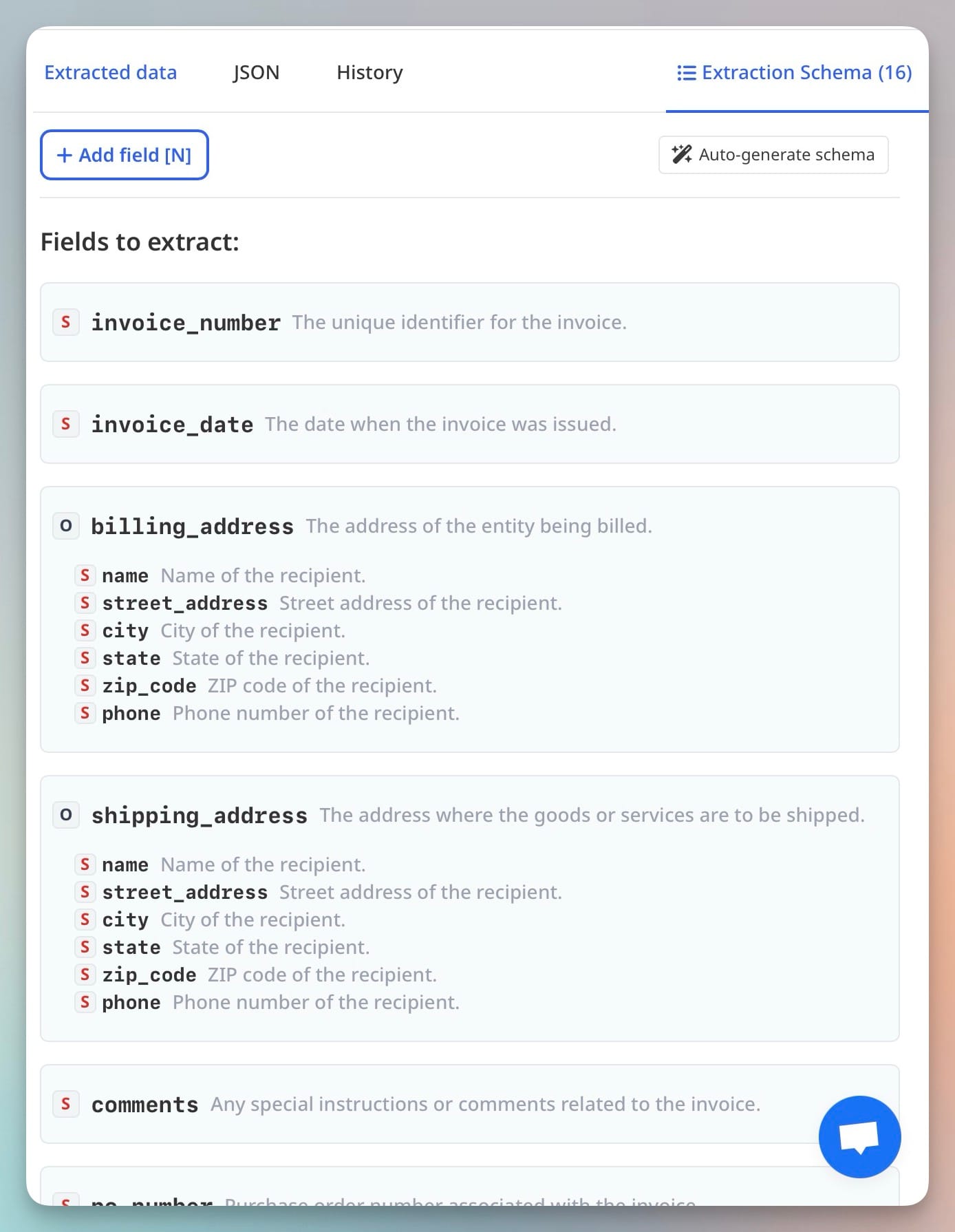
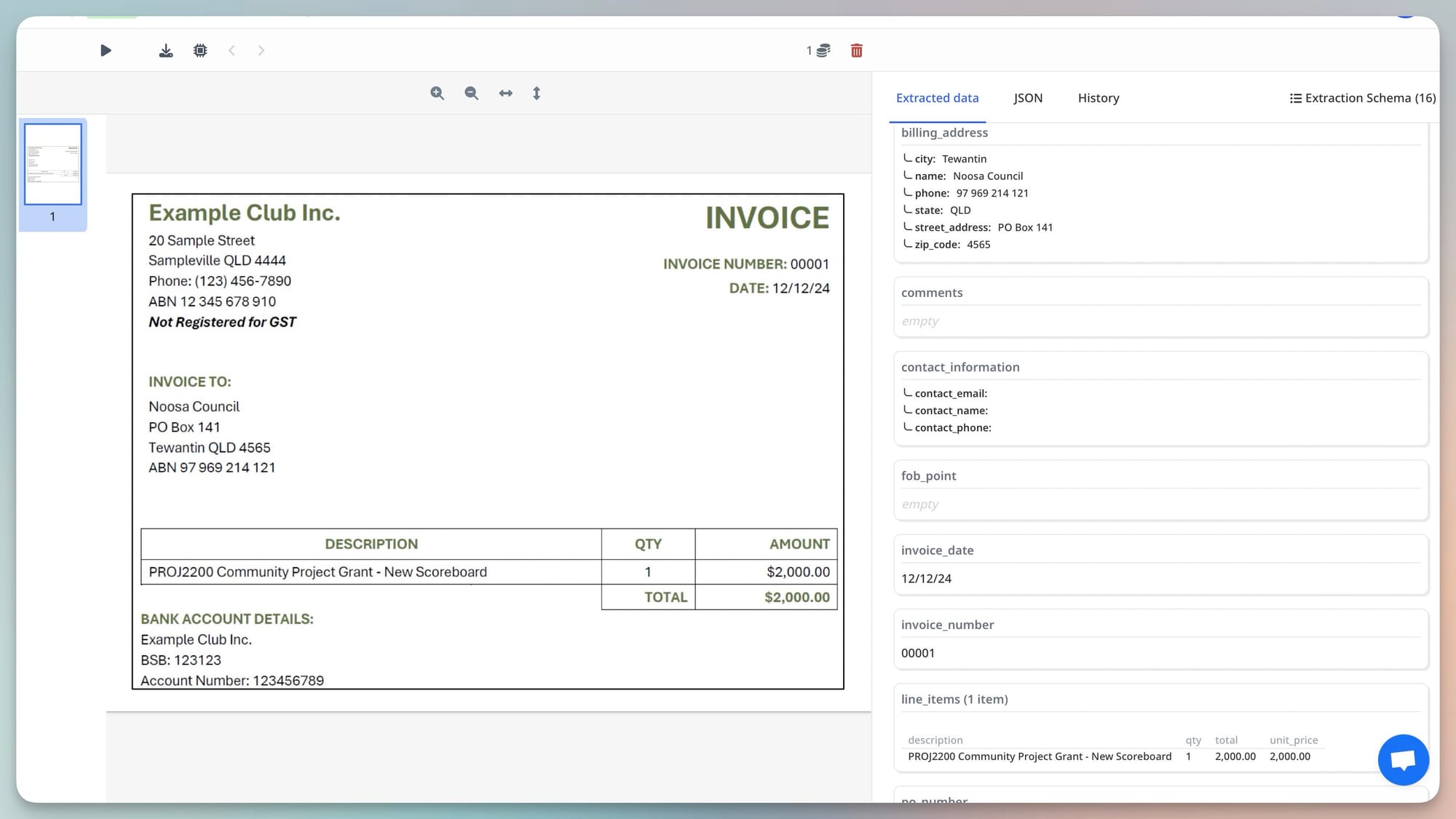
Setup works in three steps: create an inbox (which gets a dedicated email address), upload a sample invoice, and let the AI suggest an extraction schema. The schema covers standard invoice fields — vendor name, invoice number, date, due date, line items, subtotal, tax, and total — and you can add custom fields for anything specific to your workflow, like cost center codes or project references. Once the schema is set, every new invoice sent to that email address or uploaded manually is parsed automatically.
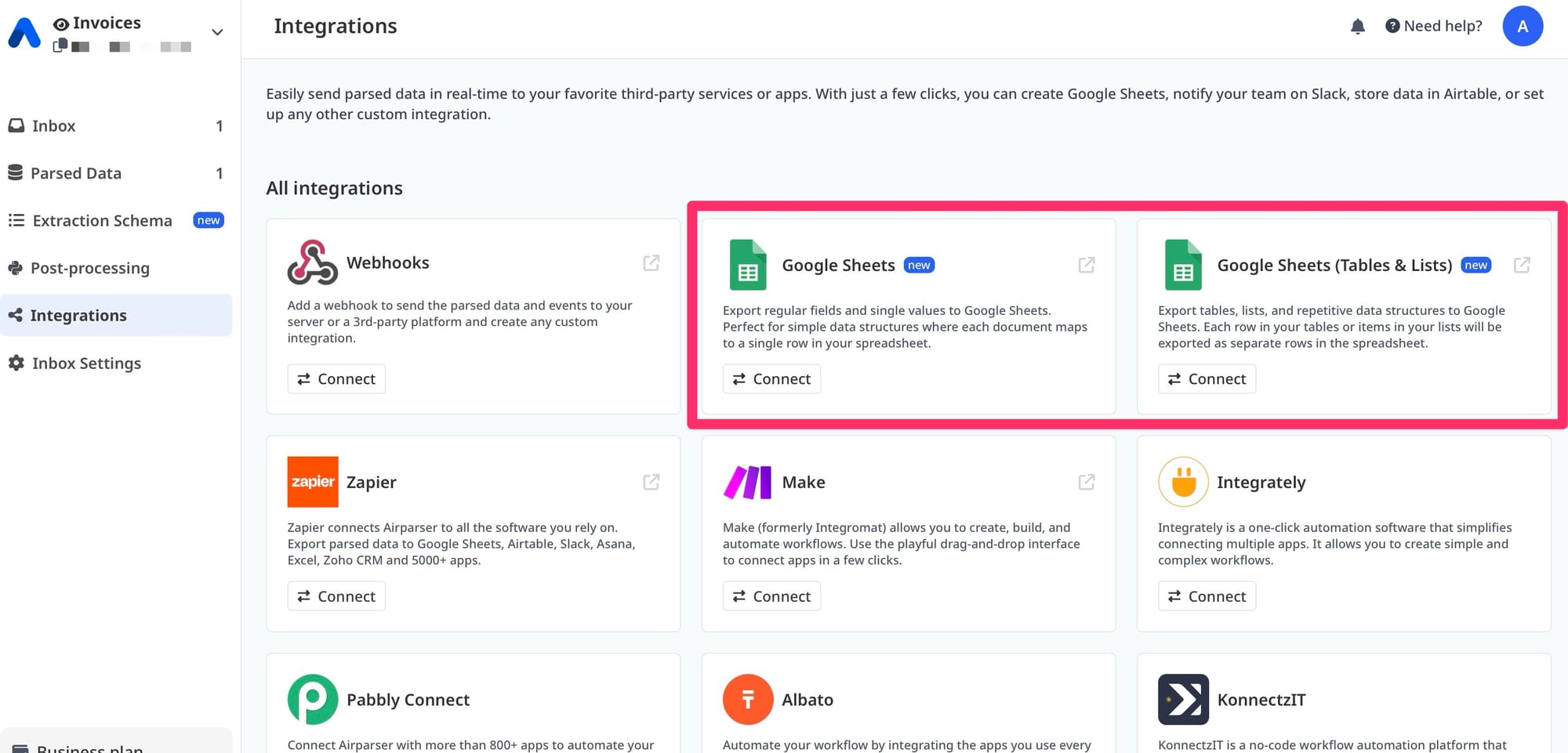
For export, Airparser connects to Google Sheets, webhooks, and major automation platforms including Zapier, Make, and n8n. If your team uses QuickBooks or Xero, you can route extracted data through Zapier to create or match bill records. The API is also available if you want to build a direct integration. Pricing is document-based rather than seat-based, which keeps costs predictable for small teams.
The vision engine is particularly useful for handling supplier invoices with complex layouts or tables — Airparser's AI reads the visual structure and infers column relationships without needing to know where each field is positioned in the text. For a deeper look at how the vision engine handles varied invoice formats, see Airparser's invoice parsing with the vision engine.
Best for: Teams with 5+ supplier invoice formats, scanned invoices, or attachments in unusual formats. Strong fit for finance teams that want a setup they can configure in an afternoon without developer help.
2. Nanonets — Best for Pre-Built Models and Approval Workflows
Nanonets offers a pre-trained invoice extraction model that covers most standard fields out of the box and improves with corrections over time. What makes it distinct at the small-team level is its built-in review and approval workflow: extracted invoices appear in a queue, you verify and approve each one, and the system learns from your corrections to improve future accuracy.
This approval-first model suits teams where someone still needs to sign off on each invoice before it hits the accounting system. The tool integrates with QuickBooks, Xero, and SAP, and can route approved invoices directly to the relevant record. Pricing is higher than simpler parsers, but the pre-trained model means less configuration work upfront.
Best for: Teams that need a built-in approval step and want a model that improves automatically from corrections. More setup cost but lower ongoing maintenance.
3. Dext — Best for Bookkeeping Practices and QuickBooks/Xero Integration
Dext (formerly Receipt Bank) is built specifically for bookkeepers and small accounting practices that live inside QuickBooks or Xero. You can upload invoices via mobile photo, email forwarding, or direct integration with cloud storage. Dext extracts header-level data (supplier, date, total, tax) and pushes it directly into the matching bill or expense record in QuickBooks or Xero, including automated supplier matching.
The extraction accuracy on clean digital invoices is high. Dext is weaker on complex line-item extraction and unusual formats, but for teams whose primary workflow is capturing supplier invoices and matching them to accounting records, the tight QuickBooks/Xero integration is hard to beat. It's also available as a mobile app, which matters for teams where someone is still receiving paper invoices.
Best for: Bookkeeping practices and small businesses already on QuickBooks or Xero that primarily need reliable header-field capture and fast sync to accounting records.
4. Docsumo — Best for High-Volume Line-Item Extraction
Docsumo specializes in structured data extraction from financial documents, with particular strength in multi-page invoice processing and detailed line-item parsing. It uses an AI model trained on invoice data and provides a human-in-the-loop verification layer where confidence scores flag fields that fall below a threshold for human review.
For small teams processing invoices with many line items — procurement teams, construction companies, distributors — Docsumo's line-item accuracy is better than most general-purpose parsers. Integration options include webhooks, a REST API, and Zapier. Pricing is volume-based and can get expensive at higher page counts.
Best for: Teams that need accurate line-item extraction and are comfortable with a slightly more technical setup. Particularly strong for multi-page invoices with complex tables.
5. Rossum — Best for Teams Preparing to Scale
Rossum is an AI document processing platform with a strong focus on accounts payable automation, including invoice capture, coding, and ERP integration. For a small team today, Rossum is likely over-engineered and priced beyond what makes sense. But if your team is growing — from 200 invoices a month to 2,000 — and you'll need to connect directly to NetSuite, SAP, or Microsoft Dynamics, Rossum is worth including in your evaluation now rather than switching platforms later.
Rossum includes audit trails, approval workflows, and GL coding suggestions, which become important as finance teams formalize controls. Its learning model improves with use. Implementation takes longer and costs more than simpler tools, but the extraction quality and workflow controls are enterprise-grade.
Best for: Small teams with a growth trajectory that know they'll need ERP integration and formal audit trails in the next 12–18 months.
How to Match the Right Tool to Your Team's Situation
The choice between these tools comes down to three practical questions:
How many different invoice formats do you receive? If you have fewer than 10 suppliers with consistent layouts, a template-based tool works well and is fast to set up. If you have 20+ suppliers, receive invoices from new vendors regularly, or get scanned documents, you need AI-based extraction that doesn't require per-vendor templates. Airparser and Nanonets both handle this without template setup.
What does your accounting workflow look like downstream? If you're pushing invoice data into QuickBooks or Xero directly, Dext's native sync is the path of least resistance. If you're routing data to Google Sheets, a database, or a custom system, tools with webhook and API output (Airparser, Docsumo) give you more flexibility. If you need a human approval step built into the tool, Nanonets or Rossum are better fits than tools that just extract and export.
What can you spend per document at your current volume? At 200 invoices per month, document-based pricing is usually more predictable than seat licensing. Run the math at your actual volume: a tool that looks affordable per seat can get expensive per-document at scale, and vice versa. Most tools offer a free trial or a free tier — test with your actual invoice samples before committing.
One practical recommendation: whichever tool you evaluate, test it with your actual invoices, not the vendor's demo documents. The difference between a clean digital PDF from a large supplier and a scanned image from a small vendor can be significant, and testing on real examples will surface accuracy gaps before they become a production problem. For guidance on the extraction workflow, see how to extract invoice line items from PDFs automatically and how to automate accounts payable data entry from supplier invoices.
Frequently Asked Questions
What is invoice parsing and how does it work?
Invoice parsing is the process of automatically extracting structured data from invoice documents — such as vendor name, invoice number, date, line items, tax amount, and total — so that data can be used in downstream systems without manual re-entry. Traditional invoice parsers used OCR (optical character recognition) to convert document text into machine-readable characters, then applied positional or keyword rules to find specific fields. Modern AI-based parsers use large language models and vision AI to understand invoice structure semantically — identifying fields by what they represent, not just where they appear on the page. This makes AI parsers far more accurate on the varied, real-world invoice formats that small finance teams deal with every day. The key advantage over manual entry is speed and consistency: an AI parser processes an invoice in seconds with the same extraction logic applied every time, eliminating the variability and fatigue that cause human data-entry errors.
Can invoice parsing tools handle scanned PDFs and photos?
Yes, but with varying accuracy depending on the tool. Scanned invoices add challenges that digital PDFs don't have: image noise, skew, low resolution, mixed fonts, and handwritten annotations. Template-based tools often struggle with scanned documents because the field positions may not match the expected locations when a scan is slightly rotated or compressed. AI-based vision tools — including Airparser's vision engine — process documents as images rather than relying on text layer positioning, which makes them more robust to scan quality issues. That said, very low-quality scans (phone photos taken at an angle, heavily compressed faxes) can reduce accuracy even in AI-based tools. If your workflow includes a significant share of scanned documents, test the tool specifically with those samples before choosing. Most tools offer a free trial period that is long enough to run a realistic test batch.
How accurate are AI invoice parsers on line items?
Line-item accuracy is the hardest part of invoice extraction and varies significantly across tools. Header fields — invoice number, date, vendor name, and totals — are extracted accurately by most modern AI parsers on clean digital PDFs. Line items are harder because invoices use different table structures, wrap item descriptions across multiple lines, merge columns inconsistently, and sometimes include non-item rows (subtotals, discounts, notes) mixed into the line-item table. The best tools for line-item accuracy in 2026 are those with purpose-built table parsing models and a confidence-scoring system that flags uncertain rows for human review. Docsumo and Nanonets are strong for line-item extraction specifically. Airparser handles line items well through its AI schema, particularly on invoices with clearly structured tables. For complex multi-page invoices with irregular line formats, a human verification step is still worth including in your workflow even with the best available tools.
What fields can invoice parsers typically extract?
Most AI invoice parsers can reliably extract the following standard fields: vendor name and address, invoice number, invoice date, due date, purchase order number (when present), subtotal, tax amount and tax rate, shipping or freight charges, total amount due, currency, and payment terms. More advanced tools and configurations also support: individual line items with description, quantity, unit price, and extended amount; GL coding or cost center codes; project numbers and reference identifiers; and early payment discount terms. The exact fields available depend on the tool and your extraction schema. Tools like Airparser let you define a custom schema so you extract exactly the fields your workflow needs — including fields specific to your industry, like contract numbers for professional services invoices or delivery references for wholesale supplier invoices.
How do invoice parsing tools connect to QuickBooks or Xero?
The depth of QuickBooks and Xero integration varies by tool. Dext has the most direct native integration — it creates or matches bill records in your accounting software automatically, including supplier matching and expense category suggestions. Nanonets also offers direct QuickBooks and Xero sync with field mapping. Tools like Airparser connect to QuickBooks and Xero through intermediaries: you can use Zapier or Make to route extracted invoice fields into a bill creation workflow, or use the API to build a direct connection. For teams that want a simple push from parsed invoice to accounting record without custom automation work, Dext or Nanonets are easier. For teams that need more flexibility in how invoice data moves downstream — for example, routing different vendor invoices to different accounting codes based on rules — a tool with webhook or API output plus a Zapier workflow gives you more control. Whichever path you choose, test the field mapping with your actual invoice schema before going live to catch any mismatches between the parser's output fields and your accounting system's expected inputs.
Is it worth using an invoice parser for a small team processing fewer than 100 invoices a month?
Yes, for most teams. Even at 50-100 invoices per month, the time saved from eliminating manual data entry is significant — typically 5-10 minutes per invoice for a thorough job, which adds up to 8-16 hours per month of staff time. At that scale, the right tool is one with minimal setup overhead: you don't want to spend 20 hours configuring a system to save 10 hours per month. Tools with fast AI-based onboarding — where you upload a few sample invoices and get an extraction schema in minutes — are better suited to small-volume teams than enterprise tools with long implementation cycles. Most modern AI parsers offer free tiers or trial periods at low volumes, so the risk of trying one is low. The primary benefit at small scale is not just time savings but error reduction: a 1-3% data-entry error rate on 100 invoices per month means 1-3 errors per month that someone has to find and fix during reconciliation, often long after the fact. Automating extraction eliminates the source of those errors, which pays dividends in cleaner books and faster month-end close.