Document Parsing Terms Glossary: 29 Key Concepts Explained
Clear definitions of 29 document parsing terms — OCR, IDP, LLM extraction, JSON schema, confidence scores, and more. A plain-language reference for anyone working with document automation.

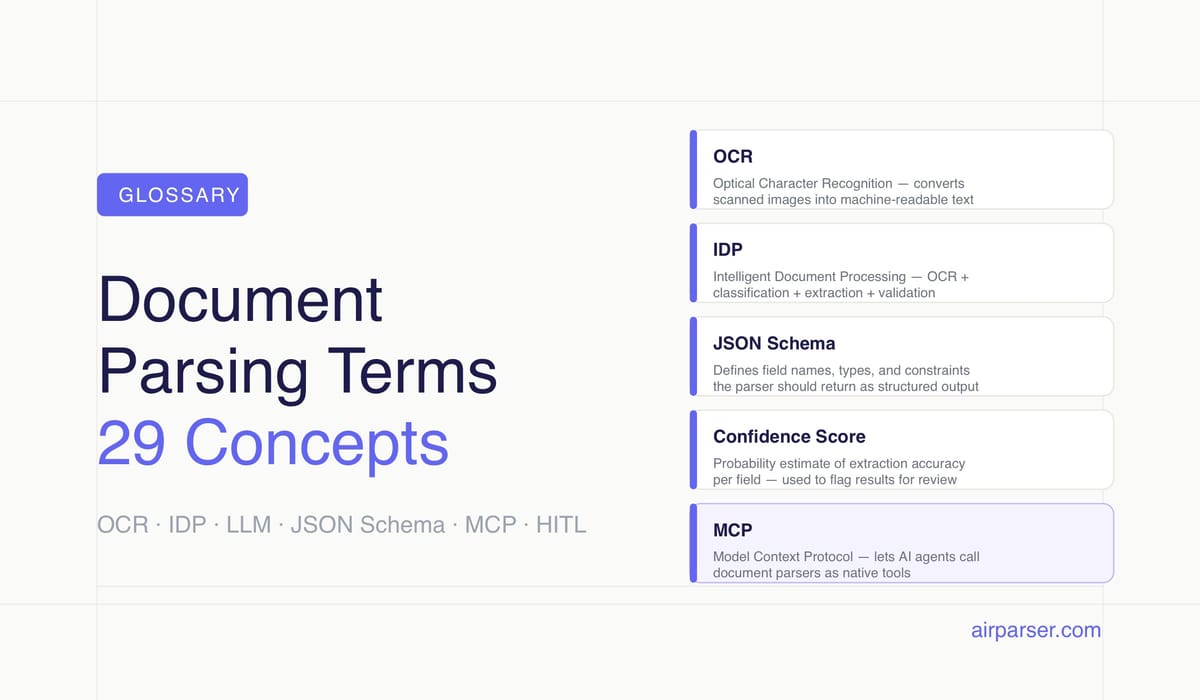
TL;DR: This glossary defines 29 terms used in document parsing, AI-based data extraction, and document automation — from OCR and IDP to JSON schema, confidence scores, and agentic extraction. Each definition stands alone; jump to any term without reading the full page.
Document parsing has its own vocabulary — and the terms matter. Whether you're evaluating a parsing tool, building a data extraction pipeline, or reading a vendor comparison, knowing the difference between OCR and LLM extraction, or between a structured and semi-structured document, changes which decisions you make and how you evaluate quality.
Each definition below is written to be self-contained. You don't need to read the whole page to understand any single term. Where a term maps directly to something Airparser does, the definition says so.
The document parsing field has expanded significantly as AI capabilities matured. A decade ago, most parsers relied on template-based OCR with rigid field coordinates. Today, the same workflow might combine a vision model for layout analysis, an LLM for semantic field extraction, and a JSON schema to validate output before it reaches a downstream system. That expansion brought new terminology — some precise, some overloaded with marketing meaning. These definitions aim to be specific enough to be useful.
Core Extraction Technologies
OCR (Optical Character Recognition)
OCR converts an image of text — a scanned page, photograph, or rasterized PDF — into machine-readable characters. Traditional OCR reads text character by character using pattern matching against a trained character set. It works well for clean, high-contrast text in standard fonts.
OCR is the foundational layer in most document parsing pipelines. Even tools that use LLMs for field extraction typically run OCR first to produce a text layer, then apply semantic extraction on top. The quality of the OCR step affects everything downstream: a character recognition error early on can corrupt a field value or cause a field match to fail.
Accuracy varies by document quality. Printed documents in good condition typically achieve 98–99% character accuracy. Handwritten text, low-resolution scans, and documents with unusual fonts drop OCR accuracy significantly — which is why additional extraction layers (ICR, vision models) exist.
Related: Comparing AI extraction methods: traditional OCR vs LLM parsing
ICR (Intelligent Character Recognition)
ICR extends OCR to handle handwritten text. Standard OCR fails on handwriting because character forms vary by individual writer. ICR uses machine learning models trained on large handwriting datasets to recognize letter shapes that don't conform to standard printed fonts.
ICR is used for handwritten form fields, medical records, insurance documents, and historical archives. It requires more computation than standard OCR and typically produces lower confidence scores on ambiguous characters. Modern document parsers that support handwriting use deep learning-based ICR rather than classical template matching. Airparser supports handwritten document extraction as a distinct parsing mode.
IDP (Intelligent Document Processing)
IDP refers to the combination of OCR, AI-based classification, field extraction, and validation into a single automated pipeline. The "intelligent" part distinguishes it from simple OCR: an IDP system can recognize what type of document it received, apply the appropriate extraction logic, validate output against business rules, and flag exceptions for human review.
IDP is a category term, not a specific technology. Different vendors implement it differently: some use ML classifiers for document type detection, others use LLMs for both classification and extraction, and some rely on static templates with rule-based validation. What they share is the attempt to handle the full extraction workflow automatically.
LLM-based Extraction
LLM-based extraction uses a large language model to identify and pull structured fields from document text. Instead of matching a field by its position on the page or a surrounding keyword, an LLM reads the full text and uses semantic understanding to answer questions like "what is the invoice total?" or "who is the vendor?"
This approach handles layout variation well. An LLM doesn't care whether the total appears at the bottom right or bottom left of a page — it understands context. It also handles document layouts the system has never seen before, without needing a trained template. The tradeoff is cost and latency: LLM inference is more expensive per document than template matching.
Airparser routes documents to LLM-based extraction when template matching is insufficient, including for scanned documents with variable layouts and documents with complex nested fields. See also: Zonal OCR vs ChatGPT PDF parsing.
Vision Model / VLM (Vision Language Model)
A vision language model processes document images directly — pixel data — rather than relying on a text layer produced by OCR. VLMs can identify text, understand layout, recognize tables, and interpret visual elements like stamps, signatures, and logos in a single pass.
This matters for documents where OCR fails: handwritten notes, mixed text-and-image layouts, tables with merged cells, and documents with annotations. A VLM sees the document as an image — the same way a human does — and produces output from that visual understanding.
GPT-4o, Claude 3.5, and Gemini 1.5 are examples of models with vision capabilities used in document parsing pipelines. Airparser uses vision models for scanned and handwritten documents where OCR quality is insufficient.
Template-based Extraction / Zonal OCR
Template-based extraction defines fields by their fixed position on a known document layout. You tell the system: "the invoice number is always in this rectangle on page 1." When a new document arrives, the parser crops that region, runs OCR on it, and returns the result.
Zonal OCR is fast and cheap. It works well for high-volume, consistent documents from a single source — utility bills from one provider, payslips from one payroll system, order forms from one customer. It breaks when layout shifts: a supplier who changes their invoice template, a form with optional sections, or any document with dynamic content length.
Template-based extraction is the baseline approach most parsers started with. Modern tools layer AI extraction on top or replace it entirely for documents with variable layouts.
Multi-engine Extraction
Multi-engine extraction routes documents through more than one parsing technology and either selects the best result or combines outputs. A common pattern: run OCR for the text layer, use a vision model for layout analysis, and apply an LLM for semantic field extraction. Each engine handles what it does best.
Airparser uses multi-engine routing internally. The system selects the extraction approach based on document characteristics: native PDF text quality, scanned image resolution, presence of handwritten fields, table complexity. Users don't configure this manually — the router decides which engines to apply.
Document Structures and Types
Structured Document
A structured document has a fixed, predictable format where every field appears in the same position every time. Database exports (CSV, Excel), machine-generated XML, and EDI files are examples. Parsing a structured document is straightforward: field locations are known in advance and don't vary.
Semi-structured Document
A semi-structured document contains identifiable fields with consistent meaning but variable layout. Invoices are the canonical example: every invoice has a vendor, date, line items, and total — but the precise position of those fields varies by issuer, country, and software.
Semi-structured documents are the core challenge in document parsing because you can't rely on fixed coordinates but the fields themselves are predictable. Most enterprise document parsing — invoices, purchase orders, receipts, contracts, resumes — falls into this category. LLM-based extraction handles semi-structured documents better than template-based approaches because it understands field semantics, not just position.
Unstructured Document
An unstructured document has no consistent field schema. Free-text emails, contracts with narrative clauses, research reports, and legal briefs are unstructured. Extracting data from them requires understanding meaning, not just finding a field by name or position.
LLMs handle unstructured extraction better than any previous approach, but confidence is lower and validation is more important. Airparser supports unstructured document extraction, though it works best when you provide a clear JSON schema with rich field descriptions to guide the model.
Native PDF vs. Scanned PDF
A native PDF (also called a digital PDF) was generated by software — an accounting system, a word processor, an HTML renderer. It contains an embedded text layer that can be read directly without OCR. A scanned PDF is an image file wrapped in a PDF container: it was physically scanned from paper and has no embedded text.
To extract text from a scanned PDF, you must run OCR or a vision model on the image. Native PDFs parse faster, more accurately, and more cheaply. Most parsing pipelines detect which type they're dealing with and route accordingly. Airparser handles both automatically.
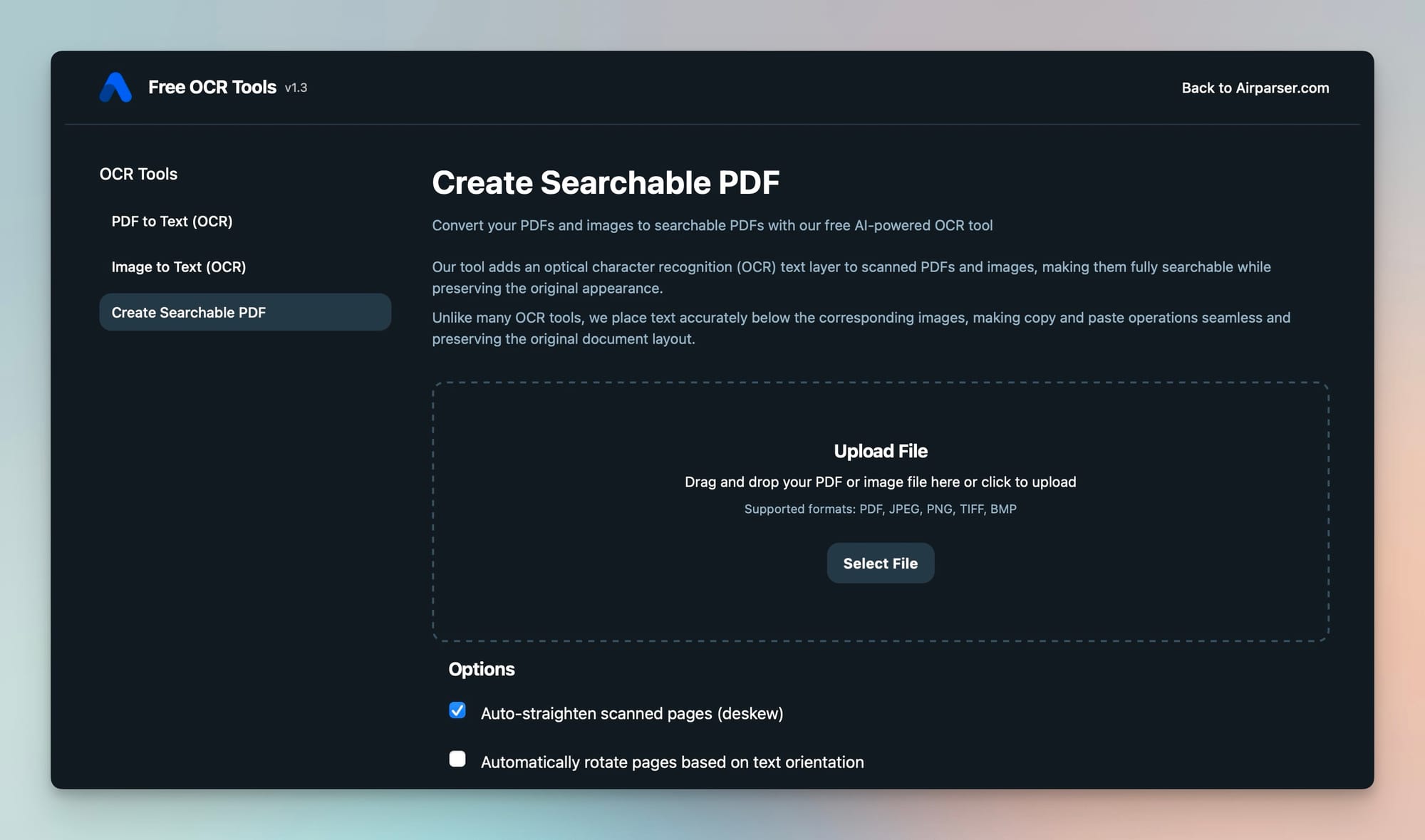
Related: How to make a PDF searchable — free OCR tool, What is a PDF parser and how can it help you
Output and Data Concepts
Structured Output
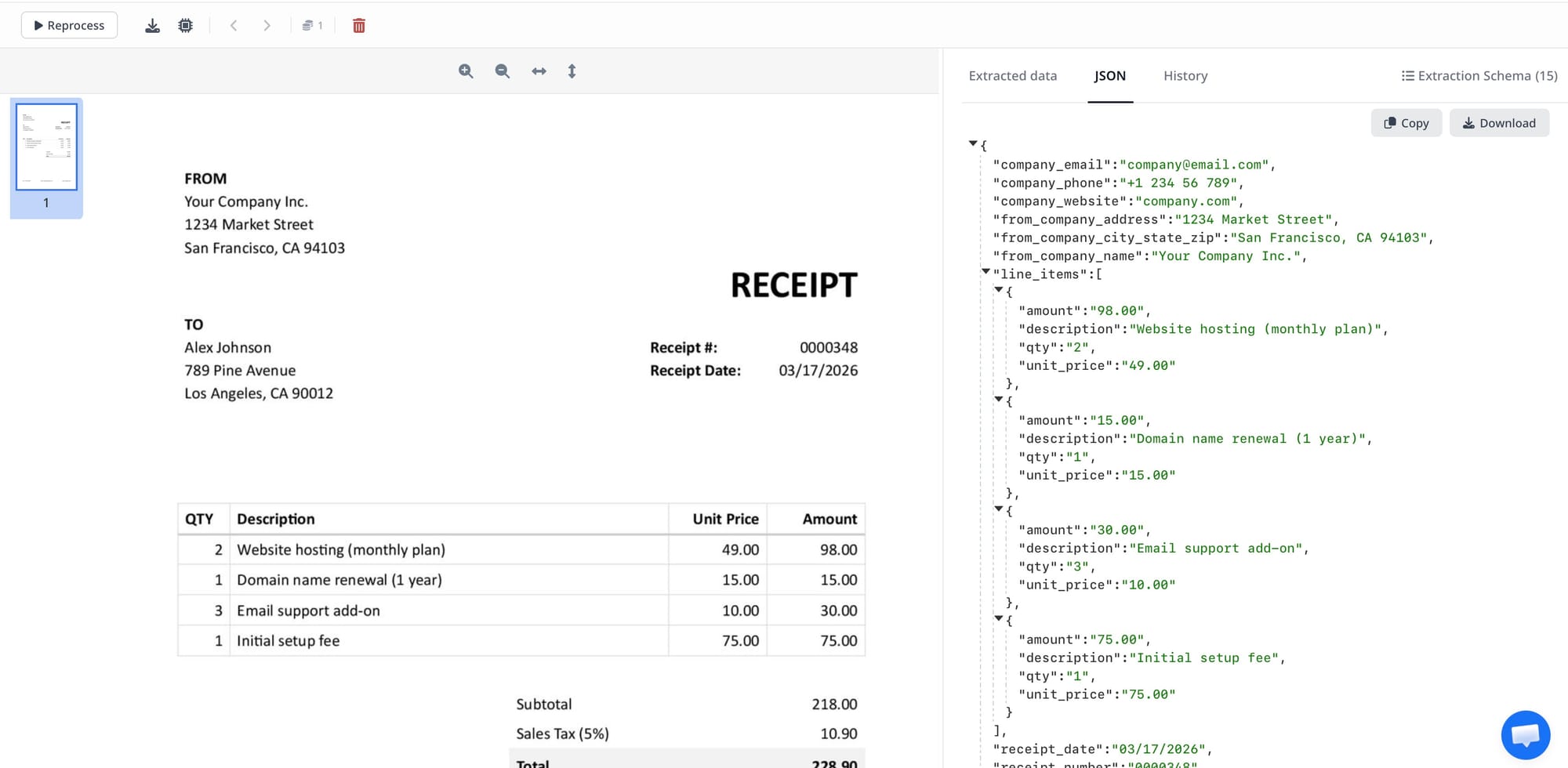
Structured output is an extraction result in a defined schema — typically JSON, XML, or CSV — rather than raw text. Instead of returning "Invoice Total: $1,234.56" as a string, a structured output returns {"invoice_total": 1234.56, "currency": "USD"}.
Structured output is what makes document parsing useful for automation. Downstream systems — databases, ERPs, spreadsheets, APIs — need data in a predictable shape. A parser that returns unstructured text requires a second parsing step before the data is usable. Related: How to convert PDF to JSON automatically with AI.
JSON Schema
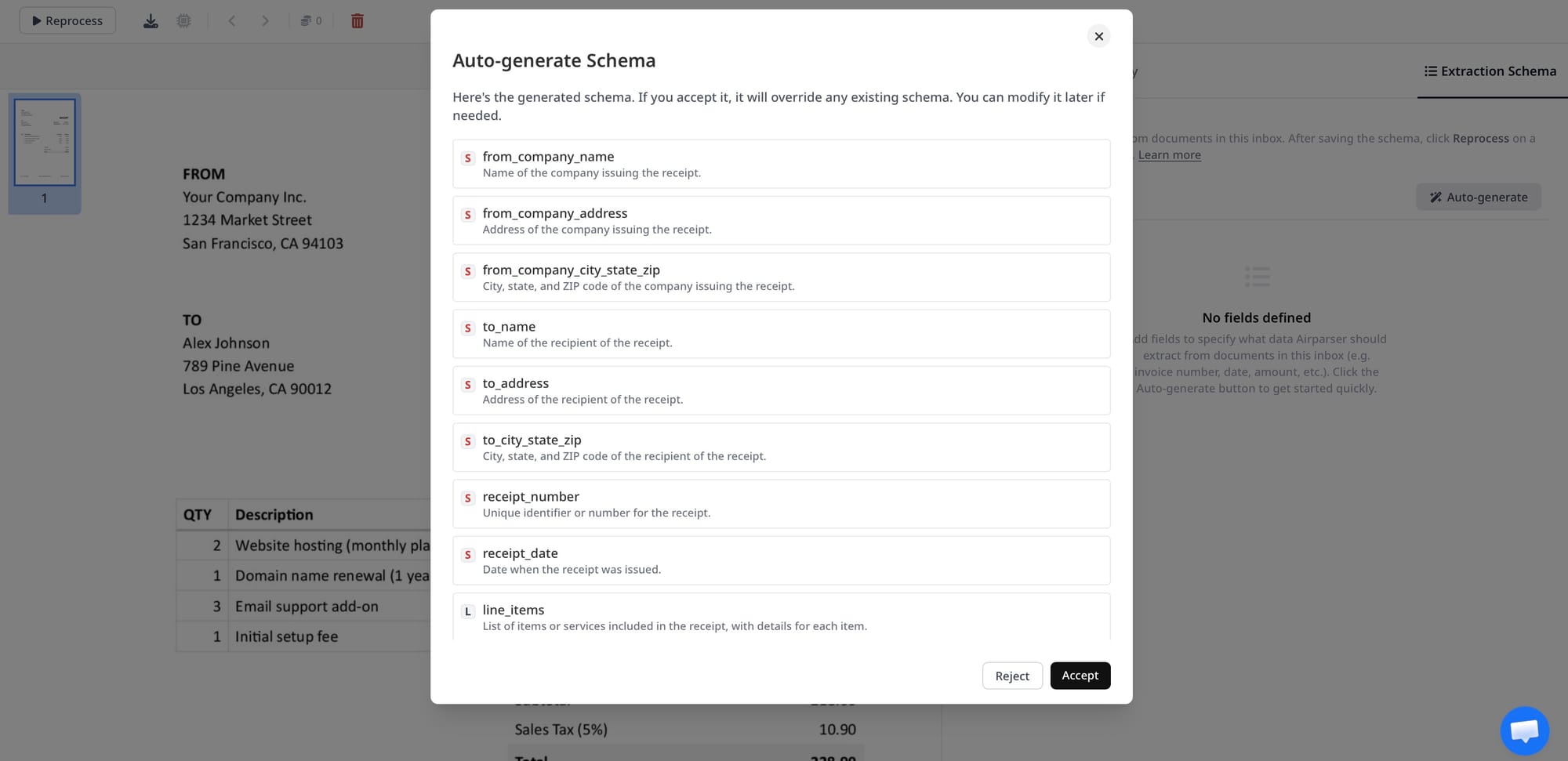
A JSON schema defines the structure, field names, and data types of the output a parser should produce. It tells the extraction system: "I expect an object with these specific fields, these types, and these constraints." Well-designed schemas reduce ambiguity for LLM-based extractors and make output validation straightforward.
In Airparser, you define the JSON schema for each parser: field names, types, whether they're required, and optional descriptions. The description field is especially useful — adding "The total amount due before tax" helps the model understand which number to extract when the document contains multiple currency values.
Confidence Score
A confidence score is a probability estimate attached to an extracted field value, indicating how certain the extraction system is about the result. A score of 0.98 means high confidence; 0.61 means the system found something but is uncertain whether it's correct.
Confidence scores are used to route low-confidence results to human review, trigger re-extraction with a different engine, or flag documents for exception handling. Not all parsers expose confidence scores — some only return the extracted value. When building a high-accuracy pipeline, access to per-field confidence is important for quality control.
Field Extraction
Field extraction is the process of identifying and pulling a specific named value from a document: "extract the vendor name," "extract the due date," "extract the line items." It's the core operation of any document parser and the unit of work that schema definitions describe.
Table Extraction / Line-item Extraction
Table extraction identifies tabular data in a document and returns it as a structured array. Invoice line items — product, quantity, unit price, total — are the most common use case. PDF tables are notoriously difficult to extract correctly because PDF has no native table concept; the visual appearance of a table is produced by positioning individual text elements.
Good table extraction must handle merged cells, multi-line rows, tables that span pages, tables with missing column headers, and tables with inconsistent column widths. LLMs and vision models have improved table extraction significantly, though edge cases remain challenging.
Named Entity Recognition (NER)
NER is a natural language processing technique that identifies and classifies entities in text: people, organizations, dates, addresses, monetary amounts, product codes. In document parsing, NER is often used as an intermediate step — extracting all entities from text before mapping them to schema fields. Modern LLM-based parsers incorporate NER implicitly, though the distinction matters when debugging extraction quality.
Document Classification
Document classification is the step of identifying what type of document was received before extraction begins. Is this an invoice, a purchase order, a contract, or a shipping label? Classification determines which extraction template or schema applies.
Classification can be rule-based (check for keywords like "Invoice," "PO Number"), ML-based (train a classifier on document type labels), or LLM-based (ask the model what type of document this is). Accurate classification is critical in mixed-document workflows where different document types arrive in the same inbox.
Workflow and Integration
Parsing Inbox
A parsing inbox is an email address or upload endpoint that accepts incoming documents. When a document arrives — as an email attachment, a forwarded email, or a direct upload — the parser automatically processes it and returns extracted data. Airparser provides a dedicated email inbox for each parser. To submit a document, you forward the email or attach the file to the inbox address, with no API integration required for simple workflows.
Webhook
A webhook is an HTTP callback that sends data to a URL you specify when an event occurs. In document parsing, a webhook fires when extraction is complete, sending the structured JSON output to your endpoint. Your application receives the data in real time without polling.
Webhooks are the primary integration pattern for document parsing automation. The parser extracts, then pushes results to your CRM, ERP, database, or custom API. Airparser supports webhooks as a delivery method for all extracted data.
Post-processing
Post-processing is any transformation, validation, or enrichment applied to extracted data after the parser returns it. Examples: normalizing a date from "15/03/2025" to ISO 8601 format, looking up a vendor ID by name in a database, calculating a derived field not present in the original document, or rejecting an extraction result if a required field is missing.
Post-processing can happen in the parsing platform (if it supports transformation rules) or in downstream code. For complex logic, writing a small script that receives the webhook payload and applies business rules is often more maintainable than configuring complex rules in the parser UI.
Data Normalization
Data normalization is the process of converting extracted values into a consistent format regardless of how they appeared in the source document. Dates are the clearest example: "March 15, 2025," "15-03-2025," and "03/15/25" all mean the same thing, but a database column expects one format.
Normalization also applies to currencies (removing symbols, converting to decimal), addresses (standardizing country codes and postal formats), phone numbers, and product codes with varying separator characters. Downstream systems break when data arrives in inconsistent formats.
Extraction Accuracy, Precision, and Recall
Three metrics evaluate how well a parser performs on a test set of documents:
- Accuracy: the percentage of fields extracted correctly across all documents
- Precision: of all fields the parser claimed to extract, what fraction were actually correct
- Recall: of all fields that existed in the documents, what fraction did the parser find
Precision and recall are often in tension. A conservative parser with high precision might miss some fields (low recall). An aggressive parser with high recall might produce some incorrect values (lower precision). For most business workflows, precision matters more: a missed field is usually less damaging than a wrong value propagating downstream.
Human-in-the-Loop (HITL)
Human-in-the-loop is a design pattern where a human reviewer sees and corrects extraction results before they enter a downstream system. Low-confidence fields are flagged; a human validates or corrects them, and that correction may be used to improve the system over time.
HITL is common in high-stakes document workflows — financial reconciliation, legal document processing, medical records — where errors have significant consequences. It trades throughput for accuracy and is most useful when combined with confidence scores that identify which fields need review.
Platform and Architecture Concepts
Parser Template
A parser template defines the extraction logic for a specific document type: the JSON schema (what fields to extract), the document source (email, upload, API), and any post-processing or delivery settings. In Airparser, you create one parser per document type — an invoice parser, a resume parser, a shipping manifest parser.
Templates allow you to maintain separate extraction logic per document type without mixing concerns. An invoice parser optimized for vendor invoices won't be confused by the different field structure of a resume.
API-based Parsing
API-based parsing submits documents programmatically via HTTP rather than through an email inbox or manual upload. Your application sends the document (as a URL or file upload) to the parsing API and receives structured JSON back.
API integration is the pattern for high-volume automated workflows where documents arrive from code: generated reports, downloaded attachments, files from a storage bucket. Airparser's public API supports document submission, result retrieval, and parser management. Full documentation: help.airparser.com/public-api.
Agentic Document Extraction
Agentic document extraction integrates parsing into an AI agent's tool set, so the agent can extract structured data from documents as one step in a multi-step workflow — without a human directing each extraction individually.
In a traditional parsing workflow, a human or script submits a document, waits for results, and routes data to the next step. In an agentic workflow, the AI agent decides when to parse a document, calls the parser as a tool, receives results, and acts on them — combining document parsing with search, API calls, calculations, or further reasoning.
Airparser supports agentic extraction through its MCP server, which allows AI agents built on Claude, ChatGPT, or other frameworks to call Airparser's extraction capabilities directly. See also: Airparser MCP: document parsing for AI agents.
Data Processing Agreement (DPA)
A DPA is a contract between a data controller (your business) and a data processor (the tool processing data on your behalf). Under GDPR Article 28, a DPA is legally required whenever a processor handles personal data on behalf of a controller.
For document parsing, a DPA matters whenever documents contain personal information — names, addresses, financial data, health records. Without a signed DPA, using a parsing tool for GDPR-regulated data creates legal exposure. Airparser provides a DPA for Business and Enterprise plan subscribers. Related: GDPR-compliant document parsing.
Data Retention Policy
A data retention policy defines how long extracted documents and results are stored by the parsing platform before deletion. For privacy and compliance reasons, many organizations need data deleted promptly after extraction — not stored indefinitely.
Airparser allows configuring retention at the parser level: delete immediately after extraction, or retain for 1, 7, or 30 days. Shorter retention reduces compliance exposure for documents containing personal data.
MCP (Model Context Protocol)
MCP is an open protocol that lets AI agents call external tools in a standardized way. An MCP server exposes a tool's capabilities — what the tool can do and what parameters it accepts — so any MCP-compatible AI agent can call it without custom integration code.
In the context of document parsing, an MCP server lets an AI agent submit documents for extraction, retrieve results, and list available parsers, all as native tool calls. Airparser provides an MCP server at mcp.airparser.com, compatible with Claude, ChatGPT, and other MCP-supporting frameworks.
Frequently Asked Questions
What is the difference between OCR and AI document parsing?
OCR (Optical Character Recognition) converts images of text into machine-readable characters — it handles the reading step. AI document parsing goes further: after OCR produces a text layer, AI models identify what the text means, which values belong to which fields, and how to structure the output as JSON. A scanned invoice requires OCR to read the characters and AI extraction to determine that "€1,234.00" is the invoice total rather than a product price. Modern tools like Airparser combine both steps internally, but they are technically distinct operations. Older OCR-only tools return raw text; AI parsers return structured data ready for use in applications and databases.
What is a confidence score in document parsing, and why does it matter?
A confidence score is a number — usually a probability between 0 and 1 — that represents how certain the parser is about an extracted value. A score of 0.97 means high confidence; 0.55 means the system found a value but the match is ambiguous. Confidence scores matter most in automated pipelines where you need to decide whether to use the extracted value directly, route it to human review, or trigger re-extraction with a different engine. Without confidence scores, a parser returns values with no indication of reliability, making it difficult to catch errors before they propagate downstream. Some parsers expose field-level confidence scores; others only expose document-level scores or none at all.
What is the difference between structured, semi-structured, and unstructured documents?
Structured documents have a fixed, predictable format where every field is always in the same position — database exports and machine-generated XML are examples. Semi-structured documents have consistent field semantics (every invoice has a vendor, date, and total) but variable layout depending on who produced them. Unstructured documents have no consistent field schema — free-text emails, contracts, and narrative reports. The document type determines which extraction approach is appropriate. Template-based parsers work for structured documents. LLM-based extraction handles semi-structured documents well. Unstructured documents require careful schema design and benefit most from rich field descriptions that guide the model toward the right values.
What does "post-processing" mean in a document parsing workflow?
Post-processing is any transformation or validation applied to extracted data after the parser returns it. Common examples: converting a date from "15/03/2025" to ISO 8601 format, removing currency symbols to produce a clean decimal number, looking up a vendor ID in a database using the extracted vendor name, or rejecting a result when a required field is missing. Post-processing can happen inside the parsing platform if it supports transformation rules, or in downstream code that receives the webhook payload. For simple workflows, platform-level rules are convenient. For complex business logic — multi-step lookups, conditional transformations, external API calls — writing a small script in Python or JavaScript is often more maintainable and testable.
When should I use template-based extraction versus LLM-based extraction?
Template-based extraction is the right choice when you receive a high volume of identical documents from a single source with a fixed layout — invoices from one supplier, payslips from one payroll system, or forms from one government agency. It's fast, cheap, and accurate for consistent inputs. LLM-based extraction is the right choice when documents vary in layout or come from multiple sources — invoices from hundreds of different suppliers, resumes from candidates, contracts from different legal teams. LLMs handle layout variation without needing a separate template for each source. The tradeoff is cost and latency. A practical starting point: use LLM extraction to validate your schema design, then evaluate whether any high-volume consistent sources warrant dedicated template rules.
What is agentic document extraction?
Agentic document extraction means an AI agent calls a document parser as a tool during a multi-step automated workflow, without a human directing each extraction step. In a conventional parsing workflow, a human submits documents and routes results manually. In an agentic workflow, the agent receives a task — "process all invoices from this email thread and update the ledger" — and calls the parser automatically as part of executing that task. The agent decides when to parse, what to do with the results, and how to combine parsing with other tools like search or database writes. Airparser supports this through its MCP server, which exposes parsing as a callable tool for AI agents.
Do I need a Data Processing Agreement (DPA) to use a document parser?
Under GDPR, you need a DPA whenever a third-party service processes personal data on your behalf — and document parsers almost always fall into this category. If the documents you're parsing contain names, addresses, financial data, or any other personal information about EU residents, you must have a signed DPA with your parsing provider before processing begins. Without one, you're operating outside GDPR Article 28 requirements, which carries significant compliance risk. Airparser provides a DPA for Business and Enterprise plan subscribers. If you're parsing documents that contain personal data and you're subject to GDPR, check your current parsing vendor's DPA policy before going live at scale.