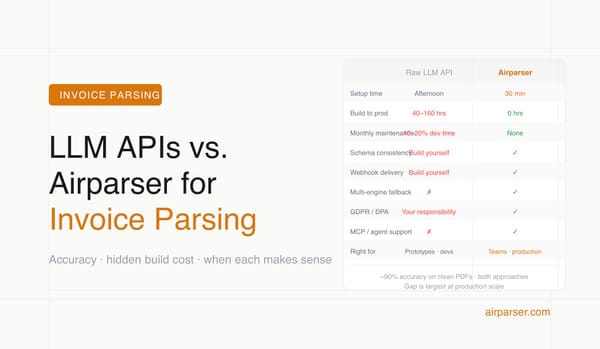
Document Parsing for AI Agents: How to Connect Airparser MCP to Claude or ChatGPT
Connect Airparser MCP to Claude or ChatGPT in minutes and give your AI agent the ability to parse documents, inspect inboxes, retrieve structured JSON, and update schemas.

TL;DR
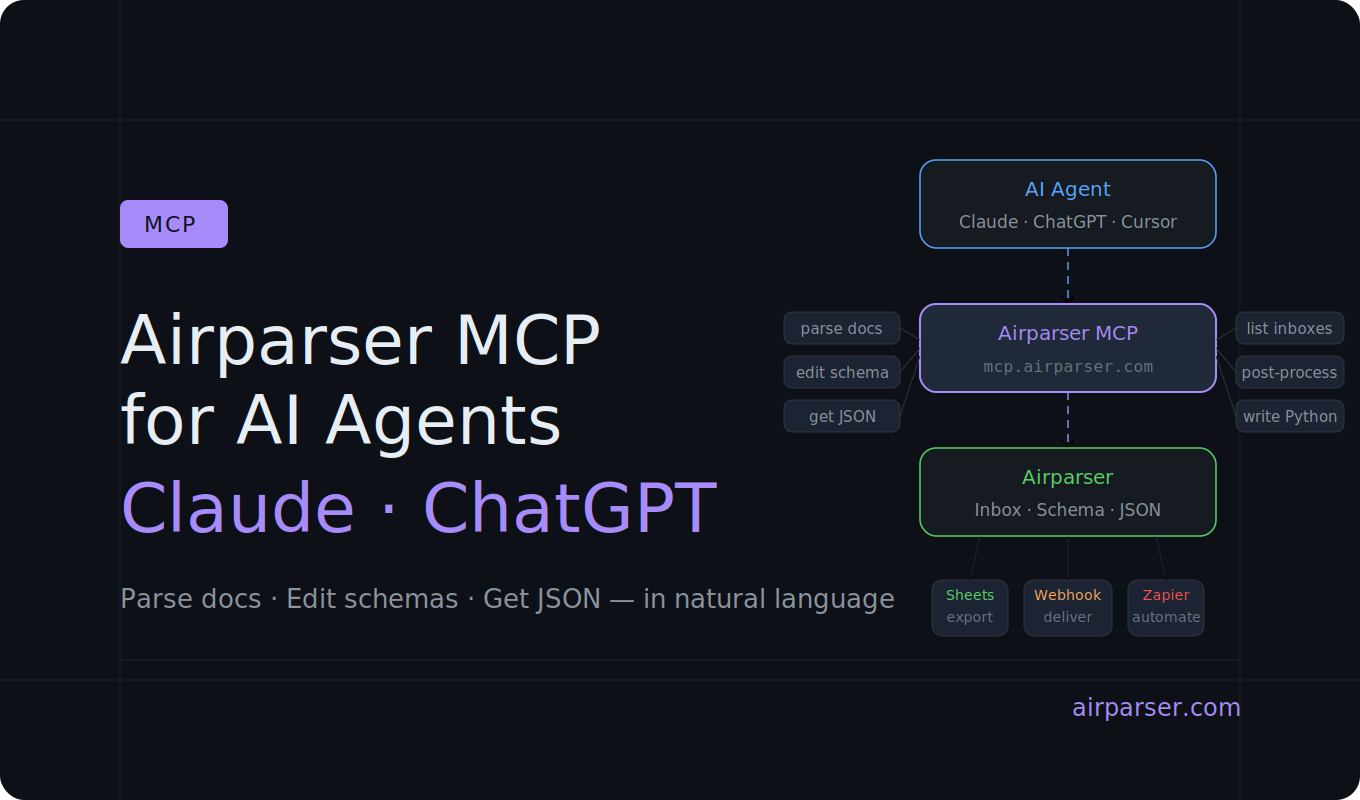
Airparser has a hosted MCP server athttps://mcp.airparser.com. Connect it to Claude or ChatGPT in a few clicks and your agent can instantly parse documents, list inboxes, retrieve structured JSON, generate extraction schemas, and write post-processing code — without you building any of that infrastructure yourself.
AI agents are useful for many things. Parsing a document reliably in production is not one of the things they handle well on their own.
A raw LLM call can extract text from a PDF, but it cannot give you a consistent JSON schema across hundreds of documents, manage an inbox of incoming files, apply post-processing rules, or deliver results to a webhook. For that, you need extraction infrastructure behind the agent.
Airparser solves this by exposing its full parsing platform as an MCP server. Your agent connects once, and then it can interact with your real Airparser account — inboxes, schemas, documents, and post-processing — through natural language, without you writing integration code.
This guide covers what Airparser MCP gives your agent, how to connect it to Claude and ChatGPT, and what you can actually do once it is connected.
What MCP is and why it matters for document workflows
MCP (Model Context Protocol) is an open standard introduced by Anthropic that lets AI agents connect to external tools and services in a standardized way. Instead of writing custom integration code for each tool, you point the agent at an MCP server and it discovers what actions are available automatically.
In 2026, MCP has become the standard integration layer for AI agent workflows. Claude, ChatGPT, Cursor, and other AI tools all support it. Thousands of MCP servers now exist for databases, APIs, file systems, and SaaS products.
For document parsing, MCP matters because it bridges the gap between an agent's reasoning ability and a production-grade extraction pipeline. The agent handles the thinking. Airparser handles the reliable extraction, schema management, and delivery.
What Airparser MCP gives your agent
The Airparser MCP server exposes your full Airparser account to any connected agent. Once connected, an agent can:
- List and inspect inboxes — see what parsers exist and what schemas they use
- List documents inside an inbox — browse recently parsed files, check status, find specific documents
- Upload and parse documents — send a file to an inbox and get structured JSON back
- Retrieve parsed JSON — pull the extraction result for any document by ID
- Generate extraction schemas — ask the agent to create a schema from a sample document or a description of what you need
- Read and update schemas — modify field definitions when document formats change
- Read, test, save, enable, and disable post-processing code — write Python transformation logic and apply it to parsed output without leaving the conversation
This is not a thin read-only view of your account. The agent can actively modify your setup, which makes it genuinely useful for iterative schema development and maintenance — not just querying.
How to connect Airparser MCP to Claude
You will need your Airparser API key. Find it at app.airparser.com/account.
Then follow these steps:
- Go to claude.ai/customize/connectors
- Click Add custom connector
- Enter a name (e.g.
Airparser MCP) and the server URL:https://mcp.airparser.com - Save. If Claude does not immediately prompt for your API key, open the connector, click Disconnect, then Connect
- Paste your Airparser API key in the authorization screen and click Connect to Airparser
Once connected, open any Claude conversation, click the menu, and select Connectors to activate Airparser. You can then type natural language requests and Claude will use the MCP tools to carry them out.
How to connect Airparser MCP to ChatGPT
The setup in ChatGPT requires enabling developer mode first:
- Open ChatGPT Settings → Apps and toggle on Developer mode
- Click Create app
- Fill in: Name =
Airparser MCP, MCP Server URL =https://mcp.airparser.com, Authentication = OAuth - Check the custom MCP acknowledgement checkbox and click Create
- ChatGPT will open an Airparser authorization window — paste your API key and click Connect to Airparser
- Verify the connection appears in Settings → Apps with discovered actions listed
If the connection does not appear immediately, refresh the page or disconnect and reconnect from the Apps settings.
What to actually do once connected
Here are practical workflows that work well with Airparser MCP.
Parse a document and inspect the output
The simplest starting point. Upload a document and ask the agent to parse it and return the extracted JSON:
Upload this invoice to my Airparser invoices inbox and show me the extracted JSON.
The agent will call the upload tool, wait for parsing to complete, and display the structured result in the conversation. This is useful for testing a new document type or debugging why a field is coming back empty.
Build a schema from a sample document
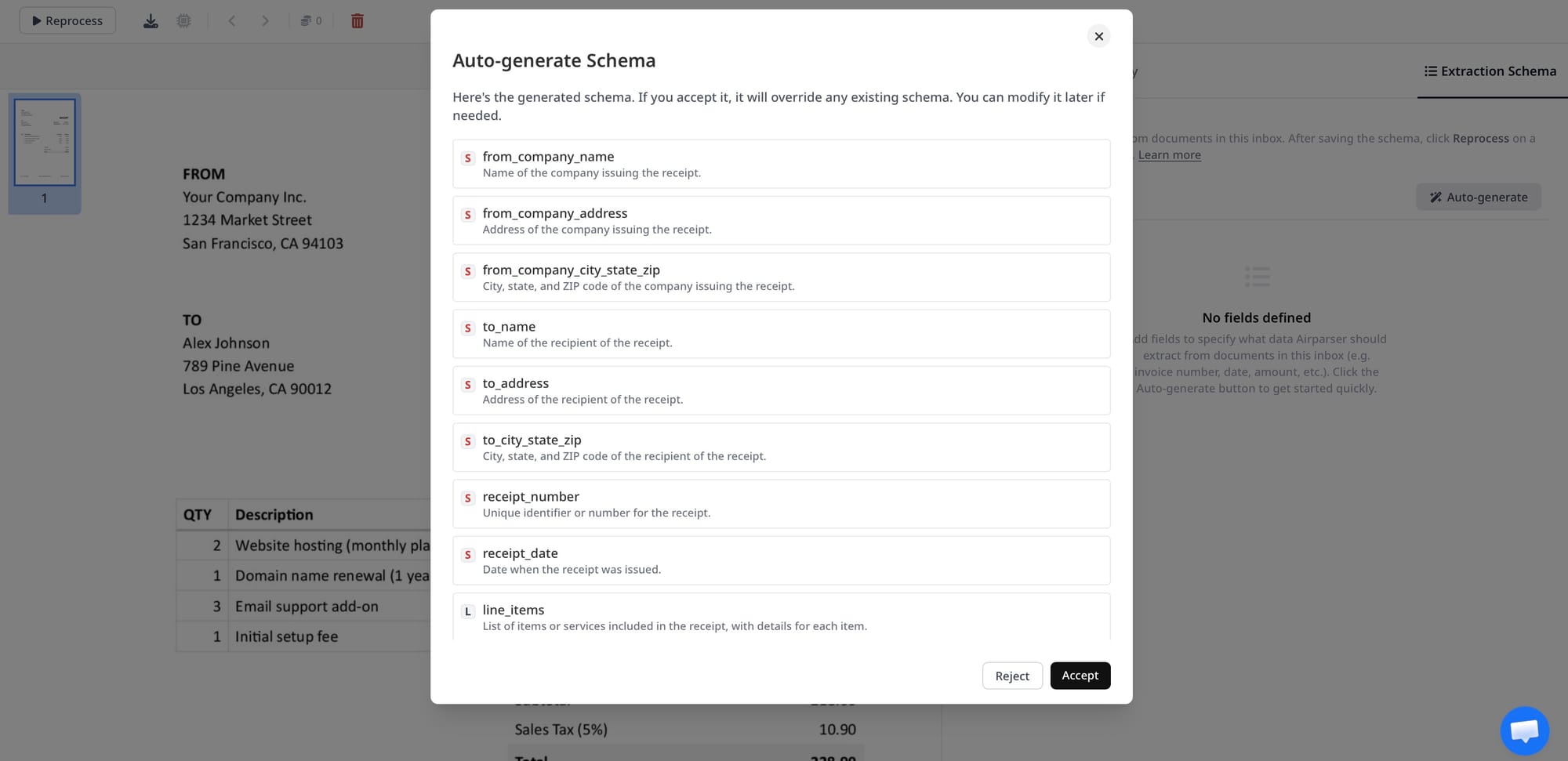
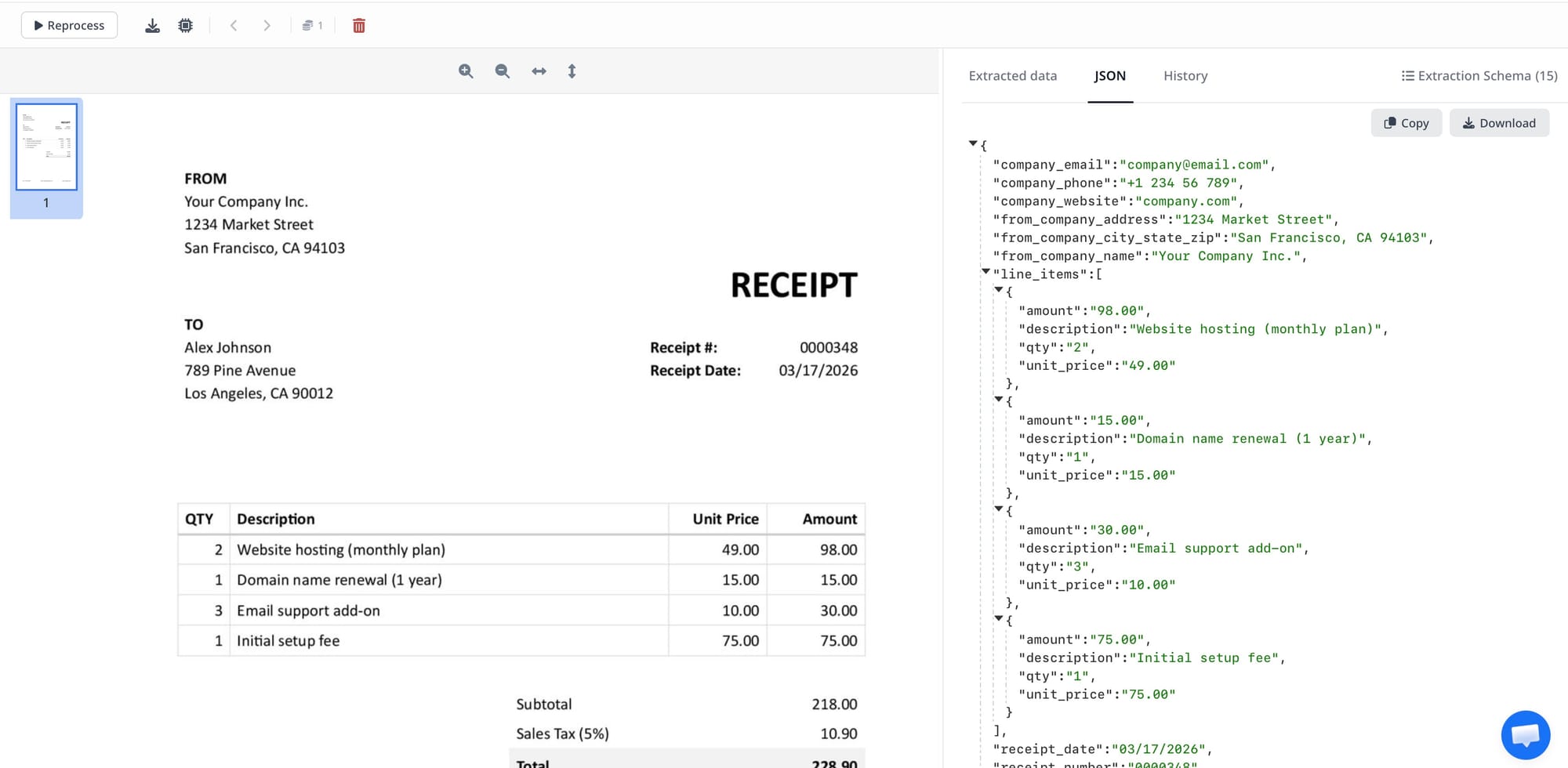
Instead of defining extraction fields manually, let the agent generate a schema from a real document:
I have a new inbox for purchase orders. Here is a sample PO — generate an extraction schema that captures the PO number, vendor, line items, and total amount.
The agent will inspect the document, propose a schema, and save it to the inbox. You can then refine specific fields in the same conversation without switching to the Airparser UI.
Update a schema when document formats change
Supplier invoice formats change. Bank statement layouts change. When they do, your schema may need updating. With MCP connected, you can describe the change in plain language:
My invoice supplier added a new field called payment terms to their invoices. Update my invoices schema to capture it as a string field.
The agent reads the current schema, applies the change, and saves it. No manual schema editor required.
Write and test post-processing code
This is one of the more powerful uses of Airparser MCP. Post-processing lets you run Python code on every parsed document before the output is delivered. With MCP, you can ask the agent to write this code for you:
Write post-processing code for my invoices inbox that normalizes all dates to ISO 8601 format and converts the total_amount field to a float.
The agent generates the Python function, tests it against your existing parsed documents, and saves it to the inbox. You can iterate on it in the same conversation until the output looks right.
Browse and query parsed documents
List the last 10 documents parsed in my invoices inbox and show me which ones have a total_amount over 5000.
The agent lists documents and filters by extracted field values — useful for ad-hoc data queries without exporting to a spreadsheet.
MCP vs the REST API — when to use which
Airparser has both a REST API and an MCP server. They are suited to different situations.
| Situation | Use |
|---|---|
| Production pipeline, automated, high volume | REST API |
| Deterministic processing with no human in the loop | REST API |
| Building or refining a schema interactively | MCP |
| Writing and testing post-processing code | MCP |
| Ad-hoc document queries or debugging | MCP |
| AI agent that makes decisions based on document content | MCP |
| Embedding parsing inside a larger AI workflow | MCP |
Many teams use both: MCP for development and schema iteration, the REST API for the automated production pipeline once the setup is stable. For more on the broader question of when to build your own parsing vs. use Airparser, see Document Parsing: Build Your Own with GPT or Claude vs. Using Airparser.
Try it in your next session
Connecting Airparser MCP takes about two minutes. Once it is connected, you have a production document parser available in every Claude or ChatGPT conversation — no API calls to write, no schema editor to open, no separate tool to switch to.
If you do not have an Airparser account yet, create one free and connect the MCP server in your first session.
Frequently asked questions
What is MCP and how is it different from a REST API?
MCP (Model Context Protocol) is a standard that lets AI agents discover and call external tools without you writing custom integration code. When an AI client connects to an MCP server, it automatically learns what actions are available and can call them in response to natural language instructions. A REST API requires you to write code that constructs requests, handles responses, and wires the output into your application. MCP shifts that work to the agent — you describe what you want in plain language, and the agent figures out which tools to call and in what order.
Is Airparser MCP free to use?
Connecting Airparser MCP to Claude or ChatGPT does not cost extra beyond your existing Airparser plan. Document parsing through MCP uses the same credits as any other parsing method — the MCP connection itself is just a different interface to the same infrastructure.
Can I use Airparser MCP with tools other than Claude and ChatGPT?
Yes. Any AI client that supports MCP can connect to https://mcp.airparser.com. This includes Cursor, Windsurf, VS Code with GitHub Copilot, and other tools that have added MCP support. The connection setup varies by client but the server URL and authentication method are the same.
Is it safe to connect my Airparser account to an AI agent via MCP?
The connection uses your Airparser API key, which you control and can revoke at any time from your account settings. Be aware that an agent with MCP access can modify your schemas and post-processing code, not just read data — so treat the API key with the same care you would any production credential. For sensitive workflows, consider using a dedicated Airparser account or a separate inbox specifically for agent access.
What is the difference between using Airparser MCP and just asking Claude to extract data from a document directly?
Asking Claude to extract data directly gives you a one-off result with no persistent schema, no inbox, no webhook delivery, and no guarantee of consistent field names across future documents. Airparser MCP connects the agent to your actual parsing infrastructure — schemas you have defined, inboxes you manage, post-processing rules you have written. The agent becomes an interface to a production extraction pipeline, not a replacement for one. For a fuller comparison, see Build Your Own Document Parser vs. Airparser.
Can I use Airparser MCP to set up a new parser from scratch?
Yes — this is one of the most practical starting points. You can begin with no inbox configured, ask the agent to create one for a specific document type, upload a sample, have the agent generate a schema, refine fields in the same conversation, and test against more documents — all without leaving the chat. Once the schema is solid, the production pipeline (REST API, webhooks, Zapier) takes over for automated processing. See also: How to Create Custom Extraction Schemas Without Prompt Engineering.