Document Parsing for Accounting Firms: Automating Client Invoice and Receipt Processing
Accounting firms process invoices, receipts, bank statements, and W-2s from hundreds of clients in different formats. Document parsing automates data entry, cuts bookkeeping time by 60–80%, and handles tax season volume spikes without adding staff.

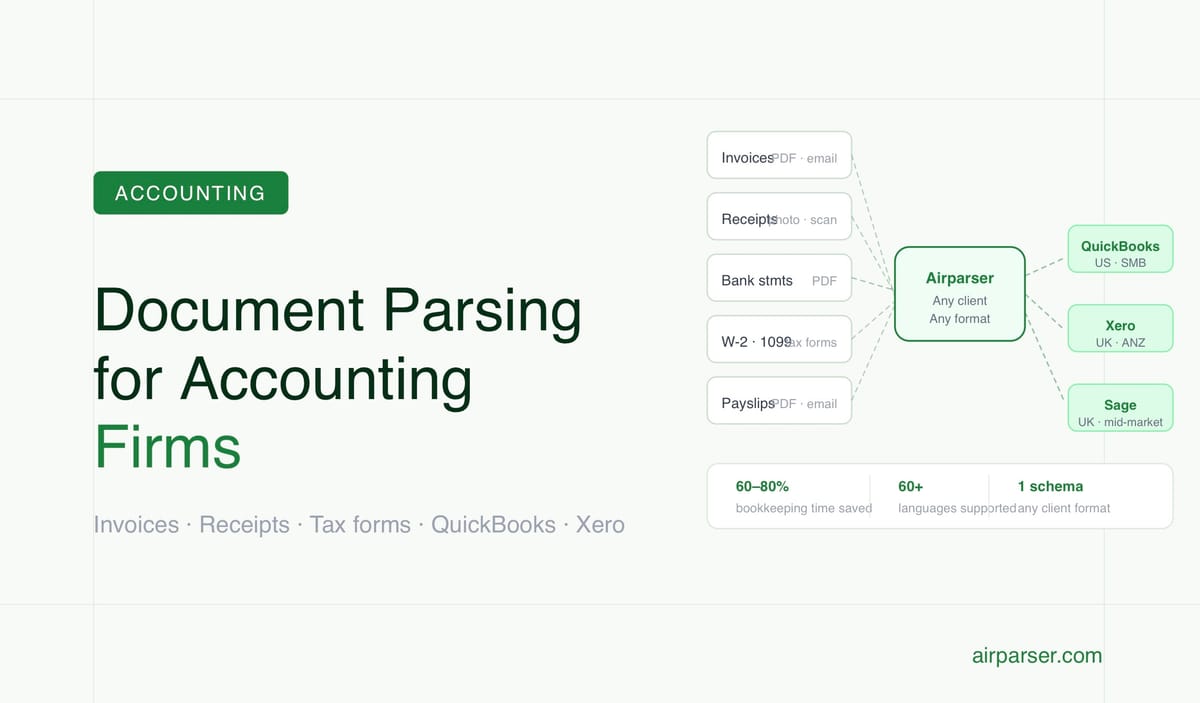
TL;DR: Accounting firms process the same document types at high volume — invoices, receipts, bank statements, W-2s, 1099s, P60s — but receive them from hundreds of different clients, each with their own format. Document parsing automates the data entry step, cuts bookkeeping time by 60–80%, and handles the January–April tax season volume spike without adding staff. The critical integration points are QuickBooks, Xero, and Sage.
Accounting firms spend more time on data entry than on accounting. Research consistently finds that bookkeepers and accountants dedicate 40–70% of their billable hours to compliance-oriented tasks — transcribing invoice amounts, entering receipt data, coding transactions, reconciling statements. Intuit's 2025 Accountant Tech Survey found 62% of accountant time going to tasks that are fundamentally data extraction and entry.
This is where document parsing delivers the clearest ROI in professional services. The document types are consistent and well-defined. The downstream systems are standard. The volume is high. And the seasonal spike — 3–5× normal volume between January and mid-April in the US tax season — creates exactly the kind of capacity problem that automation solves better than seasonal staffing.
The Documents Accounting Firms Process at High Volume
Every client engagement involves a predictable set of document types. The challenge isn't the document types — it's receiving them from dozens or hundreds of different clients, each using different software, different formats, and different scan quality.
Client invoices and purchase receipts. The backbone of bookkeeping: vendor invoices for accounts payable, receipts for expense management. These arrive as native PDFs (from accounting software), photographed receipts from smartphones, scanned paper invoices, and emailed attachments. The same field structure — vendor, date, amount, tax, line items — appears in hundreds of different layouts.
Bank statements. Monthly bank statements converted to structured transaction data for reconciliation against the ledger. Each bank uses its own PDF format; some provide CSV exports but many clients only have PDF statements. Transaction extraction — date, description, debit/credit amount, running balance — is a high-volume, repetitive task.
US tax forms. W-2s, 1099-NEC, 1099-MISC, 1099-INT, 1099-DIV, 1099-B, K-1 forms from partnerships and S-corps, 1098 mortgage interest statements, 5498 IRA contribution forms. These are structured government forms with fixed layouts — well-suited to extraction. Volume surges dramatically in January–February when forms are issued.
UK tax documents. P60 (annual earnings and tax summary), P45 (leaving employment), P11D (benefits in kind), SA100 self-assessment returns, VAT100 returns. Same challenge as US forms: structured layouts, high volume, seasonal spikes.
Payslips and payroll documents. Payroll verification for payroll processing, mortgage applications, and financial references. Variable formats across payroll providers.
Corporate filing documents. For business client onboarding and compliance: certificates of incorporation, articles of association, shareholder registers, confirmation statements.
Where Document Parsing Delivers the Most Value
Bookkeeping and AP automation. The highest-volume, most repetitive use case. Client invoices arrive, get extracted, get coded to expense categories, and flow into the accounting platform — without manual transcription. Tools like Dext Prepare and AutoEntry have proven this model: documented deployments show 60–80% reduction in bookkeeping time. The ROI calculation is straightforward: a firm processing 1,000 client transactions monthly saves an estimated $4,000–$6,680 in labour costs at tools costing $79–$199/month.
Receipt and expense management. Mobile receipt capture — photograph → extracted data → categorised line item — is the clearest time-saving for client expense management. Manual receipt transcription is one of the most tedious tasks in accounting; extraction eliminates it.
Tax return preparation during peak season. Between January and mid-April in the US, a firm's inbound document volume rises 200–300% as W-2s, 1099s, and K-1s arrive from every client. 99% of accountants work 60–70-hour weeks during this period; late documents arriving in March push capacity to a breaking point. Document parsing pre-processes incoming tax forms, extracts key values, and pre-populates return preparation software — compressing the time per return significantly.
Bank statement reconciliation. Converting monthly bank statement PDFs to structured transaction data is a well-defined, high-volume task that extraction handles cleanly. Transaction records flow directly into reconciliation workflows against ledger entries.
The Software Ecosystem: Where Extracted Data Goes
Extracted document data needs to reach the accounting platform. The integration points that matter:
QuickBooks Online dominates the US SMB market. Native Airparser integrations with Zapier, Make, or direct API cover QuickBooks connections. Transaction data, bill entries, and expense records can be pushed automatically once extracted.
Xero dominates the UK and ANZ market with strong US growth. Xero includes Hubdoc free (a basic document capture tool), but Hubdoc's extraction quality is limited — firms processing high volumes often replace it with dedicated parsers. Airparser connects to Xero through standard integration layers.
Sage (Sage 50, Sage Intacct) is strong in UK mid-market. AutoEntry (Sage-owned) is the incumbent document capture tool; it works but firms with variable document sources or high volume sometimes need more flexibility.
Integration pattern: The typical workflow is Airparser → webhook → Zapier/Make → QuickBooks/Xero/Sage. This requires no custom development and can be configured in a few hours. For firms with development resources, the Airparser API supports direct integration with accounting platform APIs, bypassing automation platforms entirely. Related: Zapier vs Make vs n8n for document automation.
Handling Client Document Variety
The specific challenge for accounting firms — as opposed to businesses processing their own internal documents — is receiving documents from hundreds of different clients, each using different software, different banks, different suppliers.
Client A submits invoices from QuickBooks Online in a consistent format. Client B submits scanned paper invoices in three different supplier layouts. Client C photographs receipts on an iPhone with variable quality. Client D emails bank statements as locked PDFs that can't be directly parsed.
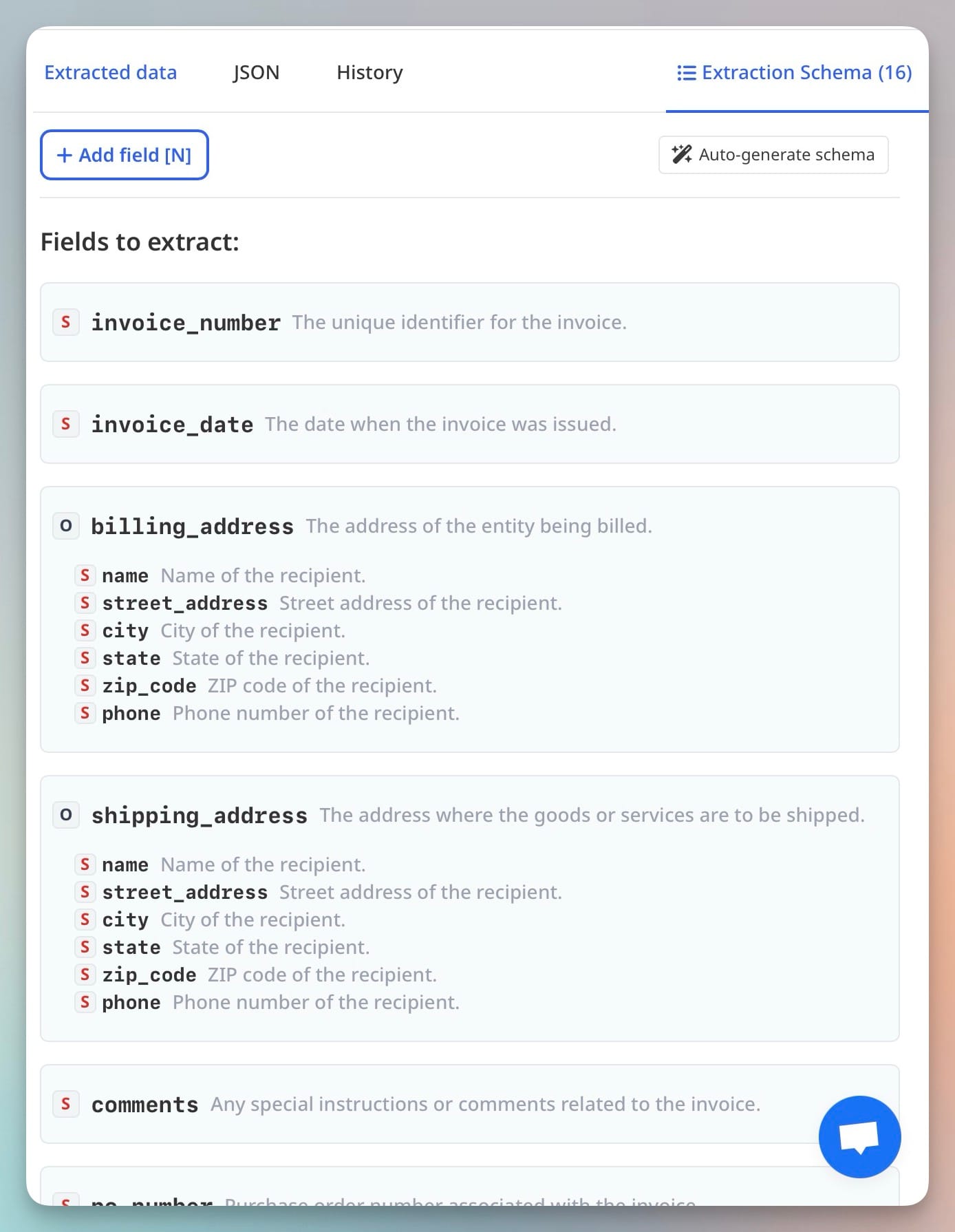
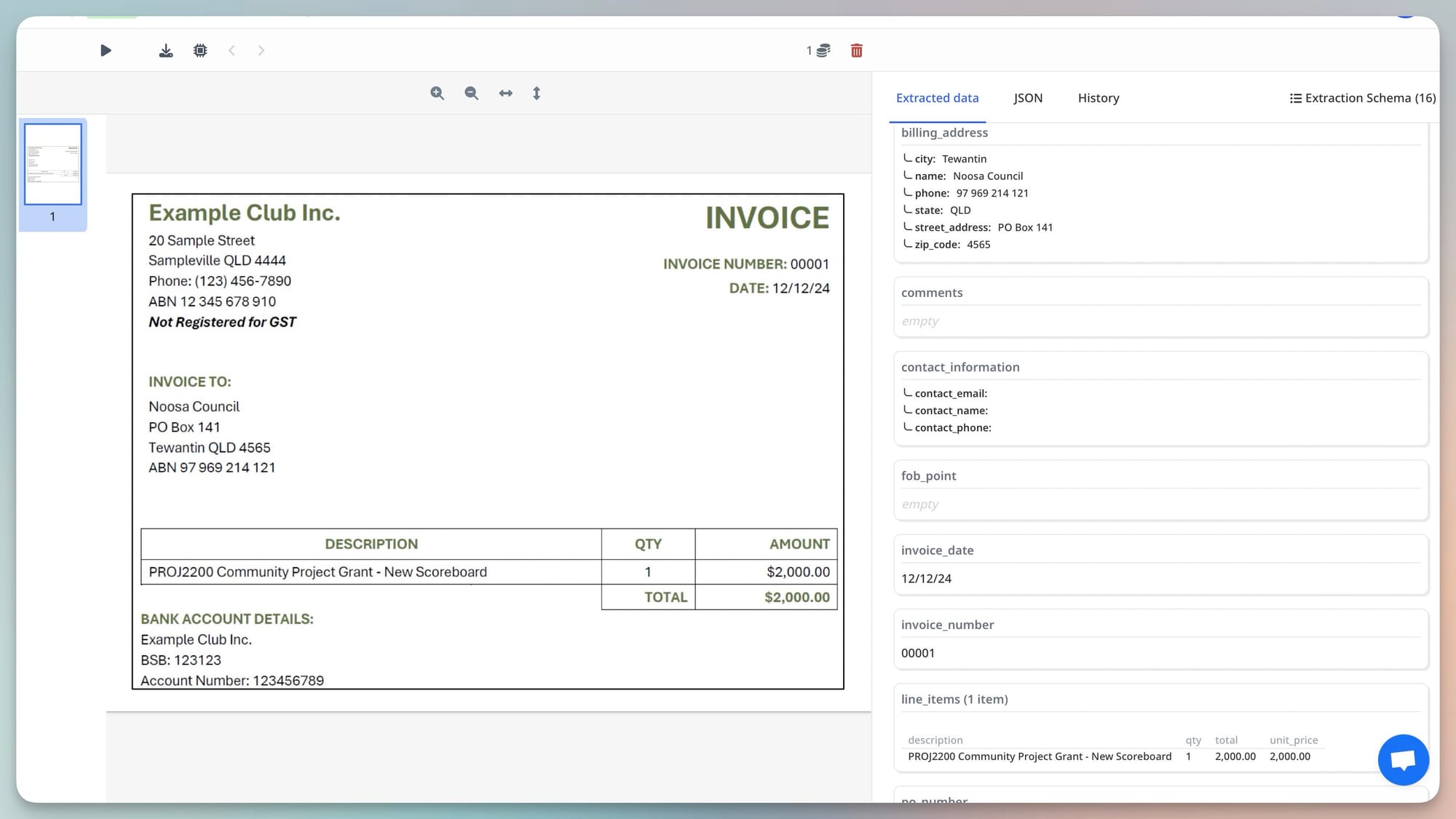
Template-based extraction fails in this environment because there are too many templates to build and maintain. Schema-based LLM and vision engine extraction handles it: one invoice parser schema covers invoices from any of Client B's suppliers without modification. One receipt parser handles photographs from any client's expense submissions. The parser doesn't know or care which client submitted the document — it extracts the defined fields from whatever layout arrives.
Related: Vision engine invoice parsing: how Airparser handles any supplier format.
Compliance Requirements for Accounting Firm Document Handling
Document parsing infrastructure at accounting firms must meet specific compliance standards:
Record retention. SEC rules require audit-relevant records for at least 7 years. IRS standards for business records are generally 7 years. UK firms under HMRC guidance retain records for 6 years. Any document parsing tool used in an accounting context must support configurable retention periods and not delete documents prematurely.
Audit trail. Every extraction, modification, and access event must be logged with timestamps. For firms handling SEC-registered entities or public company audits, immutable audit trail requirements apply — records cannot be modified without a logged change entry. This is a regulatory requirement, not just best practice.
Data security. Client financial documents contain personal and commercially sensitive data. Tools must offer SOC 2 Type II certification (or equivalent), encryption at rest and in transit, and role-based access controls. For UK/EU clients, GDPR data processing terms and a signed DPA are required. Airparser provides a DPA for Business and Enterprise plans and offers configurable data deletion (immediately after extraction, or at 1/7/30 days). Related: GDPR-compliant document parsing.
Client confidentiality. Different clients' documents must be logically segregated. Staff should only access documents relevant to their client assignments. Role-based access control at the parser or integration level enforces this.
Frequently Asked Questions
How much time does document parsing actually save for an accounting firm?
The most rigorous independent data comes from deployment studies of dedicated accounting document capture tools like Dext Prepare and AutoEntry, which show 60–80% reductions in bookkeeping time on invoice and receipt processing. For a bookkeeper who spends 50% of their time on data entry, that translates to 30–40% of total billable hours recovered. At a billing rate of $50–$80/hour, the labour value is substantial — and the tools cost a fraction of that. For tax season specifically, time savings are measured not just in hours but in the ability to process a higher client volume without adding seasonal staff. Firms report handling 20–30% more returns in the same headcount after implementing document automation for tax form intake.
Does document parsing work on locked or encrypted PDF statements?
Locked PDFs that prevent copy-paste of text content are a common problem with bank statements — banks protect their PDF format to prevent unauthorised re-use of the design. There are two approaches. First, if the PDF has a text layer (even if copy-paste is locked), Airparser's text-based extraction can read the embedded text regardless of copy-paste restrictions. Second, for genuinely image-only locked PDFs, the vision engine processes the page as an image rather than attempting to read the text layer — this works on any scanned or image-based document regardless of encryption. The specific bank's PDF format determines which approach applies. In practice, most bank statement PDFs have an accessible text layer; purely image-locked statements are less common but handled by the vision engine path.
How do we handle documents that arrive in multiple languages from international clients?
Airparser supports extraction across 60+ languages. For accounting firms with international clients — invoices in French, German, Spanish, or Chinese; VAT documents in EU regional formats; bank statements from international banks — the same extraction schema works across languages without separate configuration per language. The field meanings (vendor name, amount, date) are universal even when the field labels appear in different languages. For number and date formatting (European decimal comma convention, different date orders by region), post-processing normalisation converts to your standard format before the data reaches the accounting platform. Related: Post-processing Airparser extraction results in Python.
What's the best way to set up document parsing for a firm with many different clients?
Create one parser per document type (one invoice parser, one receipt parser, one bank statement parser, one W-2 parser) rather than one parser per client. Schema-based extraction handles different client document formats with the same configuration — you don't need a separate parser for each client's invoice layout. For document ingestion, a shared email inbox per document type (forward all client invoices to the invoice parser inbox address) is the simplest setup. For firms that need per-client segregation in the output data, add a client identifier field to the parsing workflow — pass the client ID as a metadata field when submitting documents via API, or route different client email addresses to the same parser with client tagging applied at the integration layer.