Human-in-the-Loop Document Extraction: When to Trust AI and When to Add Review
HITL document extraction means routing low-confidence results to human review while automating everything else. The goal is not 100% automation — it's automating the 90–95% of cases that are clear and handling exceptions efficiently.

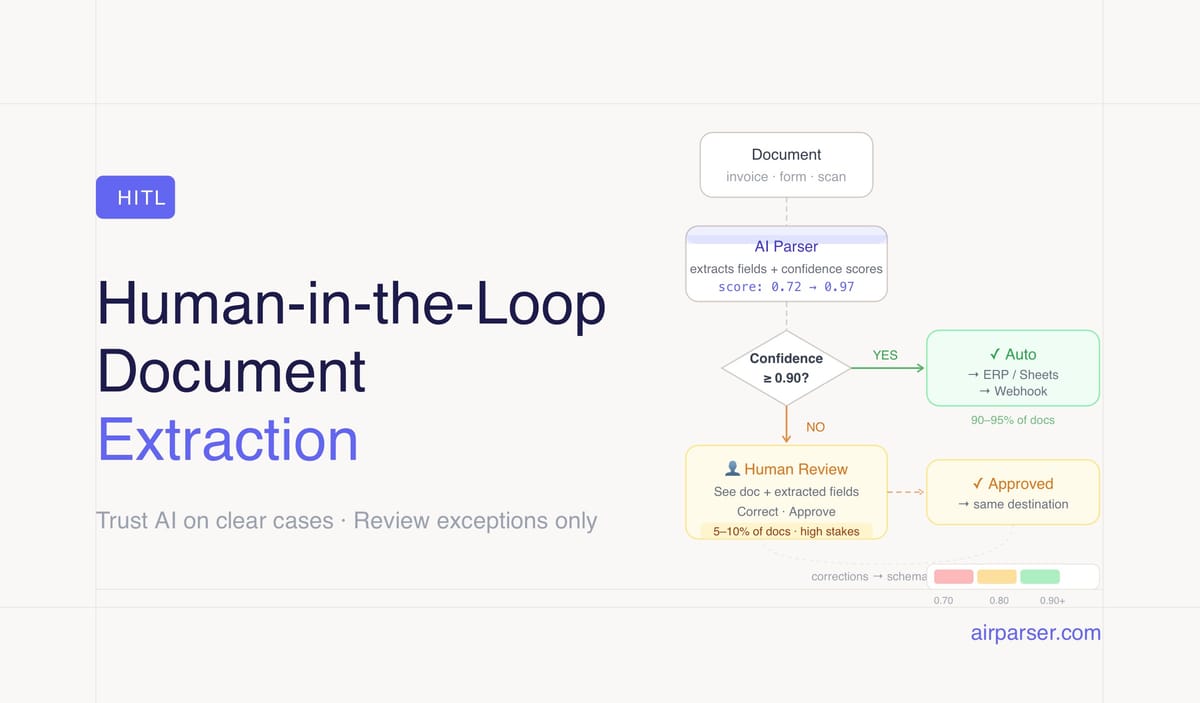
TL;DR: Human-in-the-loop (HITL) document extraction means routing low-confidence or high-stakes extractions to a human reviewer before they reach downstream systems. The goal isn't 100% automation — it's automating the 90–95% of cases that are clear while handling exceptions efficiently. Confidence scores from your parser tell you exactly which documents need review.
The goal of document automation is not to remove humans from every step. It's to remove humans from the steps where human judgment adds no value — the routine, clear, high-confidence cases — and keep humans involved where their judgment genuinely matters.
Human-in-the-loop (HITL) document extraction is the design pattern that makes this distinction explicit. Instead of processing all documents automatically and hoping the errors don't matter, or manually reviewing everything and giving up the benefits of automation, HITL routes documents to the right destination based on confidence: automate the clear cases, flag the uncertain ones.
Done well, HITL gives you the throughput of automation with the accuracy of human oversight, applied only where it's needed.
What Human-in-the-Loop Means in Document Processing
In a HITL document workflow, an AI parser processes incoming documents and assigns confidence scores to extracted fields. When confidence is above a set threshold, the extracted data is used directly — written to a database, passed to an ERP, or forwarded to the next step in the workflow. When confidence falls below the threshold, the document is flagged and a human reviewer sees the extracted fields alongside the original document, can correct any errors, and approves the result before it proceeds.
The human's role is exception handling, not routine processing. On a well-tuned pipeline processing invoices from consistent suppliers, a reviewer might see five documents per hundred flagged. On a pipeline handling highly variable or handwritten documents, the rate might be fifteen or twenty per hundred. In both cases, the humans spend their time on genuinely ambiguous cases — not verifying routine extractions that were correct.
This is the core difference from manual processing: the human only reviews what needs review, identified automatically by the system.
When HITL Is Essential
Some document workflows should always include human review for a subset of results, regardless of automation capability:
High-stakes financial decisions. Invoice totals that directly trigger payment runs, contract values that determine approval authority, expense amounts that affect budget allocation. A wrong extraction that causes an incorrect payment is more costly than the time spent on manual review. Set low confidence thresholds for financial fields and route anything below to review.
Regulated and compliance-sensitive documents. KYC identity verification, medical records, legal contracts, tax filings. Regulatory frameworks in many jurisdictions require human sign-off on decisions affecting personal data or legal obligations. Automation accelerates the extraction; human review provides the required sign-off. Related: GDPR-compliant document parsing.
Low-quality or unusual documents. Heavily degraded scans, handwritten documents with poor legibility, documents in unusual formats or languages, documents where the structure doesn't match expectations. Confidence scores from the parser identify these automatically — documents flagged as low confidence warrant a look before the data is used.
First extractions from a new document source. When you first process invoices from a new supplier, or start parsing a document type you haven't processed before, review the first several results manually. This validates that your schema is matching the document correctly before you rely on it at volume.
When HITL Is Unnecessary Overhead
Not every document workflow needs human review. Adding HITL where it doesn't add value increases cost and reduces the throughput benefit of automation.
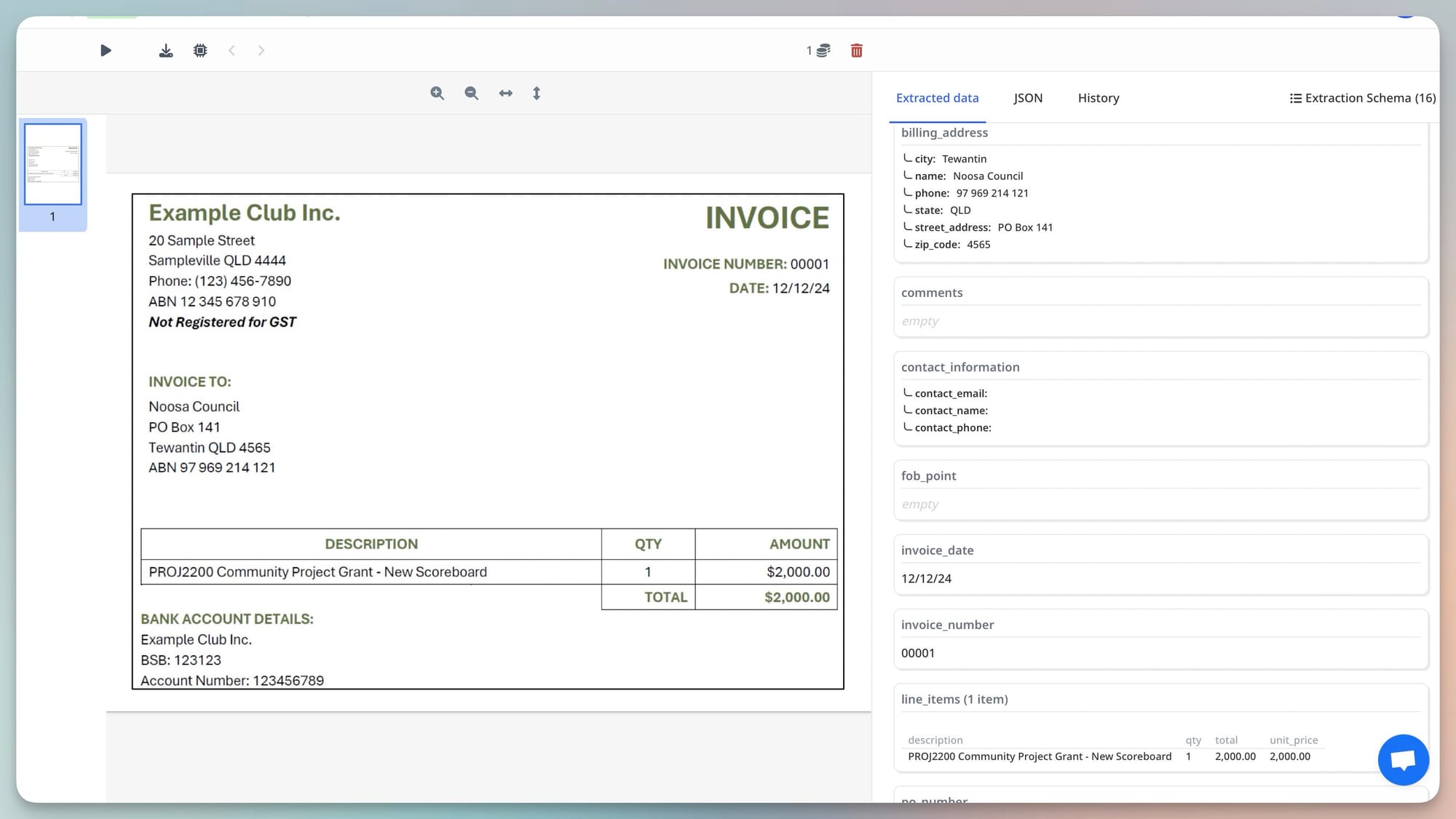
Consistent, high-volume, low-stakes documents. Machine-generated invoices from the same supplier, export files from known systems, standardised forms from a single source. If you've validated that the extraction is reliable across hundreds of prior documents, adding review doesn't improve outcomes — it just slows the pipeline.
Documents where downstream validation catches errors anyway. If your ERP rejects invoices with amounts outside a valid range, or your database enforces field-level constraints that would catch extraction errors, a separate human review step before writing is redundant. Let the system catch errors at ingestion.
Non-critical data aggregation. Parsing marketing emails for trend analysis, extracting product information for a catalogue, processing survey responses for reporting. Occasional extraction errors in aggregated data have minimal impact. Save the review capacity for decisions that matter.
How to Set Confidence Thresholds
Confidence thresholds determine what percentage of your documents get flagged for human review. Setting them too low means almost nothing gets reviewed — errors pass through. Setting them too high means almost everything gets flagged — the pipeline adds no efficiency.
A practical starting approach:
- Above 0.90: Use automatically. High confidence, low review cost justified by high throughput.
- 0.70 to 0.90: Flag for soft review — a human glances at the flagged fields but doesn't review the full document. Approve or correct specific fields.
- Below 0.70: Route to full human review — the document is genuinely ambiguous and needs careful verification.
Calibrate these thresholds against your actual error rate. After running the pipeline for a period, measure: what percentage of documents above 0.90 had extraction errors? What percentage below 0.70 were actually correct? Adjust thresholds based on observed false positive and false negative rates for your specific document types and use cases.
Different fields can have different thresholds. Total amount due on an invoice warrants a lower threshold (flag more aggressively for review) than the vendor address, which is less critical for payment processing accuracy.
Building a Practical HITL Review Queue
Update: Airparser now ships a built-in human-in-the-loop review — confidence-based holds, post-processing flags, and approval-gated delivery, configured directly on the inbox. See How to Use Airparser's Human-in-the-Loop Review for Document Parsing for the setup guide. The pattern below is still useful if you need a fully custom review workflow.
A HITL review queue doesn't require complex infrastructure. The minimum viable implementation:
- Airparser delivers extracted JSON via webhook.
- Your code checks confidence scores. Documents above threshold are written to the database. Documents below threshold are written to a review table with a status of "pending review."
- A simple review interface — even a spreadsheet, a Notion database, or an Airtable view — shows pending documents: the original document alongside the extracted fields. A reviewer corrects any wrong fields and marks the document as approved.
- Approved documents are written from the review table to the main database.
For larger operations, dedicated document review tools or AP automation platforms provide more structured review workflows with audit trails, multi-reviewer routing, and SLA tracking. But the logic is the same: confidence-based routing, human correction on exceptions, automatic processing for clear cases.
Related: Post-processing Airparser extraction results in Python.
HITL and Continuous Improvement
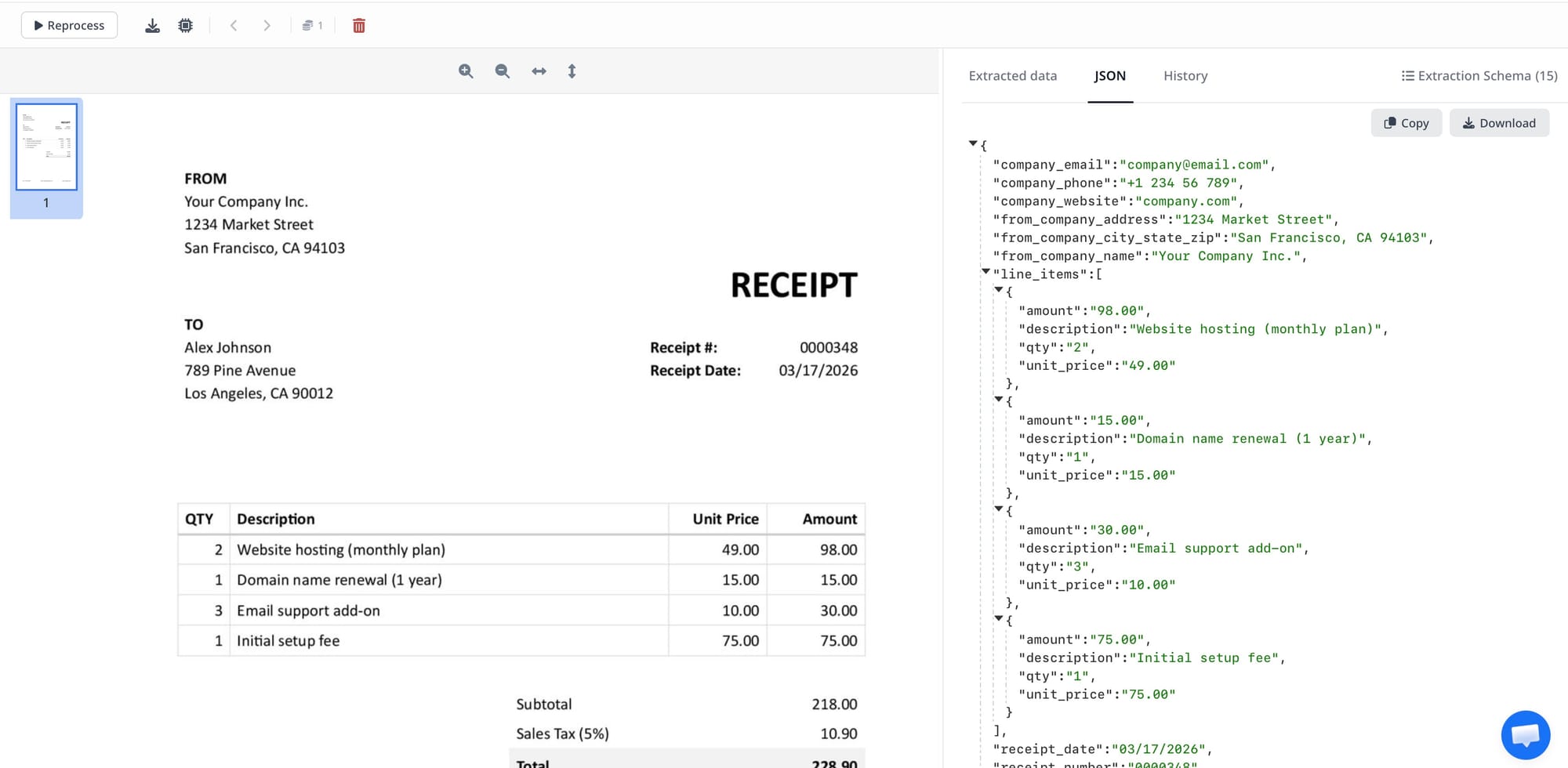
Human corrections in a review queue are a feedback signal. When a reviewer corrects an extracted field — "the parser returned the subtotal but the correct value is the total" — that correction identifies a schema improvement opportunity. If the same field is corrected consistently across multiple documents, the field description is probably ambiguous and needs refinement.
Track correction patterns over time. A field that's corrected frequently signals either ambiguous schema definition or a specific document type that the current configuration handles poorly. Both are actionable: improve the field description, add a note to the schema clarifying which of several plausible values is the one you want, or identify the document type causing problems and validate it separately.
Over time, a well-maintained HITL pipeline should see the review rate decrease as schema quality improves and the parser's handling of your specific document mix is validated through corrections. The target is not zero human involvement — it's a stable, low review rate on a well-understood set of edge cases.
Frequently Asked Questions
What is human-in-the-loop (HITL) in document processing?
Human-in-the-loop document processing is a workflow design where AI extraction handles routine documents automatically and routes exceptions — low-confidence results, high-stakes decisions, unusual document types — to a human reviewer before the data is used downstream. The key distinction from fully manual processing is that humans only review the subset of documents that genuinely needs their attention, identified automatically by confidence scores from the extraction system. The key distinction from fully automated processing is that a human verification step exists for cases where extraction errors would be costly. HITL is not a concession that AI can't handle document extraction — it's an architecture that applies human judgment where it adds value and automation where it doesn't.
What confidence threshold should I use to trigger human review?
There's no universal threshold — the right value depends on your document types, the stakes of extraction errors, and your tolerance for review overhead. A common starting point is flagging anything below 0.80 for review, which typically catches documents with genuine ambiguity while leaving most clean extractions to process automatically. Calibrate this against observed error rates: if documents above 0.80 have an acceptable error rate in your context, and documents below 0.80 have a high error rate, 0.80 is a reasonable threshold for you. If errors above 0.80 are still causing problems, lower the threshold. For high-stakes fields like payment amounts, use a lower threshold than for informational fields like vendor addresses. Airparser provides per-field confidence scores, so you can apply field-level thresholds rather than a single document-level threshold.
Does adding human review eliminate the efficiency benefit of automation?
Not when HITL is implemented correctly. The efficiency benefit of automation comes from removing humans from routine processing — the 85–95% of documents that are straightforward and extract correctly at high confidence. A review rate of 10–15% means humans are handling one-tenth to one-seventh of the volume they would handle in a fully manual workflow, focused only on documents that genuinely need attention. The overall throughput is dramatically higher than manual processing even with review overhead. Where HITL eliminates efficiency gains is when thresholds are set too conservatively and everything gets flagged, or when the review interface is slow and awkward and review takes longer than manual processing would have. The efficiency of HITL depends heavily on the review workflow design, not just the automation quality.
How do I know if my document workflow needs HITL?
Ask two questions: what is the cost of an extraction error, and how often do extraction errors occur? High cost + low frequency: a light HITL setup monitoring for errors is sufficient. High cost + moderate frequency: full HITL routing for low-confidence results is justified. Low cost + any frequency: consider whether HITL adds enough value to justify the overhead, or whether downstream validation catches errors adequately. For regulated workflows (financial, medical, legal, identity verification), HITL is typically required regardless of extraction accuracy — not because the AI makes errors, but because the regulatory framework requires human sign-off on consequential decisions. For bulk data aggregation where individual record accuracy is less critical, HITL often adds more overhead than value.
Can HITL be implemented without custom development?
Yes. A no-code HITL workflow using Airparser and a platform like Make or Zapier works as follows: Airparser delivers extracted JSON via webhook to Make. A Make router checks the confidence score field. High-confidence results are written directly to your Google Sheet or Airtable. Low-confidence results create a row in a separate "Review" sheet or Airtable view, populated with both the extracted values and a link to the original document. A reviewer works through the Review view, corrects fields manually, and marks records as approved — triggering a Make automation that moves approved records to the main dataset. This requires no custom code, uses only Airparser's webhook output and Make's built-in logic, and can be built in an afternoon. For higher volume or more complex review workflows, dedicated AP automation platforms or custom code provide more structured review interfaces and audit capabilities. Related: Zapier vs Make vs n8n for document automation.