AI Web Form & Email Parser
Automatically extract lead data from web forms and email inquiries with 99% accuracy. Send structured data directly to your CRM in seconds.
The Problem: Manual Lead Data Extraction is Inefficient
Businesses receive lead inquiries from multiple sources, such as:
- Contact forms on websites
- Email inquiries from potential clients
- Newsletter sign-ups
- Event registrations
- Support & service requests
Challenges of Manual Lead Extraction:
- Time-consuming: Copying and pasting data takes hours
- Error-prone: Manual entry leads to typos and lost leads
- Lack of scalability: Hard to manage high volumes of inquiries
- Slow response time: Delayed follow-ups reduce conversion rates
By automating lead data extraction, businesses can speed up response times, reduce errors, and improve sales efficiency.
AI-Powered Email & Form Parsing: How It Works
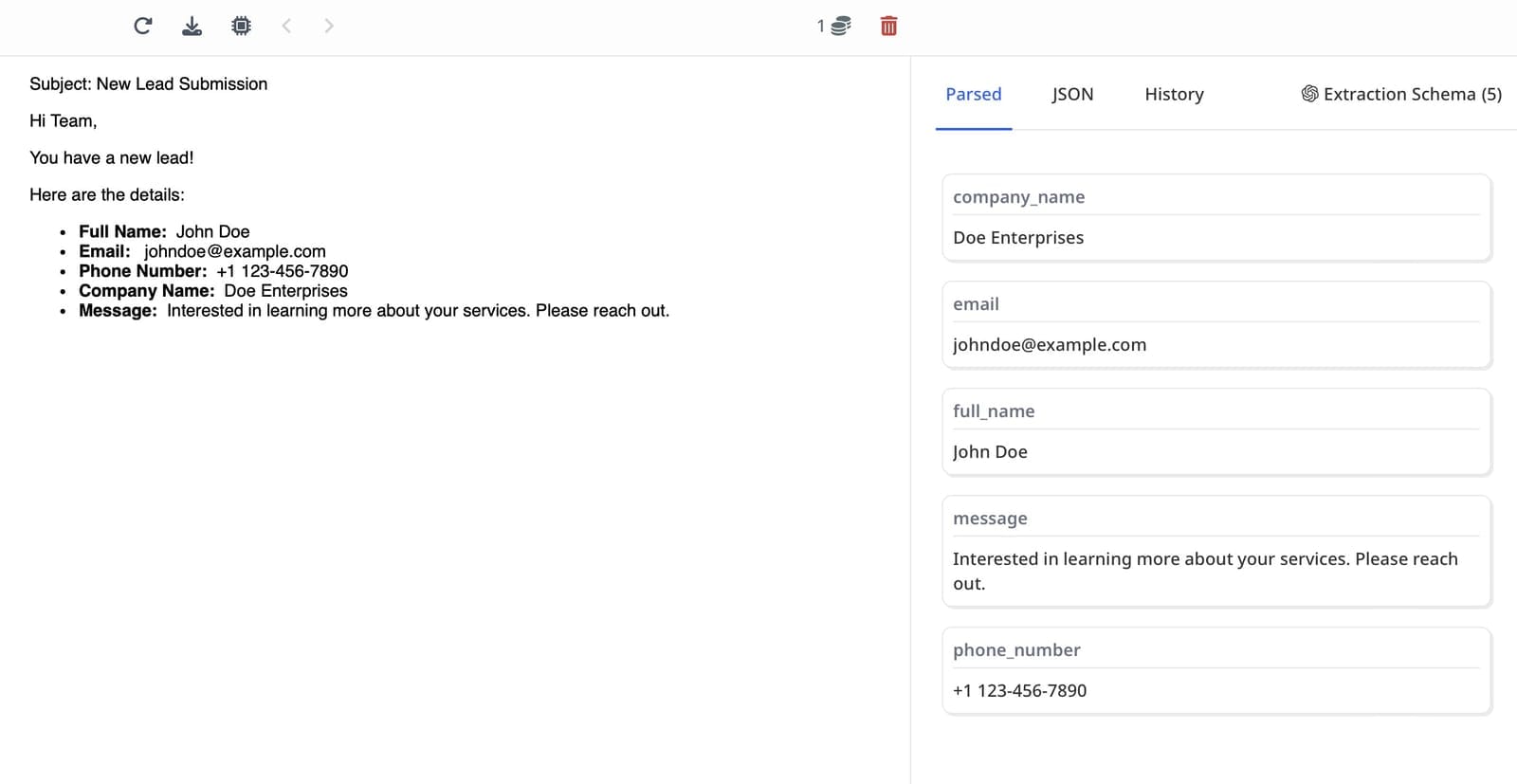
Instead of manually sorting through emails and form submissions, AI-powered tools can extract structured data automatically.
How AI Automates Lead Data Extraction
- Step 1:AI scans incoming emails or form submissions in real-time
- Step 2:AI identifies key fields (e.g., Name, Email, Company, Phone, Inquiry Type)
- Step 3:The extracted data is structured into a readable format (CSV, JSON, or direct API feed)
- Step 4:The data is sent automatically to a CRM (e.g., HubSpot, Salesforce, Pipedrive)
- Step 5:Automated workflows are triggered (e.g., sending welcome emails, assigning leads to sales reps)
Example: A real estate agency receives lead inquiries via email. AI extracts the client's name, phone number, and property interest, then sends it to the sales team's CRM for immediate follow-up.
Step-by-Step Guide to Automating Lead Data Extraction
Step 1: Choose an AI-Powered Email/Form Parser
Pick a tool like Airparser to automatically extract structured data from emails or forms.
Step 2: Connect Your Email or Web Form
Integrate your inbox (Gmail, Outlook, etc.) or web form tool (Typeform, Jotform, HubSpot Forms).
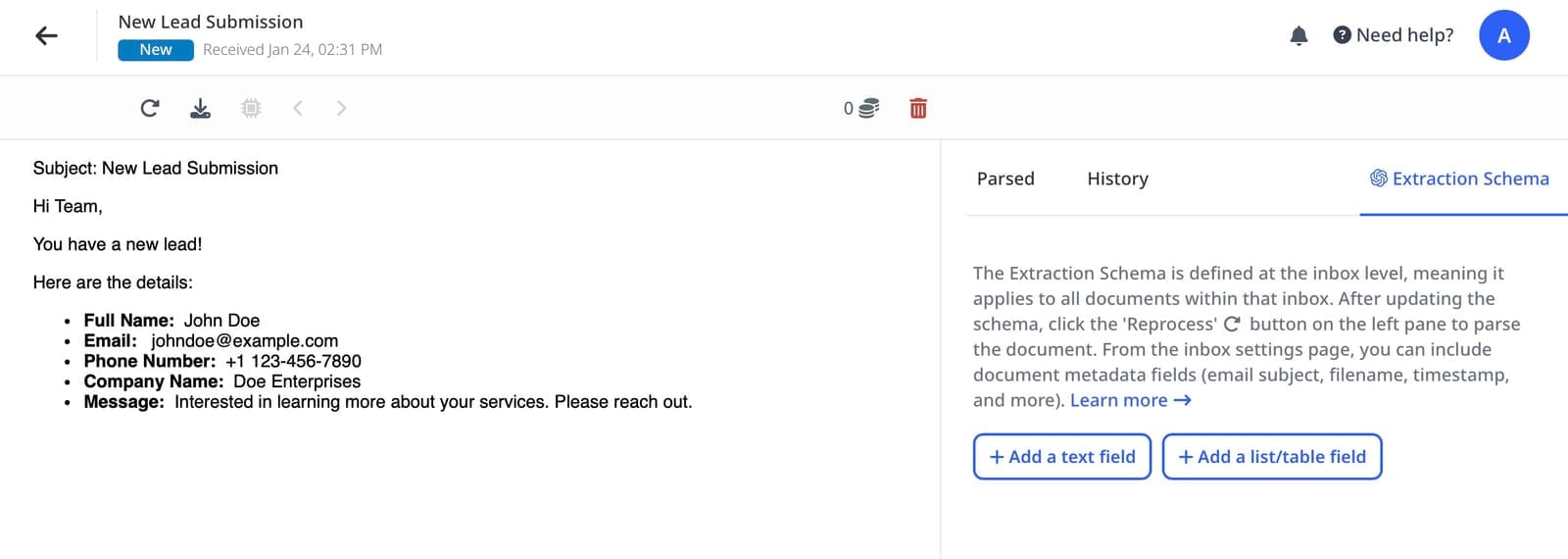
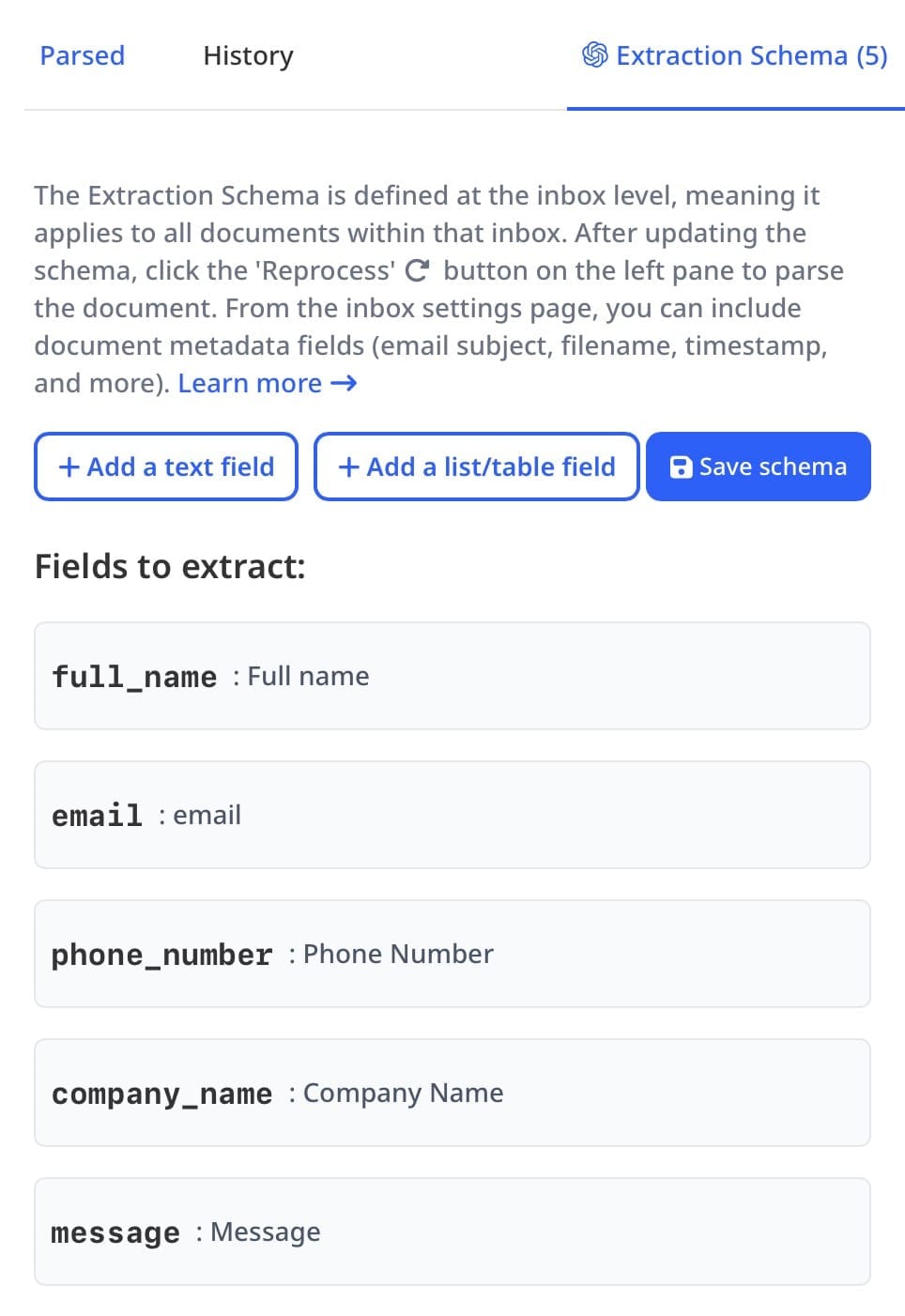
Step 3: Define the Data Fields You Need
Specify what data you want to extract: Name, Email, Phone, Company, Inquiry Type, Budget, etc.
Step 4: Automate Data Flow to Your CRM
Use Zapier or API integration to send extracted leads to a CRM like HubSpot or Salesforce.
Step 5: Set Up Follow-Up Workflows
Automate lead nurturing, such as:
- ✅ Sending an instant welcome email
- ✅ Assigning the lead to a sales rep
- ✅ Scoring leads based on inquiry type
🚀 Result: Instant lead capture + automated responses = higher conversion rates!
Benefits of AI-Powered Lead Data Extraction
Why should businesses switch to AI-based automation?
Saves Time
Automates hours of manual data entry. Focus on selling instead of copying and pasting.
Increases Accuracy
Eliminates human errors. No more typos or lost leads from manual entry.
Scales Easily
Handles thousands of leads without extra effort. Grow your business without hiring more staff.
Speeds Up Response Time
Instant lead follow-ups boost conversions. Respond to leads within minutes, not hours.
Enhances Lead Qualification
AI can analyze inquiries & score leads automatically. Focus on high-quality prospects first.
📊 Example: A SaaS company automated email parsing with Airparser and reduced lead response time from 24 hours to under 5 minutes, increasing conversions by 32%.
Best Tools for Automating Lead Data Extraction
1. Airparser (AI Email & Document Parsing)
Best for: Extracting structured data from emails & documents
- • Uses AI to parse lead details from email inquiries & forms
- • Exports structured data directly to a CRM
- • Supports integrations with Zapier, Webhooks, and API
2. Zapier (No-Code Automation Platform)
Best for: Connecting lead extraction tools with CRMs
- • Automates workflows between email parsers, web forms, and CRMs
- • Supports thousands of integrations
3. HubSpot CRM (Lead Management & Automation)
Best for: Storing and tracking leads
- • Automatically logs extracted leads
- • Triggers email sequences & follow-ups
4. Make (formerly Integromat) – Advanced Workflow Automation
Best for: Automating complex data extraction processes
- • Connects AI parsers with multiple platforms
- • Supports custom logic for lead qualification
Who Should Use Form & Email Parsing?
Sales Teams
Automatically capture leads from contact forms and email inquiries. Never miss a lead again.
Marketing Teams
Process form submissions and newsletter sign-ups automatically. Build your database effortlessly.
E-commerce Businesses
Extract order inquiries and customer questions from forms. Improve response times.
Real Estate Agencies
Capture property inquiries and client information automatically. Follow up faster.
Educational Institutions
Process enrollment forms and student inquiries. Automate admissions workflows.
Service Providers
Extract service requests and consultation inquiries. Streamline client onboarding.
Frequently Asked Questions
How accurate is form and email parsing?
Our AI-powered parser achieves 99% accuracy on most email and form formats. The system continuously learns and improves, handling even complex, unstructured inquiries with human-like understanding.
What form platforms do you support?
We support all form platforms including Typeform, Jotform, HubSpot Forms, Google Forms, Contact Form 7, and custom forms. You can also forward form submission emails to Airparser.
How does it integrate with my CRM?
Airparser integrates with most CRM systems via API, webhooks, or through Zapier and Make.com for 7000+ app connections including HubSpot, Salesforce, Pipedrive, and more.
Can I process leads from multiple sources?
Yes! You can process leads from contact forms, email inquiries, newsletter sign-ups, event registrations, and support requests all in one place. Airparser handles multiple sources seamlessly.
