Airparser vs Parsio.
What is a document parser?
A document parser is a tool that automatically extracts structured data from various types of documents. It examines the content of your documents to identify and extract the data you need, such as invoice details, contract information, order details, financial statements, etc.
Instead of manually copying and pasting data from documents, a document parser saves time by automating this process, allowing you to organize and utilize the extracted data in an automated way in your workflows.
The best document parsers allow you to parse different document formats including PDFs, images & scanned documents, emails, and even handwritten text. You can then create automated workflows and export the parsed data to Google Sheets, CRM, accounting software, etc.
What is Parsio?
Parsio is one of the top leaders in PDF and document extraction tools. It helps businesses easily extract data from PDFs, emails, and other documents. It automates tasks like processing invoices, receipts, ID documents, and business cards, turning unstructured information into organized data.
You can also integrate Parsio with popular apps, making it a flexible addition to your workflow. Setting up Parsio is simple and doesn't require technical skills, making it accessible to everyone.
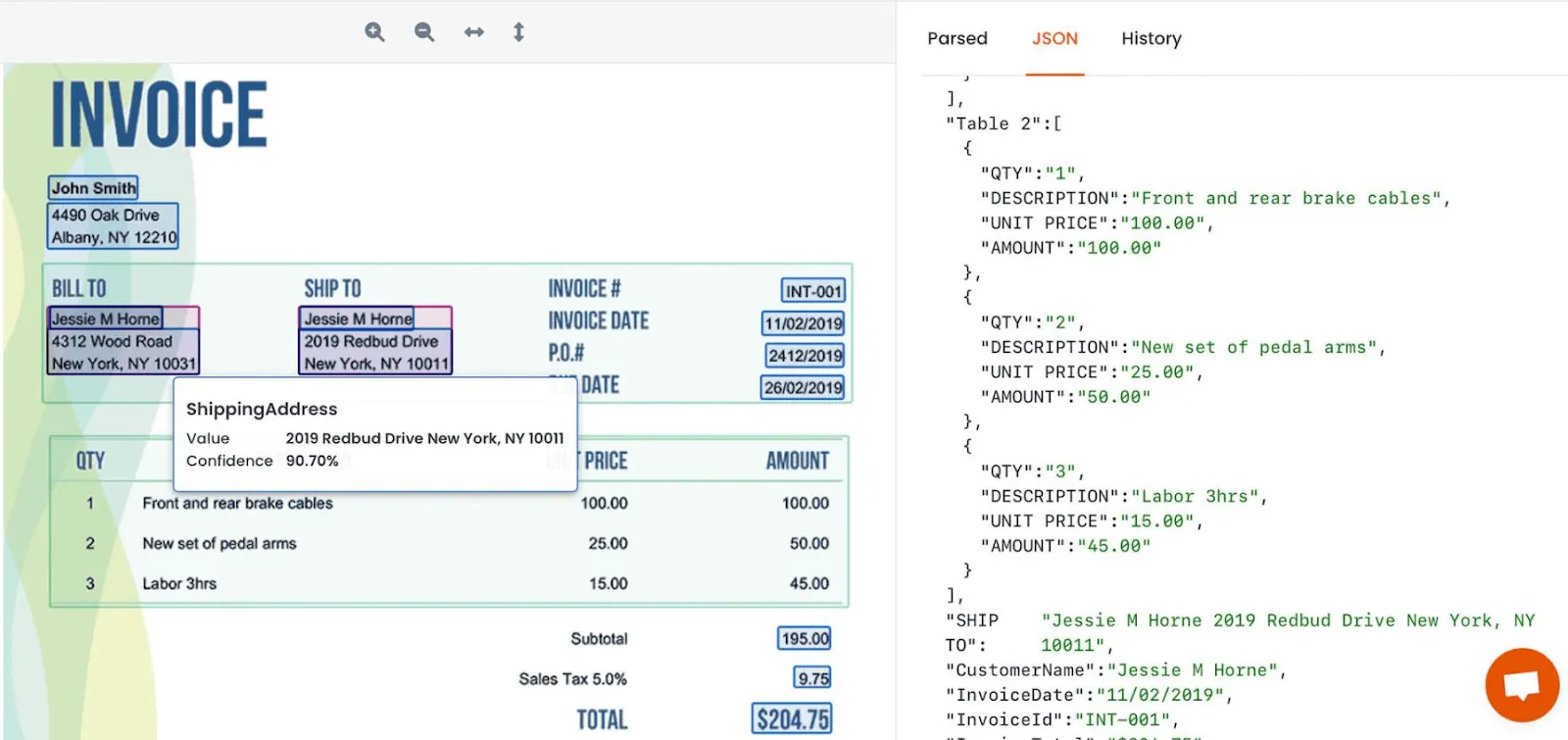
Parsio offers 4 parser engines tailored for various use cases:
- AI parser: Automatically extracts data from 15+ common document types (invoices, bank statements, receipts, etc.).
- GPT parser: Uses large language models to handle documents with changing or unpredictable layouts.
- AI OCR: Converts scanned documents and images to machine-readable text.
- Template parser: Lets you define extraction rules for documents with a fixed, consistent layout.
To learn more about these parser types and use cases, you can refer to the documentation.
How is Airparser different from Parsio?
Airparser is a more advanced LLM-powered parser built for complex document workflows and challenging layouts. While Parsio's GPT-powered parser supports both text-based and scanned documents, Airparser gives you more control for advanced use cases.
Instead of relying on a single text prompt, in Airparser you create a structured list of fields to extract and can choose between Text and Vision engines depending on the document type.
Airparser also supports multiple LLM models, which helps optimize parsing for different document types, visually complex layouts, and changing formats.
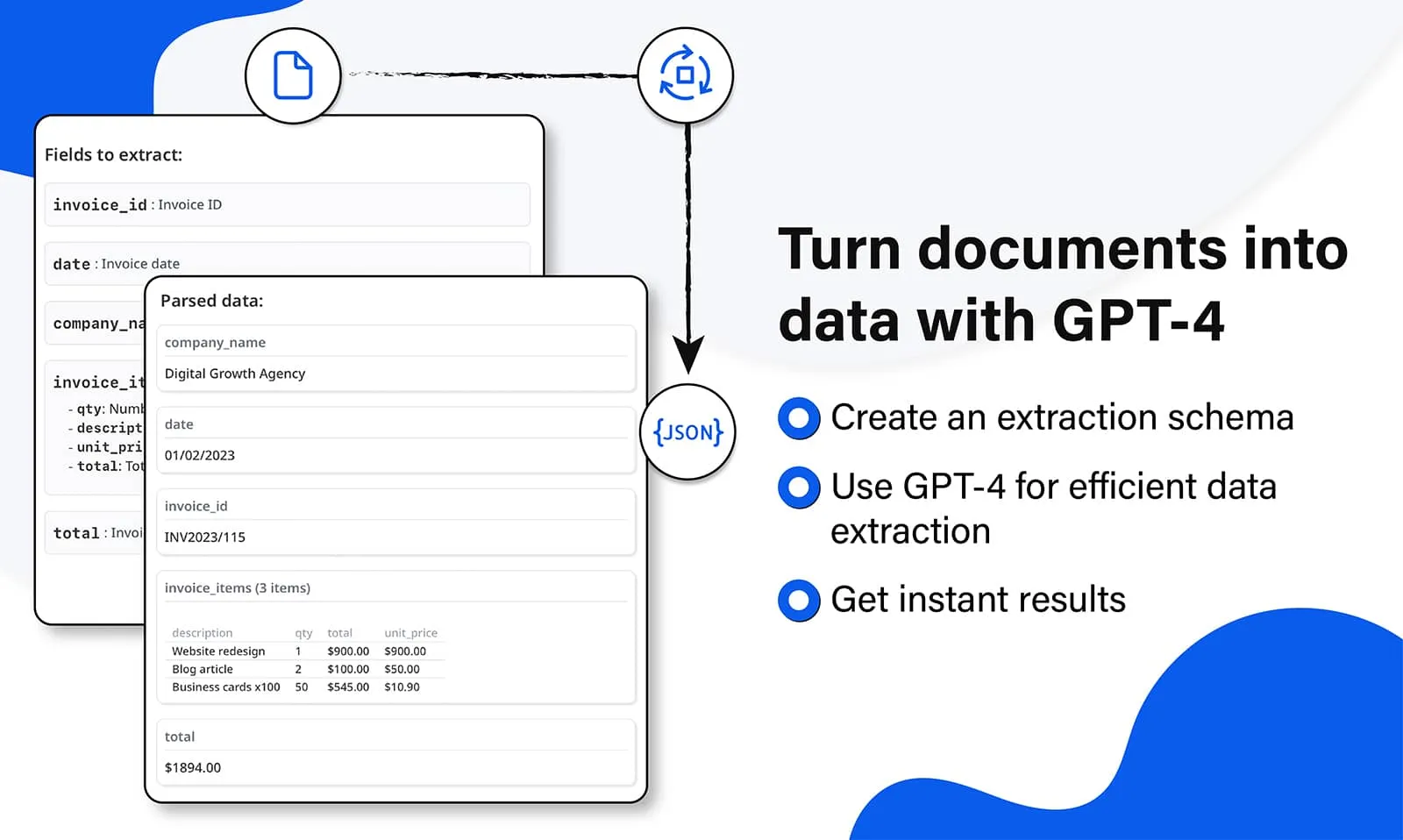
Just like Parsio, you can use the post-processing step to manipulate the extracted data, add any business logic before exporting to API, webhooks or 7000+ supported applications.
Just a few of the companies already using Airparser
Choosing the right tool
Both Parsio and Airparser are powerful tools for document and data. Pretty often they can be used for the same use cases.
However, here are some examples to help you decide which product to use, depending on the type of document you need to parse. Please note that this list is not exhaustive:
Parsio is suitable for:
- Machine-generated emails with consistent layouts.
- Invoices and receipts.
- Bank statements.
- Business cards.
- ID documents.
- Forms.
Airparser is suitable for:
- Human-generated emails and documents.
- Documents with frequently changing layouts.
- Documents with complex layouts.
- CVs and resumes.
- Contracts.
- Email signature parsing.
For more detailed information and usage guidelines, refer to the documentation and resources provided for each tool.
Don't hesitate to contact us
Why Airparser over building it yourself with an LLM API?
Today, it's trivially easy to throw a document at ChatGPT or Claude and get some data back. But production document extraction is a different problem — and the gap between a quick demo and a reliable workflow is where Airparser lives.
Consistent schema output
Raw LLM responses vary. Airparser enforces a strict JSON schema per inbox — same field names, same types, every time. Your downstream systems can rely on the structure.
Webhook & integration pipeline
Airparser delivers results via webhooks, API, Zapier, Make, n8n, Google Sheets, and email — automatically. With a raw LLM, you build and maintain all of that yourself.
Error handling & retries
LLMs fail, time out, and hallucinate. Airparser has multi-engine fallback (text LLM + vision LLM + OCR), automatic retries, and error logging built in — so documents don't silently drop.
Multi-engine fallback
If text extraction fails, Airparser falls back to vision LLM. If that fails, OCR. Each engine handles different edge cases — scanned documents, low-quality images, unusual layouts.
GDPR compliance by default
Airparser provides AES-256 encryption, configurable data retention, no training on your data, and a DPA for enterprise customers. Calling a raw LLM API means managing all of this compliance yourself.
No prompt maintenance
Prompts break when document layouts change. Airparser uses a schema-driven approach — you define fields once and the AI adapts automatically, without per-vendor prompt tuning.