Airparser: a Nanonets alternative
What is a PDF extraction tool?
A PDF extraction tool is software that helps you pull specific information from a PDF file, like text, images, tables, or data. Instead of copying and pasting manually, the tool scans the document and extracts the needed content quickly.
These tools are often used for tasks like pulling data from invoices, contracts, or reports, making them useful for businesses looking to automate data entry and document processing.
What is Nanonets?
Nanonets is an AI-powered tool that automates data extraction from documents like PDFs, images, and forms. It uses machine learning to recognize and pull out important information.

Businesses use Nanonets to reduce manual data entry and streamline workflows, allowing them to save time and automate data extraction. It's especially helpful in industries like finance, logistics, and healthcare.
How is Airparser different from Nanonets?
Airparser and Nanonets both use AI to help you extract data, but they work in different ways.
Airparser is powered by LLMs, which lets it handle a wide range of document types, including handwritten text. It can also parse emails directly.
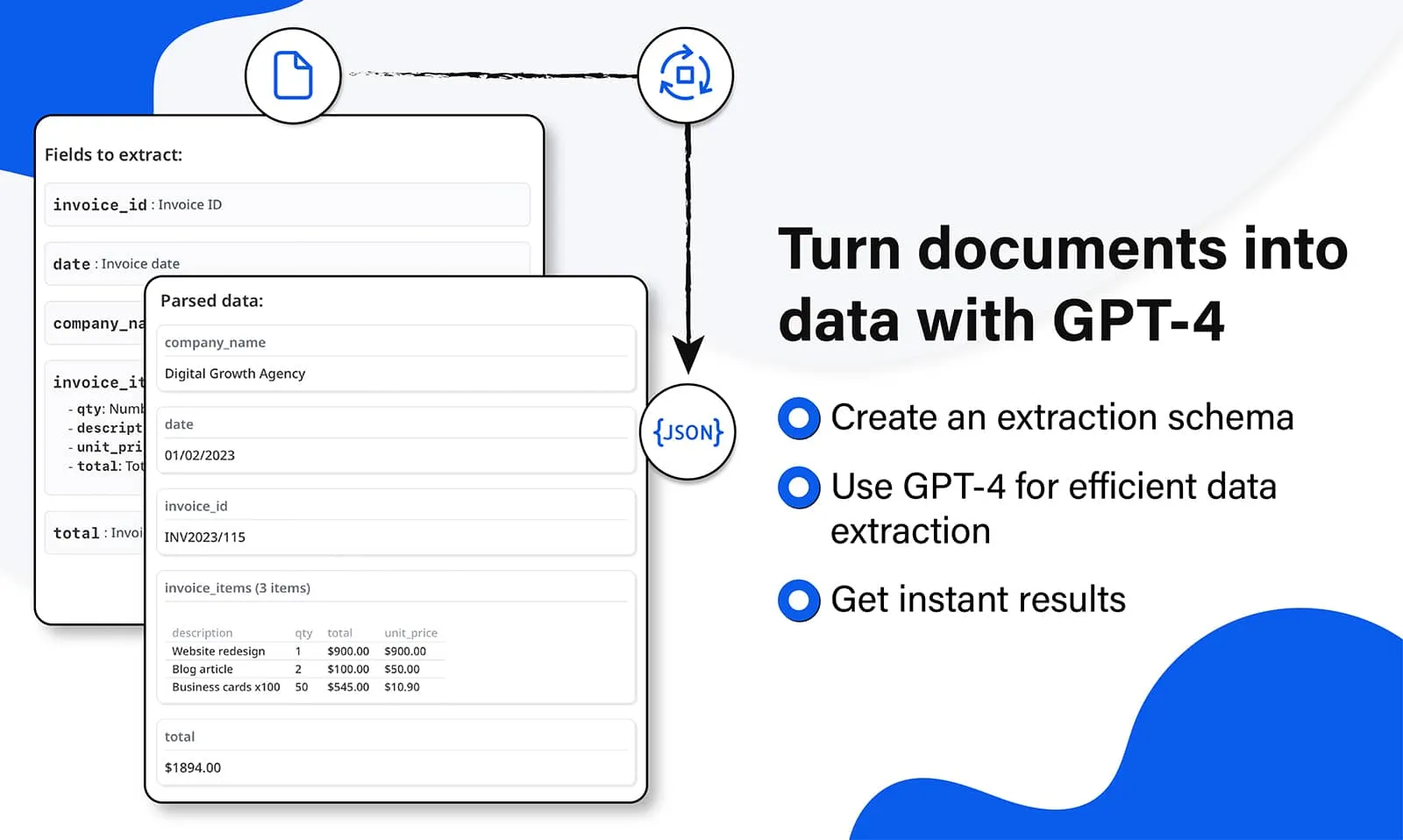
Nanonets works with pre-trained and custom models and usage-based pricing, so it's worth checking its pricing page against your own volumes. Airparser keeps things simple: you describe the fields you need once, and pricing is per page, with plans starting at $39 per month.
Airparser also includes human-in-the-loop review: documents with low AI confidence scores or failed validation rules are held for a team member to verify, correct, and approve before the data reaches your integrations.
Nanonets and Airparser compared
Both Nanonets and Airparser are capable document and data extraction tools. The table below is based on each vendor's public documentation as of November 2026; check nanonets.com for Nanonets' current features and pricing.
| Nanonets | Airparser | |
|---|---|---|
| Email parser | ||
| PDF parser | ||
| OCR | ||
| LLM parser | ||
| Human-in-the-loop review | ||
| API | ||
| Webhooks | ||
| Zapier & Make integrations |
Everything you need to know
What are the key use case differences between Airparser and Nanonets?
Airparser can be used for a wide range of cases, including email parsing, expense management, and real estate data extraction, because you define the fields you need and the LLM adapts to the layout. Nanonets offers pre-trained models for common document types such as invoices and receipts, as well as custom models.
How does Airparser's pricing structure differ from that of Nanonets?
Airparser has transparent pricing with plans starting at $39 per month, charged per page. Nanonets charges by workflow block runs and offers custom quotes on its higher plans, so the best way to compare is to check each vendor's pricing page against your own volumes and document types.
What alternative services to Nanonets offer similar features to Airparser?
Some alternative services to Nanonets include Docparser, Tabula, and Mailparser. These tools also provide robust data extraction capabilities. However, Airparser's comprehensive suite of features sets it apart from these competitors.
Which has better integration options, Nanonets or Airparser?
Both Airparser and Nanonets offer integrations with third-party applications. Airparser connects to business tools through its API, webhooks, Zapier, Make, and n8n.
Just a few of the companies already using Airparser
Airparser is amazing!
ALAmber L.
Executive Assistant
on Capterra
The Right Product for quick integration of smart extraction of data from PDF.
Marty N.
CEO, Information Technology
on Capterra
The simplicity of creating the data capture fields. I also like the webhook feature.
Allen M.
Owner Realtor, Real Estate
on Capterra
Why consider Airparser as a Nanonets alternative?
Airparser keeps pricing simple, with plans starting at just $39 per month, charged per page. This makes it an attractive option for businesses of all sizes looking to optimize their document extraction processes.
Additionally, Airparser's LLM-powered engine can handle a wide range of document types and even recognize handwritten text, so you can use it across many kinds of documents, whatever their layout.
Finally, Airparser's no-code interface and seamless integration with over 7000 applications and tools make it easy to set up and use.
Why Airparser over building it yourself with an LLM API?
Today, it's trivially easy to throw a document at ChatGPT or Claude and get some data back. But production document extraction is a different problem — and the gap between a quick demo and a reliable workflow is where Airparser lives.
Consistent schema output
Raw LLM responses vary. Airparser enforces a strict JSON schema per inbox — same field names, same types, every time. Your downstream systems can rely on the structure.
Webhook & integration pipeline
Airparser delivers results via webhooks, API, Zapier, Make, n8n, Google Sheets, and email — automatically. With a raw LLM, you build and maintain all of that yourself.
Error handling & retries
LLMs fail, time out, and hallucinate. Airparser has multi-engine fallback (text LLM + vision LLM + OCR), automatic retries, and error logging built in — so documents don't silently drop.
Multi-engine fallback
If text extraction fails, Airparser falls back to vision LLM. If that fails, OCR. Each engine handles different edge cases — scanned documents, low-quality images, unusual layouts.
GDPR compliance by default
Airparser provides AES-256 encryption, configurable data retention, no training on your data, and a DPA for enterprise customers. Calling a raw LLM API means managing all of this compliance yourself.
No prompt maintenance
Prompts break when document layouts change. Airparser uses a schema-driven approach — you define fields once and the AI adapts automatically, without per-vendor prompt tuning.
See how Airparser and Nanonets handled the same hard documents
We ran five hard documents (a bad scan, a phone photo, a Japanese era date, an invoice with no subtotal and a 14-page manifest) through Airparser, Parseur, Nanonets, Docparser and Parsio, and published the documents and how we scored them.
Read the open benchmark →