Best Mailparser alternative in 2026.
What is an email parser?
An email parser is a tool that automatically extracts structured data from emails. It analyzes the content of your emails to find and pull out the data you need, like order details, contact information, or payment confirmations.
Instead of manually sorting through emails, an email parser saves time by automating this process, allowing you to organize and use the extracted data efficiently in your workflows.
What is Mailparser?
Mailparser is a tool designed to extract structured data from your emails automatically. It's particularly useful for pulling specific details like order numbers, customer information, or payment data from the body of an email.
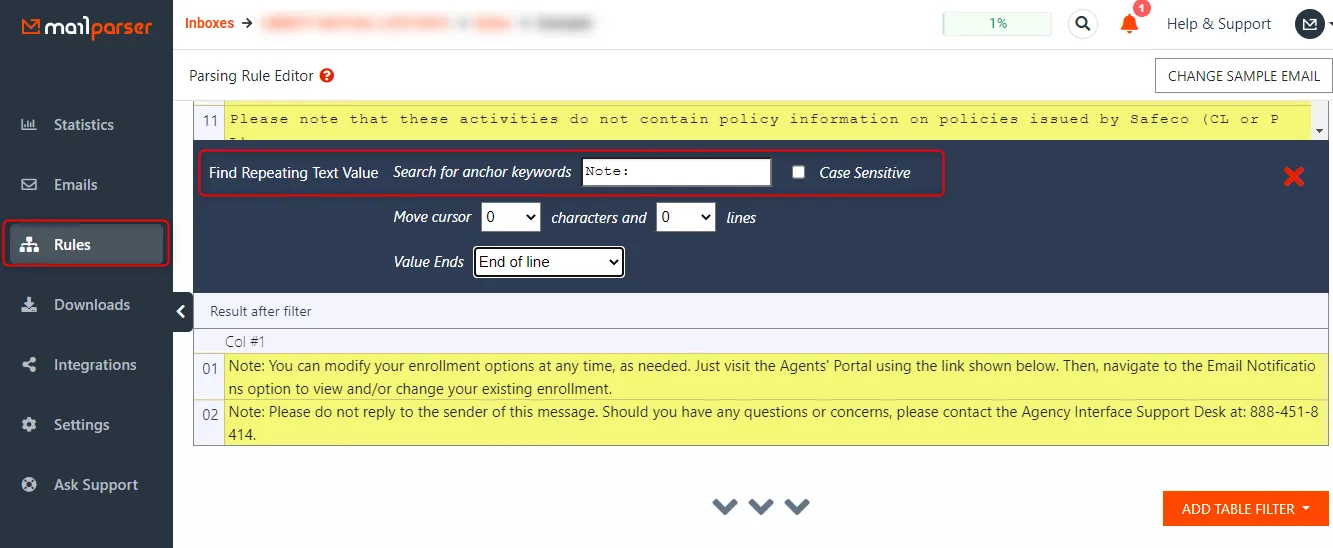
With Mailparser, you create rules to define what data to extract and where to find it in your emails. This makes it a reliable solution for handling repetitive tasks, especially when dealing with large volumes of similar emails. It's ideal for businesses looking to automate their email workflows and reduce manual data entry.
How is Airparser different from Mailparser?
Mailparser focuses on parsing emails. It's a solid tool for extracting data from emails. Airparser, however, is built for a wider range of documents and offers more power.
The main difference is in how they work. Mailparser requires you to create fixed rules to extract data, like finding text between "Total amount" and "$." This can be tricky, especially if the document format changes.
Airparser, using LLM, makes this easier. You just tell it what fields you need, and it figures out the rest. This means it can handle documents that come in different layouts, like invoices from various vendors.
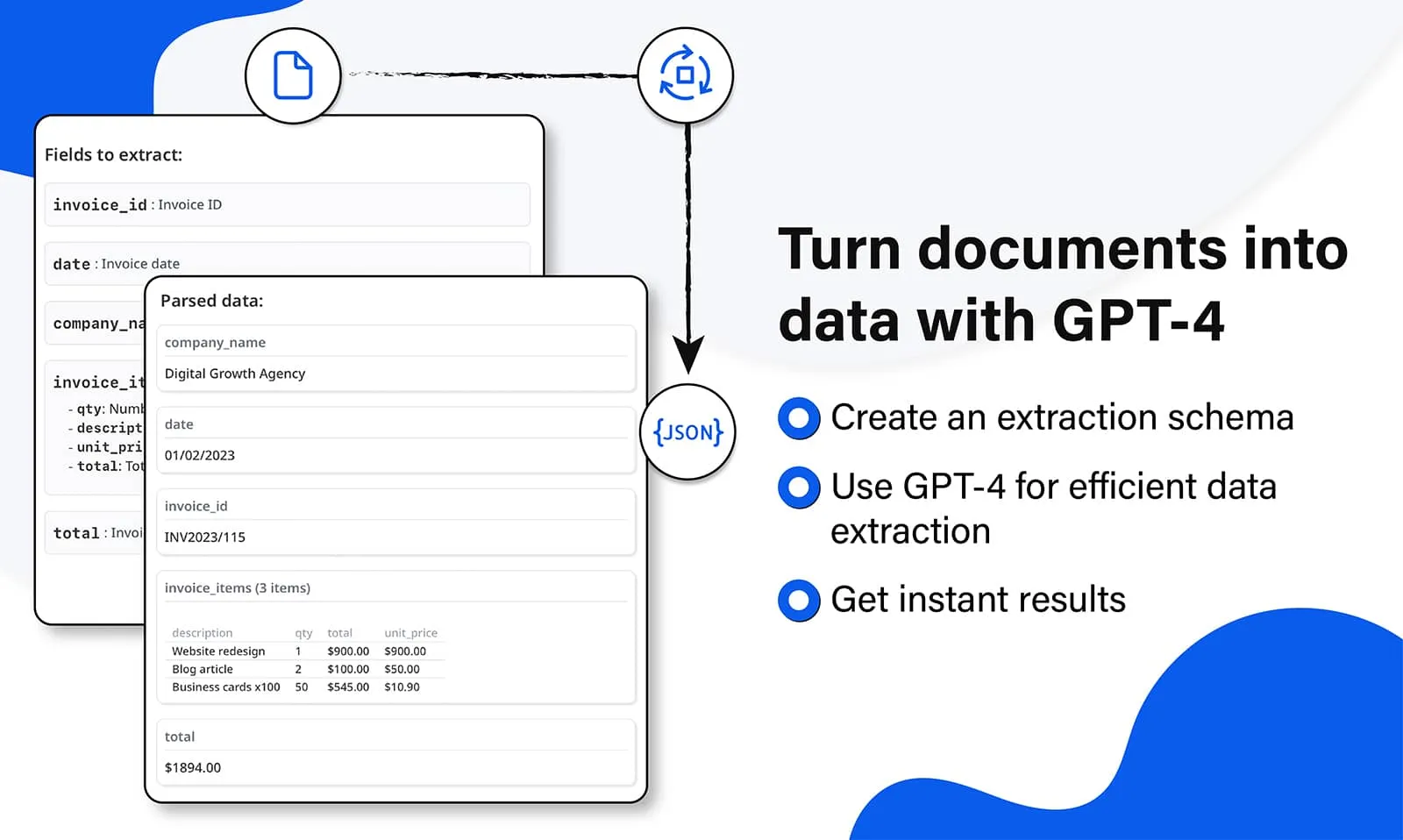
Additionally, Airparser can parse PDFs, images, and even handwritten text, which Mailparser doesn't support. This makes Airparser a stronger choice for those who deal with many types of documents.
Mailparser and Airparser compared
While both Mailparser and Airparser are document and data extraction tools, there are several key differences between them. Here are some of the most important distinctions to help you decide which software is best suited for automating your data extraction.
| Mailparser | Airparser | |
|---|---|---|
| Parsing engine | Rule-based (hard to use) | LLM-powered (easy to use) |
| Parse emails | ||
| Parse PDFs | ||
| Attachments & file parsing | ||
| Web page & HTML parsing | ||
| Parse handwritten text | ||
| Supported formats | Emails | Emails, PDFs, HTML, TXT, JPG, PNG, Word, and more |
| Parse documents with dynamic layout | No, due to fixed parsing rules | Yes, thanks to the dynamic LLM engine |
| How easy to configure | Hard: Creating parsing rules manually | Easy: Simply list fields to extract |
| OCR | No: Only text-based emails | Yes: Parse scanned documents and images |
| Parse tables and lists | Hard: Create complex rules | Easy: Create a list field type |
| Import options | Send emails, manual upload | Send emails, send attachments, manual upload, Zapier, Make, API |
| Number of inboxes | 10 to unlimited | Unlimited even with the free plan |
| Metadata parsing | Yes, some | Yes, many |
| Human-in-the-loop review | Built in, on all plans | |
| API | ||
| Webhooks | ||
| Zapier integration | ||
| Make integration | ||
| Pabbly Connect integration | ||
| Data post-processing, validation | ||
| Data logs | Yes, some | Yes, many |
| Notifications | Emails | Emails and Webhooks |
| Data retention policy | Up to 60 days | Up to 180 days |
| Interface & UI | Outdated UI | Modern & user-friendly |
| Data storage | US | EU (GDPR-compliant) |
Just a few of the companies already using Airparser

Which is better, Mailparser or Airparser?
We could easily say, "Airparser is the obvious choice!" but we believe it's better for you to make that decision yourself.
Mailparser is a solid option if your main goal is to extract structured data from emails. It's effective for tasks where the email format doesn't change much, and you're comfortable setting up and maintaining rules. If your needs are straightforward and mainly focused on email parsing, Mailparser can serve you well.
However, if you're looking for more flexibility, especially if you deal with different types of documents, Airparser might be the better option. With its LLM-based engine, Airparser handles various layouts without needing complex rules. It can also parse PDFs, images, and even handwritten text, making it a stronger choice if you need a tool that can handle a wider range of tasks.
Why Airparser over building it yourself with an LLM API?
Today, it's trivially easy to throw a document at ChatGPT or Claude and get some data back. But production document extraction is a different problem — and the gap between a quick demo and a reliable workflow is where Airparser lives.
Consistent schema output
Raw LLM responses vary. Airparser enforces a strict JSON schema per inbox — same field names, same types, every time. Your downstream systems can rely on the structure.
Webhook & integration pipeline
Airparser delivers results via webhooks, API, Zapier, Make, n8n, Google Sheets, and email — automatically. With a raw LLM, you build and maintain all of that yourself.
Error handling & retries
LLMs fail, time out, and hallucinate. Airparser has multi-engine fallback (text LLM + vision LLM + OCR), automatic retries, and error logging built in — so documents don't silently drop.
Multi-engine fallback
If text extraction fails, Airparser falls back to vision LLM. If that fails, OCR. Each engine handles different edge cases — scanned documents, low-quality images, unusual layouts.
GDPR compliance by default
Airparser provides AES-256 encryption, configurable data retention, no training on your data, and a DPA for enterprise customers. Calling a raw LLM API means managing all of this compliance yourself.
No prompt maintenance
Prompts break when document layouts change. Airparser uses a schema-driven approach — you define fields once and the AI adapts automatically, without per-vendor prompt tuning.