Extract Documents to Google Sheets
Automatically parse PDFs, emails, and documents, then send structured data directly to Google Sheets. No manual data entry required.


From Documents to Spreadsheets, Automatically
The Airparser + Google Sheets integration eliminates manual data entry by automatically extracting information from documents and populating your spreadsheets in real-time.
Whether you're processing invoices, receipts, forms, resumes, or any other document type, Airparser's AI extracts structured data and creates new rows in your Google Sheets automatically - no coding or templates required.
Invoice PDF
Airparser AI Extraction
New Row in Google Sheets
Save Hours Every Week
Popular Use Cases
Invoice Tracking
Parse invoices and automatically log invoice numbers, amounts, vendors, and due dates in Google Sheets.
Expense Reports
Extract receipt data and build expense tracking spreadsheets automatically for accounting.
Resume Database
Parse resumes to extract candidate information and build a searchable applicant database.
Order Processing
Extract order confirmations from emails and maintain a real-time order tracking sheet.
Lead Collection
Parse lead forms and contact information into a Google Sheets CRM for follow-up.
Real Estate Listings
Extract property details from listings and build a comparison spreadsheet automatically.
How It Works
1. Set Up Parser
Create a parser in Airparser and define which data fields to extract from your documents.
2. Connect Sheets
Link your Google Sheets account and select which spreadsheet and worksheet to populate.
3. Start Processing
Send documents to Airparser via email, upload, or API - data appears in your sheet instantly.
How to Connect
Airparser offers multiple ways to export parsed data to Google Sheets.
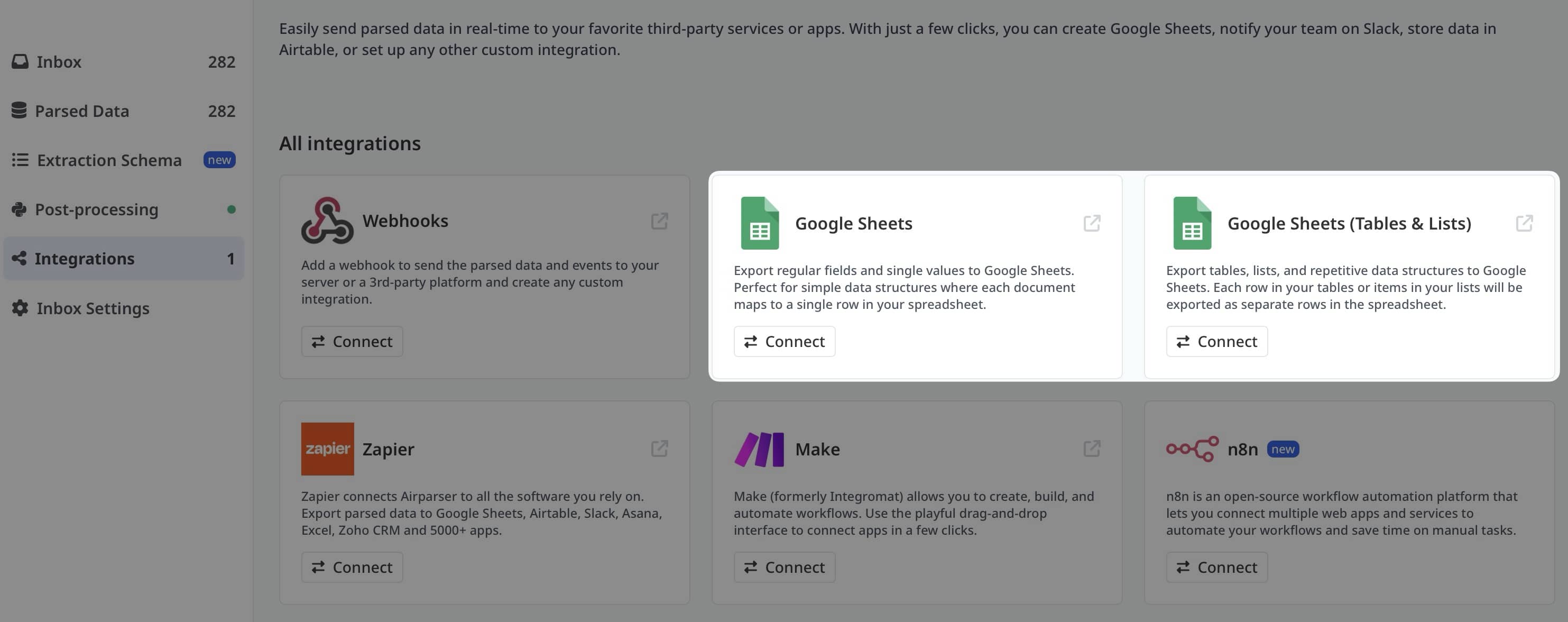
Native Built-in Integration
The easiest way to export parsed data to Google Sheets. Connect your Google account directly in Airparser, select your spreadsheet, map your fields, and data flows automatically in real-time. No third-party tools required.
- One-click Google account connection
- Direct field mapping in Airparser UI
- Real-time automatic export
- Supports tables, lists, and repeating data
Via Automation Platforms
For more complex workflows or when connecting multiple tools, use automation platforms. Ideal for advanced scenarios with conditional logic, data transformation, or multi-app workflows.



Powerful Features
Real-Time Updates
Documents are processed and data appears in your spreadsheet within seconds of receipt.
Multiple Sheets Support
Send different document types to different sheets or workbooks automatically.
Auto-Append Rows
New data is automatically added as new rows - no overwriting or manual intervention needed.
Custom Field Mapping
Map extracted data fields to specific columns in your spreadsheet exactly how you want.
Timestamps
Automatically add timestamps to track when documents were processed and data was added.
Source Links
Include links to original documents in your spreadsheet for easy reference and audit trails.
Example Workflow: Invoice Tracking
Forward the invoice email to your Airparser inbox address
Invoice number, vendor, amount, due date, line items
New row created in "Invoices" sheet with all extracted fields
Your sheet formulas automatically update with running totals and due date alerts
No manual data entry, instant updates, always accurate
Frequently Asked Questions
Do I need a paid Google Sheets account?
No! This integration works with free Google Sheets accounts. You just need a Google account to get started.
Can I send data to multiple sheets?
Yes! You can create multiple parsers and route different document types to different spreadsheets or worksheets.
What happens if my sheet has formulas?
Your formulas are preserved. New data is appended as new rows, and your formulas will automatically reference the new data.
Can I update existing rows instead of adding new ones?
Yes! Using Zapier or Make, you can configure "Update Row" actions that find and update existing rows based on matching criteria (like invoice number or order ID).
How fast is the data transfer?
Typically 1-5 seconds. Once Airparser extracts the data, it's sent to Google Sheets almost instantly via the API.
Can I format the data before it goes into Sheets?
Yes! If you're using Make or Zapier, you can apply formatting, date conversions, text transformations, and calculations before the data reaches your spreadsheet.
Is there a limit to how many rows I can add?
Google Sheets supports up to 10 million cells per spreadsheet. Airparser has no limits on how many documents you can process (depends on your plan).
Can multiple team members access the data?
Absolutely! Share your Google Sheet with your team just like any other spreadsheet. Everyone with access will see real-time updates.
Stop Manual Data Entry Today
Start extracting documents to Google Sheets automatically. Free trial, no credit card required.
