Airparser + n8n Integration
Build powerful, self-hosted document automation workflows with n8n's visual editor and Airparser's AI extraction. Complete control over your data.
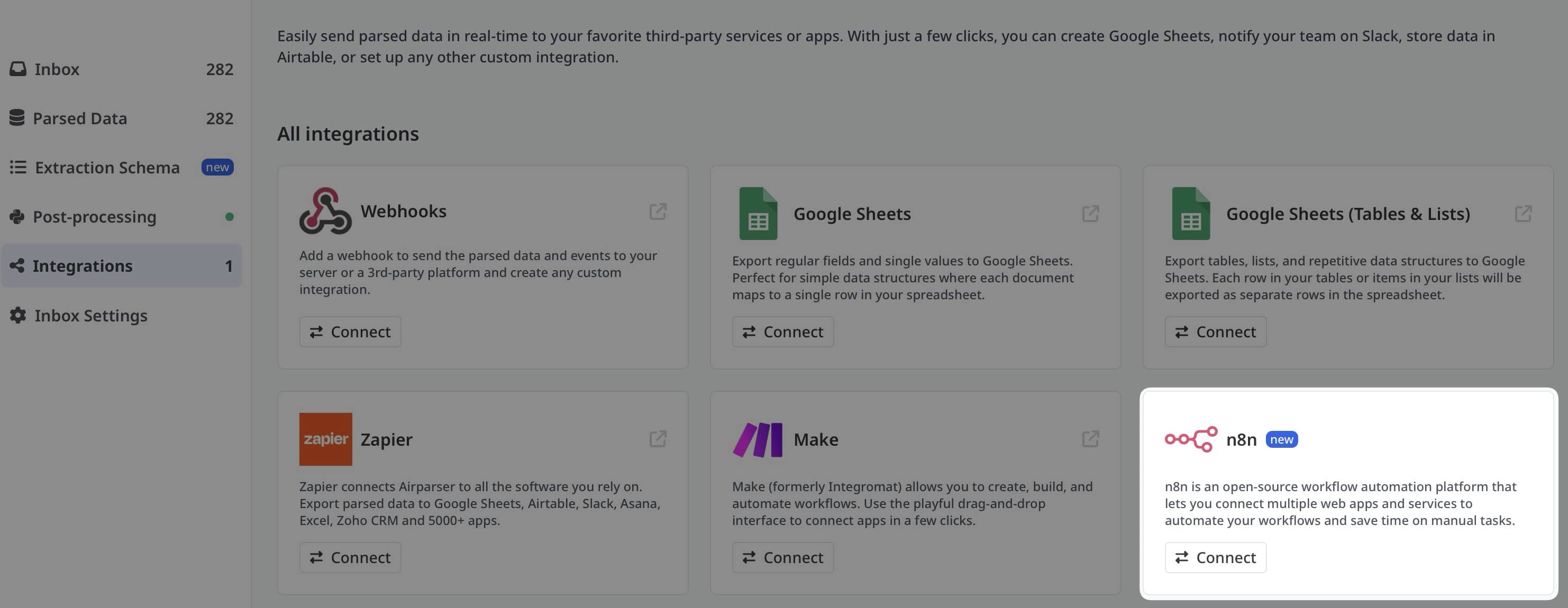


Native Integration with Visual Workflow Builder
The Airparser n8n integration brings AI-powered document extraction to n8n's flexible workflow automation platform. With the official Airparser node in n8n, you can build end-to-end document processing workflows that run on your infrastructure or in the cloud.
n8n is a workflow automation tool with a visual editor that lets you connect apps, add conditional logic, handle errors, and create complex automation scenarios. Unlike simpler tools, n8n gives you complete control over your workflows and data.
Perfect for teams that need flexibility, data privacy, and the ability to build custom document processing pipelines without vendor lock-in.
Why Airparser + n8n?
Key Benefits
No More Manual Uploads
Documents are picked up automatically from sources like cloud storage, email inboxes, or other apps. As soon as a file appears, it's sent to Airparser for parsing.
Flexible Workflows, Not Rigid Integrations
Design workflows visually with conditions, delays, branching paths, and error handling. Perfect for complex document types or multiple clients.
Connect Extracted Data to Anything
Route parsed data to spreadsheets, databases, CRMs, internal APIs, or notification tools. You're not limited to single export destinations.
Event-Based Automation
The Airparser node supports triggers like "document parsed". Your workflow reacts as soon as data is ready, without polling or manual checks.
Self-Hosted Option
Deploy n8n on your own infrastructure for complete data privacy and control. Or use the cloud version for quick setup.
Advanced Logic
Add conditional branching based on extracted values. Flag high-value invoices, route documents to review queues, or trigger different actions per document type.
Common Use Cases
Invoice Automation
Monitor a folder for new invoices, extract totals and vendor details, and send them to accounting software automatically.
Resume Parsing
Automatically parse CVs uploaded by candidates and push structured data into an ATS or database for screening.
Lead Processing
Extract contact details from uploaded documents and send them to a CRM with proper lead scoring and routing.
Operations Workflows
Parse reports or forms and notify teams when key values meet certain conditions or thresholds.
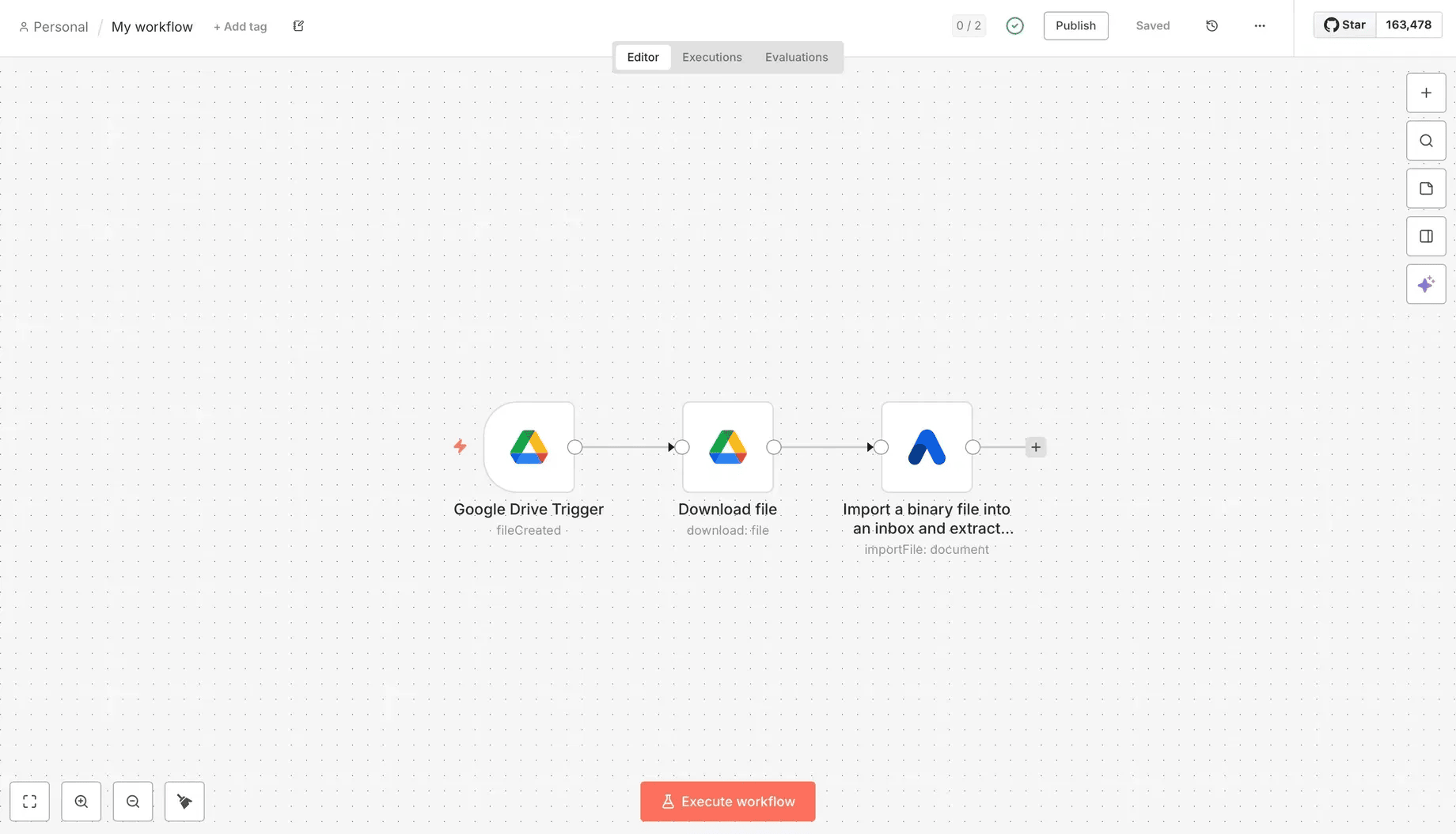
Real-World Example: Google Drive to Airparser
Build a workflow that monitors a Google Drive folder, detects new files, and automatically sends them to Airparser for parsing.
Create a Google Drive folder
Set up a folder in Google Drive that will act as the entry point for your automation. Any document placed here will be processed automatically.
Create a new workflow in n8n
Open n8n and create a new workflow. Add a Google Drive trigger node that watches your specific folder and fires when new files appear.
Connect Google Drive credentials
Authenticate with your Google account using OAuth credentials. Select the folder you created in step 1.
Download the file content
Add a "Google Drive - Download file" node to fetch the actual file content as binary data, which is required for Airparser.
Add the Airparser node
Add the official Airparser node and choose the "Import Binary File" action. Connect your Airparser account using your API key.
Configure import settings
Select the Airparser inbox where documents should be uploaded. Map the binary file field and pass the original filename.
Activate the workflow
Test the workflow with a sample file, then activate it. From now on, every new file in the Google Drive folder will be processed automatically.
What Happens After Parsing?
Once Airparser finishes parsing a document, the structured data is immediately available in your n8n workflow. You can then extend your workflow in many ways:
Send to Google Sheets
Append extracted data as new rows in spreadsheets
Insert into Database
Write records to PostgreSQL, MySQL, MongoDB, etc.
Update CRM
Push data to Salesforce, HubSpot, or other CRMs
Trigger Internal APIs
Send data to your custom applications via HTTP
Send Notifications
Alert teams via Slack, email, or other channels
Conditional Routing
Branch workflows based on extracted values
Why Choose n8n Over Other Automation Tools?
n8n Advantages
- Self-hosted option for complete data control
- Visual workflow builder with unlimited complexity
- No vendor lock-in, open-source foundation
- Advanced conditional logic and error handling
- More cost-effective for high-volume processing
- Native Airparser node for seamless integration
Other Tools
- Simpler for basic, linear workflows
- Larger app marketplace in some cases
- Easier learning curve for beginners
Recommendation: Use n8n when you need self-hosted deployment, complex conditional logic, or want to avoid vendor lock-in. Use Zapier/Make for simpler workflows or when you need access to very specific app integrations.
Frequently Asked Questions
Do I need to self-host n8n?
No! n8n offers both self-hosted and cloud options. Start with n8n Cloud for quick setup, or deploy on your infrastructure for complete data control.
How do I get the Airparser node?
The Airparser node is available natively in n8n. Just search for "Airparser" when adding a new node to your workflow.
Can I process documents from multiple sources?
Absolutely! Create different workflows for different sources (Google Drive, Dropbox, email, FTP, etc.) or use conditional logic to handle multiple sources in one workflow.
What document formats are supported?
The Airparser n8n node supports binary files (PDFs, images, scanned documents) and text/HTML content. Airparser's AI handles any format automatically.
How do I handle parsing errors?
Use n8n's error handling nodes to catch failures. You can retry, send notifications, route documents for manual review, or log errors to a database.
Can I use multiple Airparser inboxes?
Yes! Each Airparser node in your workflow can target a different inbox, allowing you to use different extraction schemas for different document types.
Is there a limit to workflow complexity?
n8n has no inherent limits on workflow complexity. Build as many branches, conditions, and actions as needed for your use case.
How is pricing calculated?
Airparser charges based on your plan and document volume. n8n Cloud has its own pricing based on workflow executions. Self-hosted n8n is free for unlimited workflows.
Can I trigger workflows from Airparser?
Yes! Use webhook triggers in n8n. When Airparser finishes parsing, it can send a webhook to n8n to trigger downstream processing.
Build Flexible Document Workflows with n8n
Combine Airparser's AI extraction with n8n's powerful workflow automation. Self-hosted or cloud, you choose.
